Hi there! I came across this post because I’ve been investigating what looks like the same issue on Windows 11 for about a week now. I’ve been able to reproduce both the “no brush presets available” warning and the missing menu/UI options (which occur nearly always simultaneously; sometimes it’s just the brush error) in versions 5.3.1 and 5.3.4.
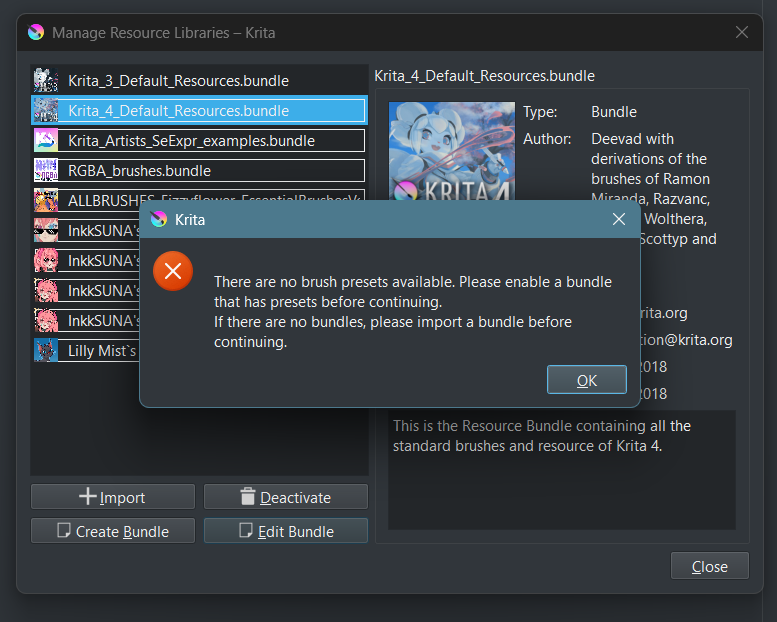
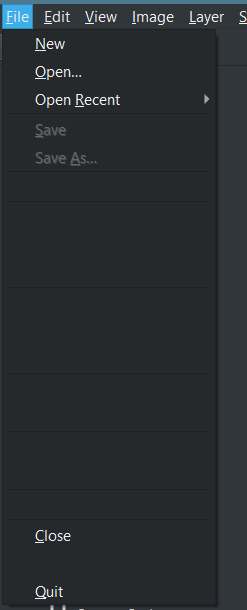
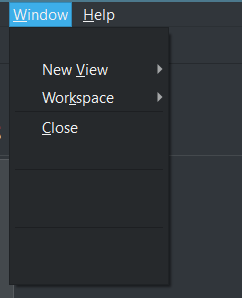
In my case, I found a very specific trigger: launching Krita twice in rapid succession while it’s still starting up. For example, double-clicking a desktop shortcut (or just krita.exe), and then double-clicking it again almost immediately quite reliably causes Krita to open with missing brush presets (and broken menus more often than not).
The workaround that’s worked consistently for me is to launch Krita only once and wait for it to finish opening, even if it takes a little while. In other words (assuming using Windows), one double-click from the desktop/File Explorer, or a single click from the taskbar/Start menu, without clicking again while it’s loading. Once Krita has fully opened, attempting to launch it again doesn’t cause the problem in my testing. I just have a habit of occasionally spam-clicking apps, lol.
I’m not sure whether this is the exact cause of your issue, but since your symptoms sound so similar to mine, it might be worth trying!
For anyone who might be curious about the technical side: I’ve reproduced this in both 5.3.1 and 5.3.4, and captured debug logs from affected launches showing resource database errors, including QSqlQuery::prepare: database not open and QSqlError("", "Driver not loaded", "Driver not loaded"). The issue appears to be related to startup timing, possibly involving how a second launch is handled before resource initialization finishes. It’s my understanding from browsing the KDE Bugtracking reports that this is already a known bug.
If I can provide any helpful further info, let me know 