When trying to export a timelapse that I recorded, the video settings window indicates that the video lasts 5 minutes. I use the mp4 format and it just keeps stopping when it gets close to be 30% complete. I already verified that I have all the frames of my entire process and I don’t know what else to do. I would really appreciate if someone could help me, please
To be able to help you we need more information, which means you have to help us to be able to help you at all (remember, we are not sitting next to you, we cannot see what you see):
Which operating system are you using exactly? Please don’t just specify macOS, Windows or Linux, but which version exactly, for example Windows 10 Pro/Home/Education… .
Which version of Krita are you using? We need the exact number, it is displayed at the top right of the splash screen when Krita starts or under ‘‘Help’’ >> ‘‘Report Bug’’ and in the dialog that then opens behind ‘‘Version’’.
Where did you get your version of Krita from? Krita’s website, Steam, repository, or wherever else?
How did you check that you have all the frames? Did you compare the number of frames displayed by your file manager in the snapshot folder with the highest frame number given, or how did you check this?
Please send us screenshots of your recorder settings in Krita and of the export settings, for both, if not all details are visible in the recorder docker and in the export settings, then enlarge the docker / dialog so that everything is visible, it can be dragged larger with the mouse.
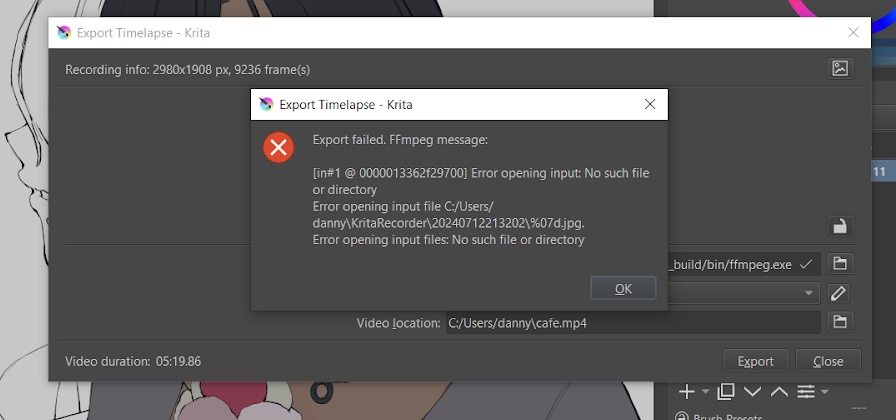
Does your operating system, FFmpeg, or Krita issue an error message about this abort? Can you show us a screenshot from that message?
For the screenshots:
Please use screenshots and not photos, as has become a bad habit, if you don’t know how to do this, ask Google or I can also post more detailed instructions.
In short: Usually you press the key to the right of F12, which is usually labeled Print or Print Screen or abbreviations thereof like Prt/Scr, then you insert the screenshot you have taken with CTRL + V into an image editing program of your choice, Krita for instance, save it as a JPG with ~75% compression and then post it here.
Michelist
2 Likes
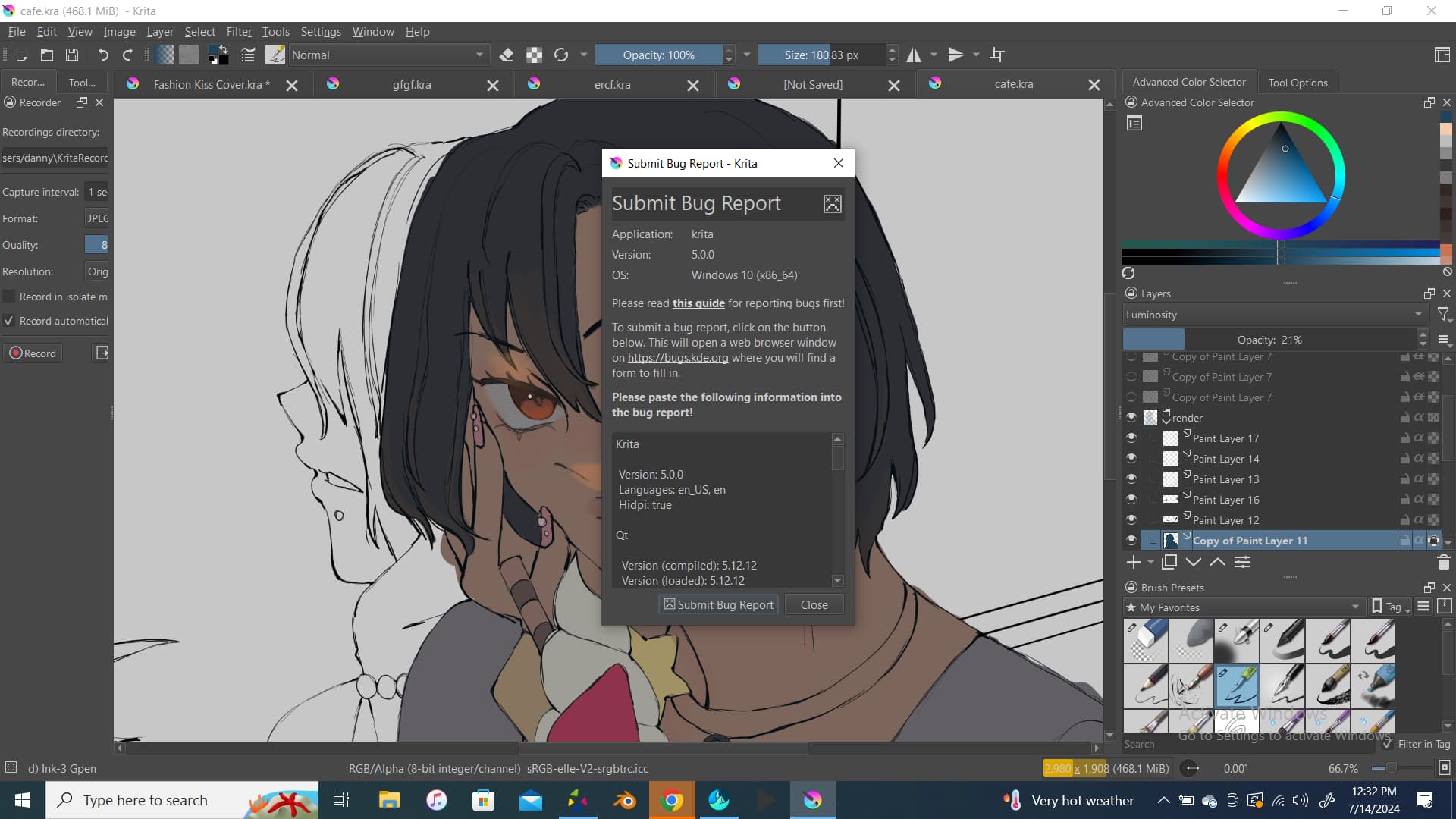
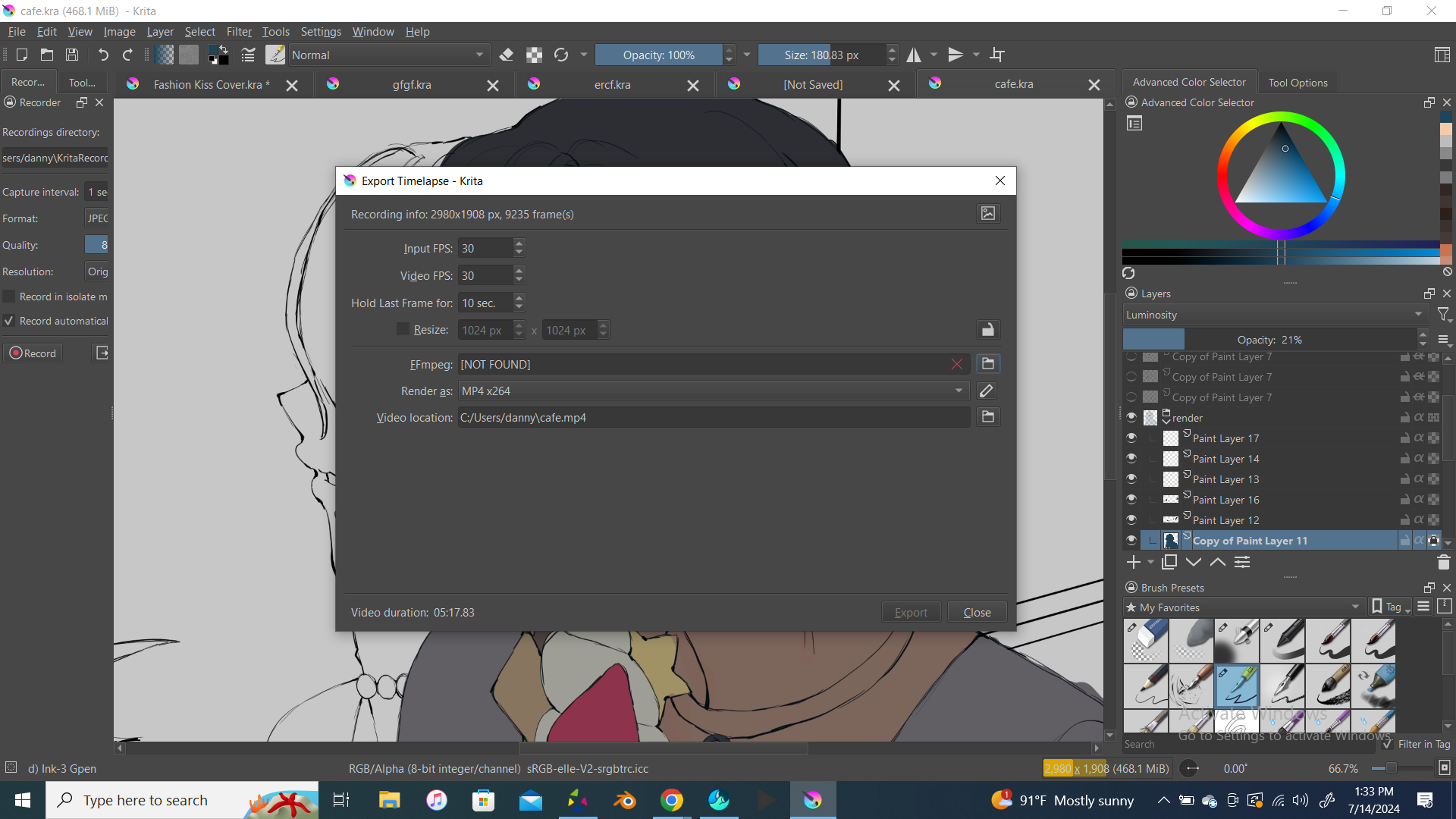
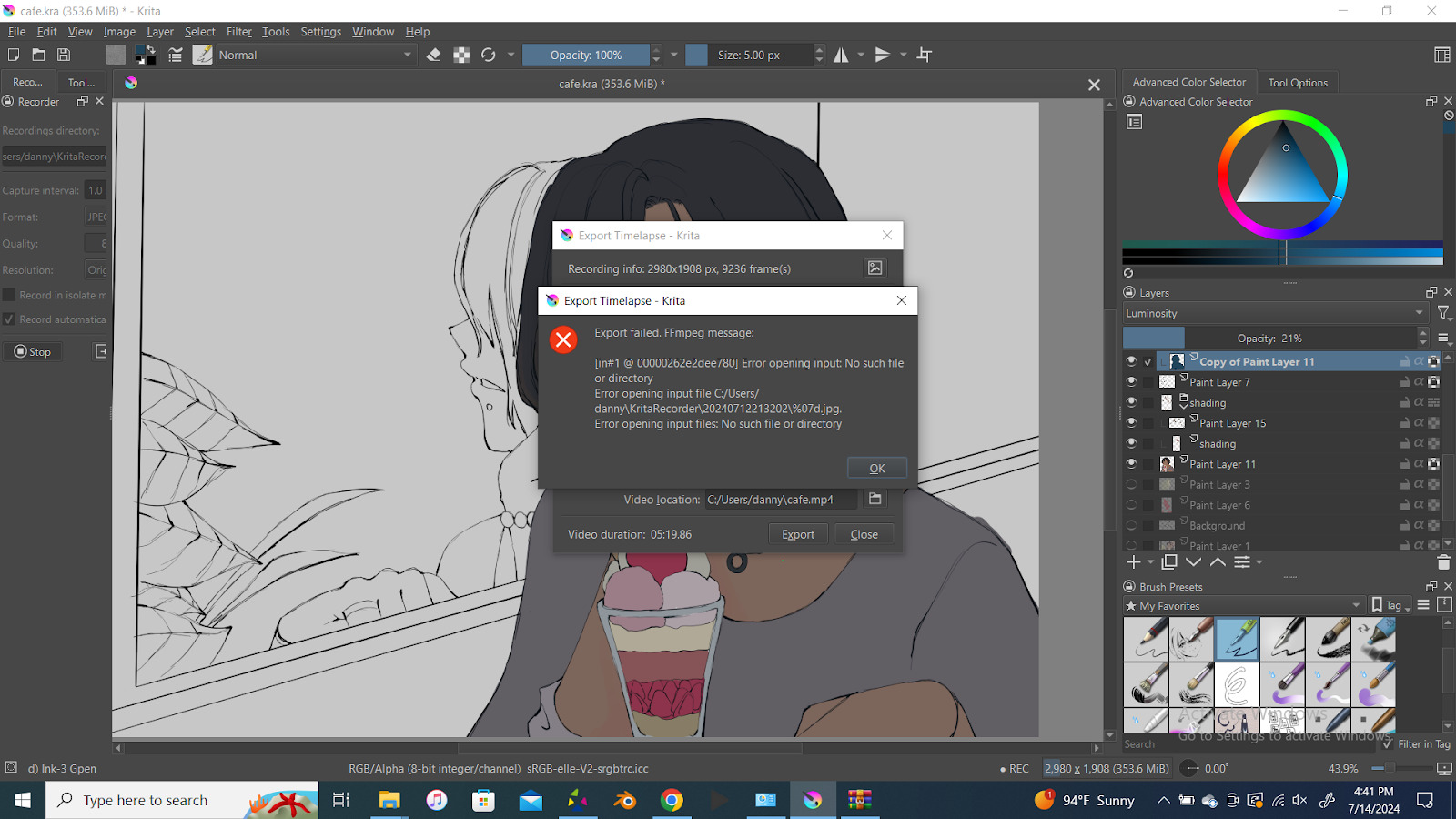
I downloaded krita from the krita website and this is the only error message. It popped up after I tried to use a different ffmpeg file from the ones in the screenshot
Hi @monomii,
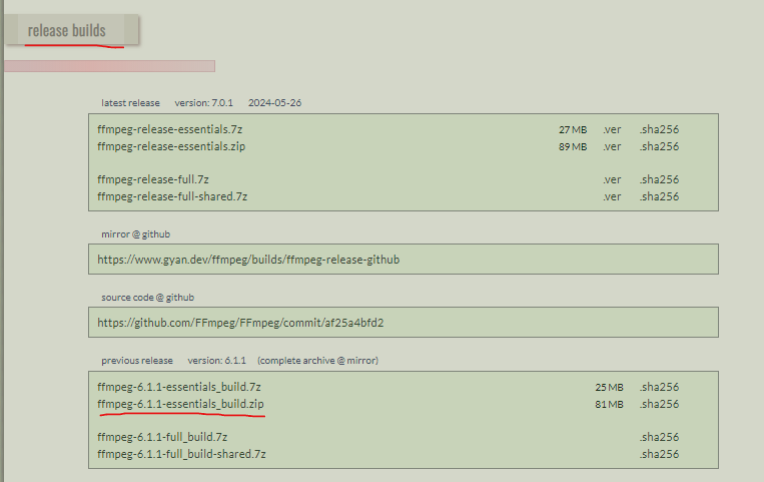
I see that you’re using an older version of Krita (5.0). I recommend updating to the latest version (5.2.3) from the official website. However, if you continue to experience errors when using FFMPEG (version 7.0.1) even after updating Krita, you might want to try using FFMPEG (version 6.1.1) instead, as this version might work better for you.
Link below:
1 Like
@monomii was using ffmpeg 5.0. ffmpg 7.0.1 has previously shown problems and the advice to use ffmpeg 6.1.1 is good advice because that one is known to work:
https://www.gyan.dev/ffmpeg/builds/packages/ffmpeg-6.1.1-essentials_build.zip
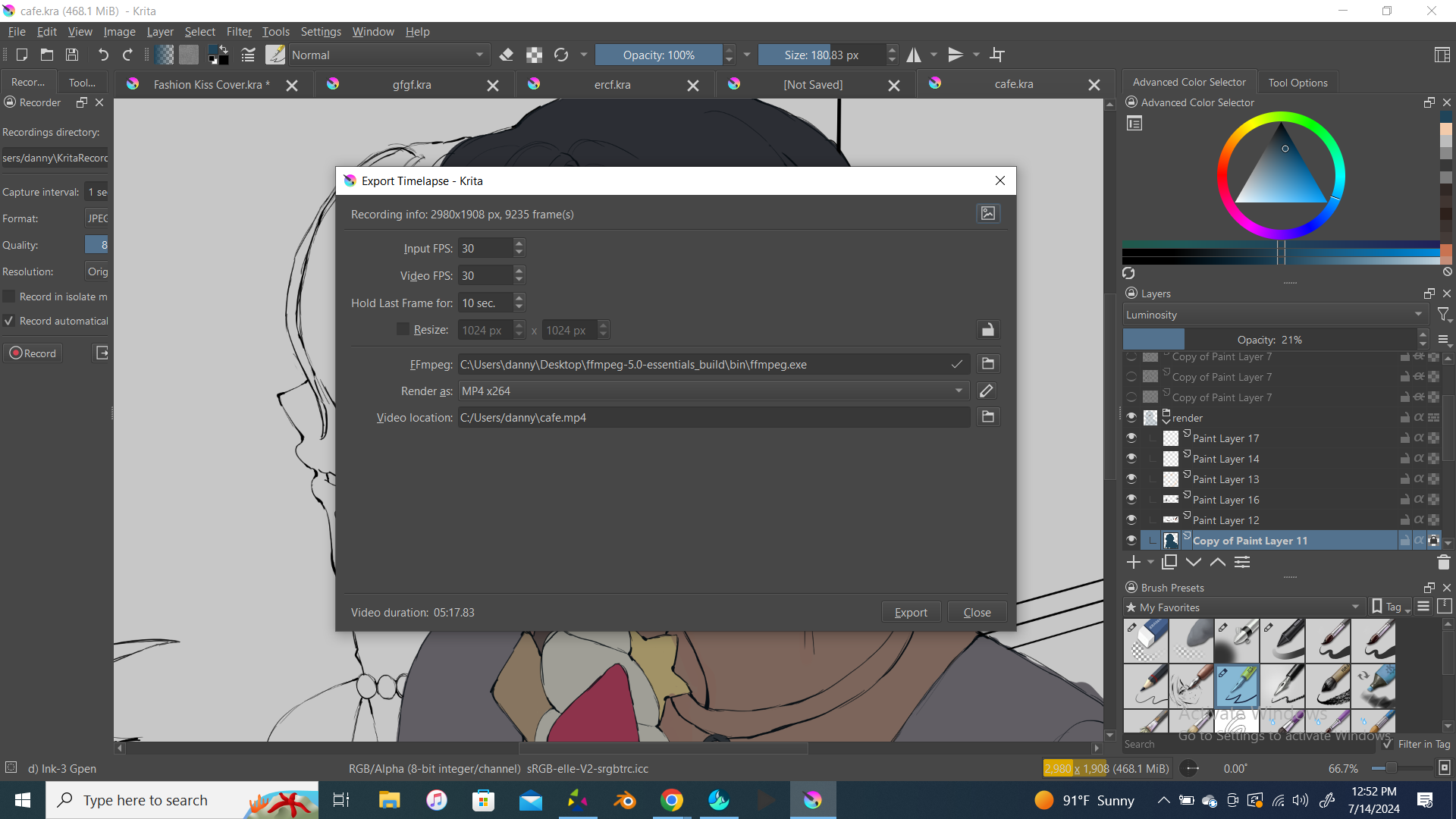
The Export Timelapse window says that there are 9235 frames expected.
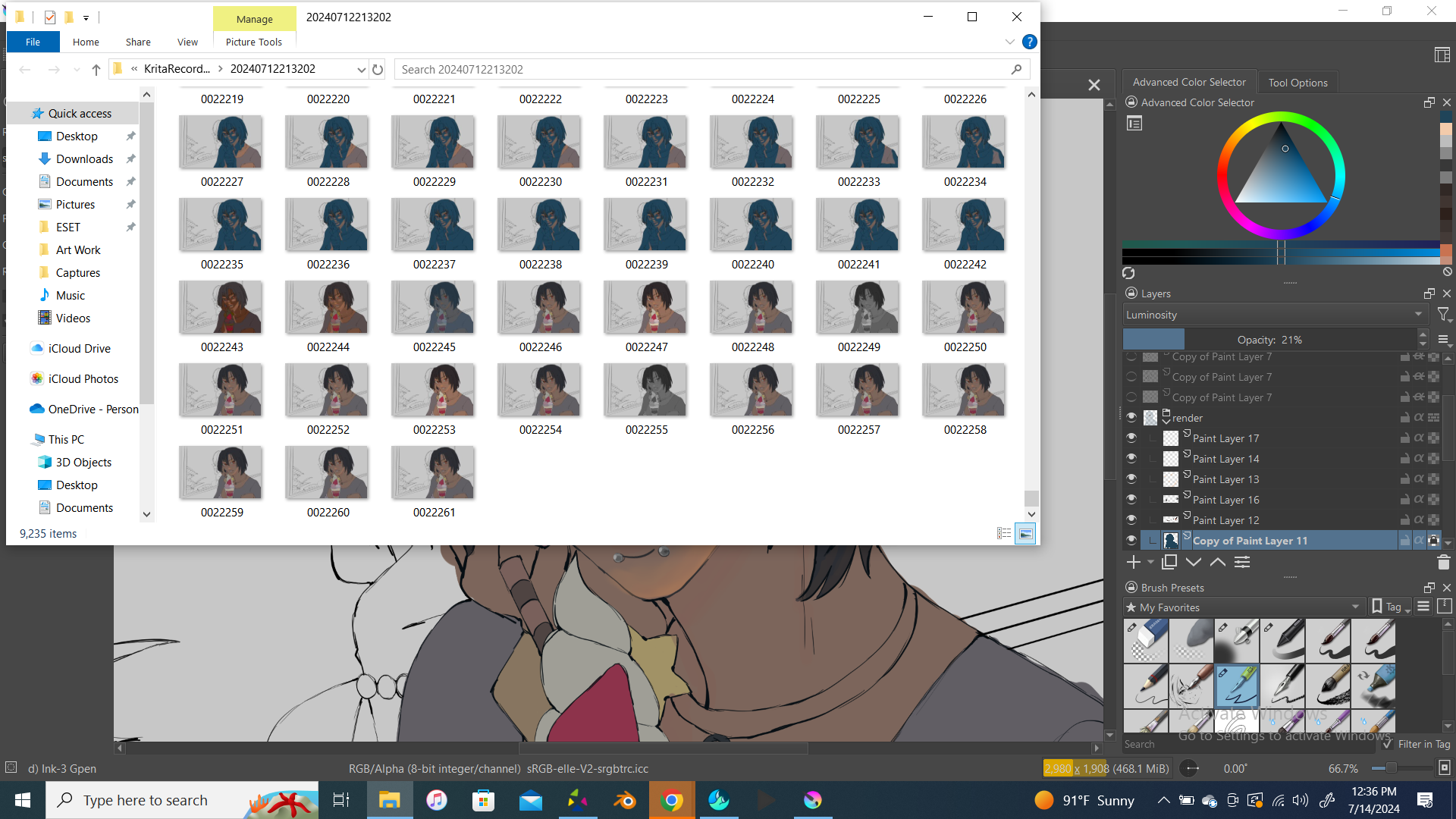
The File Explorer screenshot seems to show there are 22262 frames
(frames 0000000 to 0022261).
9235 is close to 30% of 22262 so that may be significant.
But 9235 frames at 30 fps is 5:17 minutes so I can’t think why it doesn’t produce a 5 minute video.
I’m wondering if there was some kind of confusion when recording that has resulted in ‘bad numbers’ somewhere.
1 Like
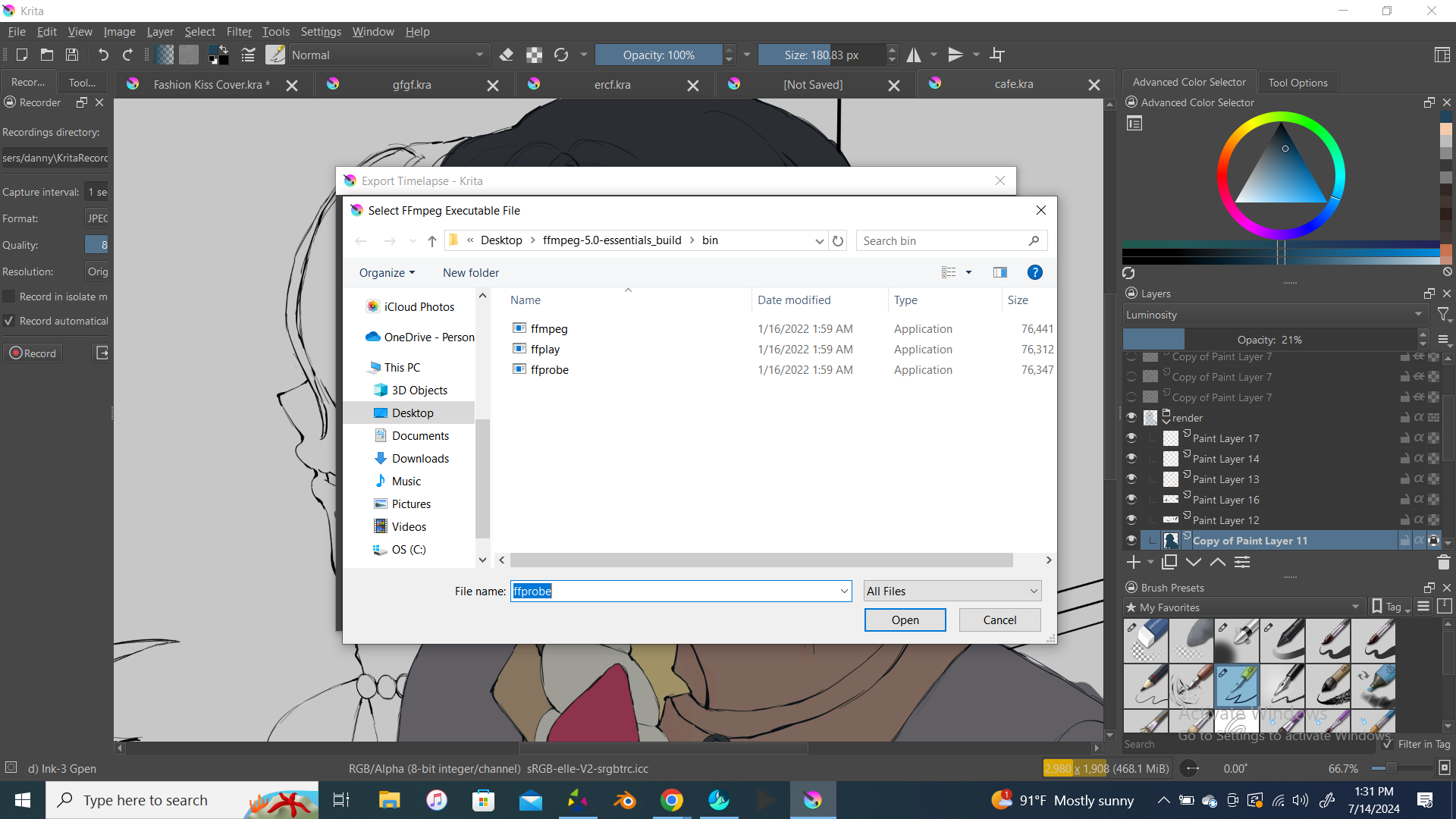
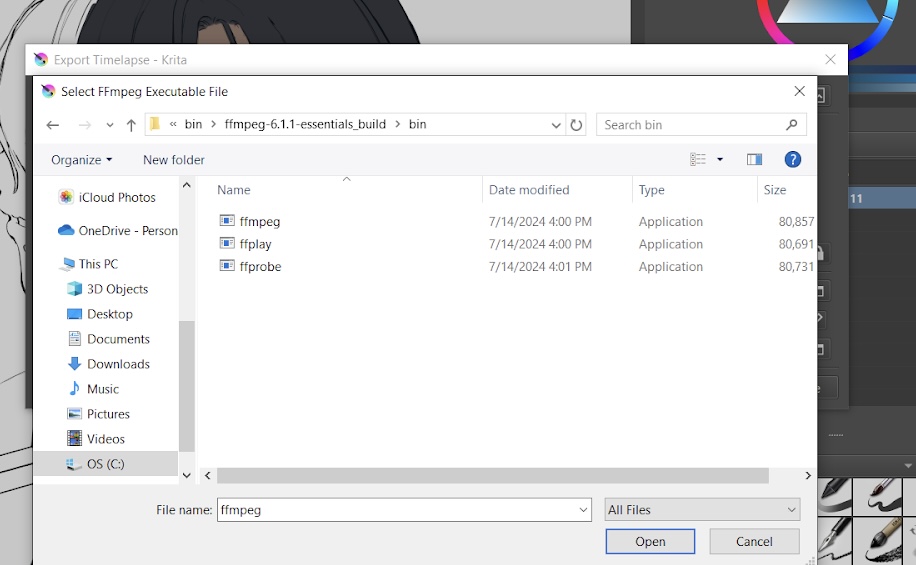
I updated Krita and tried adding ffmpeg 6.1.1 but it won’t let me. It only has the ffmpeg that was there beforehand. I don’t know what to do😭
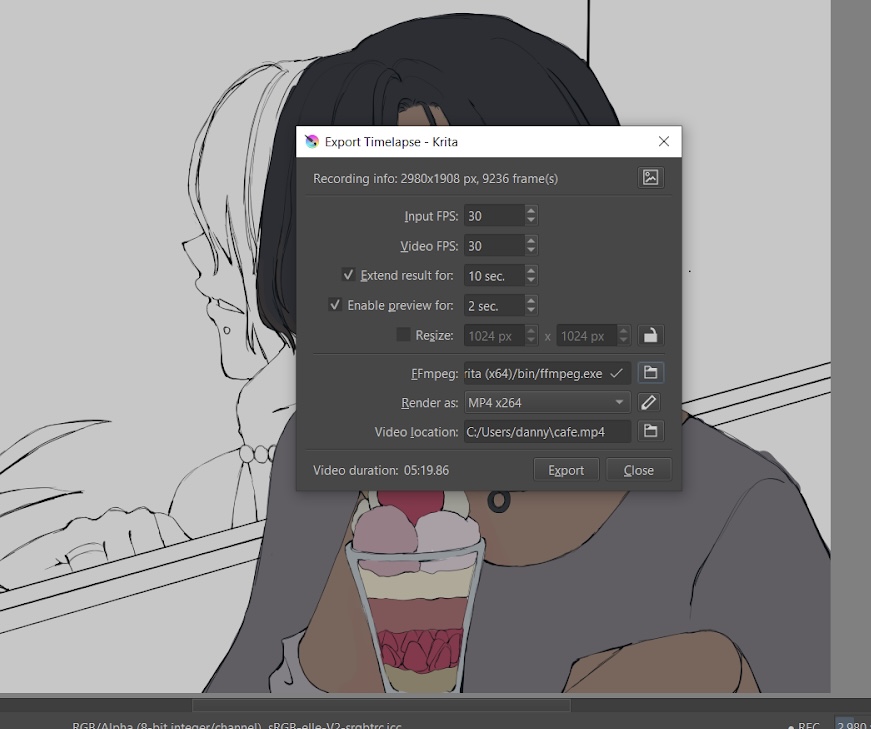
You need to find the 6.1.1 folder (probably on your downloads folder, and you need to unzip the files first) and select the FFMPEG.exe
You can find the folder through this option:
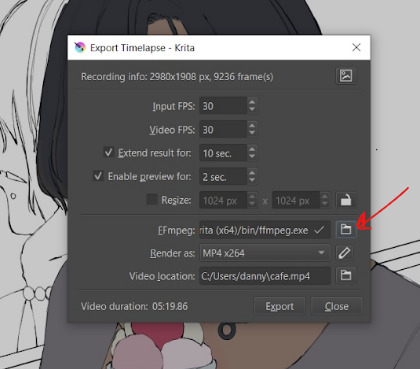
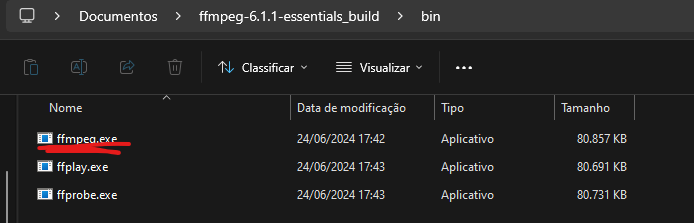
As an example, here is the path on Windows where I put my downloaded ffmpeg folder:
C:\Users\Vini\Documents\ffmpeg-6.1.1-essentials_build\bin
Something I didn’t notice before is that File Explorer says that there are 9,235 items in that recordings folder.
So, if those .jpg files have index number up to 0022261 then there must be a lot of missing sequence numbers in the range starting at 0000000 if there are only 9,235 files in there.
The latest ffmpeg error message says it can’t find a particular file in the recorder folder.
Look closely at the files in the recordings folder and you’ll probably see that there is a missing file somewhere in the range 0000000 to 0009234.
I’ve no idea how that situation could have happened.
If those .jpg files do seem to show the correct sequence of capture images then it would be possible to use another utility to renumber them from 0000000 to 0009234 and try again.
Also, the earlier screenshots show that Export Timelapse expected 9,235 frames but the most recent one expected 9,236 frames. Why the difference?
The ffmpeg error happens when it can’t find the file matching %07d (a number padded with 0’s that’s 7 characters long starting with 0000000.png)
Considering windows says you have 9k files in that folder, but your file names get up to 22k, I think you’re missing about 13k files.
Either find them and put them in the folder, or use a bulk renamer to rename the files you have to make them start with 0000000.jpg
This topic was automatically closed 30 days after the last reply. New replies are no longer allowed.