I wanted to see what it would be like to do an entire painting using the freehand lasso. In the end, I loved the background but I couldn’t stop myself from adding brush strokes to the dog.

33 Likes
Adorable Dog 

1 Like
That’s awesome! 
1 Like
I’m also experimenting with freehand lasso painting. It’s kind of an art in of itself!
2 Likes
This looks great! I want to try it too.
But what is meant by freehand lasso or lasso painting? Has it something to do with the freehand selection tool and then filling the selected areas? Thanks in advance!
3 Likes
@floydblue Yes, exactly. You make a selection with the freehand lasso and you can either use the fill tool or the freehand brush tool to fill the selection with colour. Possibly the gradient tool would work as well - I didn’t try that.
I prefer to fill the selections with the freehand brush tool so that I can add some texture or vary the opacity.
@Elixiah I agree, it’s an art form. And really fun.
3 Likes
Thanks a lot @sooz! I’ll give that a try.
1 Like
Beautiful Sooz! I use selection tools a lot, and there’s a lot of ways to use them!  I colored my Kiki and Horse submission using the magic wand, then invert, color/shade, and deselect for each part!
2 Likes
@KRITAKOUGAR That’s intriguing. I’ve never touched the magic wand. Why do you invert?
1 Like
Sometimes (I think if you outline your areas first), it will select outside of your chosen area, so you invert to bring it back inside the area to color. 
1 Like
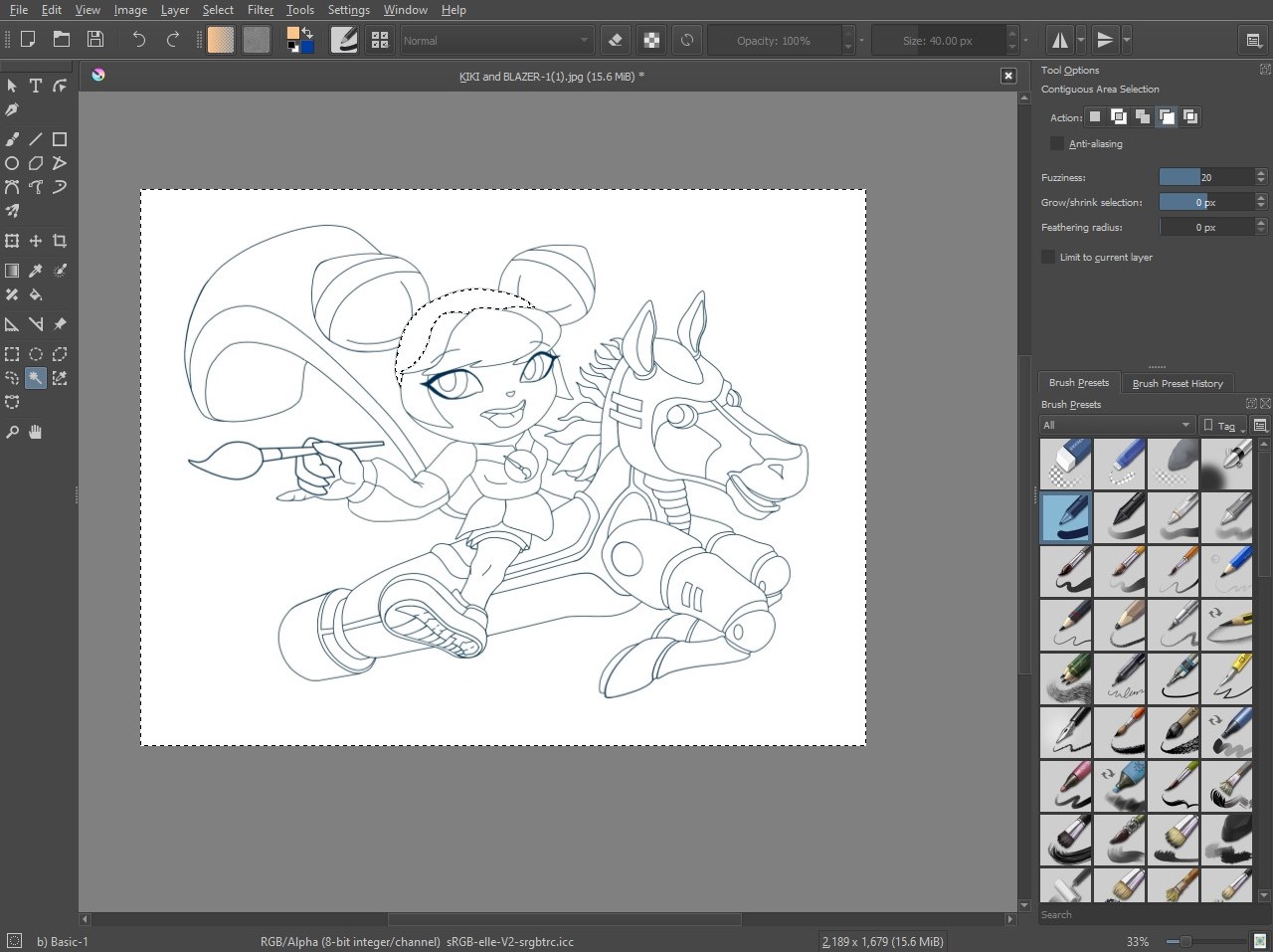
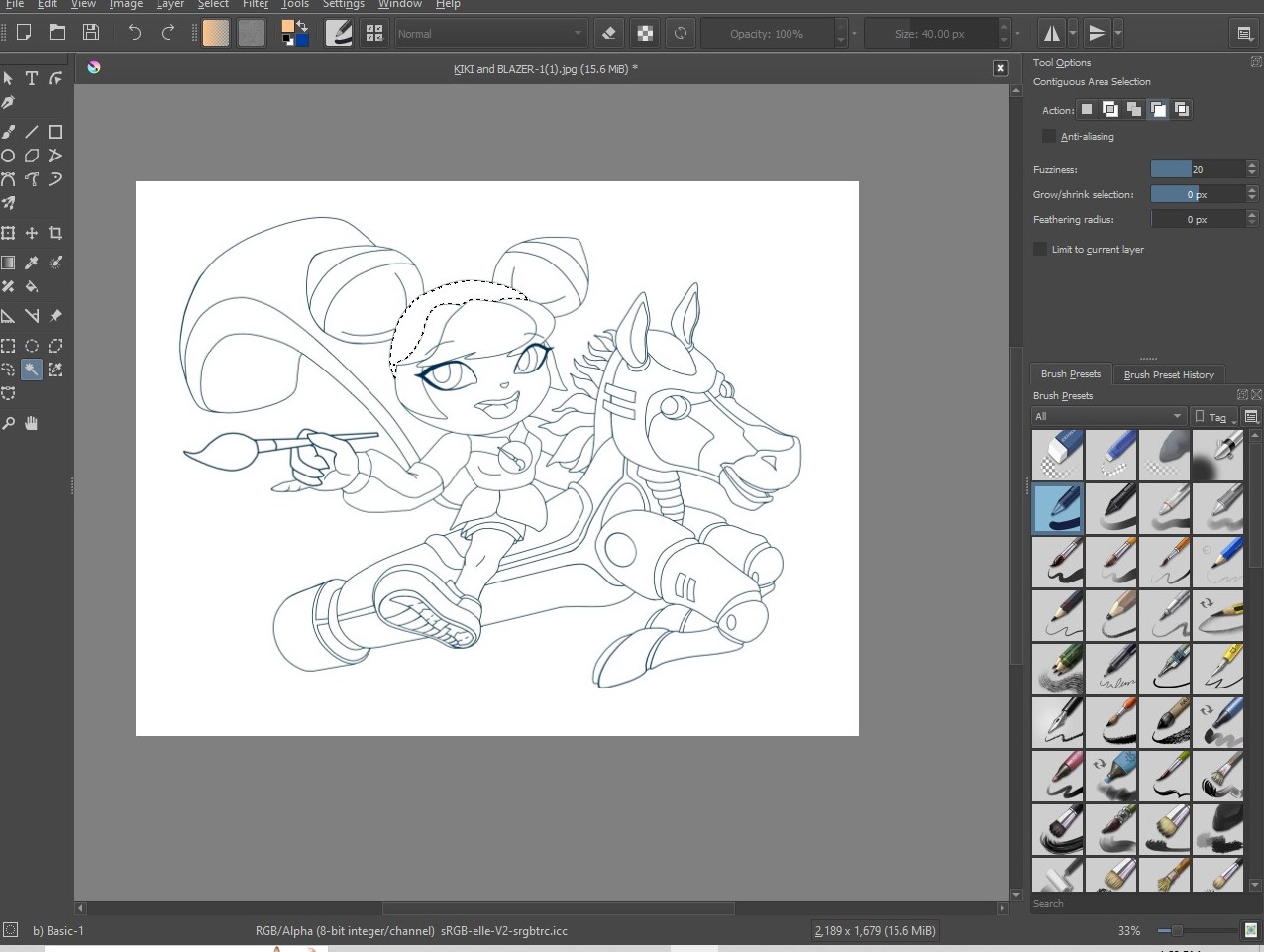
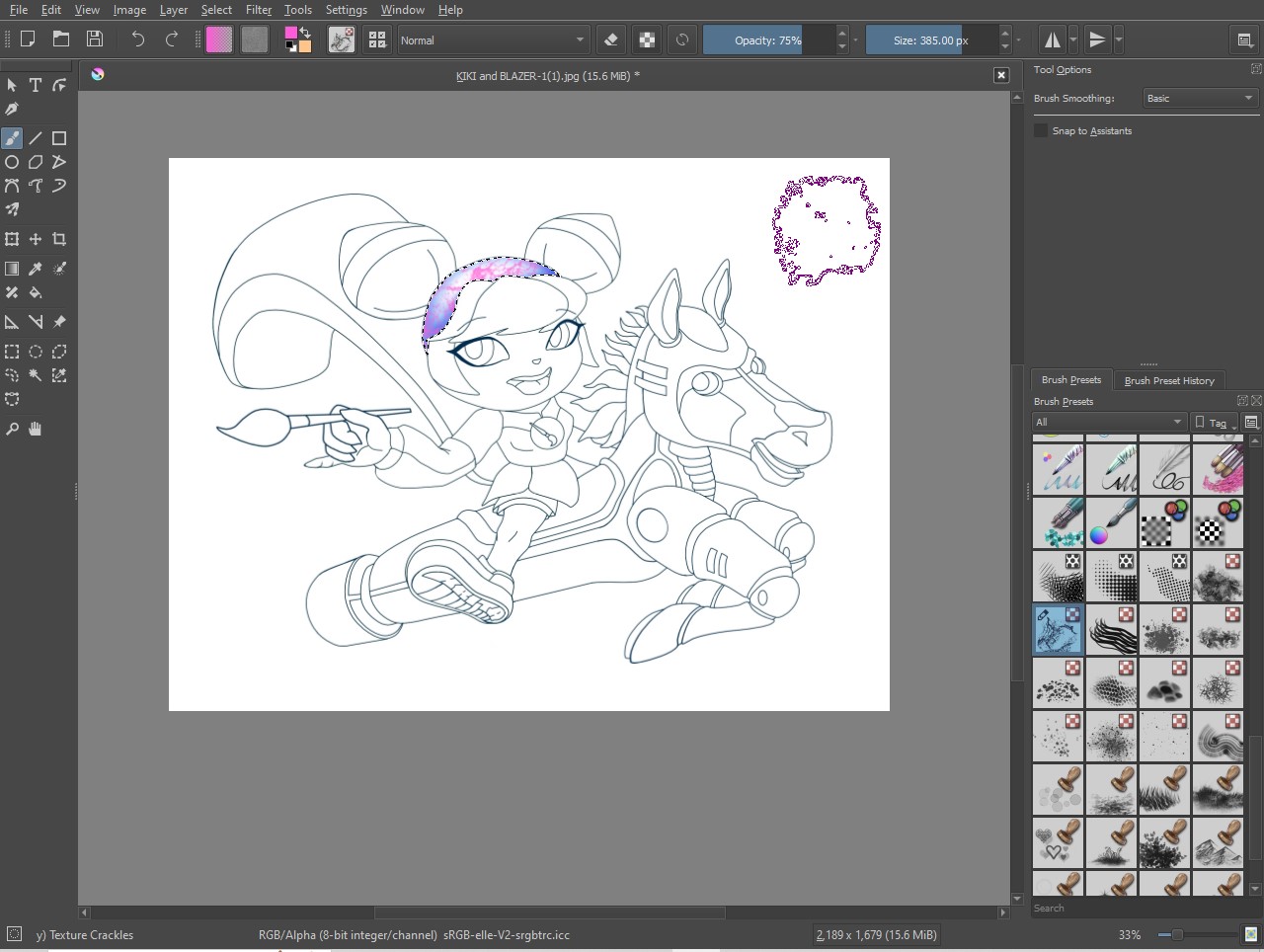
Notice the dashed selection line around the border on #1, then #2 is after the invert selection, then #3 is color/effects.
 Deselect when your finished, then move to the next area and repeat the process!
4 Likes
Thank you so much for the screenshots. I see what you mean. I can’t wait to try this out.
1 Like