My idea would be to use a gradient map for this with a simple bright color to transparent/white gradient.
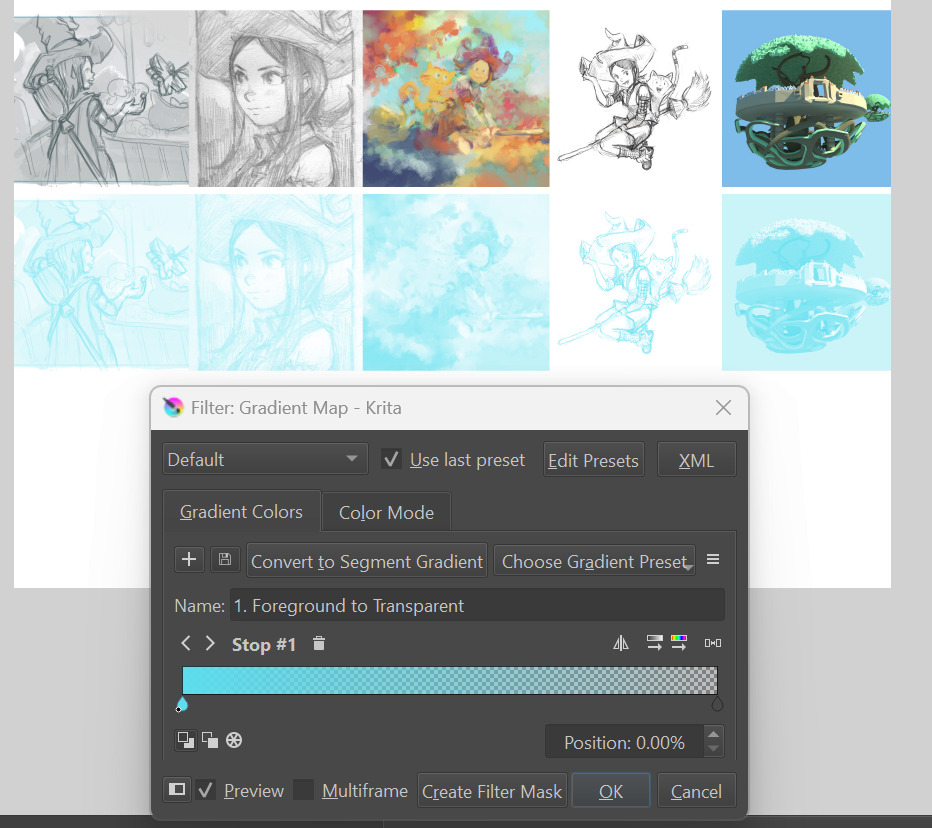
It can be saved as a gradient preset to make it faster to use.
My idea would be to use a gradient map for this with a simple bright color to transparent/white gradient.
It can be saved as a gradient preset to make it faster to use.
@ KNap: Too points with this Gradient Map method are not compliant with what this feature tries to achieve:
Note: I’m not trying to find a workaround, it’s a feature request for a specific feature.
Hm, interesting. I noticed this feature in CSP but haven’t tried it yet.
Personally, I use a really simple workflow:
I guess this is destructive and can be a problem if the sketch is on a few layers. Admittedly, having this as a layer or a layer group function would be nice step up.
I checked the python script by @TheFlow. With 1 shortcut button it automatically create 1 blue colored fill layer in screen mode and 1 paint layer in multiply (for the inking). The given effect don’t really match what @Deevad show as his ideal sketch blue-ing but would it be possible to automatically create 2 fill layers (1 screen and 1 color mode) like the one in deevad did in his test and put it in a group with pass through on so it can easily toggled on and off (Non destructive).
Hey, I’m wondering, are the performance issues with a filter layer still a thing as of Krita 5.2.3?
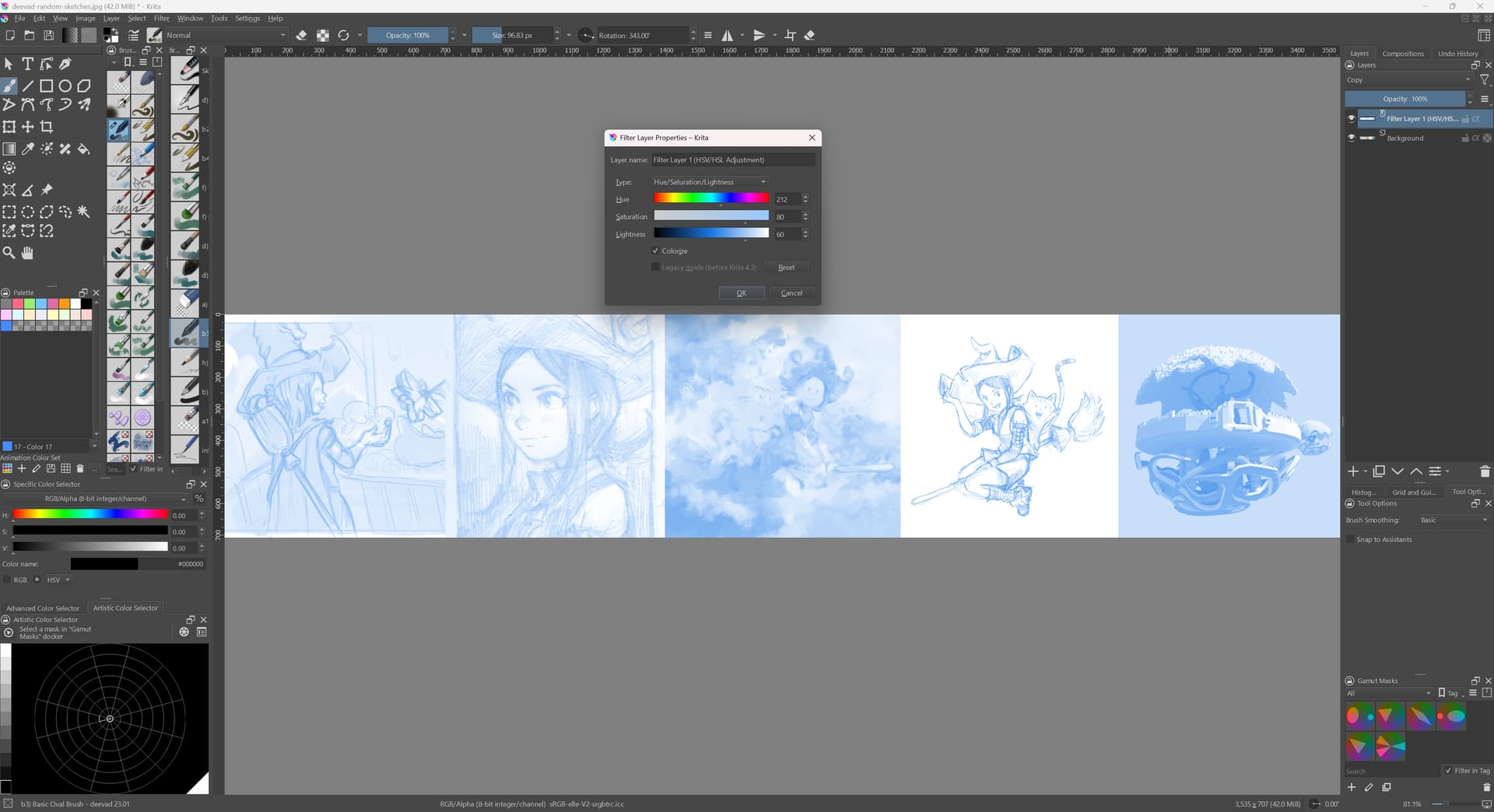
I ran some tests today, and I can say that for me the HSV Adjustment (Colorize) checks all the boxes and is the optimal solution. I saw no performance degradation whatsoever, even on a pretty large image (3700 x 4800 px).
Looking at @KNap 's adivce, I also tried the Gradient Map filter method. This has an additional benefit of supporting two colors, like CSP. However, with this one the performance is indeed very bad. Drawing above the filter in the layer stack is OK, but drawing below the filter is very, very laggy and the updates are visibly slow. Due to this, I think it’s unusable.
I’m perfectly happy with the colorize filter layer, and that’s what I’ll be using from now on. If I were to nitpick, I guess the main problem is that there’s no quick dedicated UI to enable this feature, and the filter layer must exist in the layer stack, rather than being a toggleable option.
This is the result with a filter layer with H/S/V = 212, 80, 60, which I found to work nicely for a blue color:
What are you guys thinking? Is this good enough? What would be the outstanding tasks for this feature request? Come up with a new UI? Or just automate it with a script/plugin? Or revive Dmitry’s prototype?
It always have been this.
In the thread, @dkazakov made a “Fast Overlay Color filter” that was super quick (quicker than HSV or any other methods), and I could test and validated it, it looked like that:
So, the type and research for a very quick filter-layer mask is already done.
Gotcha. So we still want to revive that prototype, because it’s more performant than the HSV filter.
And regarding the UI, you would prefer to not see the filter in the layer stack? Make it work something like the Layer Effects, where it’s a property on a layer or a layer group?
I’m just trying to summarize the current state and see what the next actionable step could be.
I think @halla also made a suggestion in this comment
So may be a button on the layer stack which will turn on the said effect would be good?
Honestly, I didn’t understand this at all  Maybe I’m not familiar with these layers. Is it referring to something in CSP or Krita? Is there a doc page about this?
Yes, a property on a layer or a layer group would be ideal.
In my first post in this thread, on title (4) I made a proposal with screenshots:
OK, thanks. Just to be clear, I did read all the posts  but now I have a confirmation of what’s still relevant and wanted.
I will start working on it and will keep you updated in this thread. If Dmitry already has the filter part, I will look into the UI side of this, following David’s mockups.
EDIT: If anyone is looking at this later, I started working on it, but got sidetracked by other issues that I wanted to fix. Now trying to figure out how to add the new layer property and to show an icon for it correctly, etc.
I am just guessing and interpreting what @halla said in the comment.
I can only say thank you very much 
Oof… I’m making progress, kind of, very, very slowly
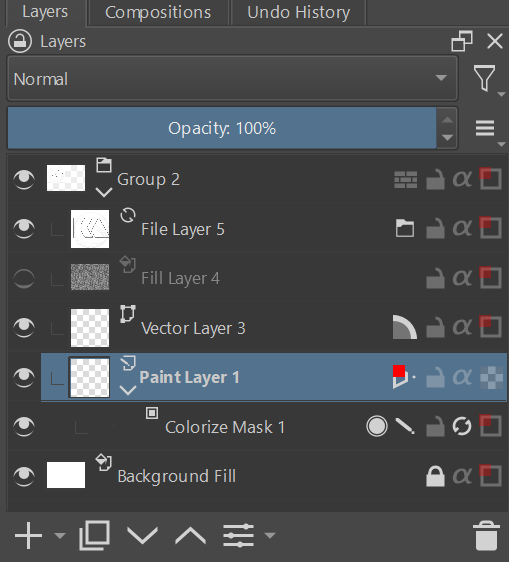
I managed to get a new layer property to render, and put a custom color on top of it (red). I’m just looking at how it would look if it was added to all kinds of layers, everything is still very WIP, icon doesn’t make sense, it’s on a wrong side, etc.
 WIP just a dev experiment
  not an actual proposition!
Enabling the feature for the first time. My key bind is F12 for easy testing.
Can you check my list of assumptions for the UI?
Questions:
I think I would prefer to err on the side of simplicity, and just override the color based on the parent. If a child layer has the color enabled, it could be displayed half-transparent to mean it’s disabled currently.
Very cool progress and screenshot 
That sounds great! I agree to all items in this list.
The first one, IMO, the parent (group node’s) color override any child colors.
No, but thank you for asking.
I would have thought it would be a new type of mask  , which replaces the color non-destructively. So that you can put it on any layer you like or not. But yes nice progress
I can see, that some people, would want to have blending modes for groups… but I would argument, that this is a sketching tool. So I would say multiple colors is out of scope. You want your sketchlayer to be in a different color? Here.
You want to your sketchlayer in multiple colors? Nope!
Or if you are creating it with multiple colors, why making it complicated? Groups don’t change the color of their children.
Only paint layer should have this option in my opinion.
I think, if someone is putting in the effort to color in different colors, they would not want to change those.
However you could add the possibility to select multiple layer and change the color simultaneously.
Will there be shortcuts for “color layer in foreground or background color”?
Sometimes people can make rough sketches panning multiple layers. So limiting it to only paint layers would not be good in my opinion.
For me this sounds good - Group’s colour overrides child colours.
Yep, it’s exactly that! I typically do 2-3 rough sketches for a piece, each one getting more refined. The first one is usually one layer, but as I tie down things, it is helpful to have multiple layers. For example, put eyes or hair on another layer, so you can easily tweak it.
And having an ability to use colors other than blue is a nice addition, you could use it to make some parts stand out temporarily to see if they work well with the rest of the sketch.
Same thing, especially on a comic page: I use multiple layers in a sketch group, because with up to 8 panels the work is sometimes complex.
Also, I often have the same situation when drawing: I need to use the line tool on a new layer in the sketch group to draw a cane, or a sword, or the horizon line, well, generally a set of lines overlapping a character in the foreground. I need to do this on another layer so I can later erase the part that crosses my character. Once done, I merge the result.
The question I wanted to evoke was:
Do we need coloring for groups and adding more complexity, or would coloring for only layers be enough?
Sketching in multiple layers is, of course, often used