Hi, just following up from the previously completed feature request thread.
The new Tint blend mode has been merged to master (thanks @dkazakov). The next enhancement we wanted to do was to make the preferred blend modes more prominent in the UI when used with the Fast Color Overlay filter. Here’s my suggestion for the enhanced config widget:
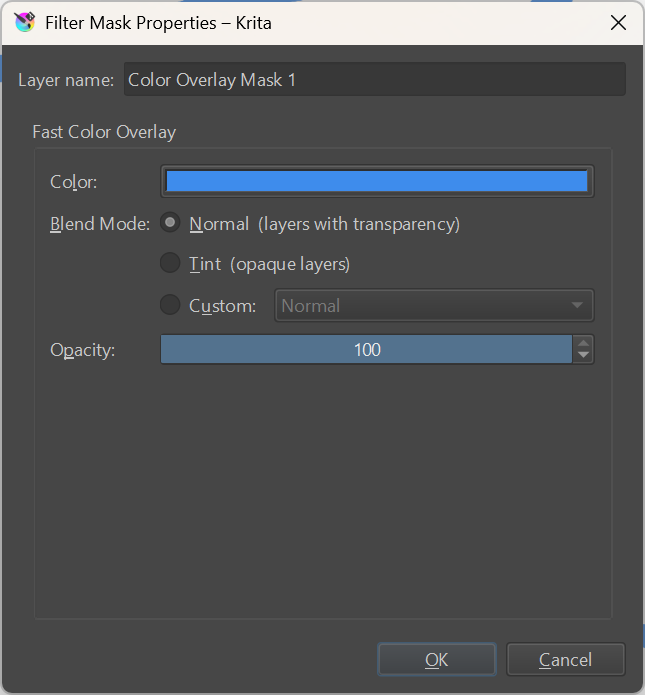
- Normal mode is the default and will be preselected when the filter mask is first added.
- Tint mode can be quickly selected to work with scans or other non-transparent layers.
- Finally, Custom allows you to pick any mode as was possible previously:
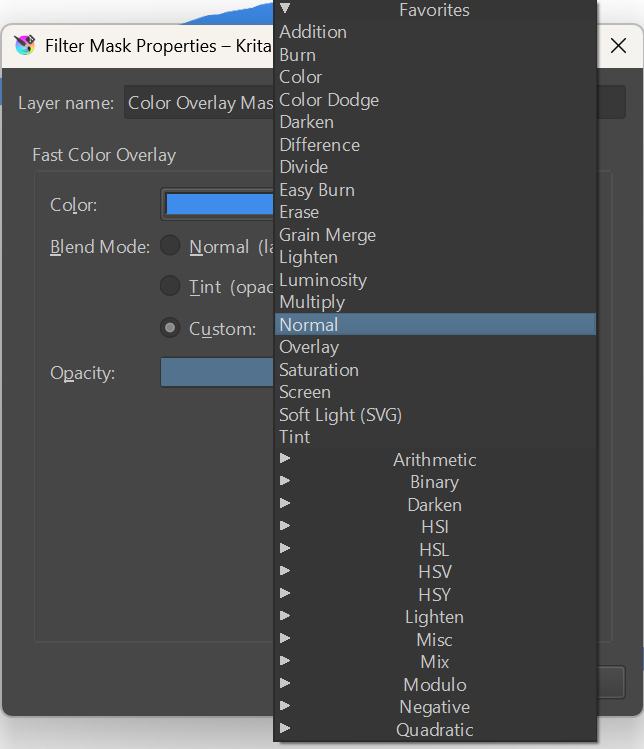
I wanted to avoid messing with this big blend modes list, so I added the radio buttons, but I think they actually work pretty well here.
Let me know if you feel anything needs adjusting, otherwise I’ll go forward with it. Thanks. (FYI @Deevad)

 Really good job on the GUI!