Layers - change blending mode of all selected layers

Request:
Change blending mode of all selected layers at once.

Current behaviour:

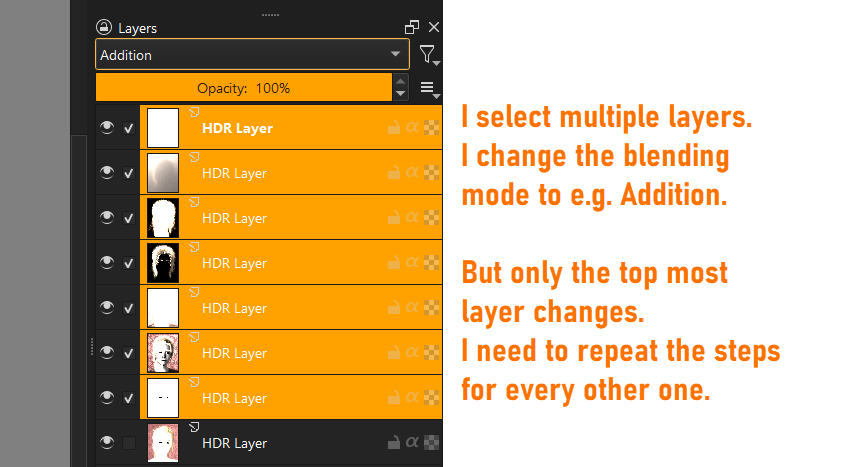
  • I select multiple layers
  • I chose a blending mode from the dropdown list

Result: only the top selected layer gets the choosen blending mode.
I need to repeat the step for all other layers

Desired behaviour:

  • I select multiple layers
  • I chose a blending mode from dropdown list

Result: all selected layers get the choosen blending mode.

1 Like

This is already possible.

Select the layers and then press F3 to bring up layer properties dialog and then change the blending mode.

4 Likes

@cgidesign Let us know if you consider this a solution. We will close the feature request and that vote will be added back into your available votes.

In addition to raghukamath answer what I prefer to do is to group the layers and then change the blending mode on the group layer. That’s just my personal taste, though.

1 Like

@Takiro That is not the same thing though.

2 Likes

Thanks, that works perfectly.
In my support thread I got answers about using scripts or plugins, so I thought there is no other solution. But F3 is as easy as it can be.
1 Like