Possible? I drew something (simple black on white style drawing) but later I wanted a thicker line. I realize I could just trace over the existing lines but I was wondering if there’s a way to make them thicker in Krita. I’ve seen various explanations on doing something like this but not making sense to me. PS - these are not vector lines or shapes. Also, this isn’t the first time I wished there was an easy way to do this.
Results will vary depending on many factors, with the main ones being the complexity, size, and line cleanliness.
My first thought would be the use of the Stroke option of the Layer Styles. It’ll outline your lines by a set number of pixels. If you want to try and limit the areas that receive the additional line thickness, you should first clone your line layer and then add the Stroke Layer Style to the Cloned layer. You may then add a Transparency mask to the clone layer, which you can use to remove areas you don’t wish to have the additional line thickness applied.
I’ll try that thanks!
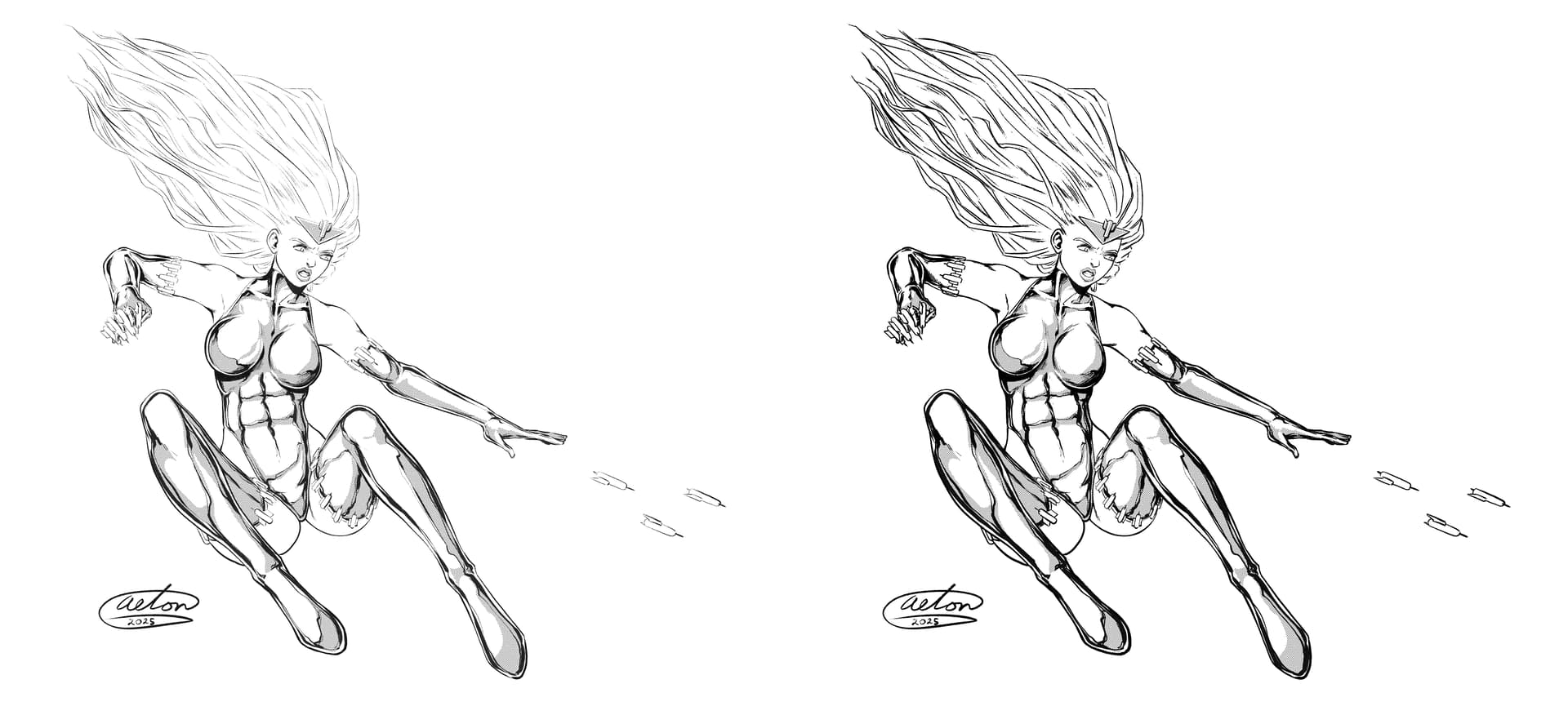
wow amazing! Yes! I see now how this works! Fantastic! thanks so much for turning me on to this feature!
Oh… I guess you figured out how to change the line width then? I saw your post just before you edited it and was working a point explanation, lol. In case anyone else stumbles on this post who also might need that information, here’s the steps:
1 - Change the Size option something small to start with, and then increase it to make the line thicker, until it meets your needs.
2 - Change the Blend Mode to Normal, so you don’t need to worry about any color bleeding through the lines.
3 - Change the Opacity to 100%, so the lines are transparent.

When I want to slightly increase the thickness of the contours, I duplicate the countour layer. It doesn’t always work, I use this as a first attempt…
lol yeah It took me a second or two to understand what was going on. The thing that tripped me up was this screen:
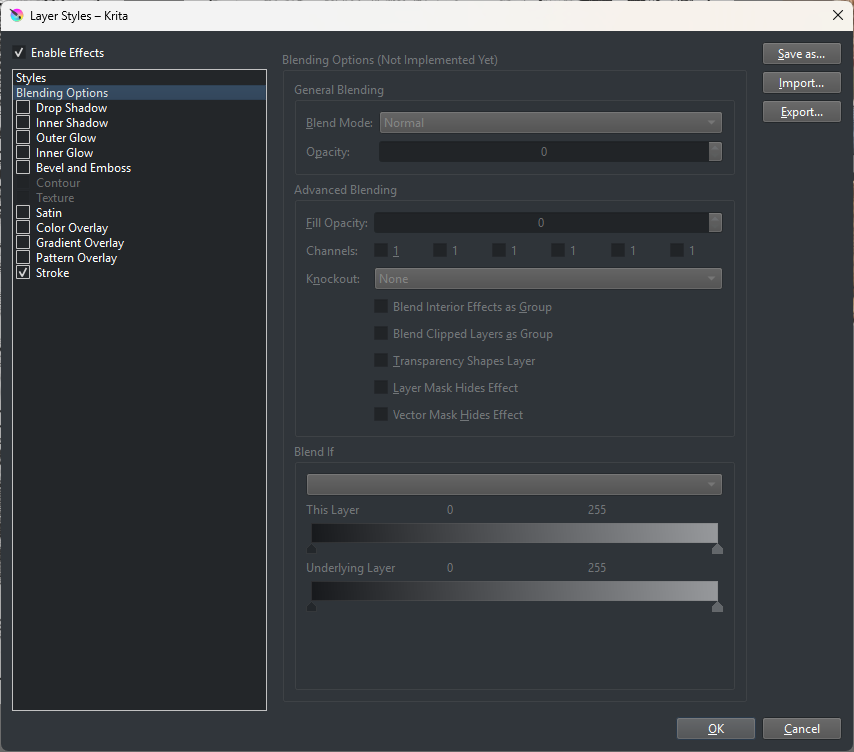
Enabling the Stroke option doesn’t get you to the screen where you make changes to the Stroke option. You have to click on the word Stroke in order to get to this next screen. This may be a bug or loose end of some sort in Krita - that Layer Styles menu looks like it’s under construction (see Blending Options).
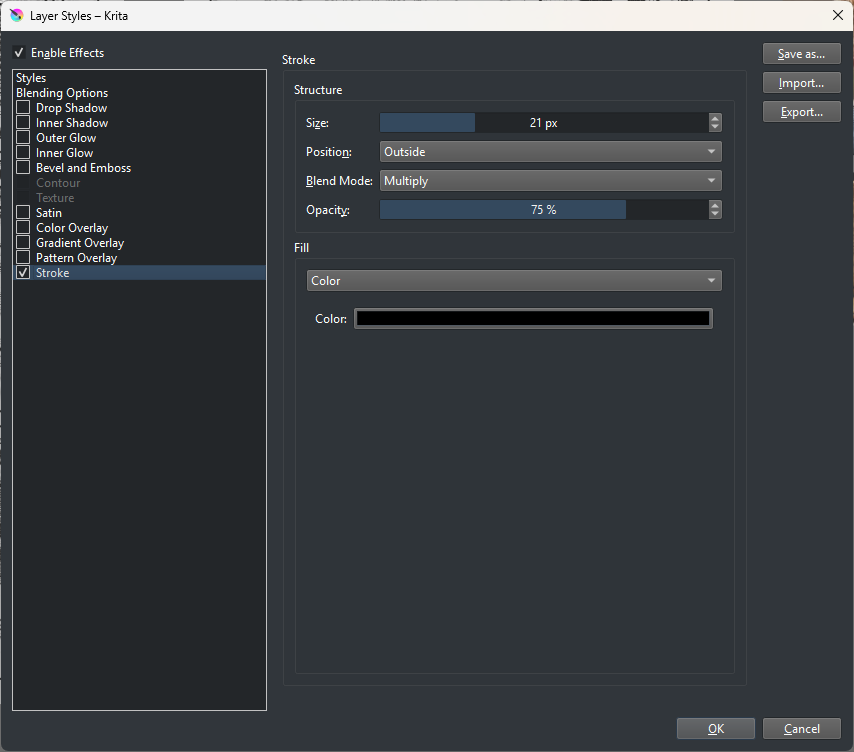
For my purpose, all it took was an extra pixel of width. That made all the difference. I used the feature in a couple of places and all worked exactly as expected. A huge time saver for me. It’s easy to misjudge line width for simple pen & ink style drawing. Sometimes you don’t know until you get the background in place. I mean there are various reasons that can get you in trouble. Tracing over preexisting lines doesn’t always work well. Again, thanks for setting me straight on this. I’m sure this will become my new favorite feature lol
Actually not a bad idea. It’s a simple way to get where you need to be. Then merge the layers into one. I’ll take a look at that next time. The less hoops to jump through the better. thx!