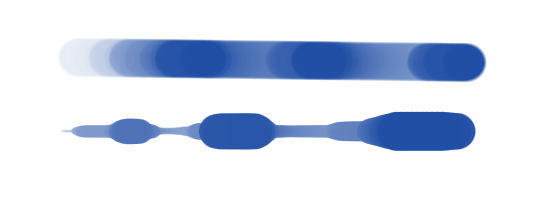
Hi ! I’m using the line tool and it’s great that it obeys the current brush tip, settings, etc. but it seems like I can’t resize the brush tip from that tool ? (with shift+leftclick&drag) Instead I have to temporarily switch to the brush tool, resize, and go back to the line tool. Is there a simpler way ? Is this something I can change from the hotkey editor ?
Thank you Wolthera. Yes those work but are not quite comparable in terms of ease of use. I don’t have bracket keys directly accessible on my keyboard layout, but even if I rebind them, they work in set increments and that is not ideal (compared to the smooth resize done by shift+dragging, which is both fast and accurate).
I found shift+drag in “change primary setting” in hotkey editor, this seems to be the one. In order to make resize work with the line tool, if I understand correctly the tool itself would need to have different “settings” in the first place. Is there a way I can add that to the line tool ?
Hadrien
Oh by the way ! since you’re here, I was wondering how the line tool decides which thickness to use on the line… because it works really well. From the looks of it, it registers the median pressure around the start of the curve, but when ? since there is continuous pressure from curve start to curve end, how does it decide which value to use ? Seems like the max pressure is used at the start of the curve, but what about the end ? how does it even figure out I’m ending the curve, and what pressure does it decide to use at that point ? If you’re busy maybe you could point me to the place this happens in source ?
It’s not possible at all actually. The code just isn’t set up to see brush size changes as a secondary action for the line tool. In general it’s been noted several times in the past our input system should be made a lot more flexible, but we first have to do the resource rewrite.