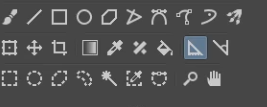
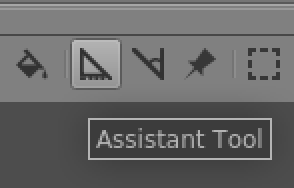
Are you looking for the rulers (View > Show rulers) or the assistant tools (select Assistants in toolbox, as you have done, then click the drop down menu in the Tool Options docker to select an assistant)?
Thank you very much. I have now found the problem. The icon in the guides toolbox seems to be different for different versions. But the functions behind it are not.
I was constantly looking for the icon and completely missed the fact that it can be selected on the right side of the docker.
That is not supposed to be the case. Please upload a screenshot that illustrates your point.
I think you may be having confusion between the Toolbox, the Toolbar and the Tool Options docker; all very different parts of the User Interface.
Before following any tutorial, look at the version it was made for and its publication date. That tutorial is dated 2017, way too ancient to be useful, especially if you’re new to Krita.
The current assistant tools were not even in existence back then.