Title: liquify tool fails to distort straight lines and simple lines and stops moving pixels
Version: 5.3.2 (git 7d1ae74)
OS: Windows 10
Tablet/Input device: Mouse
Description:
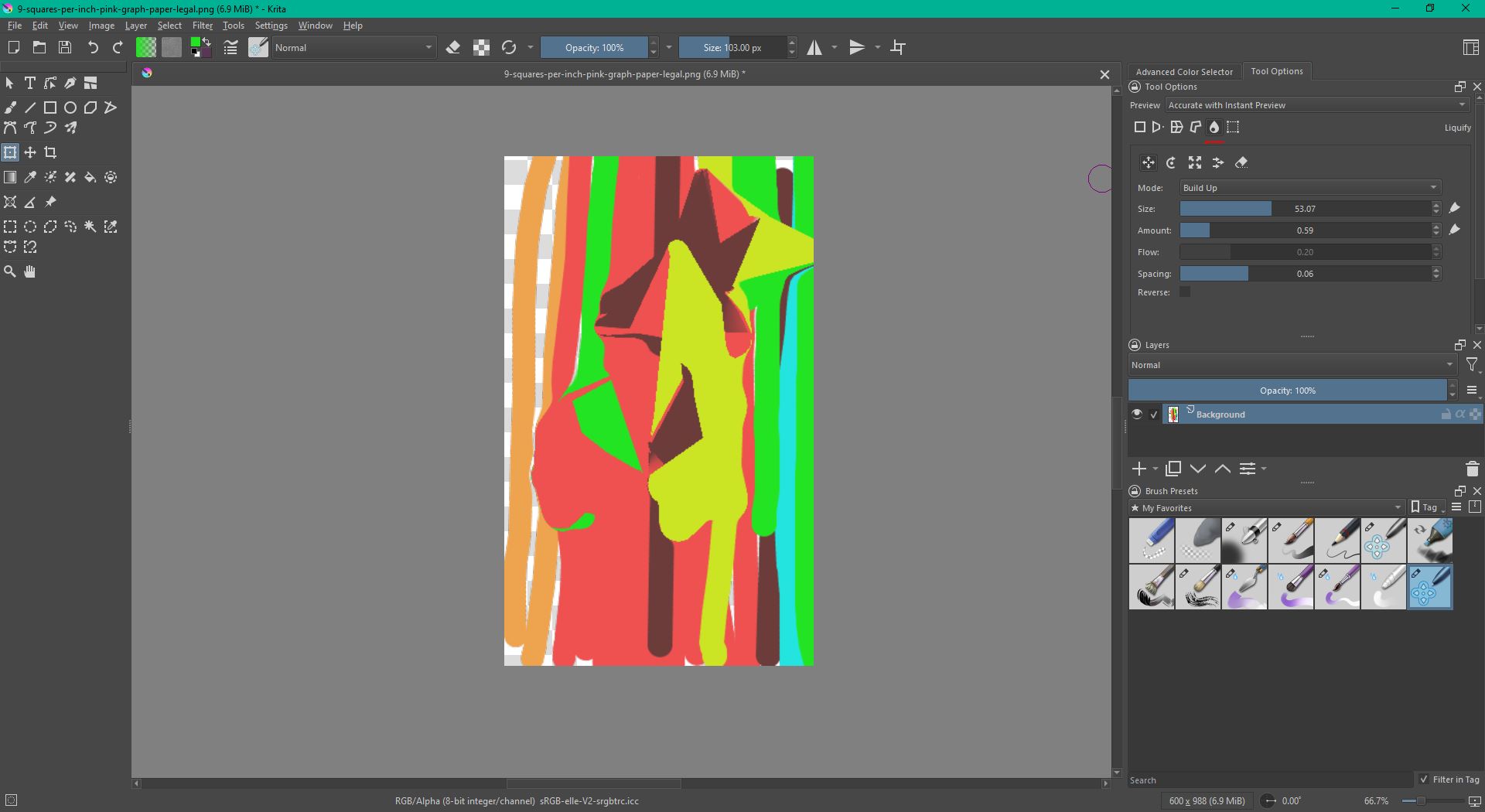
The [tool name] does not properly distort straight lines. When I try to transform or distort a straight line, the tool behaves as if there are not enough geometry/control points along the line. As a result, only part of the line is affected, or the pixels stop moving completely after a certain point.
This makes the tool unusable for distorting clean straight strokes, line art, or geometric shapes.
Steps to reproduce:
- Open Krita.
- Create a new document.
- Draw a straight line or a simple geometric shape with straight edges.
- Chose transform tool CTRL + T
- Use liquify tool in MOVE mode
- Try to bend or distort the striped patterned background.
Actual result:
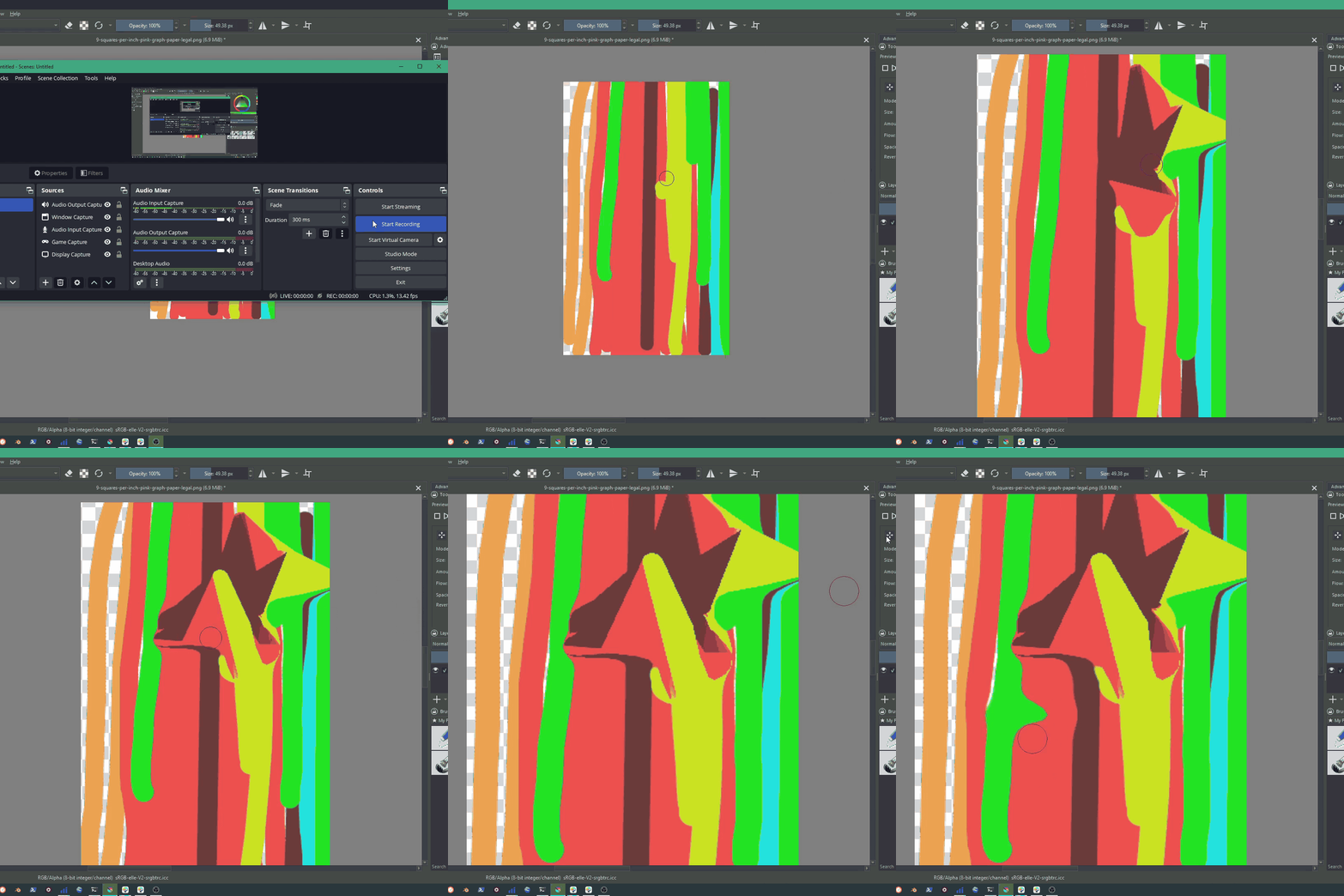
The straight line does not deform smoothly. The tool appears to lack enough internal geometry points along the line, so the deformation is not applied correctly. In some areas, the pixels stop moving or remain rigid instead of following the distortion.
Expected result:
The selected pixels should deform smoothly, including straight lines and sharp geometric edges. The tool should continue to warp/liquify the image consistently across the whole affected area, instead of stopping or failing when there are too few visible/painted pixels or geometry points.
Additional notes:
This issue is especially noticeable on clean line art or simple straight strokes. Curved or textured areas may appear to work better, but straight lines reveal the problem clearly.
A possible cause may be that the tool samples deformation points too sparsely or relies on existing pixel distribution in a way that fails on thin straight lines.