Dear all,
this is about Krita 2.5.3 on Windows 11.
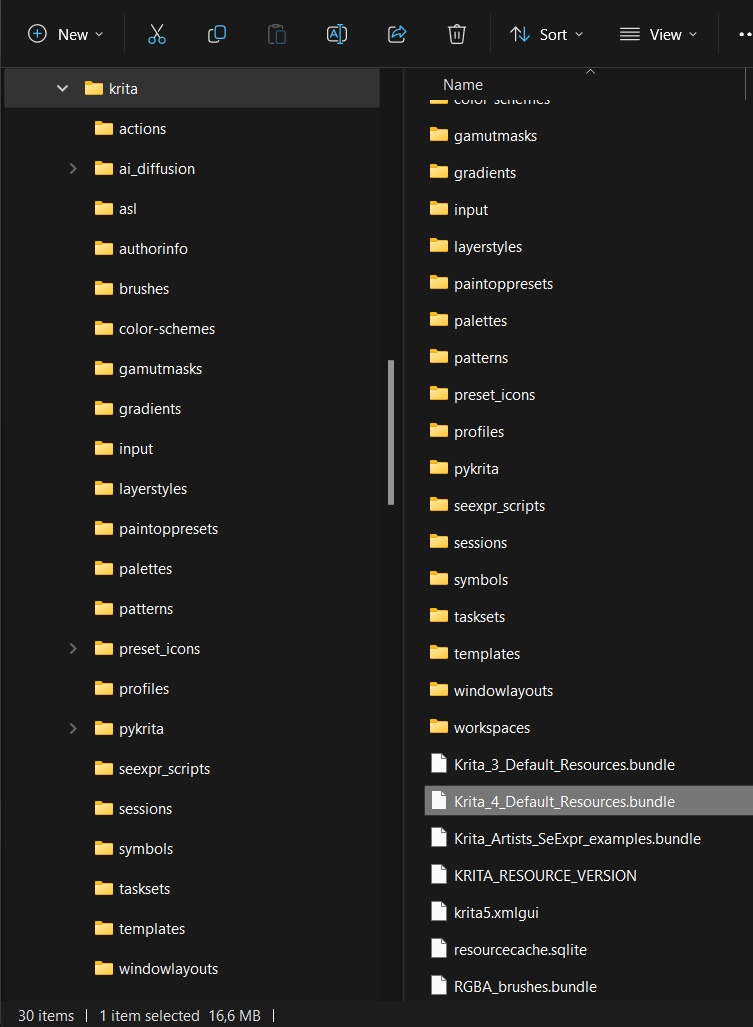
In the “Manage Resources” window I find the button “Open Resource Folder”.
This opens the Windows Explorer.
Withing the opened folder I see i.e. “Krita_4_Default_Resources.bundle”.
But if I select one of the brushes in the the “Manage Resources” is also shows a filename for this individual brush, i.e. “Filename: c)_Pencil-55_Tilted.kpp”.
I have searched the folder but can’t find this individual file.
Is it possible to find those files and delete them so they are deleted from the Resources as well?
Or can I only delete a brush by using “Delete Resources” button in the Resource Manager?
Genereal Question:
Is it possible to organize brushes in individual folders?
Example:
Put all pencils in a pencil folder, all airbrushes in an airbrush folder
and then change the displayed brushes by selecting the specific folder?
Or is it only possible to do this by the Tag system?

One more question:
In the manual there is mentioned a “trashcan icon” to "deactivate resources.
Deactivating resources is done by selecting them in their respective resource chooser, and pressing the trashcan icon.
For activating a resource, go to Settings ‣ Manage Resources…, then turn on Show Deleted Resources. The deactivated resources should now be visible, select them, and then press Undelete Resource.
But in the UI there is no Icon. I assume it is the “Delete Resources” button but I am not sure.