Is there a way to access the icons Krita uses for its buttons?
There is a feature in Krita that allows for creating new button bars without scripting or programming.
This feature is offering to select an icon for the button.
I like to use the icons from Krita itself.
But I can’t find the icon location anywhere. I have looked in the appdata folder and the program files location.
Maybe I am overlooking them?
They must be are in Krita, but you can call/address them via the names in the list I linked above.
If you want to find out in which library they are, you have to check dozens of DLL’s for embedded resources. I never looked deep enough into the internals of Krita, because there is no need for me doing so, everything is free, and I don’t need to find the parts in code that open up more abilities of Krita, all of them are already accessible. Also, a lot of Krita’s code is Python and although it is not hard to read, I don’t know Python beside a few tricks, and I gave up coding more than 30 years ago.
If you want to find them easily, you have to search Krita’s source code, it will tell you in which file they are embedded, it is not so tedious like searching for them DLL by DLL.
I’m pretty sure the icons are embedded in the Krita executable itself, by Qt’s resource system.
In the source code they are located under /krita/pics/.
You could also extract a raster version via scripting (not sure if there’s a way to get the SVG)
from krita import *

icon = Krita.instance().icon("krita_tool_color_sampler")
image = icon.pixmap(QSize(64,64)).toImage()
image.save("/somewhere/krita_tool_color_sampler.png")
You can open resource files with QFile() and then readAll bytes and save them to file at disk.
Small script that prints out all resource paths and byte counts.
from PyQt5.QtCore import (
        QDirIterator,
        QFile)


it = QDirIterator(':', QDirIterator.Subdirectories)
while it.hasNext():
    resource_path = it.next()
    file = QFile(resource_path)
    file.open(QFile.ReadOnly)
    try:
        data = file.readAll()
        print(f'{resource_path} -> len(data) = {len(data)}')
    finally:
        file.close()
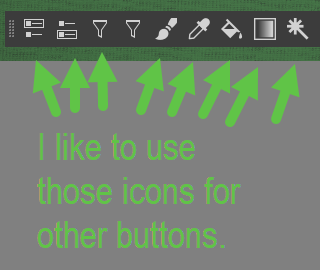

 - I already found those via google. So there is no location within my local Krita install where those icons are already stored?