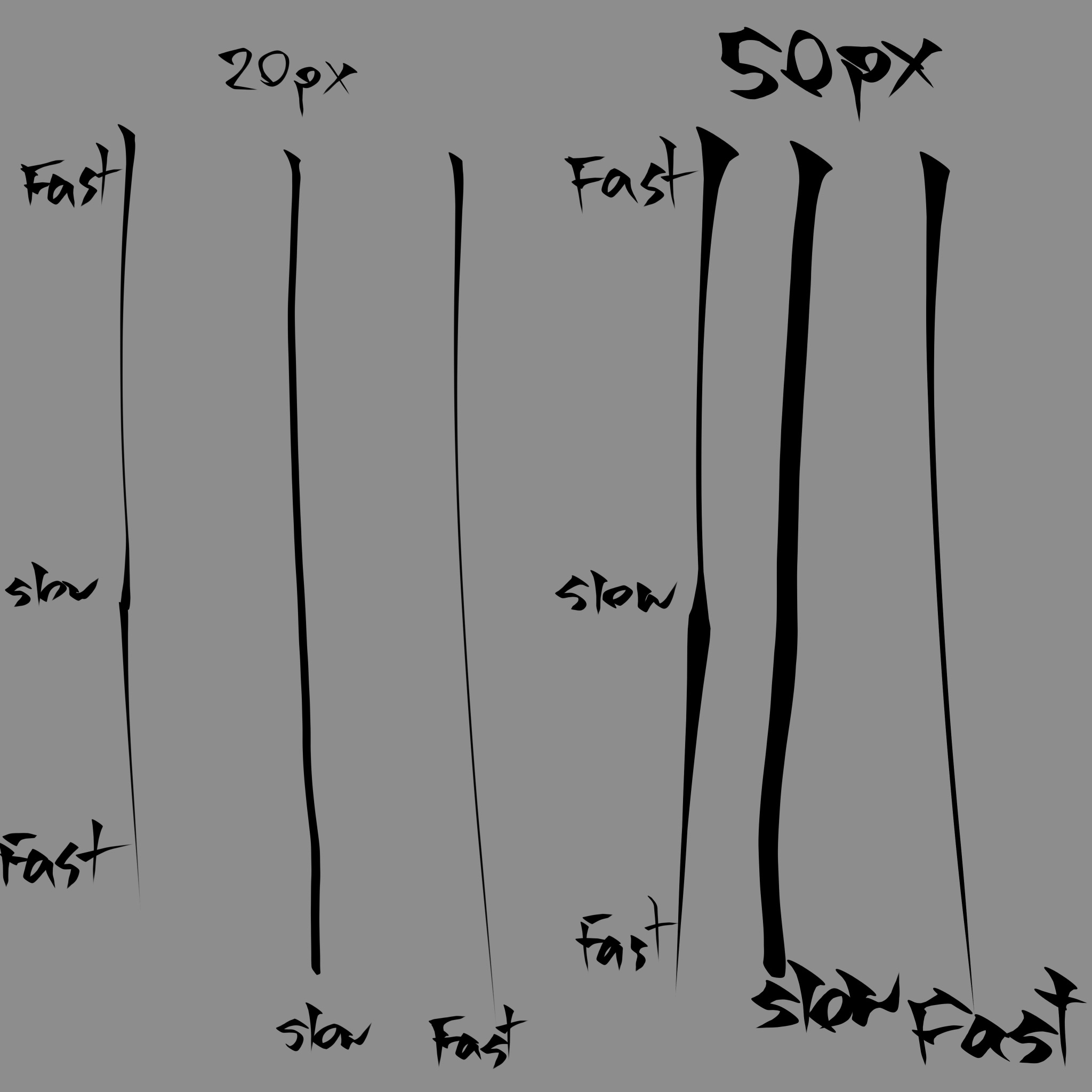
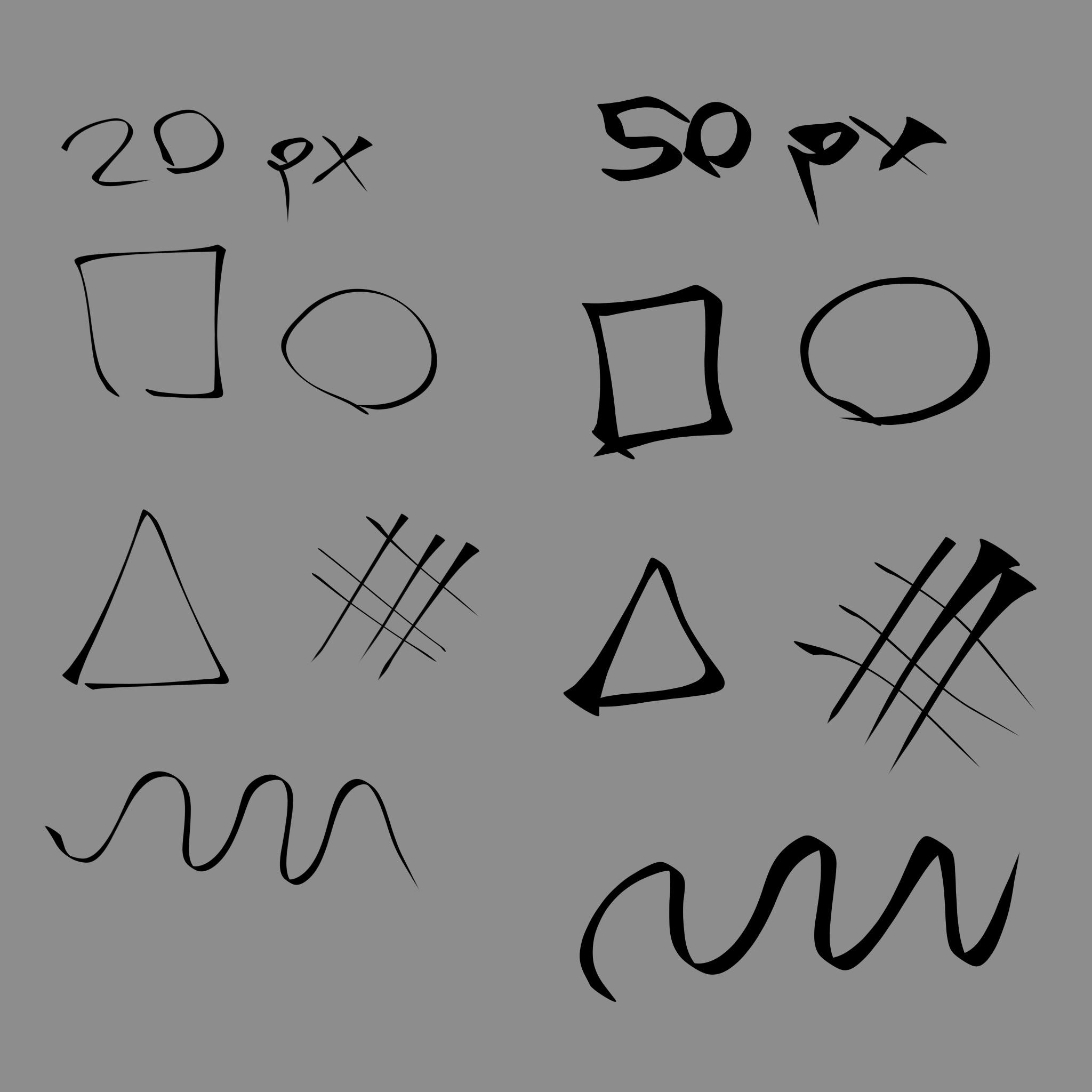
Hi! I moved from IbisPaint X to Krita after getting a drawing tablet, and I’ve been trying to find or recreate something similar to the default Stylish Pen brush from Ibis. What I really love about it is that it uses a flat, rectangular brush tip (like a calligraphy pen), but it still has really expressive line weight. Most Krita brushes I’ve tried so far either use a round tip, don’t have that strong tapering effect, or just behave like a normal flat brush without much variation or “whip” to the stroke.
I did try recreating it myself already, but the results were a hot mess!!! So I’m mainly hoping for brush recommendations, existing presets, or maybe settings people already know work well for this kind of feel. I’m not really looking to build one completely from scratch myself anymore.
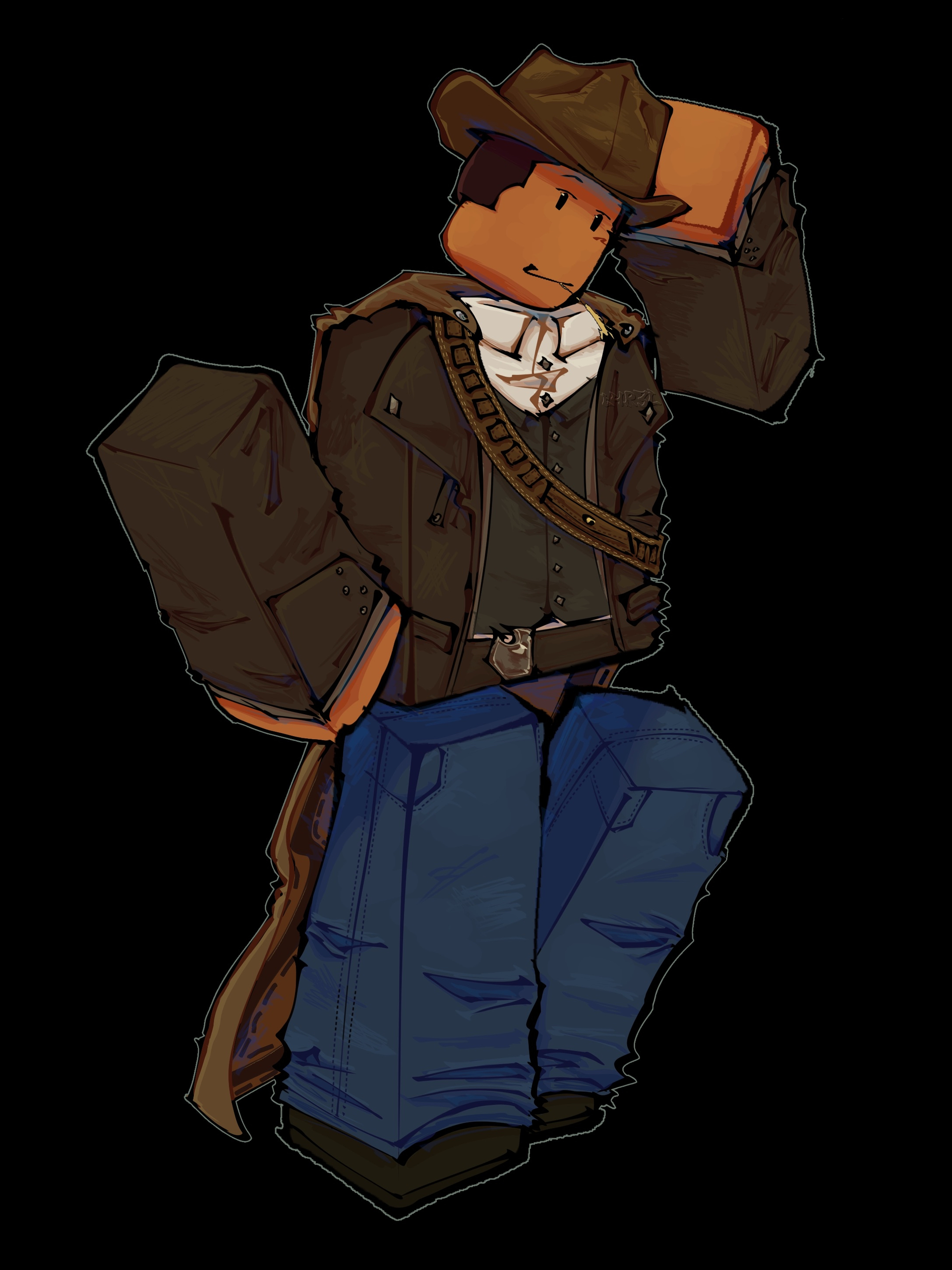
I attached a few quick examples showing slow vs fast strokes at different sizes, along with a drawing I made only using the Ibis Stylish Pen. It doesn’t need to be a perfect one-to-one copy of the Ibis brush either! I’d also be open to pressure-based brushes since I’m using a drawing tablet now, I mostly want something with a similar expressive feel and sharp tapering behavior.
If anyone knows brushes or settings that could achieve something close to this, I’d really appreciate the help. Thank you!
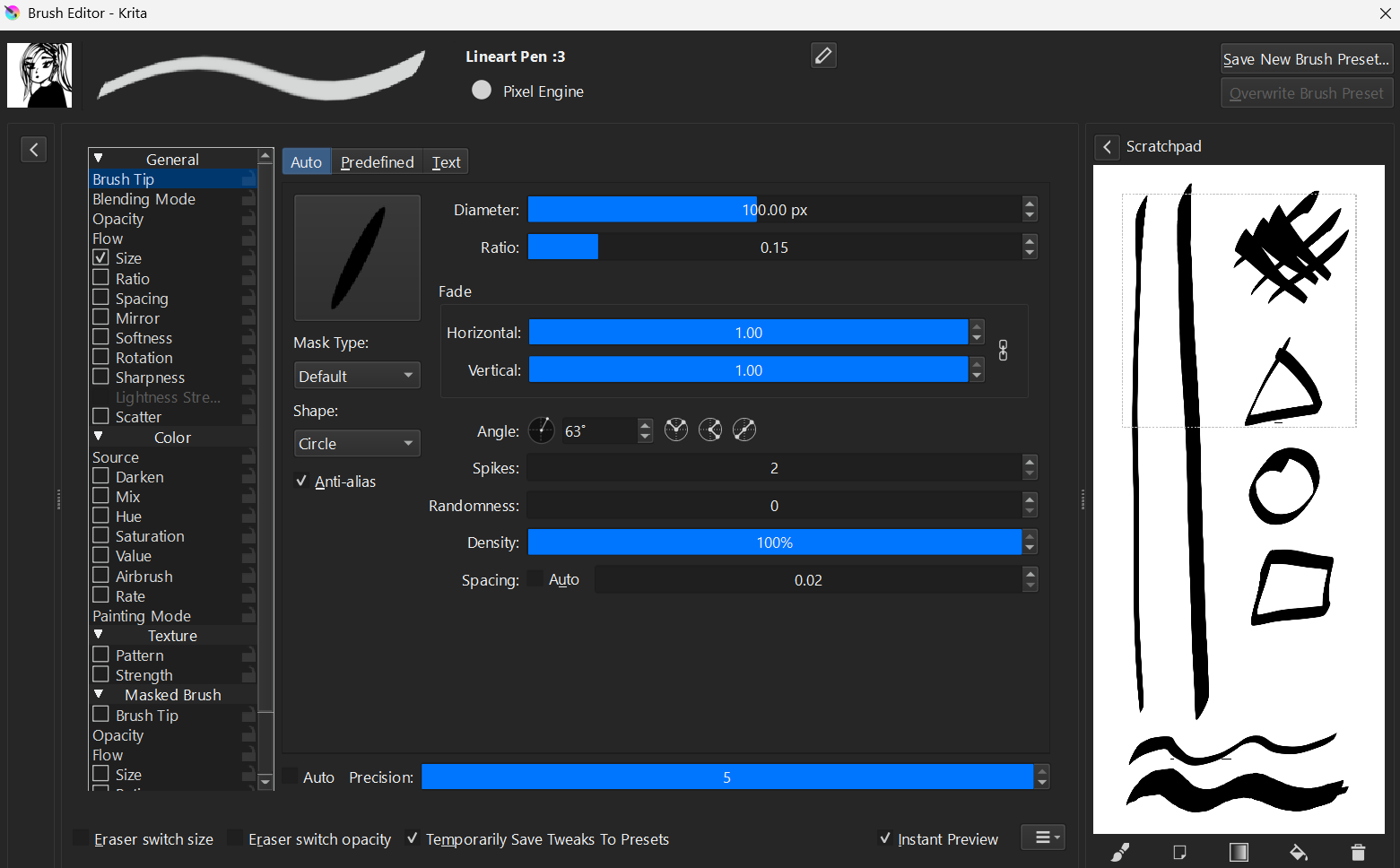
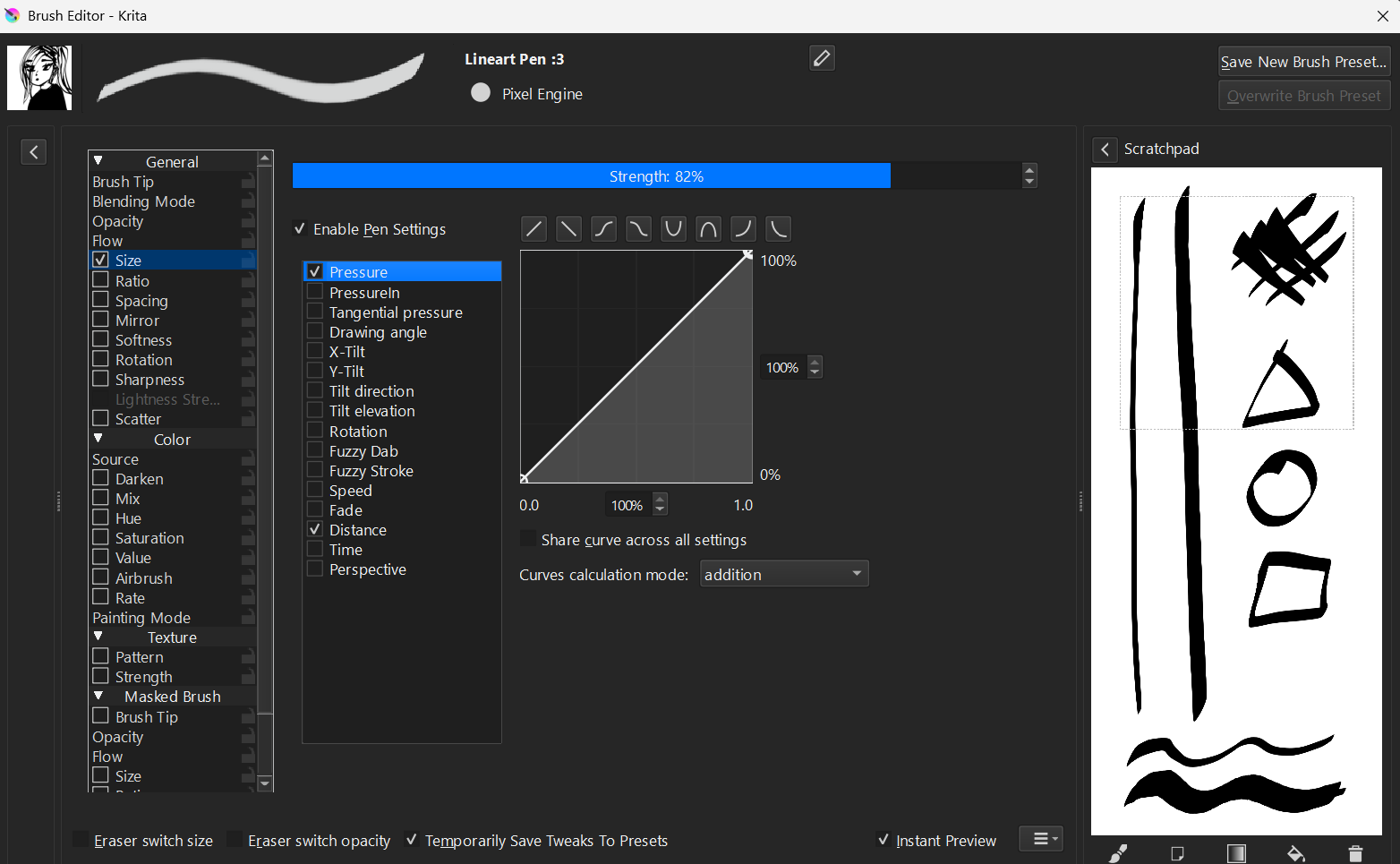
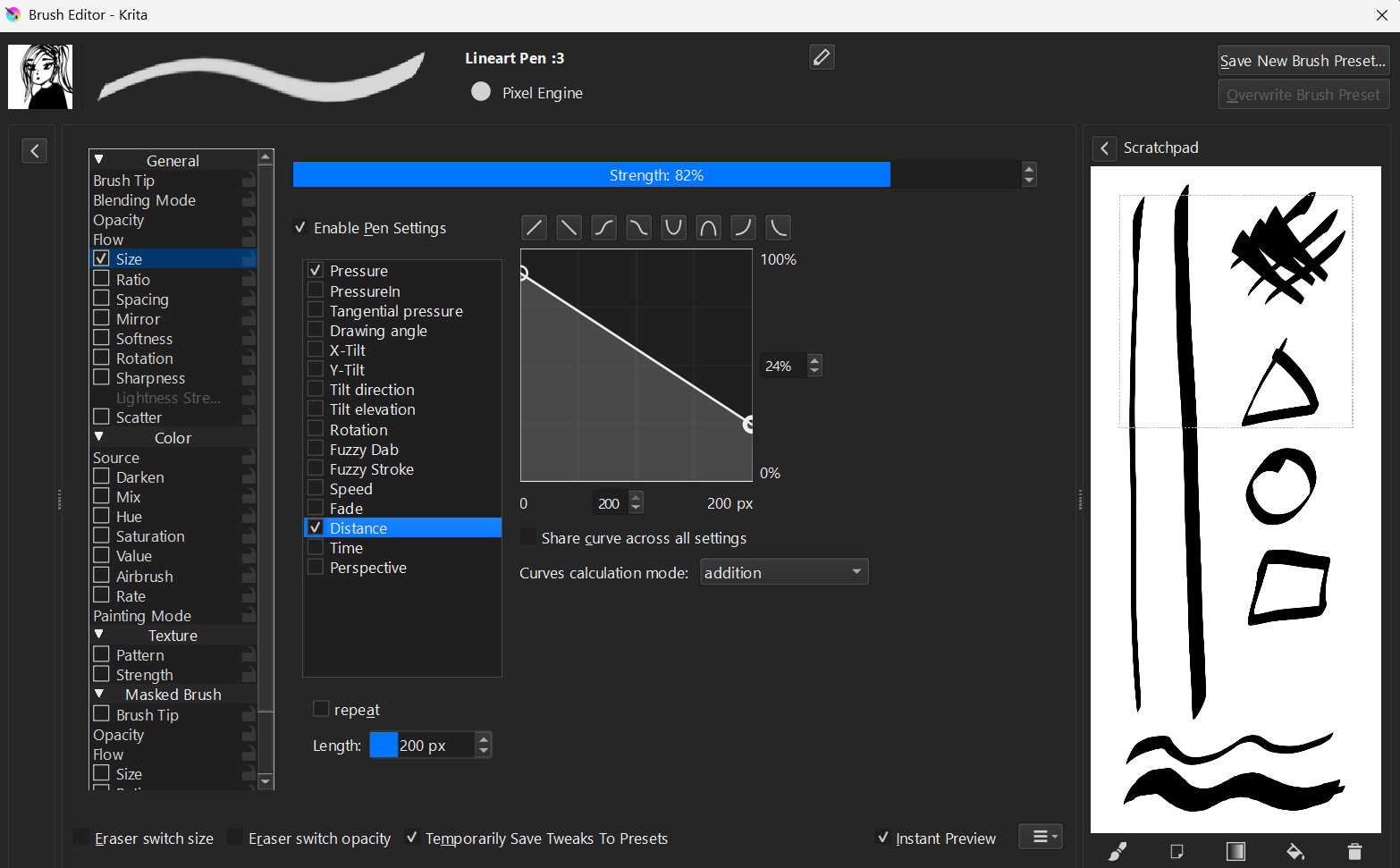
I have a similar one, but it’s based on pressure, not speed. I’m not an expert at making brushes, and I tried modifying it to use speed, but it didn’t really work very well.
I’ve included the settings below; I hope they help you:
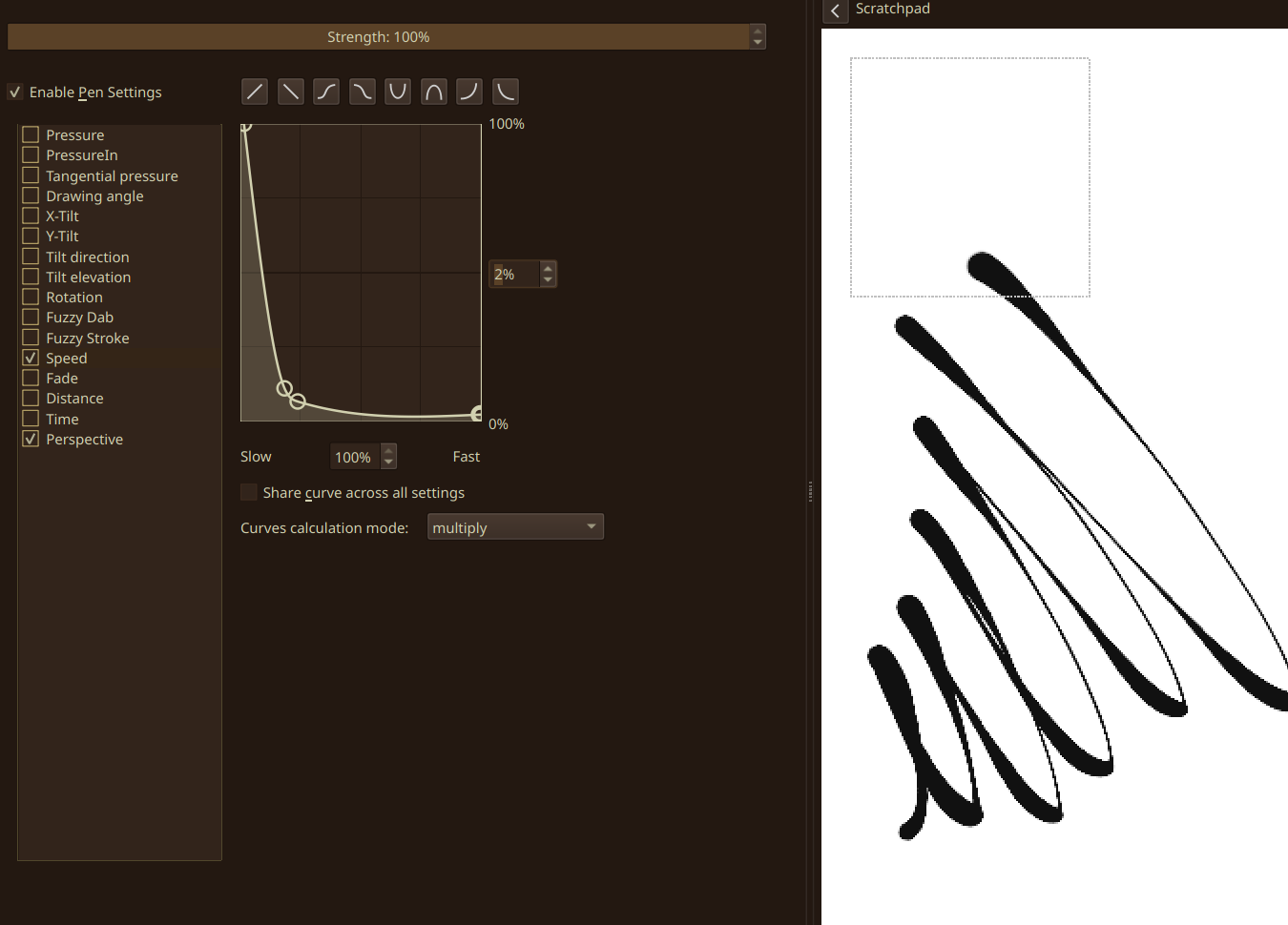
Your “speed” values might be nullified or jank due to the curve calculation mode. Check out a few different ways, but be wary, as it might drastically change how a brush behaves.
“Time” might also be useful, but it might come out more like a wobbly lineart brush
“Drawing angle” can produce pretty insane effects
Don’t share a curve across settings for more granular control!
I’ve had pretty good results for more expressive pens when using the Tilt-X & Tilt-y curves, but those require a lot of fiddling.
Speed, when set to something like this, should give you pretty good expressive results:
Thanks for the tips! The point about the curve calculation mode might actually explain a lot. When I was trying to tweak the brush myself, it felt like I could only get either a pressure-based brush or a speed-based brush, but not both at the same time… I’ll definitely experiment with Multiply mode and that Speed setting you suggested!!