I recently self-published my first comic magazine and in doing so, had a crash course in using krita in general. For some pages that were drawn at 11 x 17, I had to scale them to 8.5 x 11, which made the artwork look “squat.” I’m looking for someone who can help explain how to scale without compromising proportions. The first image shown here is how the artwork looked after scaling and how it went to print. The second image is the original-sized art. Any advice?
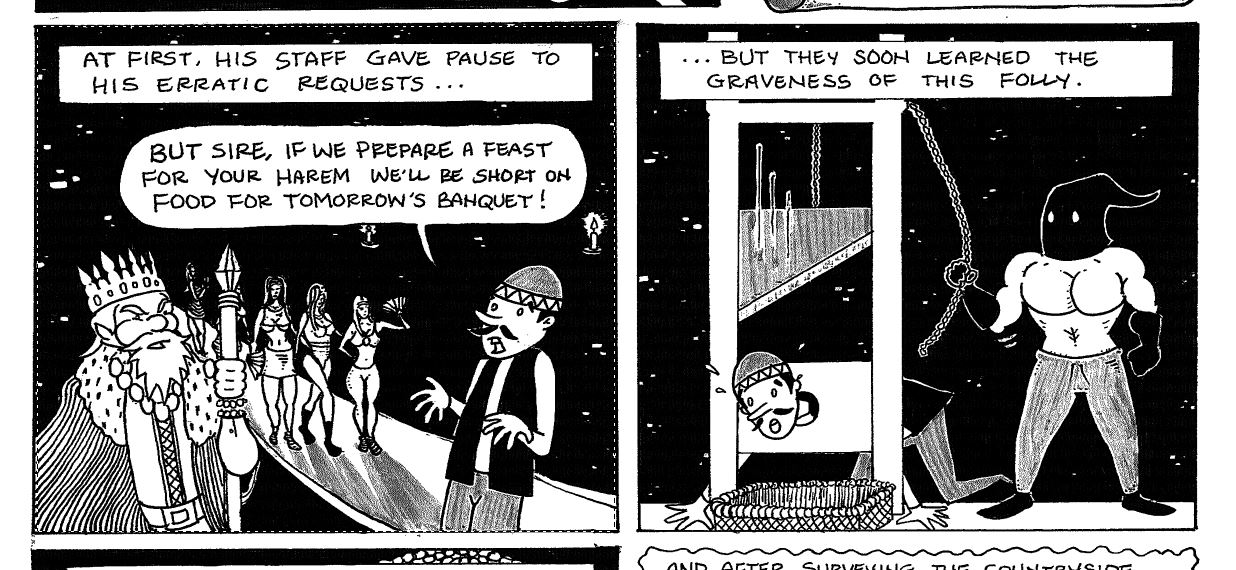
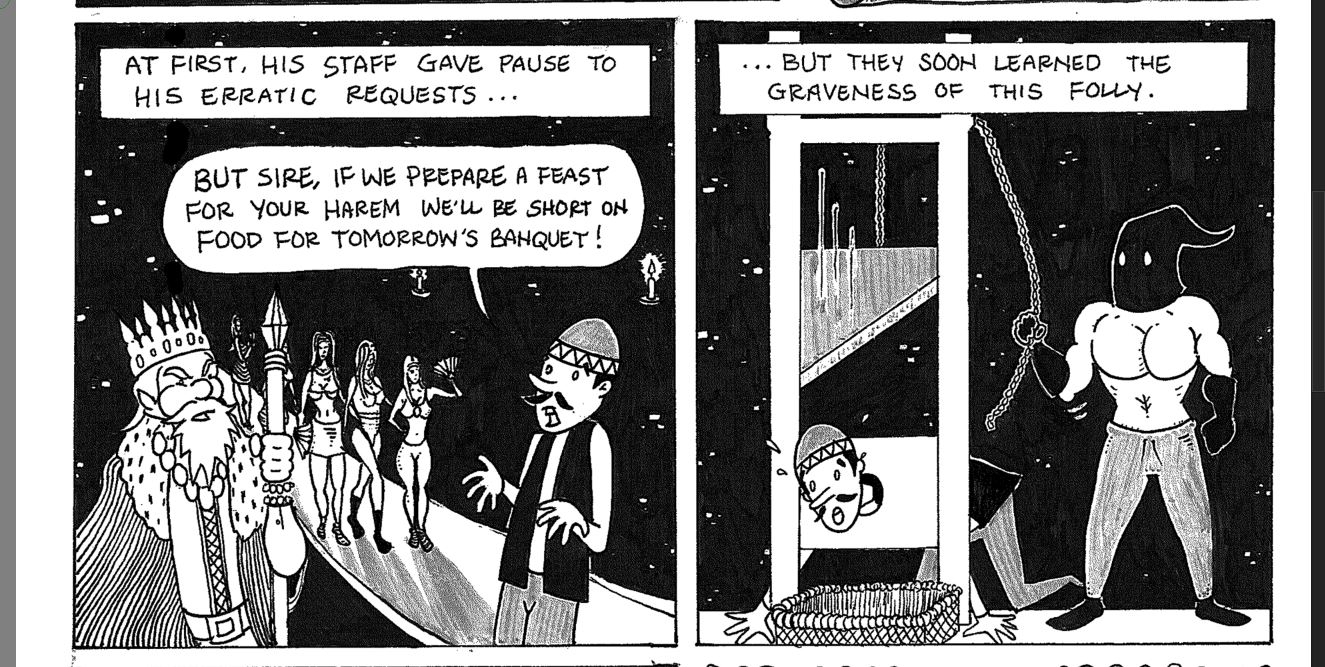
You will probably need to scale down while constraining the proportions (the chain link), and then resize the canvas. The thing about American paper sizes is that their ratio doesn’t stay constant (which the Iso paper sizes like A4, A5, B6, etc. do have).
So, 11 / 17 = 0.65 and 8.5 / 11 = 0.77. These are different ratios.
What I’d do is resize 11x17 so that the height becomes 11 inch (keep the chain symbol enabled, so it’ll automatically set the width to 7.12), and then use resize canvas to ensure the width goes from 7.12 to 8.5.
1 Like
 Hello @J.Harding, and welcome to the forum!
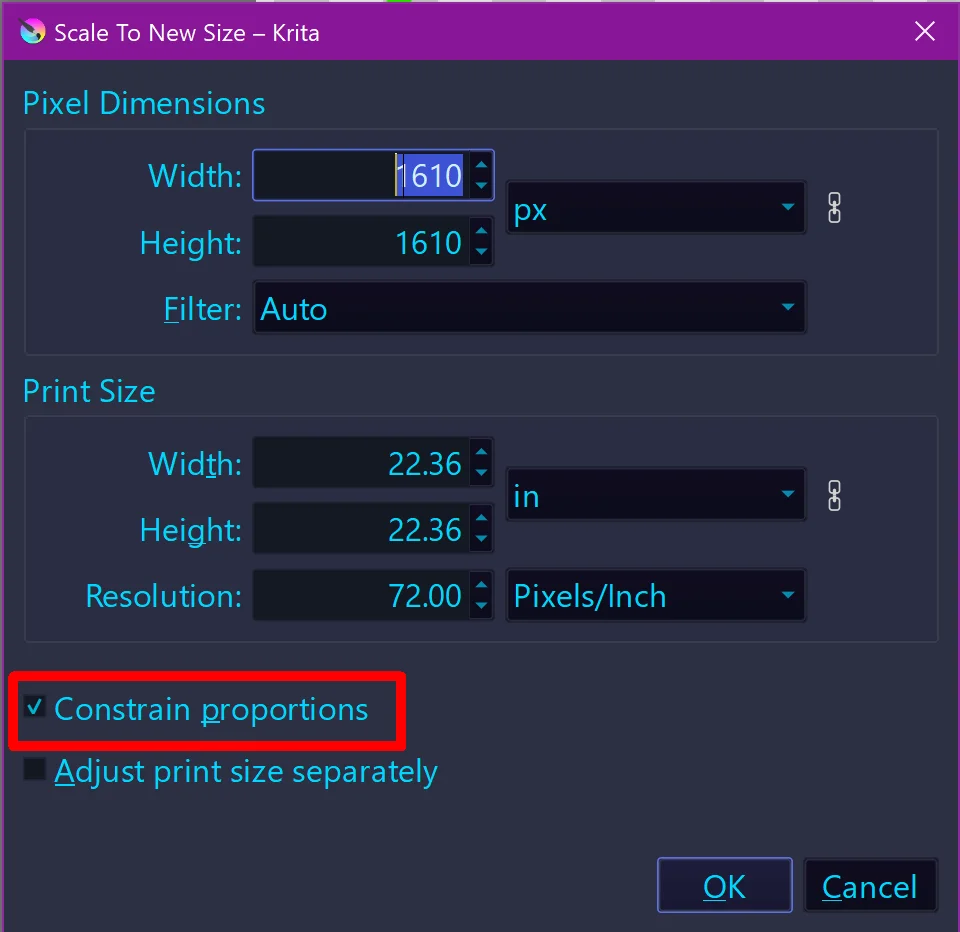
In the hope I understand you correctly, you want to maintain the aspect ratio while resizing your work. If that is true, you normally would set the option Image > Scale Image to New Size > Constrain proportions to preserve the aspect ratio of your work. Alternatively, you can click on the chain link icon behind the unit of measurement to lock the aspect ratio. This means if you manipulate one parameter the other parameter will be automatically adjusted correctly.
In my screenshot, the size in Krita (which can be set independently of the print size) is set in the upper part of that dialog, here it is set to pixels (abbreviated as px).
The print size can be set below, where you can set inches, centimeters, millimeters, etc., depending on what Krita offers and what you need. And make sure the chain link is closed there too!
Where you can instruct Krita to maintain the aspect ratio (Constrain Proportions):
In case of further questions feel free to ask.
By the way, I’ll move your question into our support area, so do not wonder that it changed its location. There the chance is far higher the helpers will take notice of it.
Michelist
1 Like
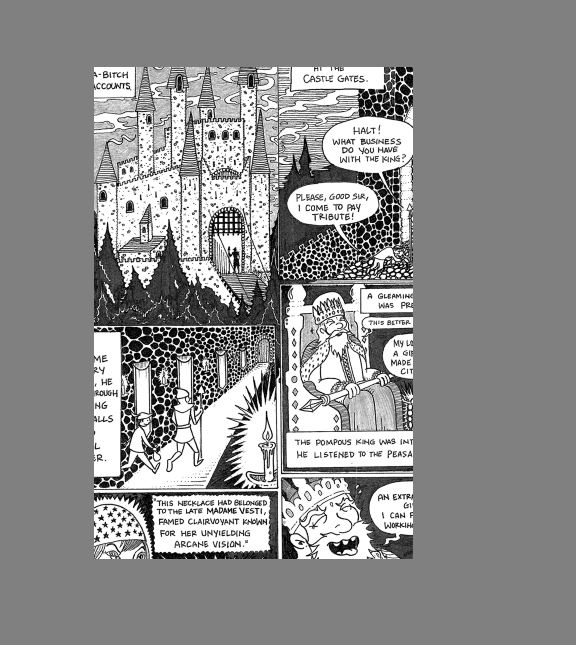
What I’d do is resize 11x17 so that the height becomes 11 inch (keep the chain symbol enabled, so it’ll automatically set the width to 7.12), and then use resize canvas to ensure the width goes from 7.12 to 8.5.
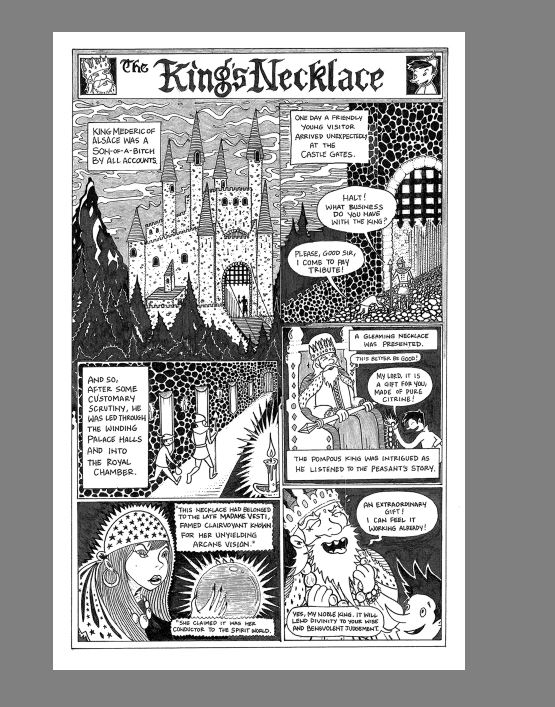
^ when I do this, it cuts out a lot of the image (see screenshots)
sorry, I was unclear:
- Image → scale image to new size.
- There, in print size, set the height to 11 inch (and the width to 7.12, but that should happen automatically if the chain icon is locked), press Ok.
- Then, image → resize canvas
- There, click the chain icon to “unlocked”, then set the width to 8.5 inch. Press ok.
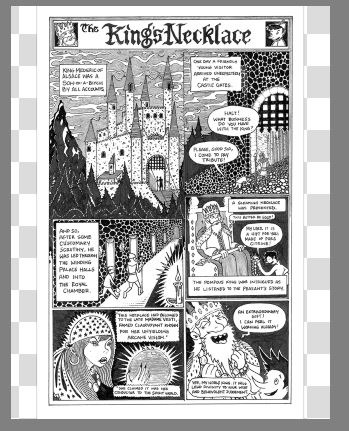
Okay, now it’s showing the checkers on either side. I really appreciate your assistance, by the way, thank you for taking the time to answer.
Ok, now…
- Go to the layers docker.
- Add a new layer (plus at the bottom), move it underneath the layer with the image (you can drag and drop or use the up/down keys at the bottom), keep the new empty layer selected.
- Then select the color white in the color selector.
- Edit → fill with foreground color.
Thank you. This would produce a narrower image within the page with a lot of excess white space on the sides, which is why I suppose I opted for the resized version that fills the page. I guess it comes down to the size of the art, which does not scale precisely to the format (drawn on 11 x 17, printed at 8.5 x 11.)
I’m new to using Krita and will definitely be back looking for guidance as I move on to new projects. Again, thank you much for your help!
Yeah, so, as far as I know, amongst American comic artists, what they usually do is select a good safe area (that is, the area the panels are in, without the margins) within the end-format, and then try to find the biggest area on 11x17 that maintains the same ratio, so they can scale down without problem. But for what it’s worth, even over in ISO paper size territories, problems like these keep showing up, frequently because publishers select an unusual paper size.
On the upside, the extra margin will mean that your readers will have a good place to rest their thumbs without covering the art, which is a pretty real concern for book designers when selecting the margin.
1 Like
This topic was automatically closed 30 days after the last reply. New replies are no longer allowed.