I’ve been using Krita since 2020 and absolutely love this program but recently the magic wand is making it more of a pain to use. Last week my magic wand started acting really stubborn about how it wants to select things. I used to be able to click on say a paw in my drawing on the main color layer and it would select it just fine so I could just fill it with the bucket tool. I used to be able to draw a boundary for a secondary color and select where I want the secondary color to be and it would select where I wanted the secondary color to go instead of inside the entire lineart. Last week it started only letting me make my selection within the lineart layer so I did that and then used fill bucket in the main color layer. However when I tried to draw out where markings would go, it would not only select within those lines anymore, it would select everything and now on a drawing I’m working on, it’s selecting the entire canvas as well as inside the whole lineart and it’s making my art take a whole lot longer to complete even after I just downloaded the new 5.2 update. I am using the Continguous Magic Wand tool with Threshold, Grow and Feathering set to 2, the Action section is set to Replace, Selection Exent is set to Select Regions Similar in Color to the Clicked Region and Anti-Aliasing is checked. I don’t know what to do to get the Contiguous Magic Wand Tool to behave as it should so that I can enjoy making art in Krita more again because right now I’m having to do my flat coloring without a magic wand at all due to this and it’s making it take a million times longer when I should be able to just make my selection and use the fill bucket.
 Hello @KoudoawaiaVortex and welcome to the forum! Well, to be able to help you we need to know a few things, and to want to help you, you should get into the habit of formatting your texts properly instead of delivering continuous blocks of text without formatting, paragraphs and structure. Not only is it not fun to read, but it also makes it harder to grasp the content you’re obviously trying to convey! You want us to help you, then help as well! What operating system are you using? What version of Krita are you using now? Where did you download your copy of Krita from? The Krita homepage, from the Microsoft Store, the Epic Store, from Steam, from the Play Store, the repository of your distribution, Flathub, etc., …? Which version of Krita were you using when your problems started? Please upload a screenshot that shows both the Tool Options docker fully expanded and the Layers docker with at least the layer area visible from which you want to select, but in principle with as many layers as you can display clearly (if you completely minimize the layers in the layer docker with the slider, we can’t see anything in it either). You may need to remove one of the two dockers from its docking position and position it above the canvas for the screenshot. Furthermore, the entire Krita window, including the status bar and title bar, should be fully visible. The forum accepts file sizes up to 3 MB and an edge length of about 3000 pixels, but will issue error messages if the limits are exceeded so that you can adjust your screenshots. Furthermore, the canvas area should be visible, from which you can no longer select as usual. If you can’t or don’t want to show the image, then create a sketchy image that you can use to demonstrate this behavior. These were just introductory questions for now, there may well be more questions.
Michelist
########################
For those who prefer proper formatting: 
Hello @KoudoawaiaVortex and welcome to the forum!
Well, to be able to help you we need to know a few things, and to want to help you, you should get into the habit of formatting your texts properly instead of delivering continuous blocks of text without formatting, paragraphs and structure.
Not only is it not fun to read, but it also makes it harder to grasp the content you’re obviously trying to convey! You want us to help you, then help as well!
What operating system are you using?
What version of Krita are you using now?
Where did you download your copy of Krita from? The Krita homepage, from the Microsoft Store, the Epic Store, from Steam, from the Play Store, the repository of your distribution, Flathub, etc., …?
Which version of Krita were you using when your problems started?
Please upload a screenshot that shows both the Tool Options docker fully expanded and the Layers docker with at least the layer area visible from which you want to select, but in principle with as many layers as you can display clearly (if you completely minimize the layers in the layer docker with the slider, we can’t see anything in it either).
You may need to remove one of the two dockers from its docking position and position it above the canvas for the screenshot.
Furthermore, the entire Krita window, including the status bar and title bar, should be fully visible. The forum accepts file sizes up to 3 MB and an edge length of about 3000 pixels, but will issue error messages if the limits are exceeded so that you can adjust your screenshots.
Furthermore, the canvas area should be visible, from which you can no longer select as usual. If you can’t or don’t want to show the image, then create a sketchy image that you can use to demonstrate this behavior.
These were just introductory questions for now, there may well be more questions.
Michelist
Hello and thank you for your reply. To answer your first question, I downloaded my copy of Krita from the Krita homepage.
My problems started in Krita version 5.2.0. My husband also just helped me figure out that my lineart needs to be the same layer before I finished this reply. I had been trying to put each character’s lineart in its own separate layer which left gaps on one character’s lineart and that’s why the background was being selected as well. Hopefully that means this problem is solved now and thank you for your time.
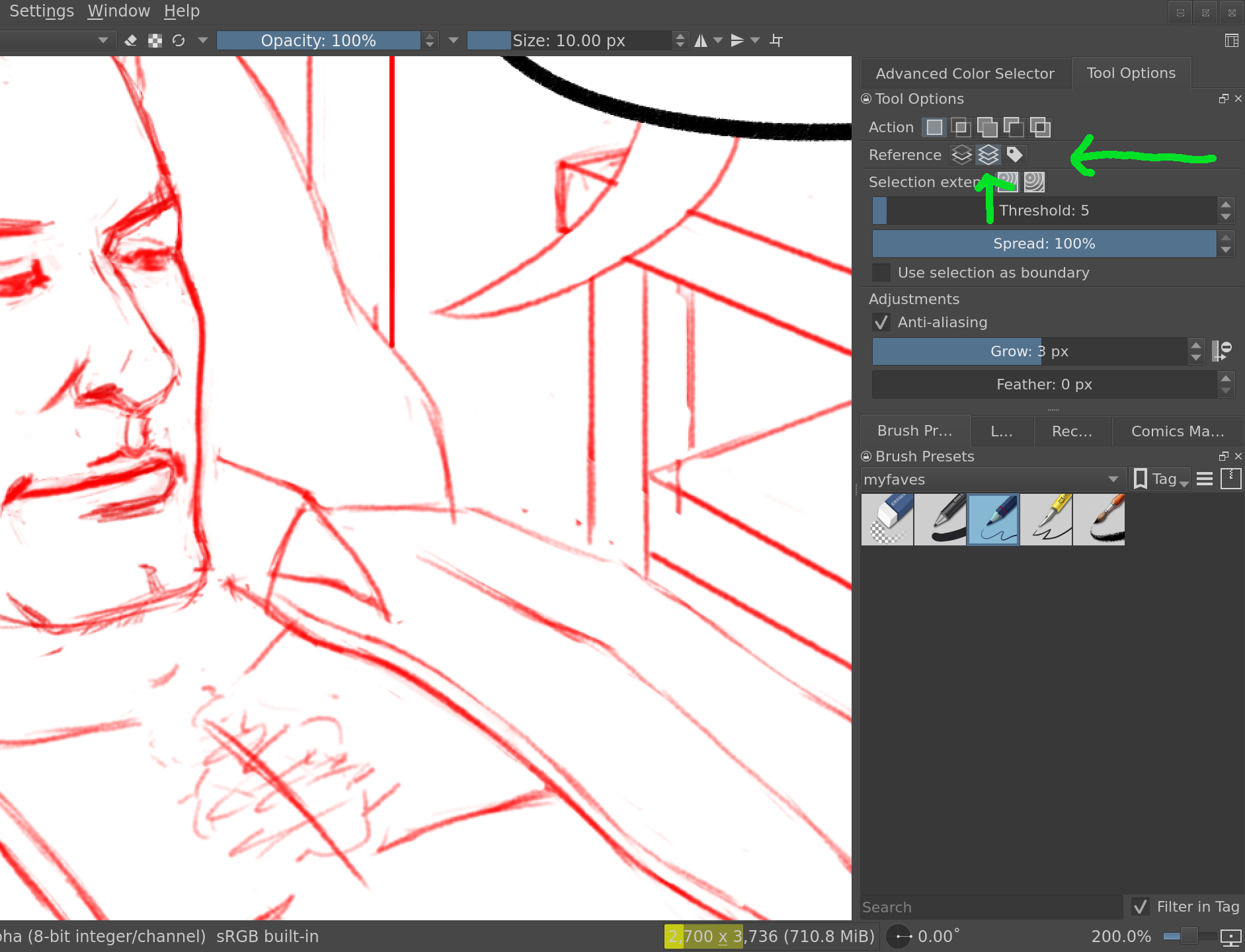
Exactly, what Rebecca said.
And if you need even more control, you could use the third mode with the label icon and decide which layers should block the select/fill by assigning them to colors labels. One use case for this is to have the selection blocked by all lineart layers as well as the filling layer. That way your fills will also block the spread, which can be useful if you want to manually close the gaps here and there.
However, what I found the easiest to use myself is to use the “all layers” mode and hide the layers that you don’t want to interfere – such as rough draft layers below the lineart, perhaps. This method is the quickest in my opinion.
Thank you so much both of you for your help. I altered my magic wand setting to what you suggested Rebecca and that definitely helped. It’s only selecting what I want it to select now instead of everything.
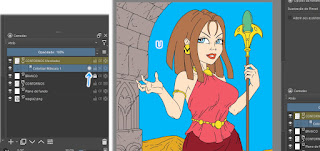
Magic wand? For the flat coloring process, Colorize Mask is more efficient. I did this with this art: