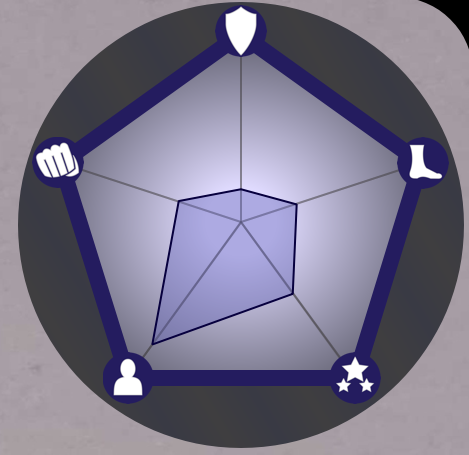
I have a project where I have a bunch of characters that have stat rating in five categories, and I’ve been looking for a program that can create spider graphs as vector images. Krita, with it’s ability to have python plugins, sounded like the perfect program for that. But before I take the dive into figuring out how to do that (I have to refamiliarize myself with python, etc), I wanted to ask how difficult something like that would be. From reading the docs, it seemed doable, but I wanted to check with more experienced people just in case.
If you want to make Krita draw a graph with python, then it gets difficult because currently there isn’t really a straight forward way to programmatically draw in Krita.
You’re probably better off just making a standalone python program, utilizing the many graphing/plotting libraries that already exist and export the pixel buffer to a PNG or something directly.
Hrmmm. Maybe I should describe what I would want to try to do.
I would create a vector shape (in this case a pentagon) as an outside boarder. Then create another five sided shape inside the first one where the position of the corners would be changeable.
When I looked over the docs, it seemed like creating vector shapes like this would be doable via a python script. The only reason why I thought about going the python route is that making equilateral pentagon vector shape seemed extremely difficult to do by hand. Though I would do it that route.
The “graph” is only a visualization. I don’t need to import data or do anything fancy.
So I considered another way to make the sort of vector shape I wanted. Each corner of a pentagon is 72 degrees, right? (360/5=72) I could use this info to create guidelines for the shape and then delete them later. However I cannot for the life of me figure out how to rotate a vector shape by anything other than 90 or 180 degrees. It looks like you can rotate brushes, layers (with the transform tool), the image, and canvas but not vector images by arbitrary amounts? Am I missing something?
Seems like maybe the only way is by making 5 vector lines with each on their own layers, then rotating the layers with the transform tool to the correct amount? Which I guess works, but seems overly difficult and fiddely?
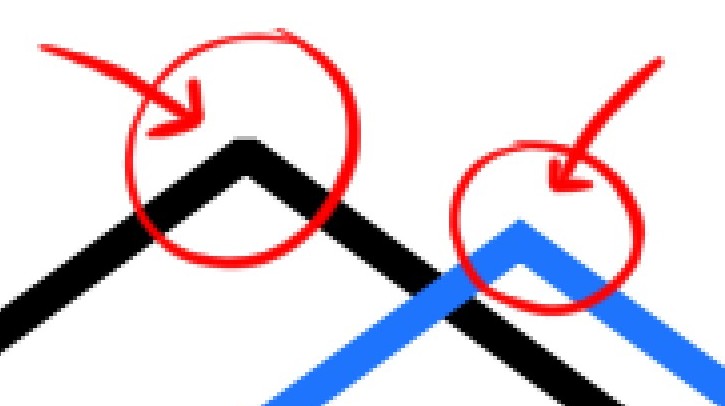
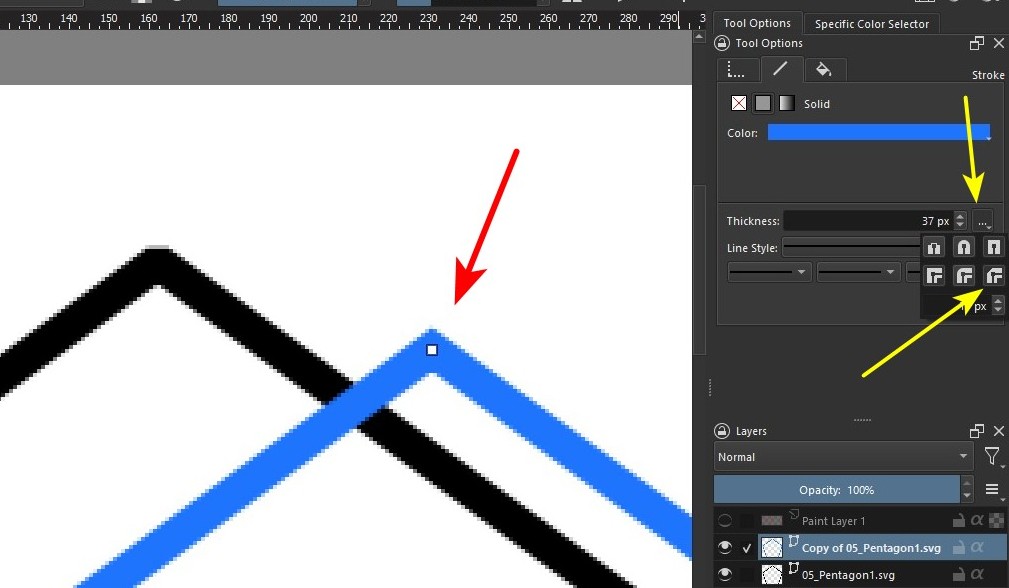
Ok, now all that’s left is to fix the vector’s edges. I noticed that when I imported the vector into Krita and increased the thickness of the outline, the edges became broken, like in the black outline. Ideally, the edges would be like the blue outline:
I will need to increase the size of the canvas since it’s too pixely for what I want in the final version. But I think it’s a good start and I’m glad I didn’t need to go the python route (though that would have been fun in its own way.)