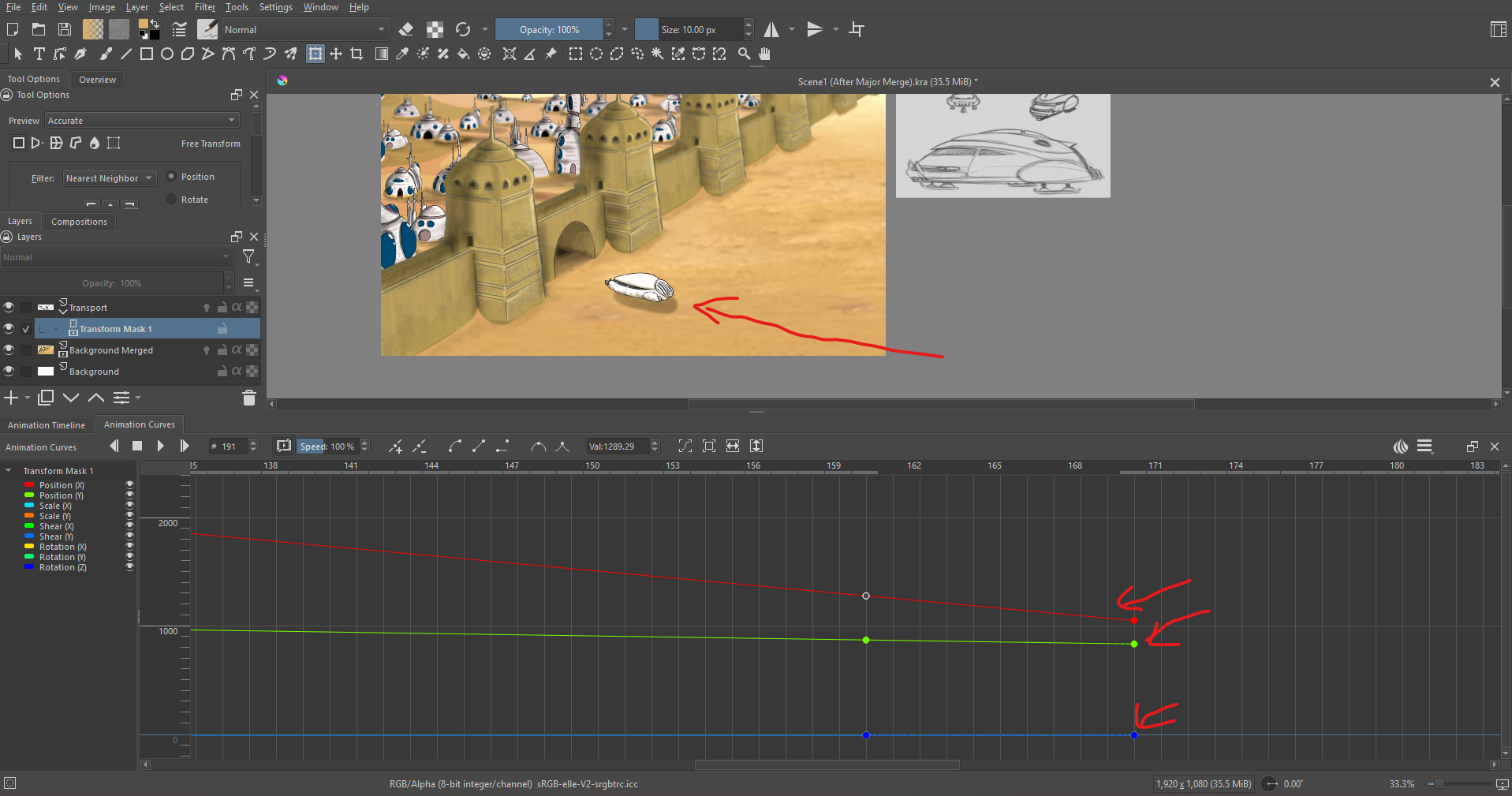
Which tangent line do I manipulate to make my transform mask (Movement) come to a slow stop, currently my spaceship rolls into the scene at a consistent pace until the transform mask is complete.
I tried manipulating the tangent lines below but it didn’t work.
The Smooth Interpolation Tangents and Sharp Interpolation Tangents buttons seem to not work so I use the Bezier Curve Interpolation button.
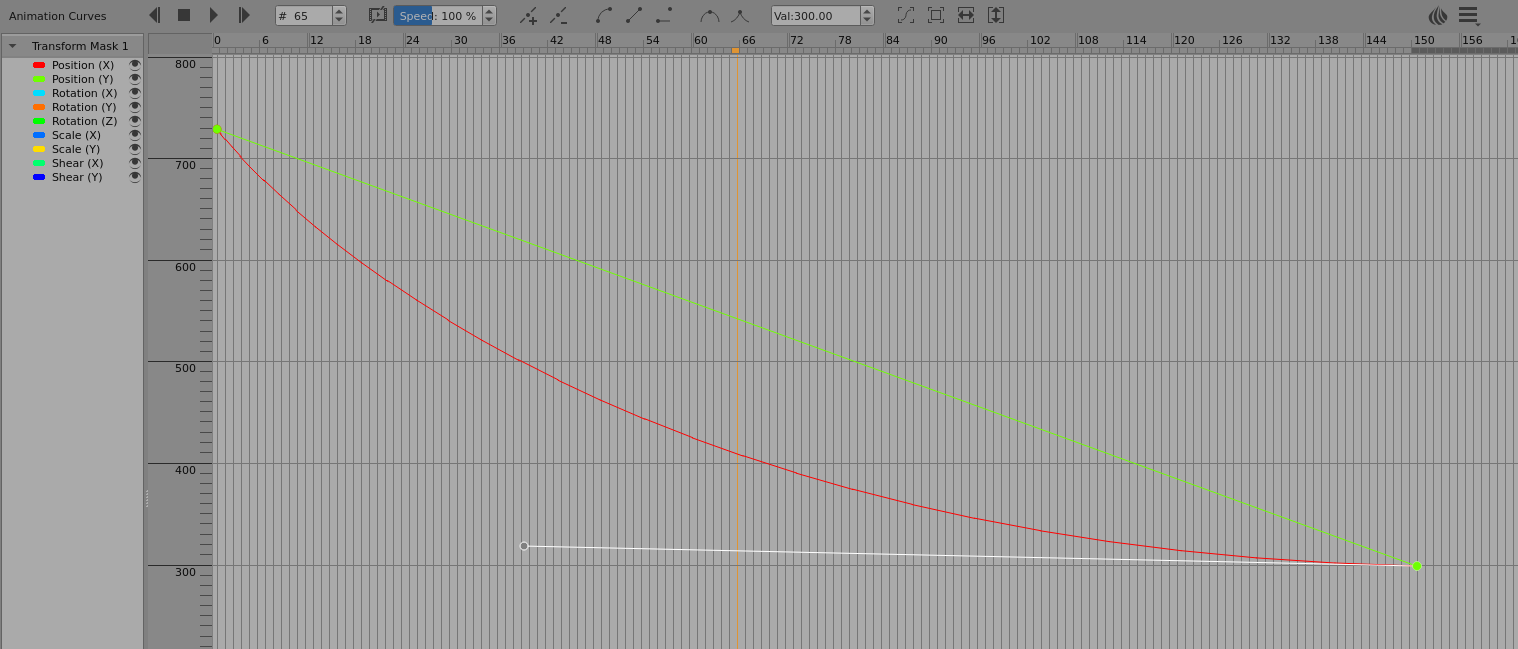
To manipulate a line as a curve, you first have to give it Bezier Curve control handles.
This post gives details of how to use it:
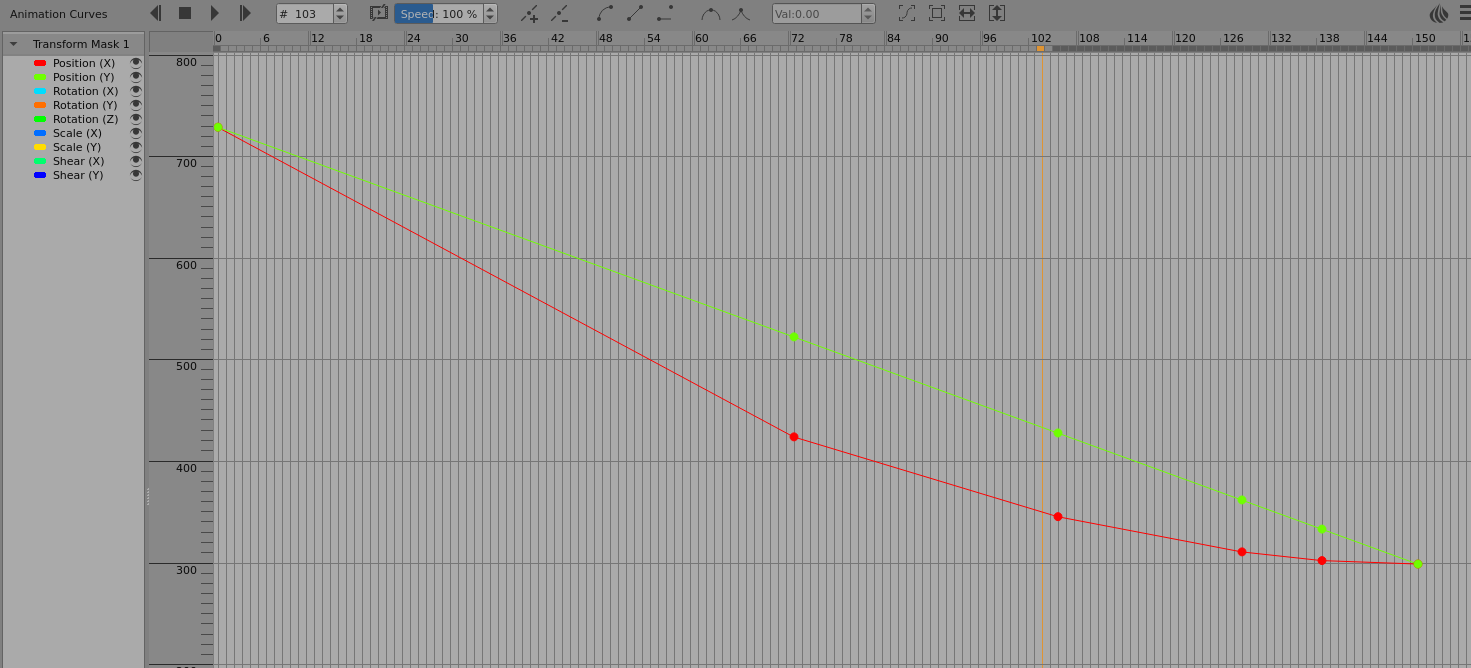
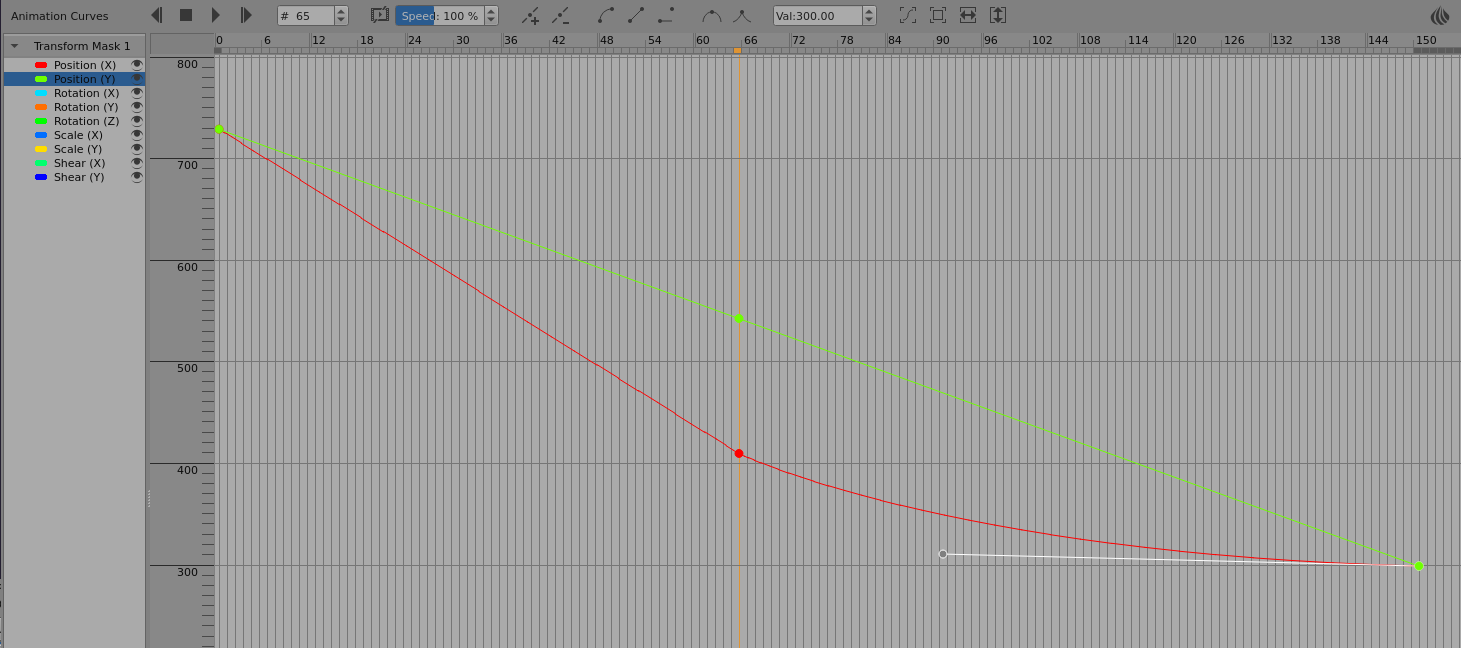
In the following examples, I’ve only use the X-Position (red) and have left the Y-Position (green) as an ‘original straight line’ reference for comparison.
A tedious way to get smooth deceleration is to use more and more detailed linear approximation but it’s quite obvious when you see it slow down:
For something maybe better looking and maybe more realistic, you can switch from linear to a decelerating movement but be careful with the curvature of the final segment so it blends smoothly with the initial straight line and also doesn’t undershoot: