Hi guys,
I would like to provide user feedback on Brush Editor frontend UI. The names of blending modes in masked brush settings are misleading to the user:
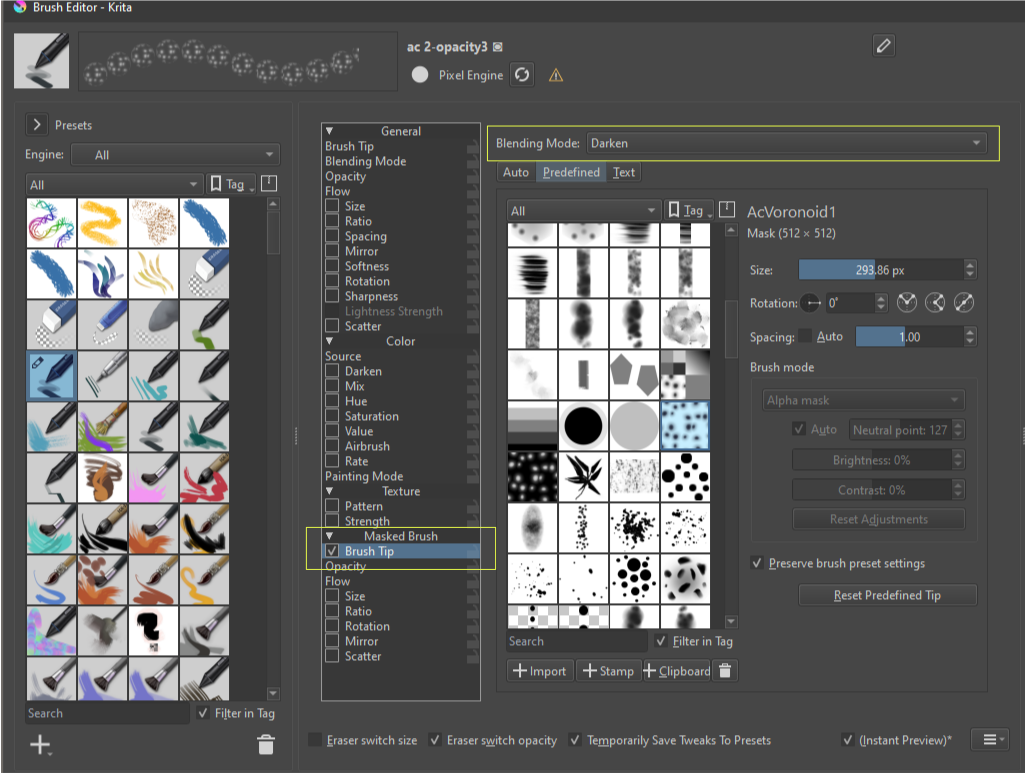
What is confusing about that?
Short story explanation:
Once I started recently playing around with masked brushes, blending modes gave me a hard time. I was frustrated that they behaved completely differently than I had expected (I am not a newcomer, I’ve been using Krita for a couple years and other graphics programs even longer). I struggled with this for quite a while before realizing that blending modes are not applied to textures immediately, as I had initially assumed. This is likely because the brush engine treats textures as alpha masks, meaning that, somewhere on the backend, inverted values are being used. The result of these blend modes doesn’t make sense from a user perspective without deeper knowledge. And I didn’t find any source with an explanation.
I haven’t found any discussion on this topic anywhere. I don’t want to start a discussion about the correct terminology, or push for a change. Just consider this user feedback for potential future UI improvements.
Long story explanation:
There are two textures that I want to blend together using the “Multiply” mode in Masked Brush editor (100% flow and opacity settings, single dab):
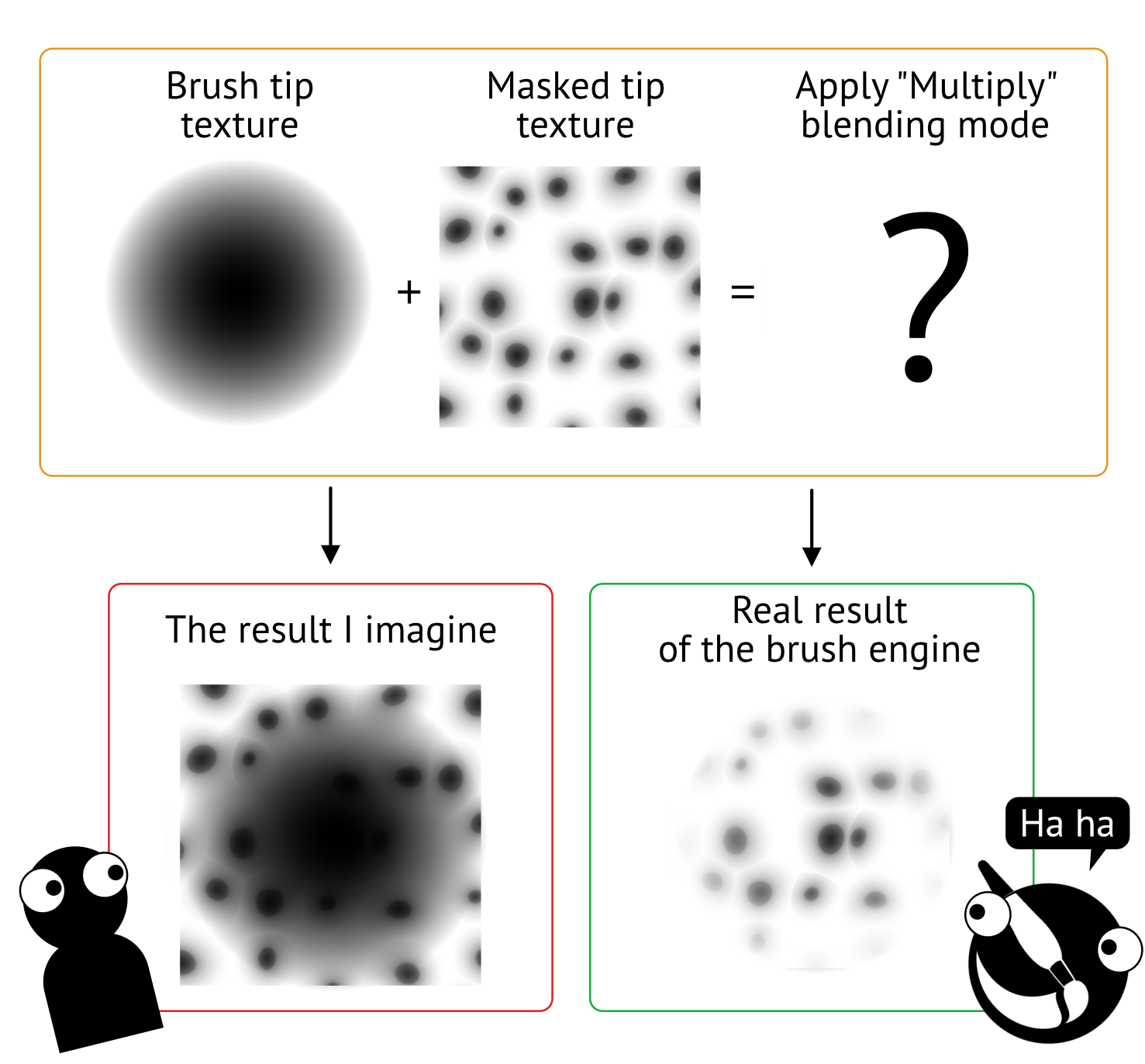
“Multiply” is commonly used for drawing shadows. Anyone who has ever used it simply expects the resulting blend to be darkened. But the masked brush engine behaves in somewhat the opposite way. So, is there some hidden math behind this brush engine? Or is it a bug? I didn’t find any guidance anywhere to help me make sense of it (manual, forums, tutorials…)
It was a very frustrating experience for me. I tried the other blend modes, and they all behaved strangely. Well, not all of them. “Hard Mix” did what I expected. And, honestly, Subtract also made sense to me (even though, strictly speaking, it shouldn’t have).
I haven’t found anyone else who has addressed this same problem before me. Perhaps the problem lies with me? But I came across information clarifying that brush textures function as transparent masks. This led me to the idea that if the brush engine treats textures as transparency masks, it could mean that blending is performed as if using inverted images (you know this digital logic – dark (black) represents transparency, light (white) represents opacity).
Let’s take a look at what happened to the inverted textures:
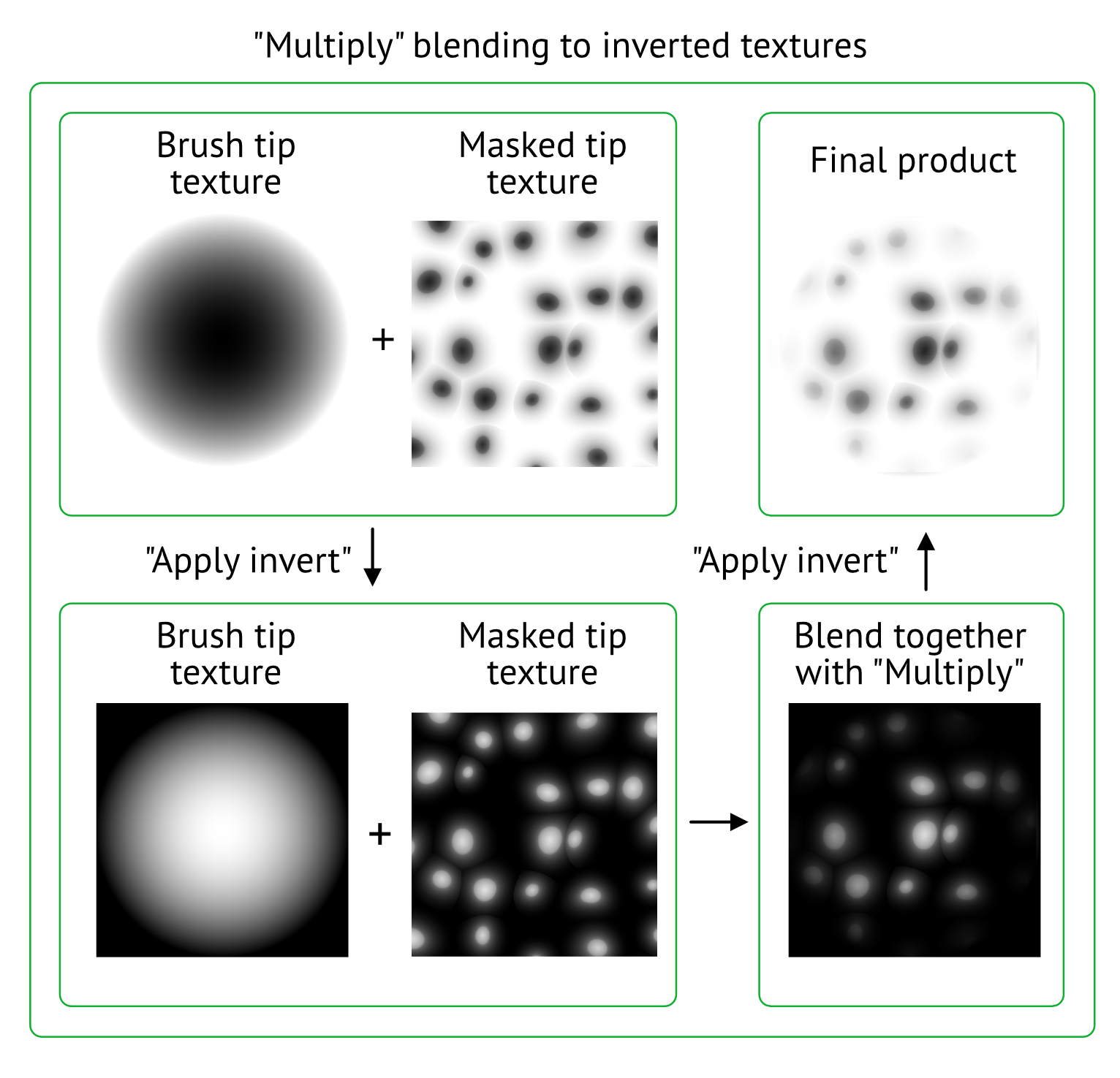
So, this is the hidden secret. Engine calculates with inverted texture values (alpha mask). What I see on the front end is not the same as what the engine sees.
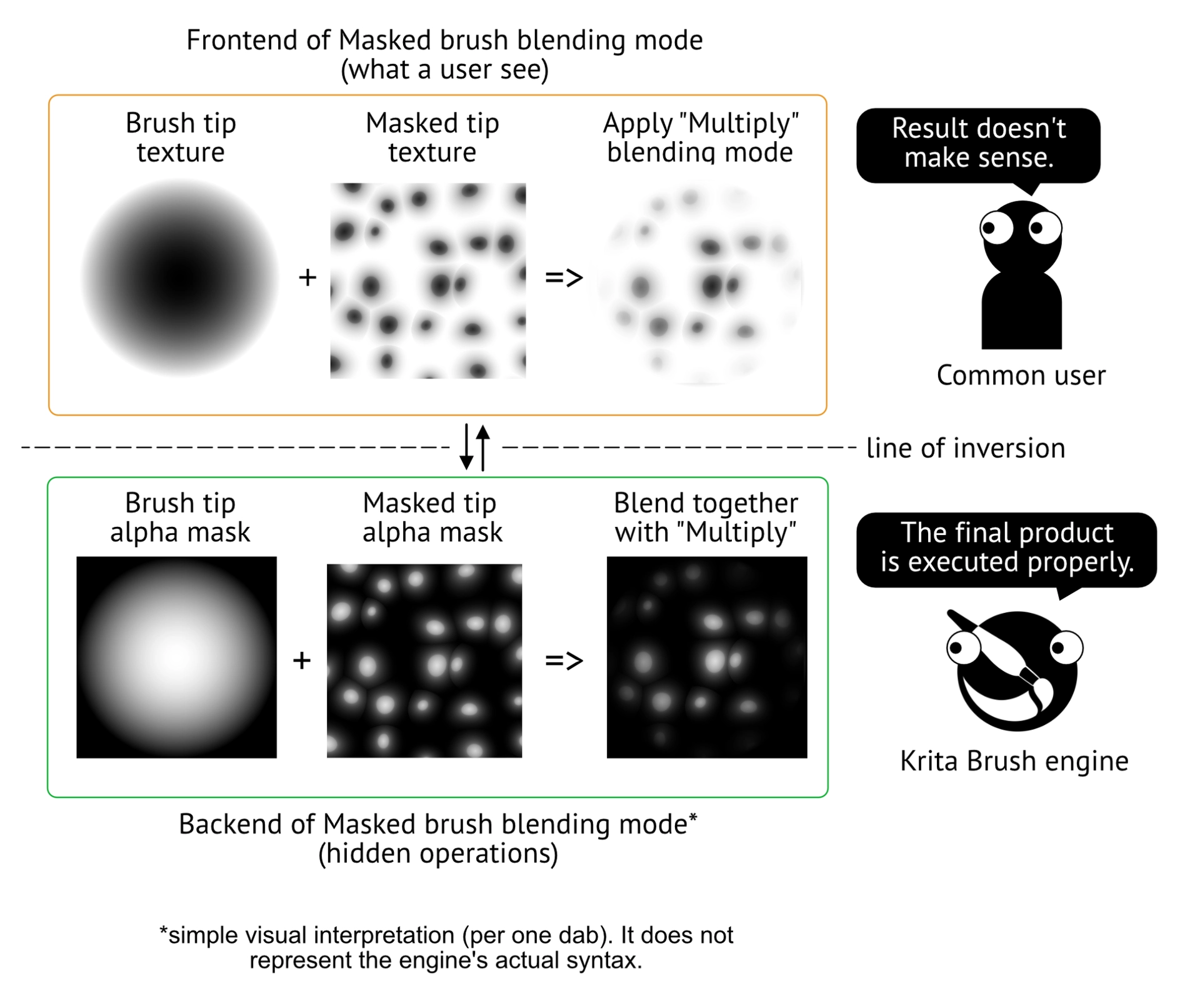
Now it starts to make sense to me… But still kinda non-intuitive way to predikt output. But wait… If inverted values are multiplied, doesn’t a different blending mode actually work that way? Most blending modes have their opposites, right? Try to guess… Bingo! You have the right. It is “Divide”… No… Meh… It’s Screen! 
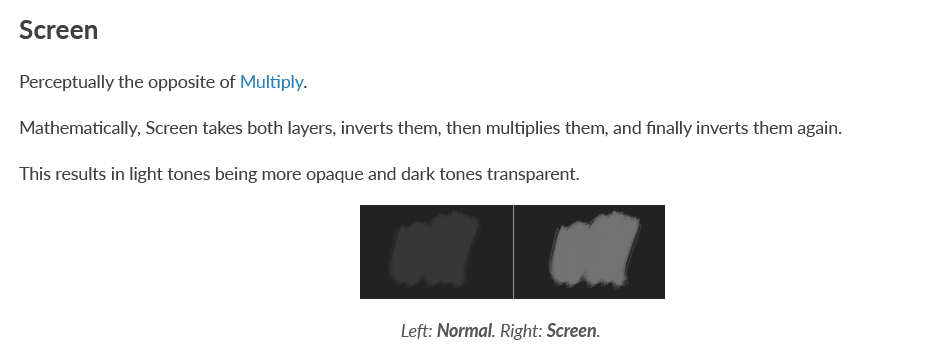
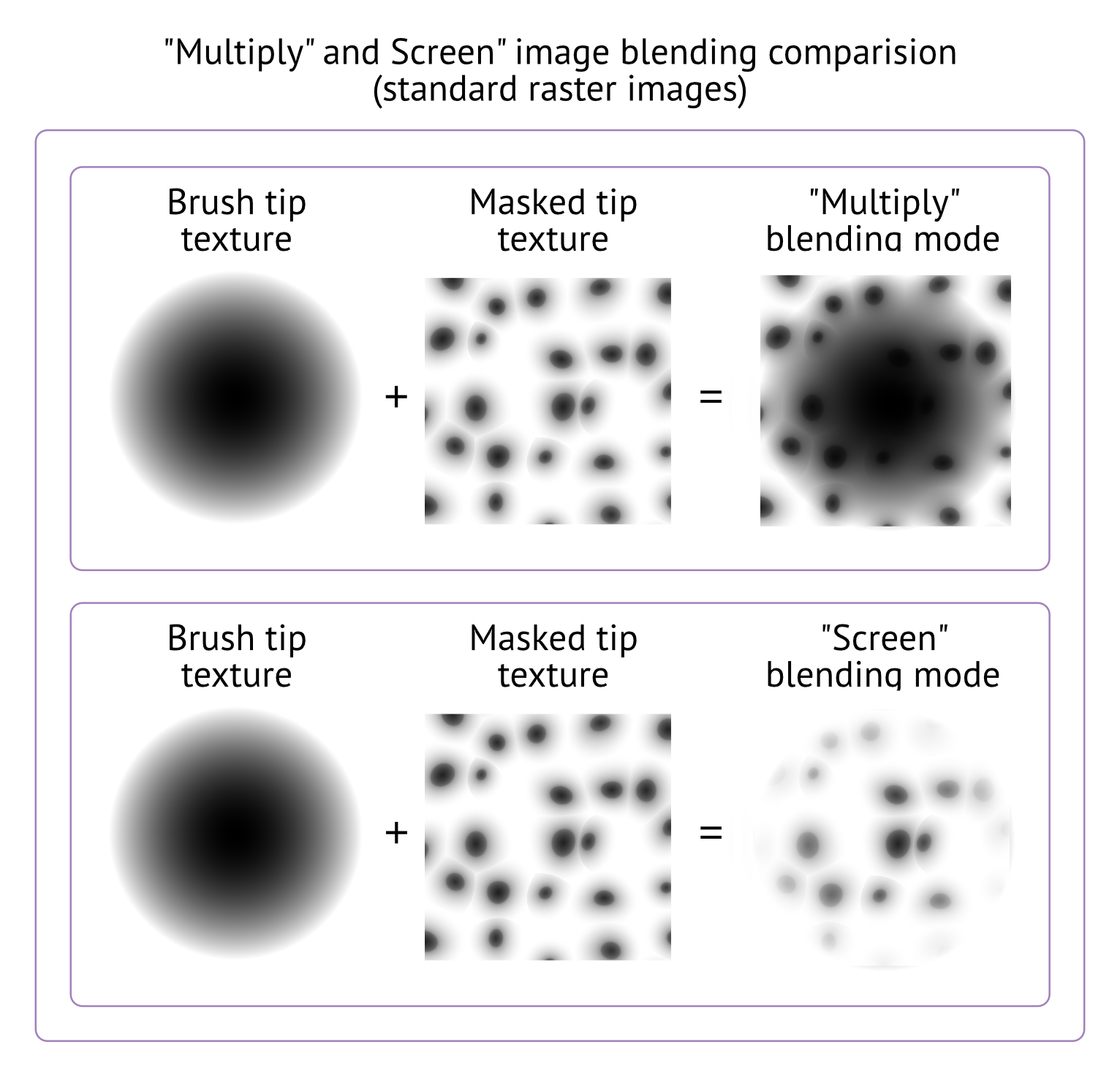
Thinking of “multiply” blending as “screen” is more intuitive and user-friendly. From my user point of view, the best scenario is to rename these blending modes to its counter-modes. For better user experience. Also for UI consistency. I assume there are reasons (or historical decision) for the current state. A small hint displayed somewhere would help courious users understand it better. Perhaps a note in the Krita manual or documentation.
_________________________________________
Here is a list of opposing blending modes (in context of the Krita´s masked brush options):
Multiply ↔ Screen
Darken ↔ Lighten
Overlay ↔ Softlight
Color Dodge ↔ Burn
Burn ↔ Color Dodge
Linear Dodge ↔ Linear Burn
Linear Burn ↔ Linear Dodge
Hard mix* ↔ (inverted Hard mix**)
Hard mix softer* ↔ (inverted Hard mix softer**)
Substract ↔ Divide
*Hard mix actually does hard mix things properly by a user perspective.
**There is no specific terminology for counter-modes (probably).