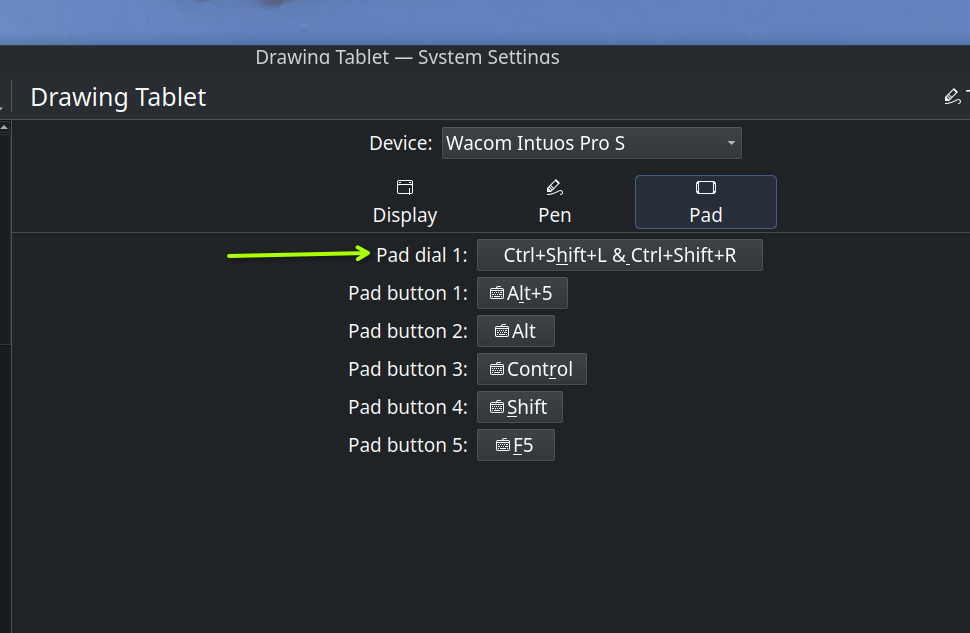
A few months ago I bought a Wacom Intuos Pro 2025 S, which came with a scroll wheel. I was on Kubuntu 25.10 at the time and the tablet driver did not have any setup ability for the scroll wheel. I upgraded to 26.04 LTS and still had no working scroll wheel until today. All I did was update the libwacom file from github today and noticed the drop down for the scroll wheel/ pad dial. Took a little messing around my Krita keyboard shortcuts, but now my whole drawing tablet works the way I want. I must confess, I have no clue what was needed to accomplish this, but the libwacom file was the only thing that was different. Maybe someone else with a little more knowledge about it can explain.
3 Likes
The only explanation I can think of is that the libwacom version in the Ubuntu repository is an older version than the one on Github. I’m sure it’s difficult to keep distribution repositories fully updated with all third party packages.
What are the version numbers? On my Mint 21.3 system, it seems to be 2.2.0-1.
Can you give a link for libwacom on Github?
1 Like
Here is the file I downloaded. The one I had in there before was 2.17.0, also from github
and I got the above link from here, which was a link from the the Wacom site
1 Like
I remember the Ubuntu repositories being notoriously outdated. I was stuck with a libwacom bug once forever where x and y were flipped. Used the opportunity to switch to something that was quicker on fixes (the fix was already out but the repos didn’t have it).
1 Like
Oh wow, I’m so out of date. I only have a simple old Wacom tablet so I’ll be fine 
1 Like
I had a old Intuos with 4 buttons and 2 button pen. I upgraded for “Tilt” and was fine without the scroll wheel, but now it is bonus.
1 Like