How do we delete the previous version?
If you want to delete it permanently, you have to open the folder “bundles” in Krita’s resource-folder and delete the bundle. To get there, do in Krita → ‘‘Settings’’ >> ‘‘Manage Resources…’’ >> ‘‘Open Resource Folder’’, then Krita opens its resource-folder, there you have to open the folder “bundles” and locate the correct “MB_Starter_Pack_2021v?_Recreation_for_Krita.bundle” and delete it. After a restart of Krita, it should be gone, and you can install the new version. The ABR-File from the Cubebrush-Download can stay, it is needed for every version of this bundle so far.
BTW, there are only 21 days left to download the ABR for free (but in case it is needed, ask me, and I’ll share it)!
Michelist
3 Likes
Thank you !
downloaded the origanel set, but how do I download KRITA conversion set. thanks carl
 Hello @oxford, and welcome to the forum!
Go to Gumroad and enter a price you are willing to pay in the input field on the right side, it can be 0 in any currency, but also a million or more, just like you like or think what this resource is worth for you, then click on the button below, this opens the next page where you are asked for a valid E-Mail-Address, and after you’ve entered it click on the buy-button to open the last page where you’ll be presented a download-button.
Paying is an option in this case, but there are other users on Gumroad who offer their resources only for a minimum amount, whose height they decide.
For future downloads from other artists resources, you may find different download options there, but usually the offered options on the download-page should be understandable.
I wish you a nice day and always much fun with Krita!
Michelist
I need help,
I’ve imported both brush packs in Krita, but the line art brush (for example) looks lika a bunch of seperated balls which I don’t think is supposed to happen??
What did I do wrong and how do I fix this? (I’m pretty new to Krita and this is my first time importing brushes)
Hello @Wulfrick and welcome to the forum
Which version of krita are you using and where did you get it from?
Which operating system are you using?
What did you download from where? (The filename)?
What method did you use to import/install them in krita?
Did you also download and import/install the original Marc Brunets photoshop brush set which, apparently, is needed for the MB Starter Pack to work?
Edit:Add Hello @Michelist !
2 Likes
Hello @Wulfrick and welcome to the forum!
Did you import the ABR file as a bundle or as brush tips, is the question here? You have probably imported the ABR file as a bundle and this is causing the error.
Since you absolutely had to commit the original sin of all newcomers, things are about to get difficult: For you!

So, since you have not told us which operating system you are using, nor which version of Krita and where you got it from, it is a guessing game, but copy the path in Krita under ‘‘Settings’’ >> ‘‘Configure Krita’’ >> ‘‘General’’ in the ‘‘Resources’’ tab to the clipboard, close Krita, open your file manager and paste the copied path into the address bar of your file manager and confirm this with Enter.
This should take you to the resource folder of your installation.
There you look for the imported ABR file, you’ll find it either at the very end of the folder, or in the ‘‘bundles’’ folder (if it exists), cut the ABR file where you find it and move it to the ‘‘brushes’’ folder by pasting it there. That’s it! Start Krita and be happy …
… at least in theory!


If that does not help, then please report back and provide the missing information, so version of Krita and from where you got it, OS and version, so not only Windows, there is also a number behind, and briefly describe what you did so far and where you are stuck. But, it has never helped to say “I have tried everything and nothing worked”, there is much too less useful information in that sentence.
Michelist
Edit/Add: Hello @AhabGreybeard! 
2 Likes
Hi and thank you so much for helping me!
I am using a 64 bit Windows 10 Laptop
I just downloaded the 5.2.2 version of Krita
Pretty much what I did was go to Settings >> Manage Resources >> Import Resources and imported both the “Marc Brunet Photoshop brushes” and the “Recreation for Krita” files.
Also I got pretty lost in your instructions at “tab to the clipboard”  sorry
sorry
Currently, I’m busy, I’m not sure if I can help today, but we will see, I’ll try to make “space” for a better explanation.
But one question beforehand, did you use ‘‘Settings’’ >> ‘‘Manage Resources…’’ or did you use ‘‘Settings’’ >> ‘‘Manage Resource Libraries…’’ for both operations?
Michelist
1 Like
No problem I totally understand, I’m in no rush.
I used “Settings” >> “Manage Resources” for both files, I didn’t really touch “Resource Libraries”
Hi !
Sorry i should have realized that this was important stuff to mention.
I just downloaded version 5.2.2 of Krita
I am using a 64 bit Windows 10 Laptop
I downloaded the “Mark Brunet Photoshop brushes” and the “Recreation for Krita” files from above
I went “Settings” >> “Manage Resouces” >> “Import Resources” and Imported both of the aforementioned files
Thank you for the help!
Pokračovanie diskusie z MB Starter Pack 2021v4 Recreation for Krita UPDATED!:
Hello
I have a problem I am using android tab S6 tablet and i can get the abr folder into folder brushes inside the tablet throught pc connection but the lines i get are only dots.And I even tried importing both files throught manage resources. But still nothing. the only way it could work is that I would manually select the brushes for the lines but i don’t know which brush is for what line.
So if there is a easier way to make it work I would be grateful.
AND I even tried doing this on PC version of krita, normaly importing both files or the moving the ABR file into brushes but none of the options worked Pc is running windows 11 and krita 5.1 version
Sorry for needing this much time, I went a wrong way.
I found the experiences of both of you unusual, and to find out any unusualness I tried to provoke your error on my end (I just had a big error in my approach!  ). Therefore, I tested Krita 5.2.2 in the portable version and with installer, even checked the version of Portable-Apps[dot]com, furthermore I tried this bundle on versions 5.2.1, 5.2.0, 5.1.5 and 5.1.4.
It always worked!? No matter whether I copied the two files manually into their target folders, whether I copied both via
‘‘Settings’’ >> ‘‘Manage Resource Libraries…’’ >> ‘’+ Import’’
whether I imported both via
‘‘Settings’’ >> ‘‘Manage Resources…’’ >> ‘‘Import Resources’’
whether I imported the bundle via
‘‘Settings’’ >> ‘‘Manage Resource Libraries…’’ >> ‘’+ Import’’
and the ABR file via
‘‘Settings’’ >> ‘‘Manage Resources…’’ >> ‘‘Import Resources’’
imported. I was slowly going crazy!
Until idiot me finally came up with the idea of downloading the two components of the bundle again and installing them! The error was in your files, not in mine, I told you, I’m a dork! (And it was to late yesterday night)
I ran up the escalator for hours until I noticed: “It’s going down.”
And from then on I had your problems!
Now I knew that was the problem, and a closer look showed that nowadays on the Cubebrush website where the ABR file comes from, you get a different ABR file than the one used to create the bundle. The file “MB Starter Pack 2023v5.abr” is therefore the evil, the original file was the version “MB Starter Pack 2021v4.abr”.
And from then on I had the next bigger problem, copyright!
I had already worked out another solution for Windows yesterday. I had built an "installer "* that you have to unpack in your user directory (it works for everyone who has not moved their resource folder, because from the user folder the paths are identical on every Windows PC), until I realized that I am not allowed to pass it on, because of the ABR.
Solving this took me “a little” time. I have added how I solved it as text to the description of the bundle. Here is an excerpt from the description of the new bundle:
Since the brush tips from the original ABR file are subject to a copyright that makes their use in a Krita bundle “questionable”, I sourced identical replacements from my “extensive” collection of CC0, open domain and other free resources, i.e. resources without obligatory credits or other binding “shackles”.
Okay, with the two finely speckled brush tips, I’m not going to swear that all the dots are on them.
All the brush tips I found had to be scaled because they were a different size, but the result is identical**, at least I couldn’t find any differences, the strokes made with them are twins of the strokes made with the original ABR file. For copyright reasons, I am reluctant to openly offer the original ABR file for download.
After extensive testing, I am no longer able to recognize any difference, if any, then it will be measurable. If someone is absolutely of the opinion that they cannot live without the original ABR file, I might be willing to provide the link to the backup in my cloud after a request via PM.
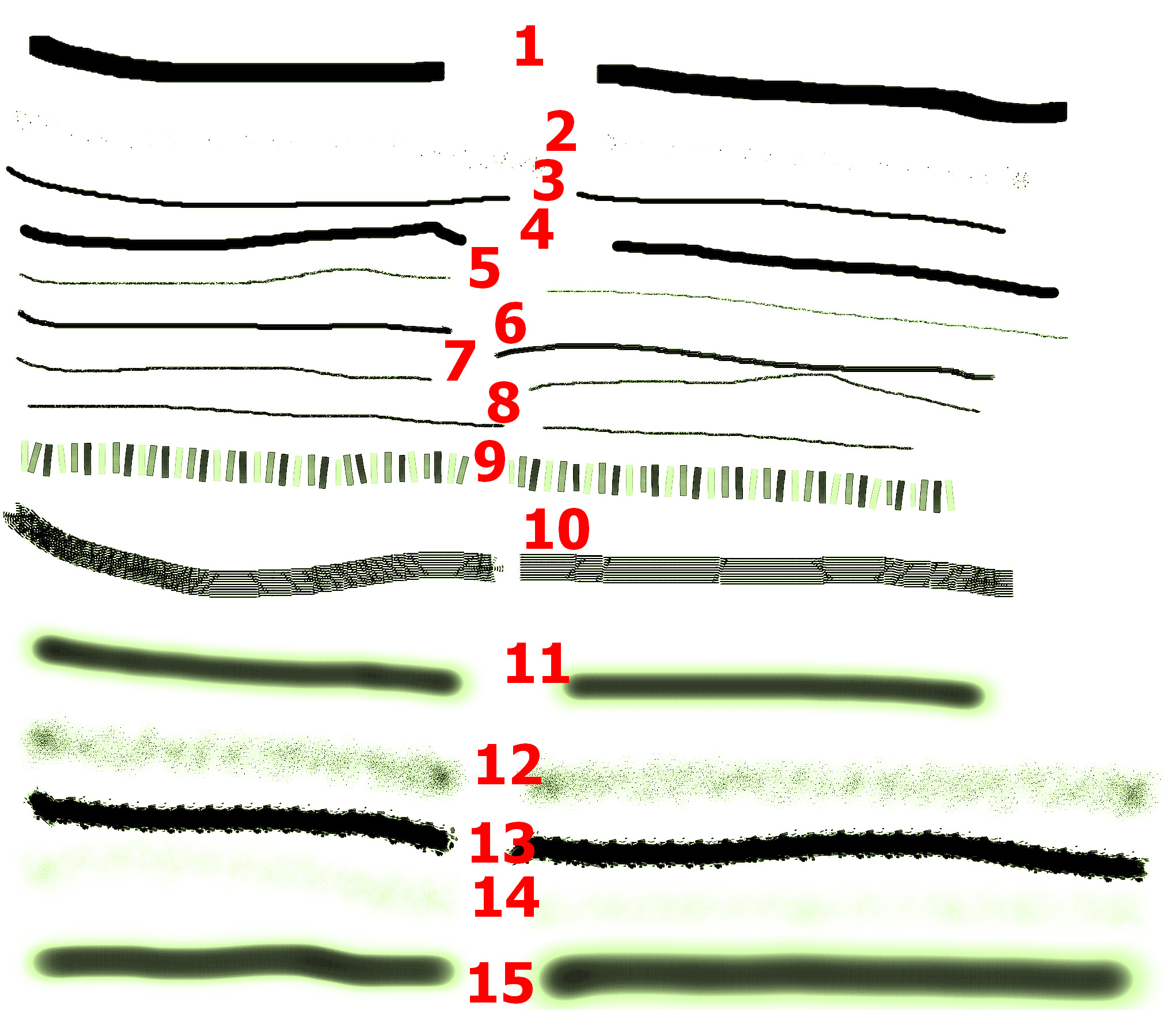
But hey, they’re identical, below is a copy of one of the countless test sheets I’ve made, the last one to be precise. On the left the lines with the original “MB Starter Pack 2021v4.abr”, on the right my copy. The brushes use a total of 8 brush tips, 3 of them are from @sadinwilfbin, 5 of mine are the MB imitations, used by 6 presets:
The brushes 1, 5, 6, 7, 8, 14, use replacements, so brush-tip by me.
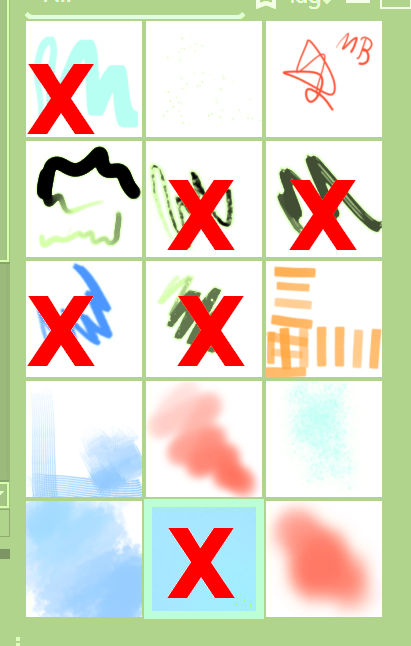
↑ Counting ↑ is from left to right and from top to bottom.
↓ This image ↓ suffers from color streaks due to the upload post-processing (should I open a topic for this?  )
)
This bundle contains everything, no need for an extra ABR:
Michelist
*a self-extracting ZIP file
**I have superimposed the PNG’s, “my” copies are identical (this remark is missing in the bundle description, I noticed it while writing this text)
Add/Edit: Added a second download source since my beloved hoster ufile.io has some quirks for some time now. 
7 Likes
I downloaded yesterday the files and asked myself if there will be a problem of compatibility because of the 2023 version. Well, you answered my question Thanks for sharing.
1 Like
Bro you are the absolute GOAT !
Most of this has been a bit beyond my level, but I can tell you really went above and beyond.
Thank you so much for helping me.
It’s really awesome to know a community like this exists and that there are amazing people like you in it.
5 Likes
I usually want to understand things, grasp what or how something is or works, I want to learn. That’s why I like to get to the bottom of things, if time and health permit. But that doesn’t always mean reaching the goal directly, as happened with this set of brushes, I can sometimes take the wrong path, which, like yesterday, takes a lot of time, but when the path has brought me to my goal, I can say that I have learned something from it myself.
Next time, I will probably download the brush set that others have criticized first.
That was my hope, to have helped you and that you have fun with the new bundle, because that is the main thing behind it, to have helped if possible! And the joy of feedback like yours and @lian00’s, too.
Michelist
3 Likes
Thank you for making this, I’m not clear is the pack that you have there a solo download or does it still need the other pack from Cubebrush?
You only need my bundle, I exchanged everything copyrighted with identical free “copies” and tested it extensively, so I could be sure that the brushes behave identically.
Michelist
4 Likes