Someone messed up with the zoom function and general performance of Krita.
After some text rework updates, the software is slower in the general rendering of its
frame rates, be it for canvas or UI/UX interaction. Everything is slower and there is
a laggy delay even for simply highlighting a specific setting.
Zoom :
The zoom does not take the cursor position into account anymore to zoom in or zoom out of the
canvas. It’s not relative anymore based on cursor position on the canvas.
I cross checked with krita-x64-5.3.0-prealpha-d20c4948 (2025-10-08), portable, win 11, cheap Huion pen tablet, 464 fonts installed.
No issues reagarding speed here in comparison to older 5.3’s or 5.2.x.
I tried with the new text docker open and closed.
So I have noticed that version prealpha 6.0 build b106220 doesn’t have the lag or performance issue.
And by the looks of it, it seems that builds which do not pass the pipeline build test, come with
even more problems.
Now the build b106220 has a click issue with stylus. When I try to click on some elements like
menu bar buttons at the top, it clicks then immediately draws back as if triggered twice.
This issue only happens on buttons such as “File”, “Edit”, “Image”, “Settings” … “Help” on the
menu bar with the stylus.
Appreciated. Zoom behavior is fixed.
But now the stylus cursor click on most UI should be fixed.
As it forcefully and annoyingly repeats the action twice, preventing you to do what you intended.
The issue happens on Menu Bar buttons and in the Brush Editor interface.
Only with stylus.
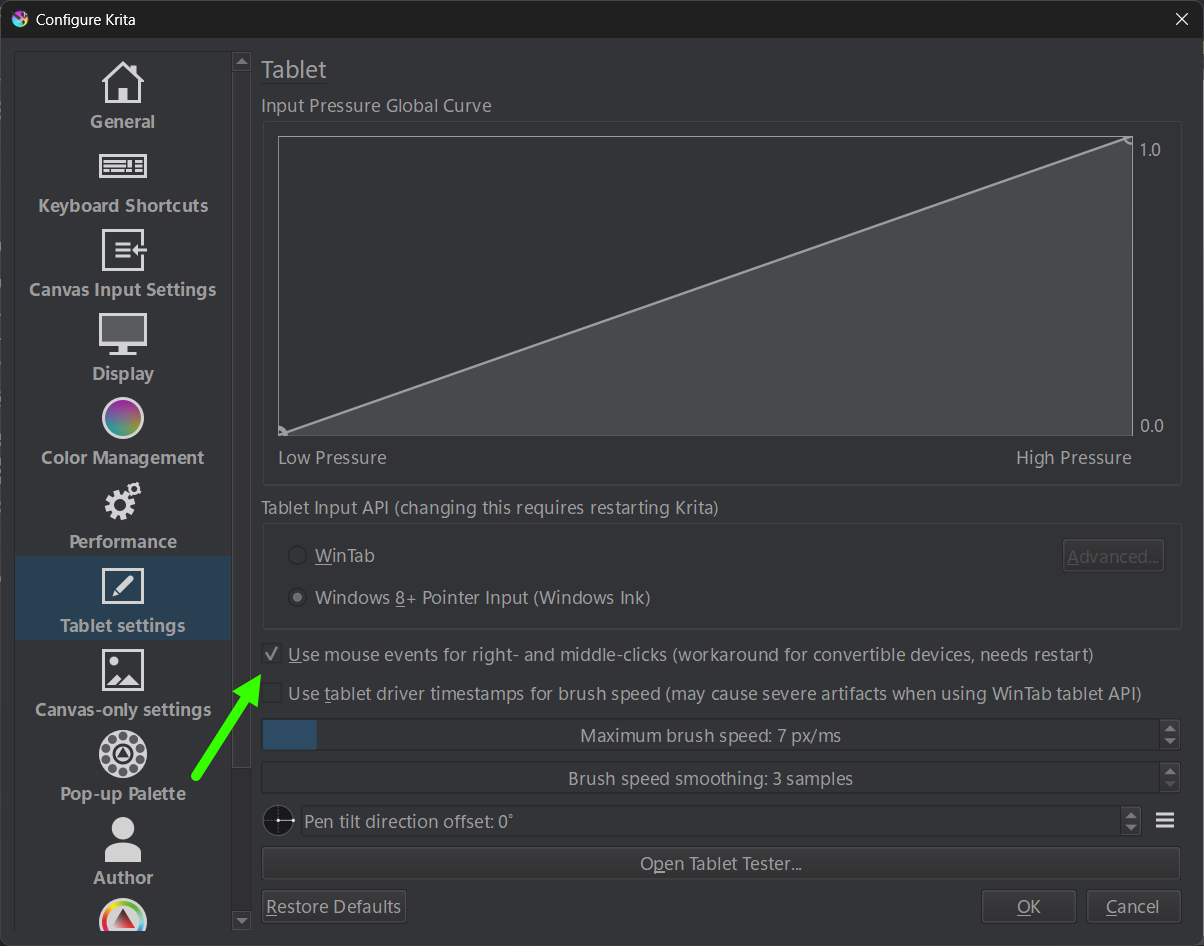
There is one special case (custom toolbar button) though, that does not work with WinInk pen api - regardless of what settings I use. That button only works if api is wintab.
Edit
Ok, I made a quick test with 6.0.0
It works with WinInk - even the custom docker button is working in 6.0.0
I did not test WinTab api.