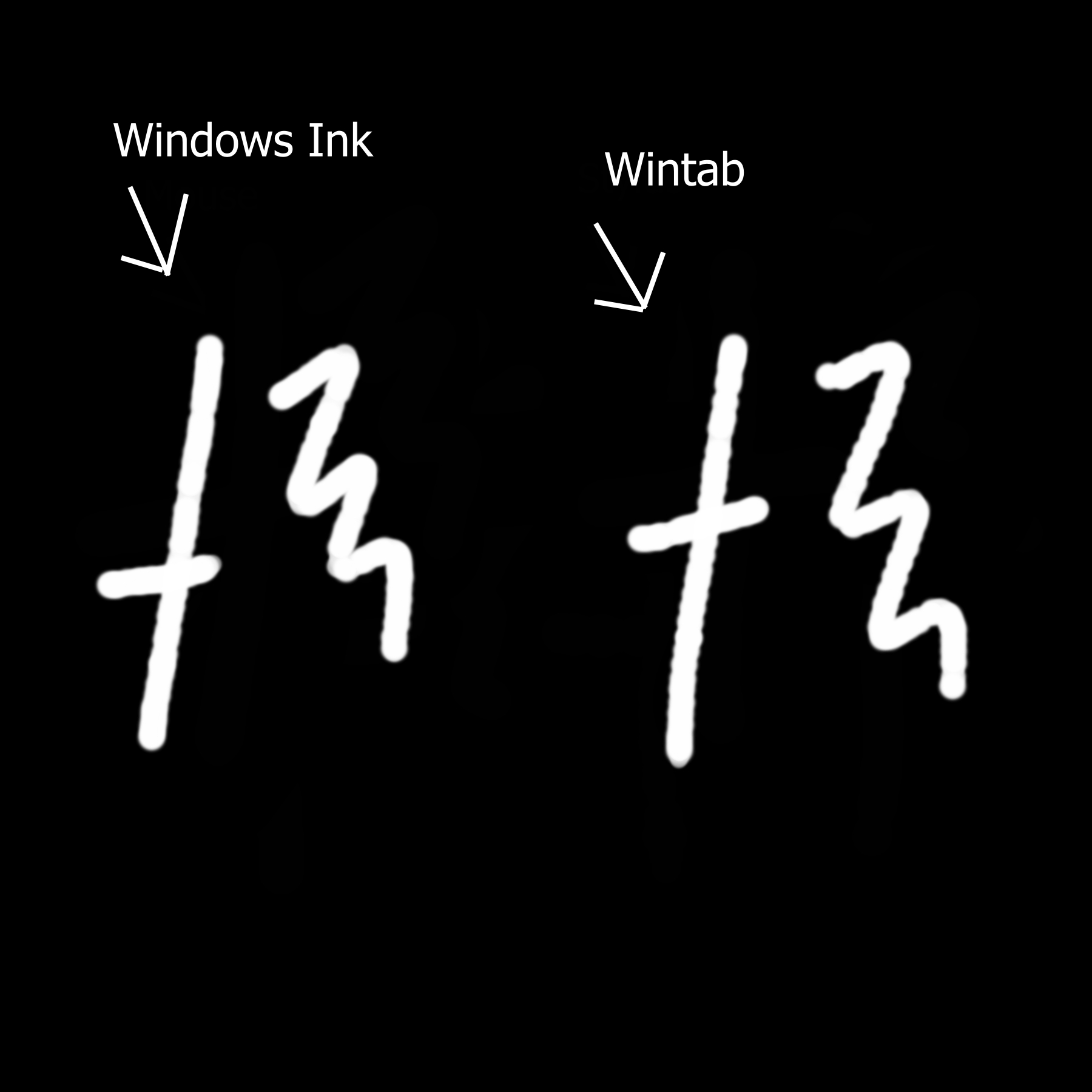
I’m new to this forum so sorry if this isn’t posted in the right place!
I’m also very new to Krita, and digital art in general. My biggest hurdle on my journey to learn the program so far is my line work. I have searched and searched for an answer to no avail.
Recently I watched a video on YouTube instructing how to fix messy lines in Krita, and I thought it had worked when I tested it out using my mouse. The lines seem to be much smoother and clean. However when I switch to my pen the lines are still horribly jagged.
I’m not sure if my PC just isn’t good for this sort of thing, or if I need to purchase a separate drawing tablet (such as a HUION to connect to my PC)? Or am I still just missing something when it comes to the settings in Krita?
Sorry I’m such a noob. Any suggestions are very appreciated! Thanks for your time.
What is mentioned on several sites is that there are problems with Windows ink. In Krita you can change what Krita should use (windows ink or wintab). Try both and check if it makes any difference.
If you were using the Basic-5 Size brush preset, those thickness variations can be explained by ‘noise’ on the pressure signal coming in to krita from the stylus-Windows combination.
This has been seen before many times. It’s usually caused by a mismatch between krita settings and the tablet-Windows settings.
I suspect that if you try the Basic-2 Opacity brush preset then you’ll see ‘banding’ as the line opacity varies along with the pressure signal noise.
Those screen stylus arrangements usually use Windows Ink so it’s not a surprise that setting krita to use Windows Ink gave an improvement.
The remaining noise will be an issue with the Windows Ink settings or whatever driver is used for the stylus.
You could try looking in the Windows Ink settings to see if you can turn any ‘facilities’ off that may be interfering with it in some way.
If the pen came with the laptop then I doubt if you can get an updated driver for it.
As @Takiro has posted, there seem to be problems with this laptop and stylus.
I’m sure that if you bought even a cheap Wacom or Huion or XP-Pen tablet then that would work fine (after you got the settings correctly sorted out and there are quite a few of them to get right).
That is a decision that only you can make for yourself.
I was using the Marker Details brush because it has been the smoothest one for me until now. You were right though! Here are the Basic-2 Opacity (left) and Basic-5 Size (right) after switching to Windows Ink…
Unfortunately it doesn’t look like there is much I can do within Pen & Windows Ink settings that would be impactful beyond the sensitivity. It’s more to do with button commands.
Regardless, this has helped a lot! Thank you for the information. I may try getting a tablet one day and seeing if it makes much of a difference… at least now my lines are better than they were before.
Until the day comes when you get a tablet, don’t forget that your mouse can serve you well in Krita. It’s easier to draw lines with a pen than with a mouse but I did it for years.


 Any suggestions are very appreciated! Thanks for your time.