The Tela Plugin Tela Plugin can show size, opacity, and flow as a docker. You just need to minimize the Tela docker enough.
Here are some arrangements I made based off your post. I saw you didn’t add the tool options docker in your example, so I added it behind Layers.

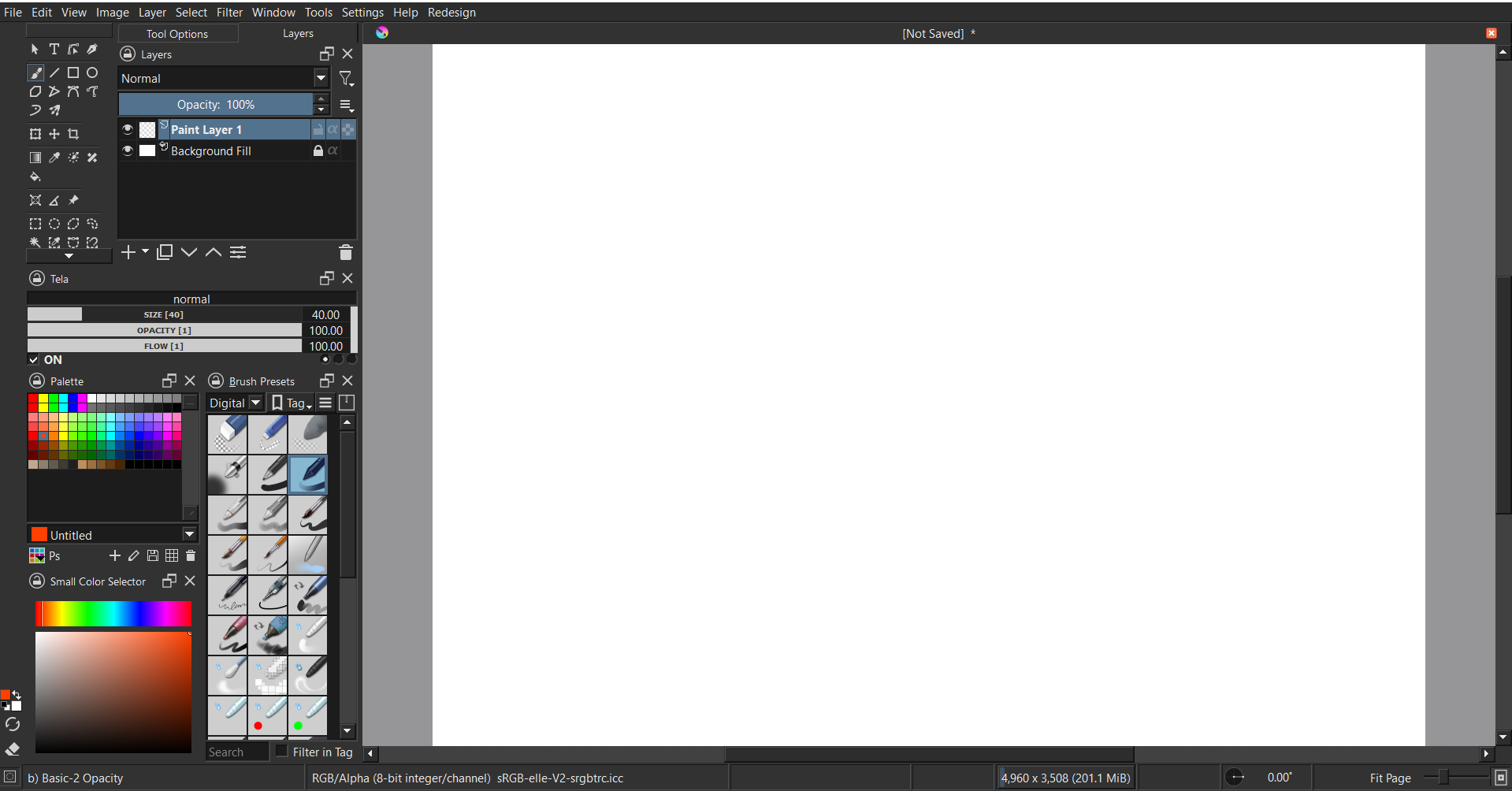
If you don’t want any overlapping of dockers like the Layers + Tool options, here is another example.
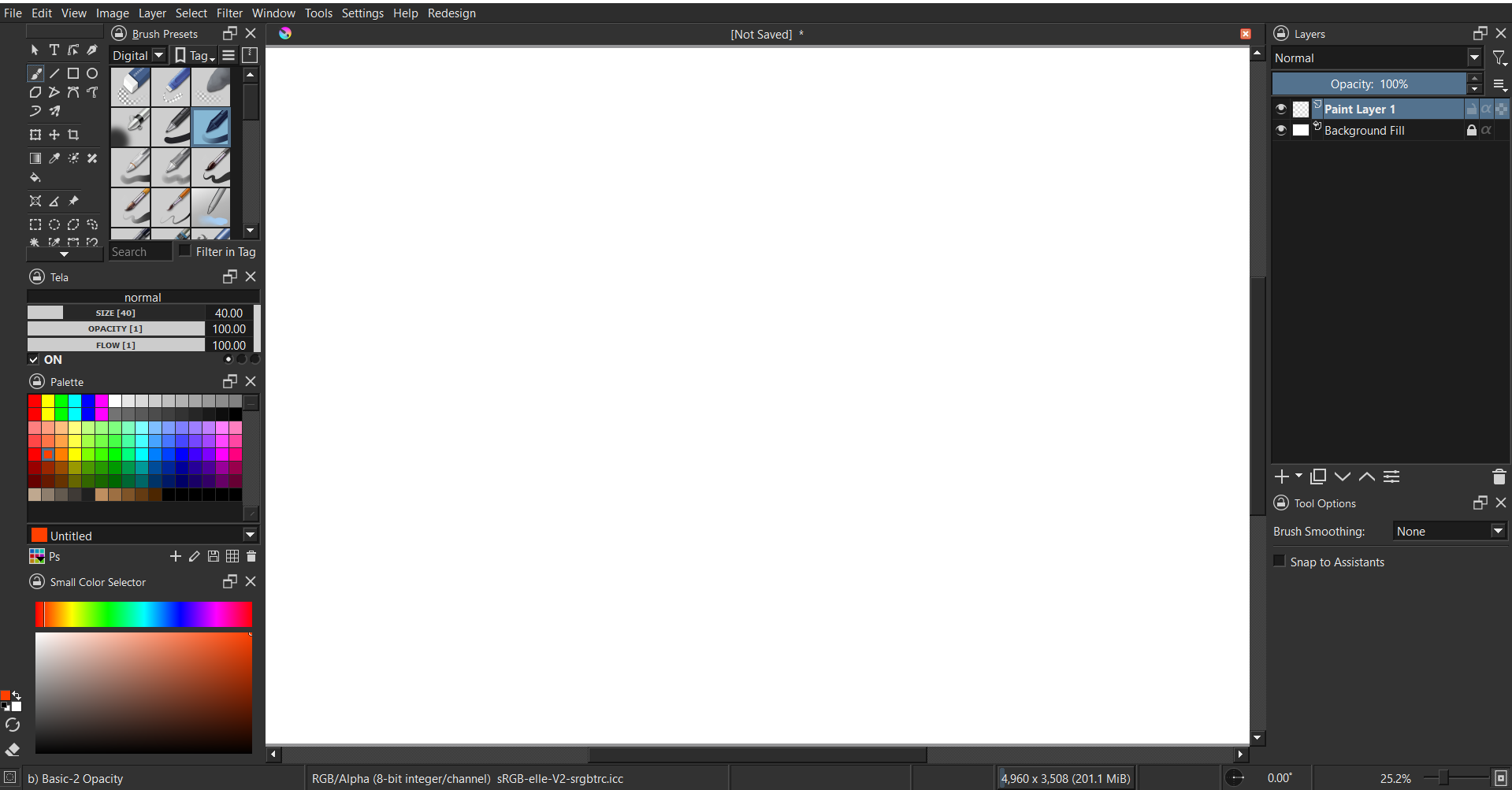
Here are some steps to get the toolbars shown in the examples.
1: settings → toolbars shown → uncheck brushes and stuff
2: settings → configure toolbars → remove all contents from right box (drag over to left side)
3: use this picture to guide you
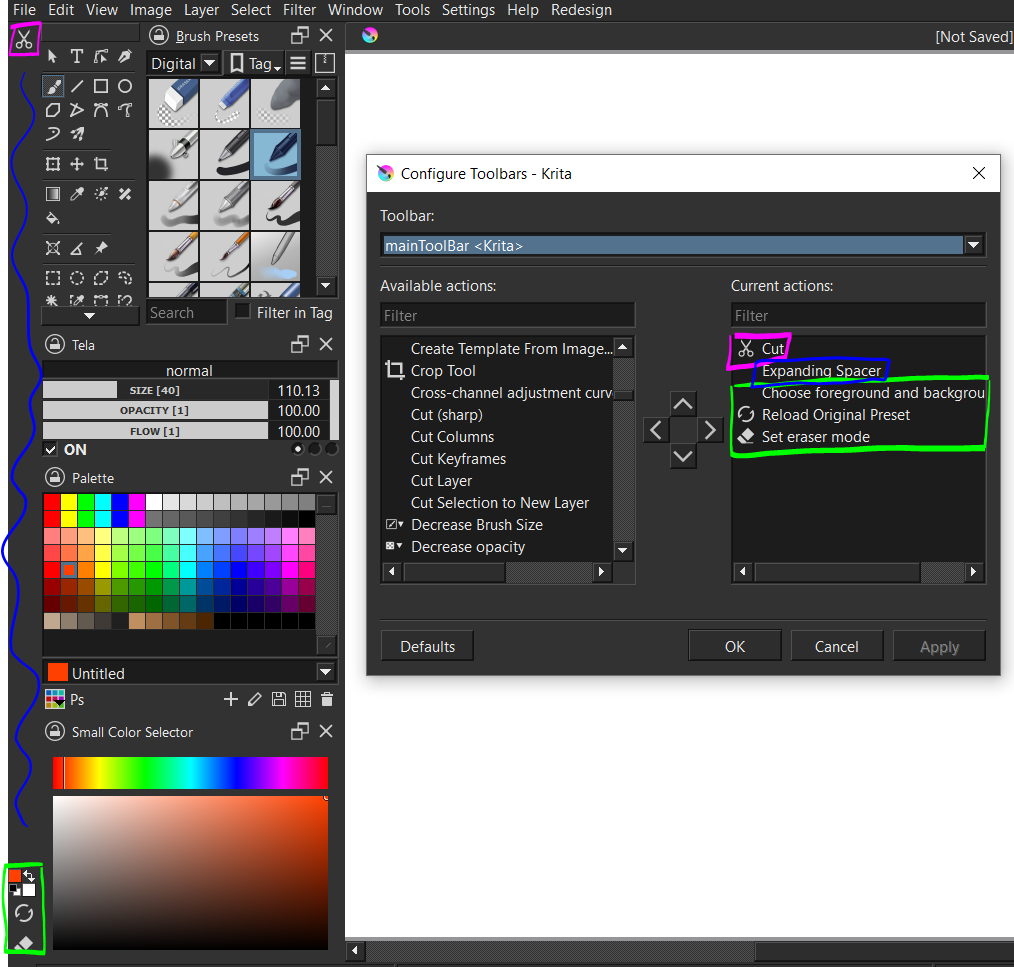
Even if there is no Cut, the expanding spacer will push the other stuff down/up depending on how you set it.
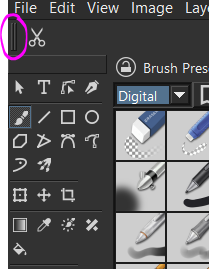
Also, quit and start Krita again if you do not see these two lines. You can click and drag on this area.
If there’s a need to access the brush editor/other functions, there are shortcuts like f5. The examples were done on a 1920 x 1080 resolution with Hi-DPI support disabled.