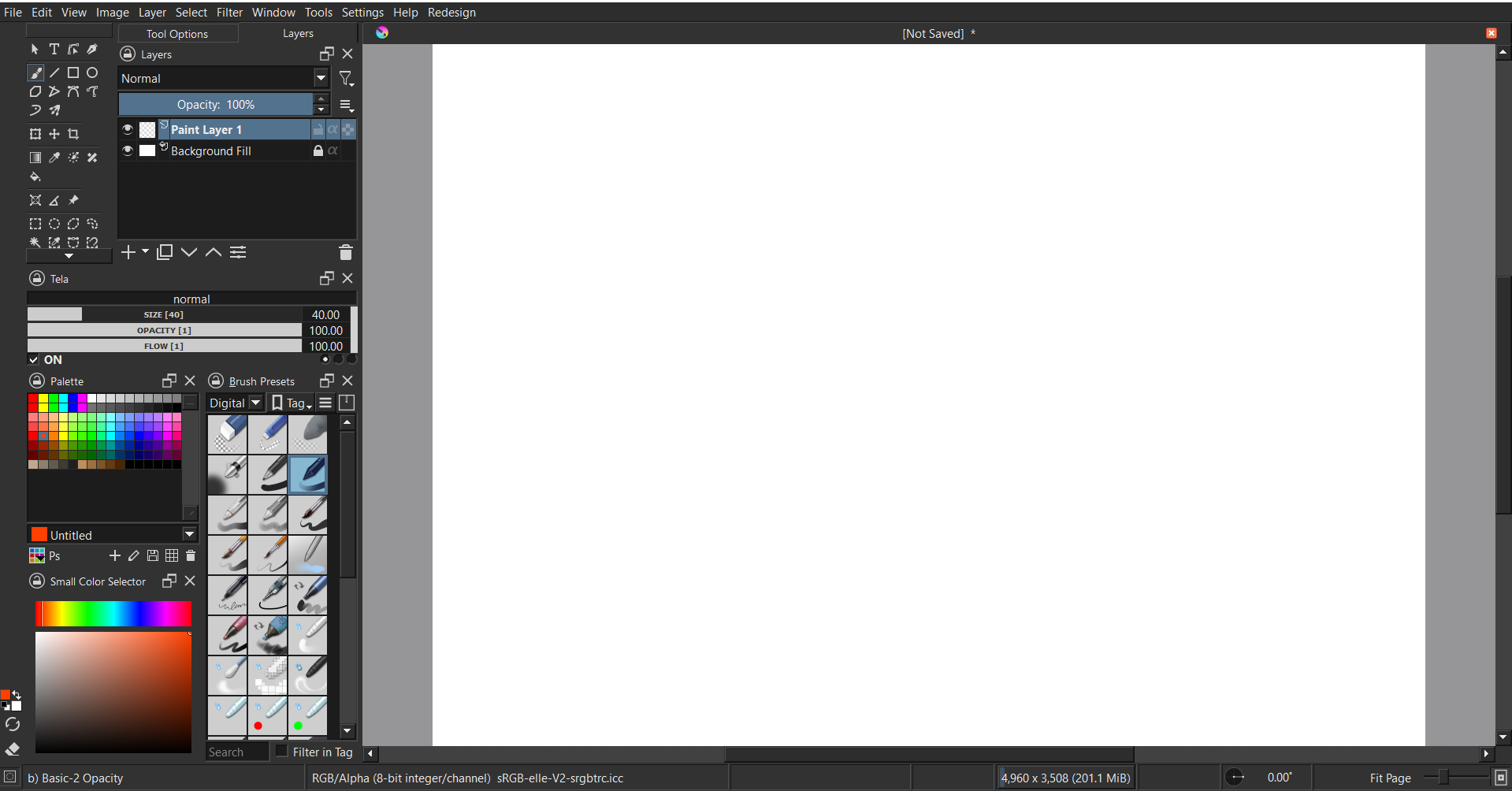
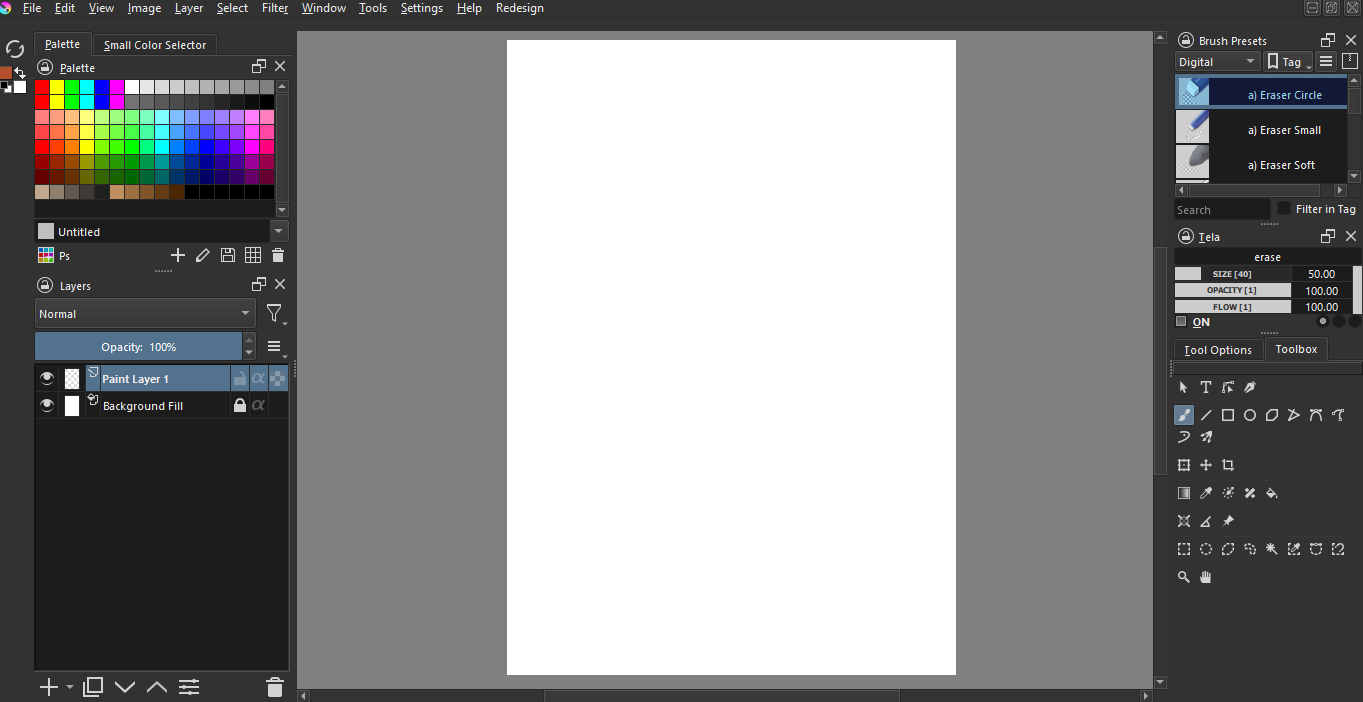
Hey all! I’m trying to get my wife off of sketchbook (it crashed today and lost some of her work), but Krita’s default workspace is pretty overwhelming for her.
I’d like to get to a place where the top is empty except for the file, edit, etc menus and the left side has:
- the menu that lets you select your current tool (pointer, brush, move, select, bucket fill, etc), but with fewer entries.
- brushes
- brush settings (opacity, size, flow sliders)
- palette with the foreground/background button you can click to go to a full color selector
- layers
I’ve gotten close, but I can’t get the brush settings sliders as a docker, and I can’t figure out how to add/remove things from the toolbar (or how to move it around, for some reason it doesn’t behave like a docker):
Any ideas how I can get closer to this? It’d be super excellent if selecting brush tools shows all the color stuff and selecting something else shows tool settings for that.
The brush setting docker won’t be in the docker because it is always in the toolbar at the top. You can remove it and those can be accessed from the right click popup palette on canvas.
I would also suggest making bush preset list show less by assigning tags to brushes and showing only that tag. Even that is present in the right click pop up palette menu so you could remove the brushe preset docker as well.
The Tela Plugin Tela Plugin can show size, opacity, and flow as a docker. You just need to minimize the Tela docker enough.
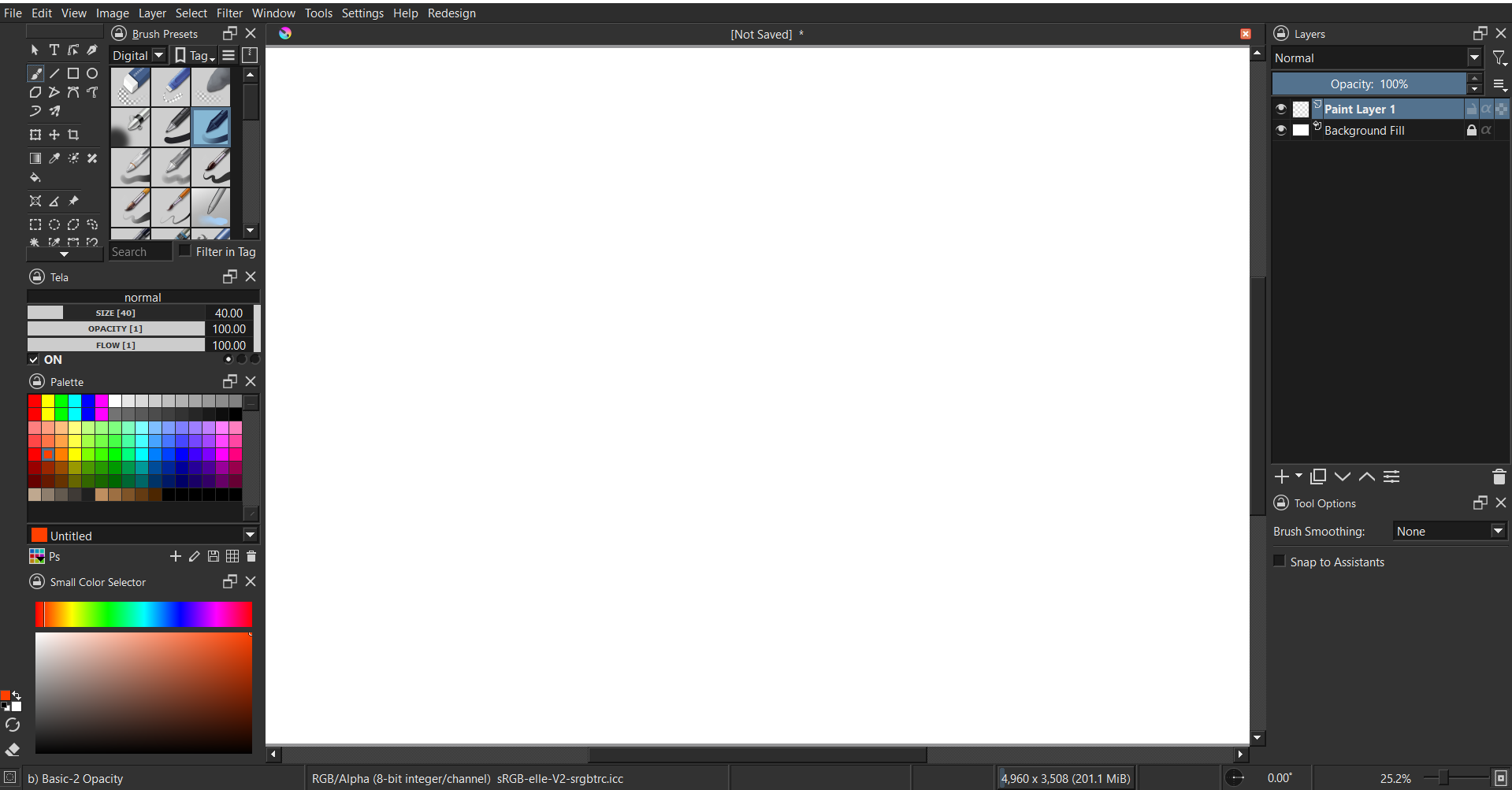
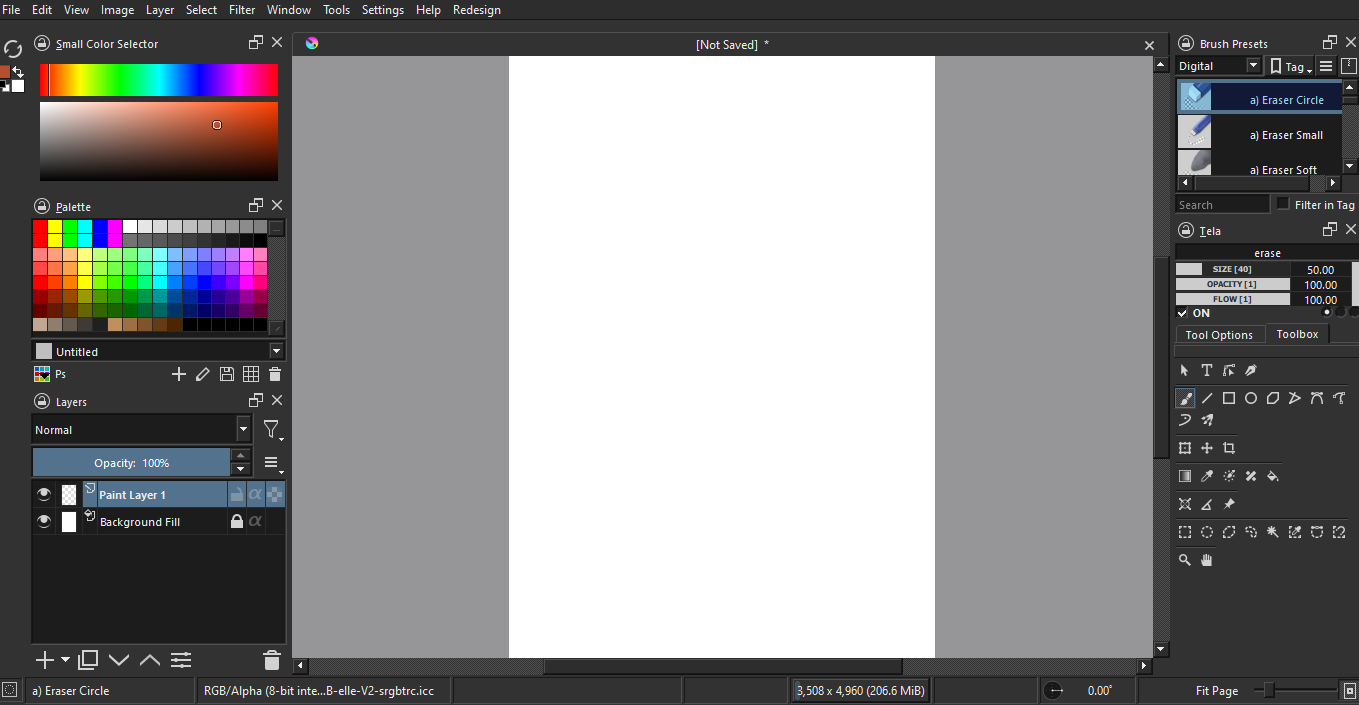
Here are some arrangements I made based off your post. I saw you didn’t add the tool options docker in your example, so I added it behind Layers.
If you don’t want any overlapping of dockers like the Layers + Tool options, here is another example.
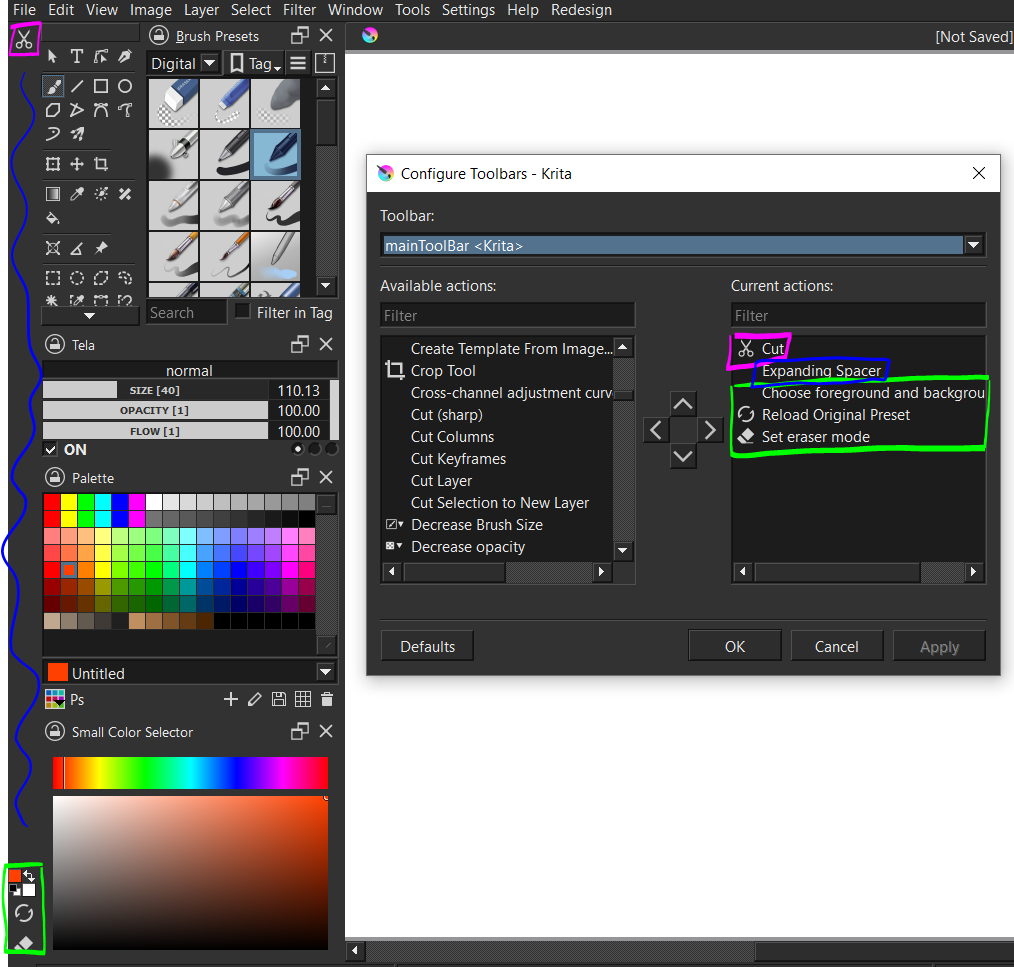
Here are some steps to get the toolbars shown in the examples.
1: settings → toolbars shown → uncheck brushes and stuff
2: settings → configure toolbars → remove all contents from right box (drag over to left side)
3: use this picture to guide you
Even if there is no Cut, the expanding spacer will push the other stuff down/up depending on how you set it.
Also, quit and start Krita again if you do not see these two lines. You can click and drag on this area.
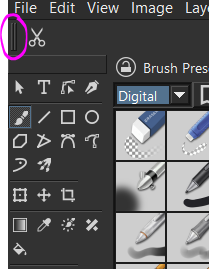
If there’s a need to access the brush editor/other functions, there are shortcuts like f5. The examples were done on a 1920 x 1080 resolution with Hi-DPI support disabled.
If the screen is HD size (1366 x 768) It’ll be difficult to display every docker properly without overlap. Overlapping Toolbox + Tool options together is good since they go hand in hand. You can find brush smoothing options there etc.
To sacrifice some functions for more space:
1: View → uncheck status bar
2: Settings → configure Krita → general
3. general → window → switch from tabs to subwindows
I accidentally overlapped palette and color selector in the 2nd example.
I should have mentioned that her laptop is a first gen surface book.
Thank you for the quick responses everyone!

Is it possible to change the toolbox in any way? Re-order, add/remove, anything? I can change the size and position, but that’s about it. I’d really like to reduce it and/or combine it into a toolbar.
This guy:
Perhaps the ToolKit-Plugin may help?
Michelist