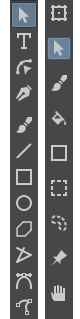
Subtools can be selected either through click, or click and drag.
Currently, the toolbox can only be resized vertically, and does not have a horizontal orientation. These will be added soon, along with menu arrows and other features.
I also intend to create an interface by which users can assign categories to different tools, and rearrange the groupings of said categories. Ideally the user could expand or contract categories of tools based on the work they are doing.
This will take a while to implement so I appreciate your patience (this is also my first fully-fledged coding attempt ).
Known Bugs:
If a tool is selected, and the active document is closed, the next opened document will change the tool to Freehand Brush. This won’t be reflected in the original selected tool, which will remain selected.
Multiple Monitors/Displays: Subtool menus will only work on the primary screen.
Please let me know in this topic or via message if you have any thoughts, or encounter bugs!
Source code: GitHub - tubaca/ToolKit , feel free to have a look .
Also, a big credit is due to @hellozee, who helped inspire and create this plugin!
Guys, if under win 7 there is an opportunity to restore the work of PPM, can you redirect me to a topic with a solution to this problem? Interesting plugins regularly appear on the site, but I don’t have the opportunity to try them out.
Yes, we are talking about Python Plugins Manager. As far as I remember with the output of 4.28 PPM under WIN stopped working for everyone
But installing new versions(4.29 4.30) didn’t change anything. I tried putting the old version, I think it was 4.27.PPM is active on it.
I did both a reset and a clean reinstall. In General I missed the moment and I do not know if this problem was fixed after 4.28
Uhh, if it stopped working for everyone under Windows (if I understood you correctly), why we, as in, the developers team, don’t know about it? It is a serious thing, we were fighting with Python for like two months this year already but it really is supposed to work. Are you using Windows 7 by any means? If not, why haven’t you reported it on the bugs website or informed Krita in any other way? We cannot fix something we don’t know about
EDIT: more precisely, since Dmitry says it works on Windows 10, please create a new thread on Advice & Support to investigate the issue.
I remember that when I first encountered this problem - I went to the site and created a theme, but then I realized that I had missed the information: in the patchnout, literally in the first lines, it was indicated that in this build PPM under Windows temporarily does not work. So I deleted the topic with the question and waited calmly. And now after 2 patches I decided to ask, because I thought there was a solution and I once again missed it. Okay, I won’t distract you from the fullerhill_art topic anymore)
For anyone who has downloaded and used this plugin, especially Windows 10 users, are you able to access the subtool menu by long press on the toolbutton? I’m having a user say it doesn’t show, and I’d like to know if anyone else is the same.
I’ve been testing it lightly on my Surface Pro with Win 10, although I’ve modified it to show the menu instantly instead of having to wait for the delay.
For me it’s usually the very first press of each button that doesn’t open the menu, but only selects the “main tool for the category”. Once a button has been pressed once it works just fine afterwards. I recall having similar issues with the shortcuts for my toolbox mod. I think there might be something funky happening with Krita eating initial inputs?
So first press with the delay turned off? Hmm that may be a quirk of Qt even, I did have to reorder parts of the code so that the menus would be set on startup. The subtools are allocated when the button is pressed, which might be the reason.
How did you remove the delay? Did you change the menu to a separate popup?
Also, the cause of the missing subtool menu in the previous case was due to a dual monitor setup, which I’ll add in the introduction unless I fix it.
Now that I have tested it, it feels great!
I have two things I want to give feedback on. This is based on my personal preference though!
I personally would like the tools to appear a bit quicker, I like the speed for instance Blender has, as it is really quick, but not 100% instant.
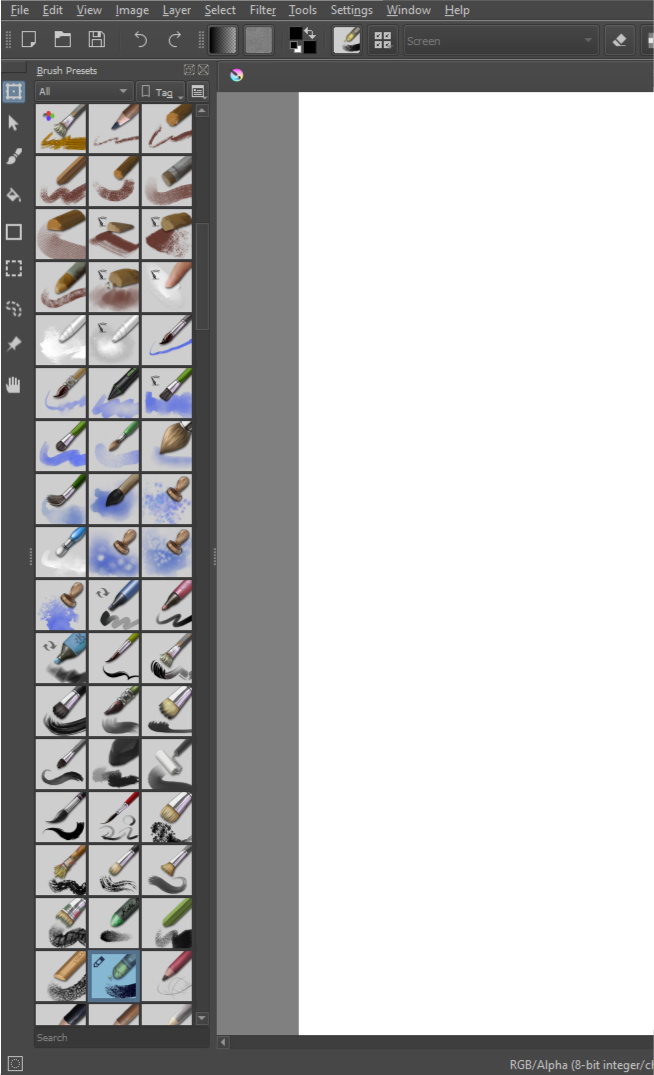
I love the way it looks when undocked, but when it is docked to the side, I feel the buttons are too far apart from each other, I prefer when the icons are from top to bottom. Might be something that I am just not used to though, maybe it will grow on me!
I do like the look of more spacing, like in this screenshot (left Krita Toolbox, right ToolKit 1.0 floating)
Maybe having them sorted top to bottom, while having more spacing than the default would look nice?
I can replicate that stutter that you mentioned with the instant popup, I assume there is some sort of loop Qt uses to set menus, which is longer than a click perhaps. The workaround that comes to mind would be to assign subtools on startup, however that would need time to implement.
That’s an interesting point about the spacing, I think the direction can be coded into the plugin.
How would that empty space at the bottom of the docker look though, if everything is shifted upwards?
You could have the ToolKit compressed between Dockers, like this:
Which, yeah I see what you mean, it looks kinda silly, though I do like the empty space, makes my Brush Preset box feel padded and spacy haha. When/if customization arrives for the addon, I will fill it a bit more.
The workaround you showed is nice, but does not fit my favorite layout, I like having tools to the left and not much else.
Thank you for the response and hard work on the addon!
I’ve been testing the toolbox on surface and so far it is a great addiction to touch only workflow!
I agree on a delay thing mentioned earlier in the thread and have two cents to add on my own
While using it as a touch-only thing it would be a great thing to have is to ability to deselect (all) since while selection tools are here in the toolbox there is no way to deselect other than to go to the select menu on top.
And the ability to undo/redo(and maybe size/opacity sliders) from the same toolbox panel would be nice too, although not as much of a need as a deselect button.
Anyhow it’s a great plugin and thank you for working on it!

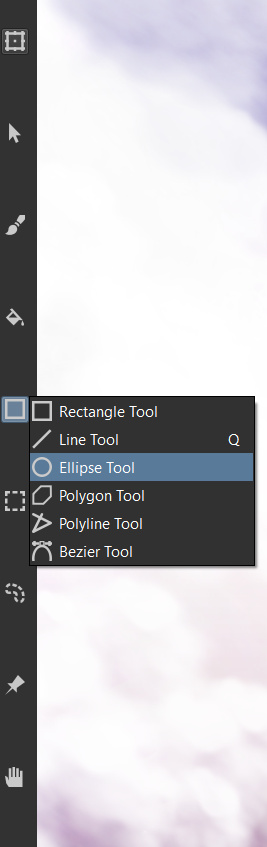
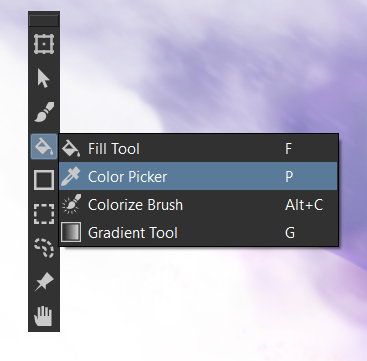
 ).
). .
.

 I’d suspect dual monitors to be behind something like that.