Mirror Around Cursor (cannot figure it out)

There was a large discussion of it here: Can I set up Mirror View [M] to flip on cursor instead of screen center? - #66 by AlansArtLog

And there is a link to a MR. I tried shortcuts there and still struggle to figure it out.

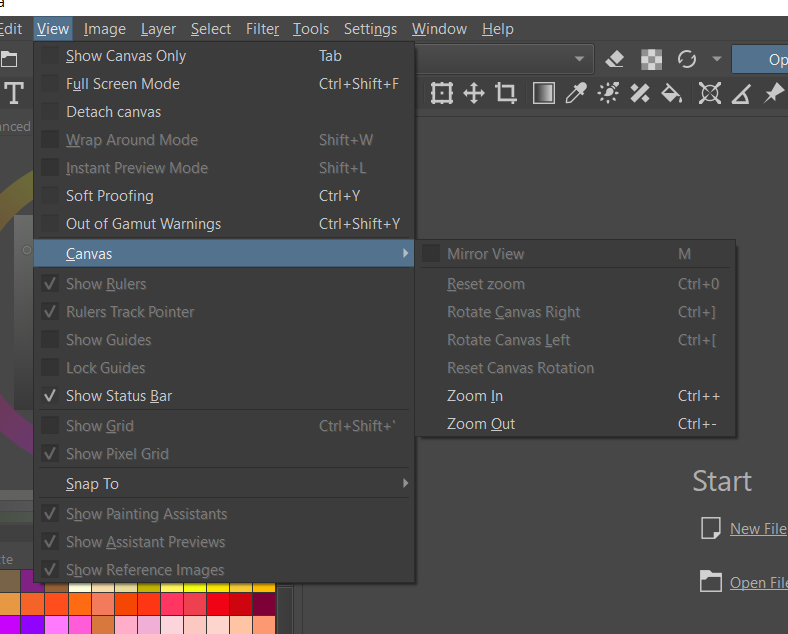
I am on Windows 10. Can you tell me how do I mirror around the cursor?
Thanks for the help in advance!

It is in 5.1.0-prealpha and need to assign a shortcut if I remember correct.

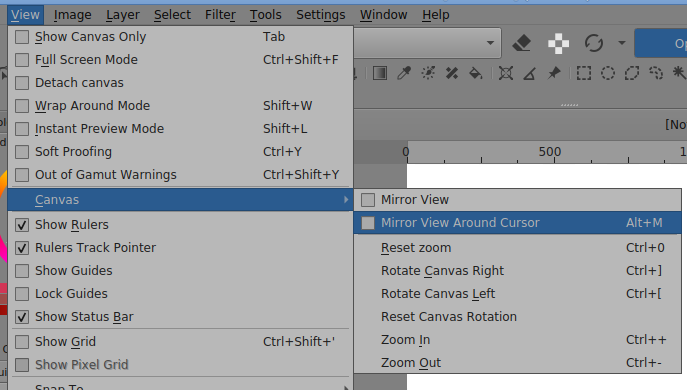
Mirror View Around Cursor is ‘Alt+M’ in the default shortcut settings.
It flips the canvas around though which can send it off the edge of the window and it’s only horizontal mirroring.

1 Like

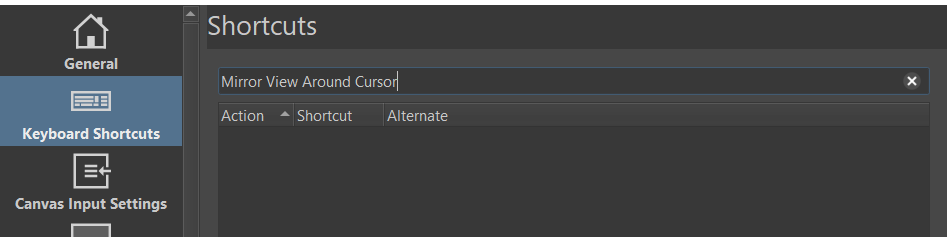
What is the name of the shortcut?
It does not seem to work.

Do I miss something?

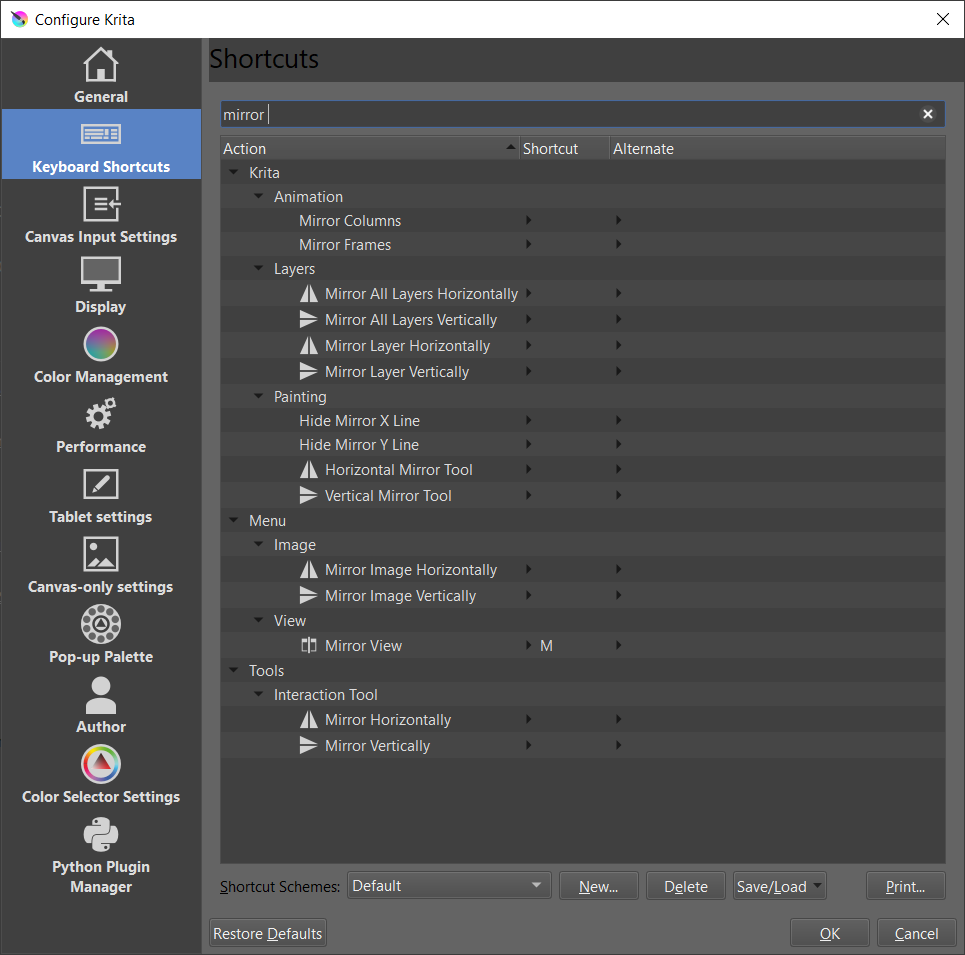
There is no such command such mirroring around the cursor.

Here is a screenshot from the Feb 05 5.1.0-prealpha appimage on Linux:

Is it possible that this hasn’t been incorporated into the Windows package yet?
If it hasn’t, you can raise a formal bug report for the admin oversight.

Edit:Add: It’s not in the Feb 12 5.0.2-alpha ‘Stable’ appimage.

This is really strange

Looks like you are right.

A gentle reminder bug report is needed :slight_smile:

1 Like

Sure. Will do. Thank you for helping me on this.

https://bugs.kde.org/show_bug.cgi?id=450165

1 Like

Mya be it was missed from the stable release and stayed in the master.

Alvin has said that it’s in the master (and therefore in ‘Next’) but will not be in ‘Stable’.
I suppose it will be in Stable and formal release one day soonish after decisions have been made about it.

2 Likes

I’m happy that it will make it to stable soon. I’ve been on Krita Next from the time AlanArtsLog and the Devs merge it to now [its quite stable for me]. Updating it on weekly basis. It honestly has help me alot that I switch my mirror mode to it [exclusively] and couldn’t live without it anymore.
1 Like

This topic was automatically closed 7 days after the last reply. New replies are no longer allowed.