Changed the name of the plugin too because after seeing it again it did not seem right for what it does. When I started I had a bunch of options in mind but after a while I compacted everything to a single button, so “fix” sounds better.
Hi, I was just suggesting this plugin to a person on reddit: Reddit - Dive into anything and I noticed you have no direct link to .zip file (which is, I believe, https://github.com/EyeOdin/mirror_fix/archive/master.zip) and no simple instruction how to load it (Tools -> Scripts -> Import Python Plugin should work, right?), if it was added, it would probably be simpler for newcommers to import and use it
This script has been moved into Project Pages and refactored, currently you can find it under settings. The old version was broken and probably not working for a while undetected.
Hello, i found this via that reddit thread tiar was reffereing too.
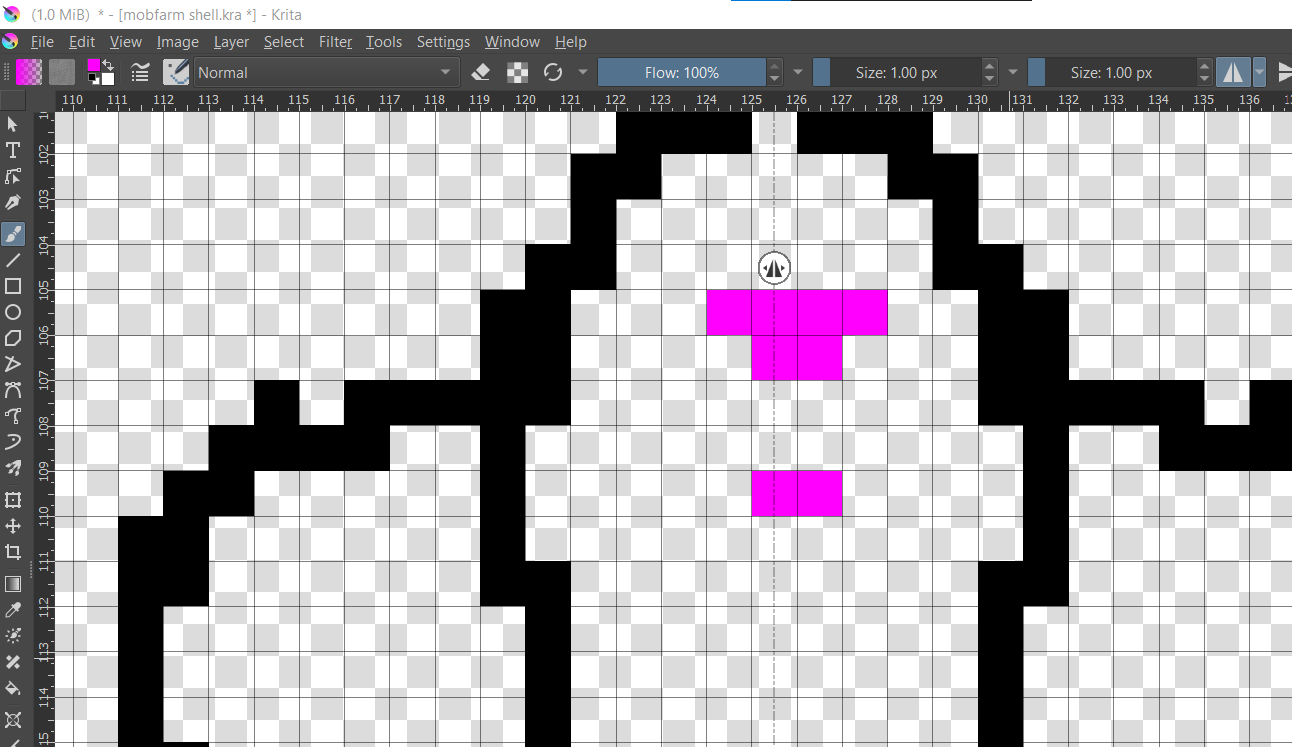
Does this fix that the mirror cannot make odd numbered pixel mirror image?
I am using pixel art in krita to plan minecraft buildings, and all my designs are odd numbered with a center line down the middle. I set the mirror to 0.5 of the middle pixel but it still does only even number of pixel in the mirror, making it difficult to work with.
No idea what @EyeOdin will say to this, but I suspect that half pixels won’t be split/divided/mirrored, because the pixel is the smallest thing Krita handles. But that is only my uninformed guess, I’m no coder, and haven’t tested it so far.
If you go in half-pixel area, everything is only an approximate representation of the things that happen on canvas and therefore aliasing will be used.
Why don’t you make canvases that simply split in half? Will the rooms get too big because of that one pixel?
Odd or even rooms are a big decision factor in minecraft when designing things, especially things with functions. The whole layout of a circuit may need to change dramatically to ajust to a odd or even setup, and some mechanics won’t work for one design or the other. That is not taking into account the “OCD” type aspect of having everything off.
In this instance I had to rely on the transform tool to keep my image mirrored correctly by hand. It helps but, it would be much nicer if it was possible to somehow tell krita to “skip” the middle pixel if it’s on a 0.5 pixel, and start it’s mirroring from an offset for this kind of usecase, though I can understand the pixel art community is a niche of Krita. It would be a great feature for people working small and precise. I could use that for designing not only minimal pixel art, minecraft designs, but technical drawings of a gridbased nature as well.
Not sure how that is happening since it is flipping the whole image with a krita command. Odd and Even pixels have no weight on it. The correction to the mirror point is to force you to have a better placement nothing else after the fact. it has no influence on the flip action. if the action fails it is probably a krita issue. I tested and it worked with odd and even just fine.
And as I said in the post directly above yours (that you ignored).
I was the one that deleted them. I know it is not working.