Would love to have a mixer brush similar to PS.Im very much a aware of the Clone brush that is similar to a Mixer brush but sadly the Clone Source(the part your copying) size and rotation is linked to the brush you paint with I think making the Clone Source Static would make a similar effect to that of the Mixer brush also instead of the Clone Source constantly getting its information from a part of the canvas I think making it a momentary stamp would make it far better since brushing over the Clone Source would overwrite its information and changing the color.
Could you explain this without reference to Photoshop? Your request is much easier to understand if you get rid of the reference to an external program and instead explain it by telling how it should work, step by step:
- What are the problems currently?
- Why is that a problem?
- What is your proposed solution?
———
If your proposal is that the clone brush should become a dedicated tool, so you can pick a source and paint with any brush I can see use to this. But would it adopt the outline only or would a watercolour brush, for instance, also paint the original as if it was watercolour? Then the request gets a little murky already. I’m having a hard time understanding the request, so I may be completely off on this.
100% would love this. We have a momentary stamp per se with Bristle Engine’s soak feature. But you can’t pick location in the same way you do the clone brush
The other day I was trying the clone brush, drawing over the source does not interfere if you put the opacity to 0% but then you cannot see yourself applying the paint.
If the devs feel adventurous, I would also like a clone source zone docker sort to speak where you can duplicate in said docker a portion of your visible canvas. And then make edits inside this zone from which you can clone from.
The clone docker sounds interesting. I often end up painting on the source layer accidentally and may not notice it for a bit. Maybe make a dedicated feature request for it @tachiko.
Ya, and what’s great is that you could add a lot of edit features to it and save presets of zones you like and add a list of brushes you like to use it with.
The best way i can explain it is The Clone Source should be static where even if you check in rotation and change the brush size the Clone source where you copy from will not change and one of the problems in using the clone brush is where overpainting the source changes the brush so to prevent this instead of getting the information in the canvas you turn it in to a stamp.
Yup, i think the source really is the main issue here and hopefully the devs tweak it.I dont mind not truly going to the level of PS mixer brush functionality but simply just Tweaking the Clone source where its static (not rotating and changing size even if it is checked) and not changing even if you paint over the clone source.
Then you should rename your request to: “Keep source static in clone brush - i.e. don’t move or rotate source”
As for preventing painting over the source, that should then be another feature request. Splitting things up makes it easier to track and work on. A dev will only work on one of those at the time, so feature requests should ideally take that into account 
Do I understand this correctly, we are talking about a brush whose brush tip maintains a fixed orientation?
Michelist
Yup,To simplify The Clone brushe’s Cloning should just be static and any rotation or size should only be used by the brush that you paint with.
ah didn’t thought of that, Thought that “Please give us a Mixer brush” was a singular request and since the 2 fucntions culmunated in to a Mixer brush it would count as singular, my bad.
This is actually on my ToDo list! xD
This and ability to use copied pixels in clipboard as a temporary source.
Aaaaand feature to use pixels from clipboard be usable as temporary brush tip, this one would make possible to do something like clone brush in all Paint Engines supporting Brush Tips
But you have to be patient I’m currently working on making myself more familiar with Krita code-base by helping with current projects and tasks.
Hi, if you have time can you help look at this thread https://krita-artists.org/t/color-smudge-opacity-vs-flow/46680/12 thanks a lot !
Don’t worry, I’m aware of this thread 
Reason why I didn’t respond yet is because I wanted to do some research first and then do a more educated reply.
But maybe I will respond now, just take my reply with a grain of salt 
Mixer Brush is a tool that artists use to imitate traditional painting strokes; it is widely used in professional environments. It is also used to speed up drawing ropes or cables.
Why is that a problem?
Personally, I had several projects where it was required to imitate oil painting or to make digital paintings with heavy strokes. As far as I know, it is common for some projects. I have spent time exploring Krita, and the Mixer Brush tool was one of the missing features I needed for my professional activity. It’s not a daily tool for me, but it is something we can call an “industry standard.”
What is your proposed solution?
The best way is to recreate Photoshop’s Mixer Brush tool so a user can use regular brushes with this tool.
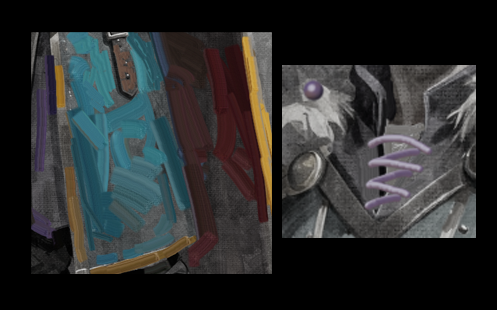
Blockquote: several projects where it was required to imitate oil painting or to make digital paintings with heavy strokes.
In that case, I would go for the Memileo brushes. They’re awesome. They look like real thick paint and they’re pressure sensitive, so when you use lighter pressure, they blend. There are several brushes with that bundle so you’d have to experiment with them. I have had good success with them. 
