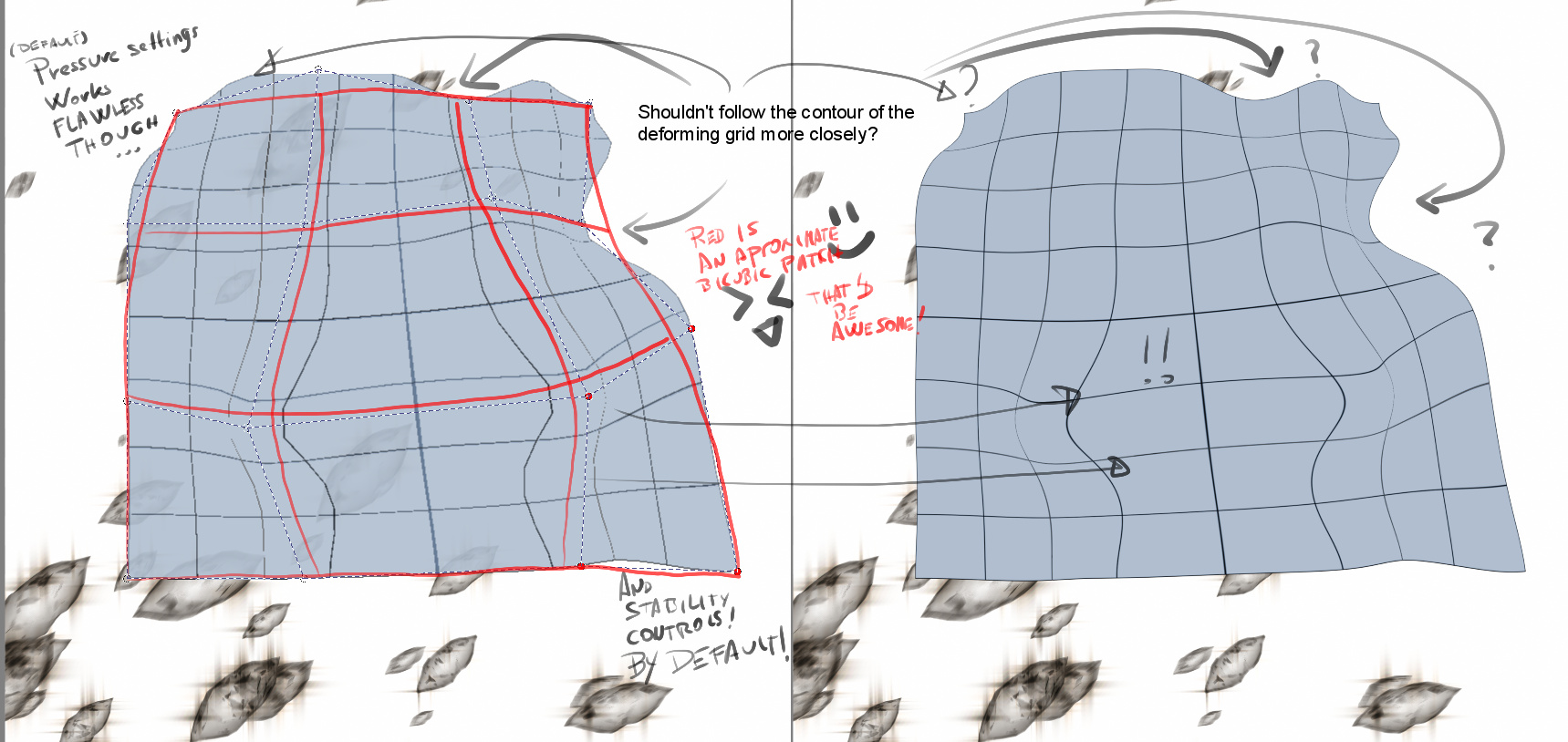
I was pointed on Twitter to post this here, so i am. The thing is: the current warping tools feel unintuitive. If they could be smoother, somehow, that followed the warping grid more closely, or that didn’t end up distorting the image so much, i think it would do a better warping tool, Is responsive, but the results are unexpected.
I felt this wasn’t really any new feature, as it really is about an existing feature, thus, i opened a separate thread.
Thanks! thanks, and i hope it isn’t much of an annoyance to request something like this.
hey. I am trying to translate your request into more technical terms…but I think I know what you are trying to ask. Right now the Krita warp tool has straight lines between all the points. When you warp things, it would be better if the connections were using some type of Bezier curve or something similar to give more smooth results.
I’ve searched terms about bezier/b-spline interpolation (I have a programmer background… small, but not null XD) But to no avail, i think. The problem is that warping a patch with n*m points is a less straightforward problem that, for instance, just using a bicubic patch. with 16 points (4x4) or even a biquadratic patch with just 3x3.
But I think users would welcome a new warping option that featured a simpler 4x4 bicubic patch interpolation, from what i read in this thread, but perhaps, that would be a feature request on its own
I know that the devs have a disdain for comparing Krita to other software, but I wanted to be able to provide a visual example of how I expect this transform to work
That’s something I wanted to avoid, comparing to other software usually ends in the “use that software” motion.
Instead I tried to point out something that might be sensitive to say, but that is still true, krita warping tools can be confusing because their results aren’t the most expected. That the grid lines aren’t followed more or less closely ends in not knowing how to warp your layer/selection to get the results you want. That’s a good way to go, constructive criticism.
As a matter of fact, krita could use at least three “simpler” warping modes, based all of them in linear, quadratic and cubic interpolation of grid points (2x2, 3x3 and 4x4 respectively) whose results can be more predictable than the current modes and aren’t really covered in the currently available warping modes, so they don’t overlap for people who likes the current modes, and that, as side effect, map exactly to modes currently present in -other software-
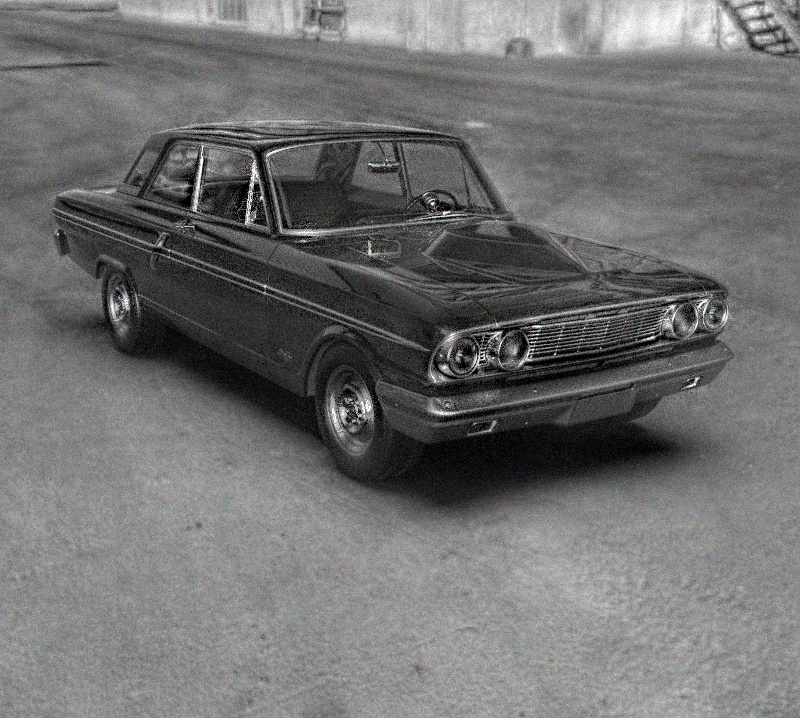
I think it’s fine, I’m a 3d artist. And I have a more complete perception of deforming surfaces. You talk about the need for major smoothing, but that really depends on the points you put. The function works perfectly the more points the more precise the deformation. If you put a 3x3 grid it is obvious that the deformation will not be precise. Think of the circles, a plane with infinite points, if you reduce these points, the circle will no longer look like a circle and will look like a triangle. Therefore, the deformation will be smoother when you increase the amount of points. For me the functionality that I have occupied a lot for my 3d art, in terms of rendering editing, adding things. It works perfect and many of those I have designed do not notice the difference in the edition with respect to the 3d. From logos to imperfections A clear example is the chrome plating of this car, with their respective reflectionsand logos are from Krita and not from the 3d program. Using Krita’s warped and some functions more obviously.
I’m not taking about having more control, that’s fine, but that the controls currently available behave more predictably, the current way krita warps the textures produces unexpected changes, like the tangential control points aren’t properly calculated, or are misplaced
Sorry I only talked about my experience, in my particular case I had no problems and I thought that maybe you saw unexpected changes, when you exercised the deformation by moving the points. But if it’s not that good, sorry.