Please make a normal mouse mod “many tablets have this mode in driver settings”, I want to draw in Krita with a speed ratio of 1 to 1 in relation to my tablet “my tablet is smaller that my monitor”.
For this I use the mouse mod, but the problem is that it works crookedly and any line becomes crooked.
It is a problem only in krita, and I don’t want to use other programs because they are not convenient.
Below I will compare Krita and Fire alpaca, to demonstrate my point
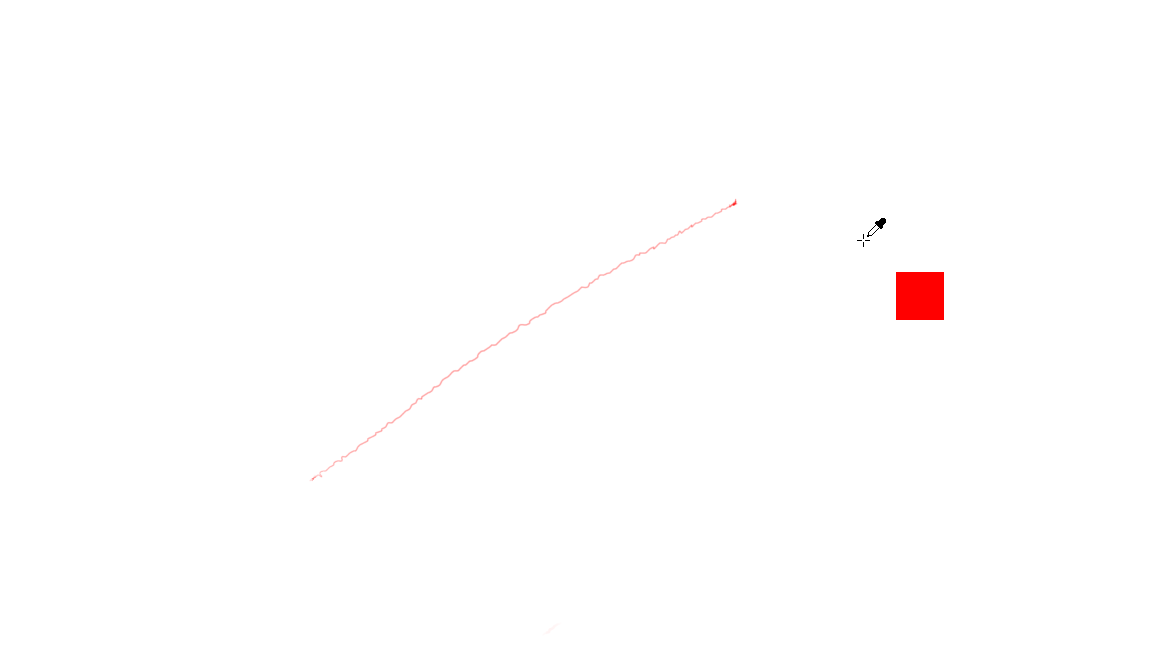
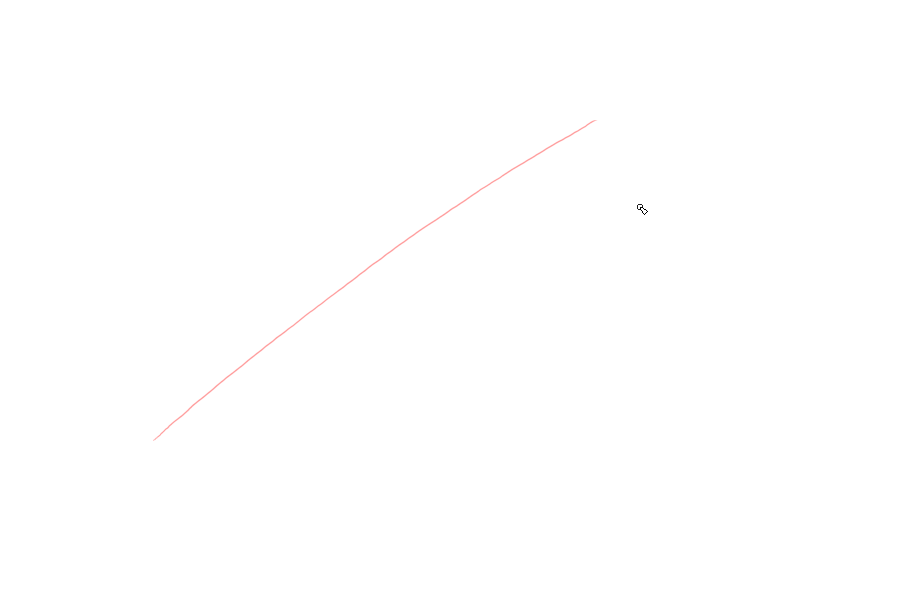
Did you turn on the smoothing?
No
All is on defaults, and i have cheeked smoothing change nothing.
Try looking into the tool options. There should be an option to help you. As a workaround
There is no such option, this is fundamentally how krita reads wrong all inputs.
Is a problem in the code
Before i write this post i have cheeked a lot of possible variants, i have disconnect my mouse, twist settings, change mouse drivers, experimented with the dpi and the resolution of the canvas.
It is a code problem, the impute is just readed wrong
Krita indeed doesn’t support relative tablet mode (also known as mouse mode). Afaik, the primary reason is that it is super rare for anyone to use mouse mode, so much so that we can’t justify spending time on it.
1 Like
Thx for answer @wolthera , but can you still consider improving the mouse mod?
Since without it, owners of tablets of larger or smaller screen sizes will "like me " experience distorted sensitivity.
For example, according to the default, I have 2.5 more sensitivity vertically and 2 horizontally.
It is very inconvenient to draw; if you do not have a tablet with a screen, this problem cannot be solved.
This is a real problem since I can’t directly transfer my drawing habits from paper to digital drawing or vice versa.
The majority of the tablet owners didnt have the tablet with the screen.
Would it not be easier to use the vector tools ?
How to sketch with the vector tools?
How to paint something more complex than a single color or a gradient using vector tools?
And the use of such tools in itself does not train the hand
Not to say that to my style this is most inconvenient way to draw things, or to the any other illustrator.
Using a mouse to sketch  ? Is that a stylus shaped mouse?
  Well if you want to use Krita in it’s current state, I would suggest sketching on paper and then using the beziere tool for complex shapes.
It a mouse mode on tablet driver, it is not a mouse, i draw with a pencil on a tablet, just with a mouse mode, because it like 1 to 1 to my actual hand movement.
Mouse mode is a driver like Windows ink, with the mouse driver your tablet size is literally your tablet size, is doesn’t expand to the bigger monitor, that means you need to use you pecil like a mouse, this means that you have to tear the pen off the tablet and put it back in the center because you have run out of room for further movement, like on the mouse.
If you have a small mouse pad you will understand very well what i mean with that.
It’s not using a mouse here.
On tablet you have 2 modes:
- Most common is absolute mode
- top-left of tablet match top-left of screen, bottom-right of tablet match to bottom-right of screen
- when you move your pen at a position on the tablet, if move the cursor on the screen to the matching position
- The relative mode (or here, named “mouse mode”)
- each movement made on tablet will move the cursor instead of positioning the cursor
- when you move your pen on the tablet, the cursor moves, relative the last position (like a mouse)
For what I understand, this mode seems to not work properly for @Dumitru_Elenciuc
I have to test on my side (need to check if I’m even able to enter in relative mode), it was a mode I’ve used a long long time ago…
I’m not sure what Krita can really does on that as I’m not sure Krita has information about the device settings…
Grum999
I suspect either Fire Alpaca has some built-in stabilizer when in relative mode or it’s something about your driver or device.
I have an Intuos4. Testing it on OpenSUSE, community Wacom drivers, drawn at 66.7% zoom:
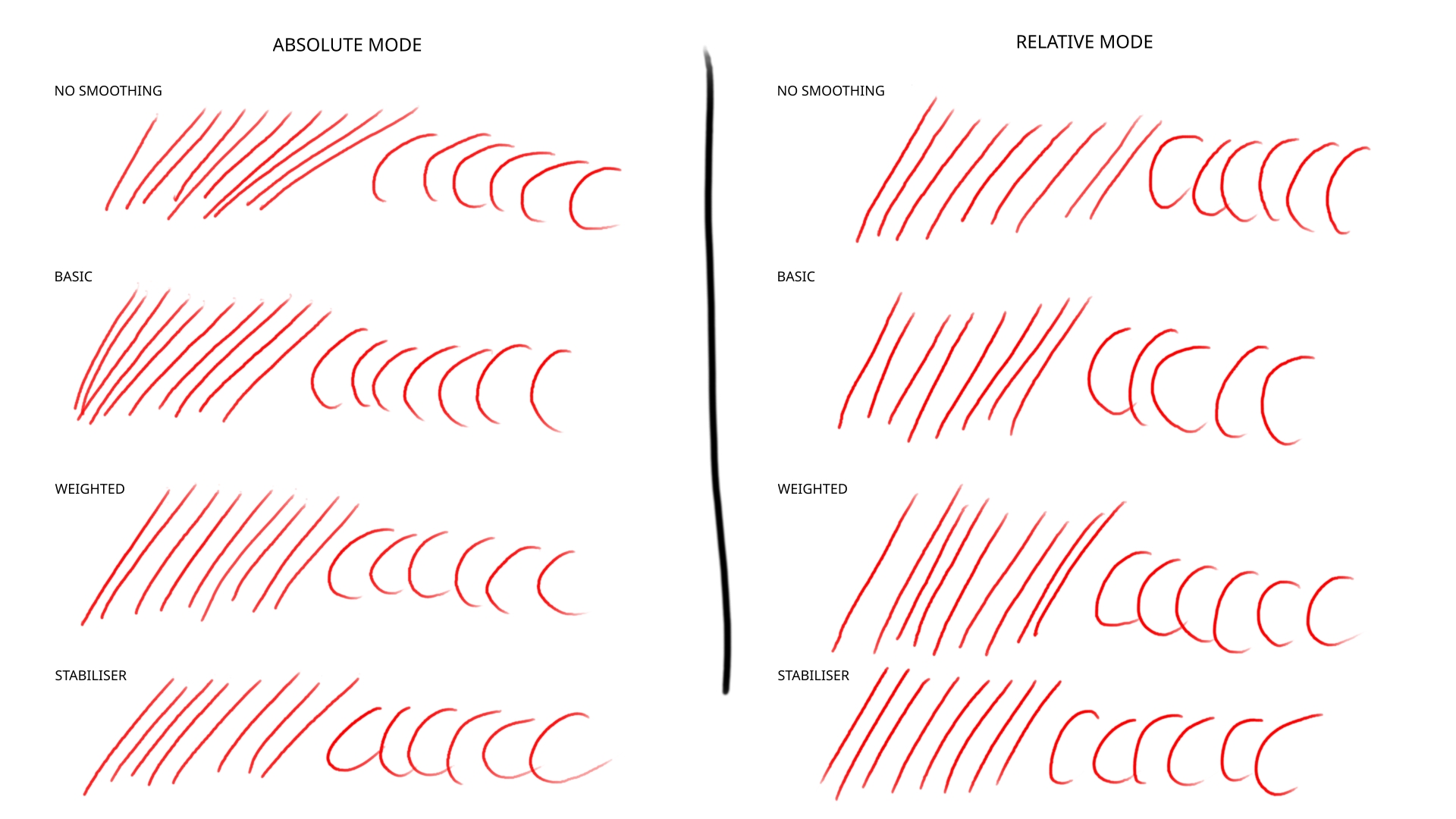
That’s using fairly tame smoothing settings. It’s barely perceptible, only produces smoother lines.
Weighted
Distance: 36.0
Stroke Ending: 1.00
Smooth Pressure: On
Scalable Distance: Off
Stabiliser
Sample Count: 36
Delay: (On) 3px
Stabiliser Sensors: Off
Xd, i don’t know why in my case is not working at all “where in your case is working just bad”, but there was an official answer from developer “Krita indeed doesn’t support relative tablet mode (also known as mouse mode). Afaik, the primary reason is that it is super rare for anyone to use mouse mode, so much so that we can’t justify spending time on it.”
When you change the mode don’t forget to restart krita.
and
Try to draw with mega zoom out , if it still work properly i can only say that something is very wrong on my part or you have a mega gigachad tablet driver developer that have created special for krita a new input system.
Btw try a thinner pen, it’s super noticeable with them.
I see. Strange way to use a drawing tablet, but who am I to criticise your way of drawing🤭
It is only way to draw with 1 to 1 ration sensitivity on tablet without display Xd.
If there were other methods I would use them.
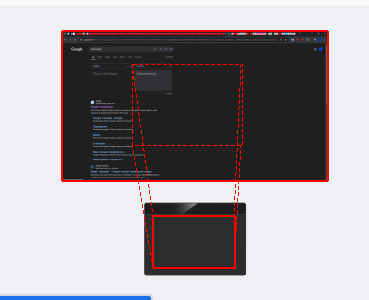
There is a setting in your driver to match your screen to your tablet dimensions, isn’t there?
This setting has a problem, you cant go outside the borders in any way with the pen.This is mega mega inconvenient especially when you choose colors
[image]
I see.
The driver is for Linux, so it’s not even official by Wacom. It’s a pro but fairly old tablet, large so it has a good resolution by default.
I didn’t check if this also happens in Krita but in Photoshop drawing with zoom out always produced jagged lines, particularly if it was a weird level like 66%. Only doing at 100% or smoothing helped.