
How to move selected object center to the circle center and rotate it? I don’t see such option in Geometry docker. My goal to draw a gear on a vector layer.
The only solution I have will make the big blue circle move position in the process. If you can move back both later, it might be useful:
- Select both objects
- Go to the Arrange docker
- Click on the buttons (top row) to align them both horizontally and vertically.
- Reposition both objects to where the big circle was.
1 Like
Thanks! I’ve just done in another way:
- I made my rectangle longer
- moved it to make circle and rectangle centers be in the same place
- then subtracted a temp circle from the middle of the rectangle
- copy-pasted-rotated it 3 times
- united everything into one figure
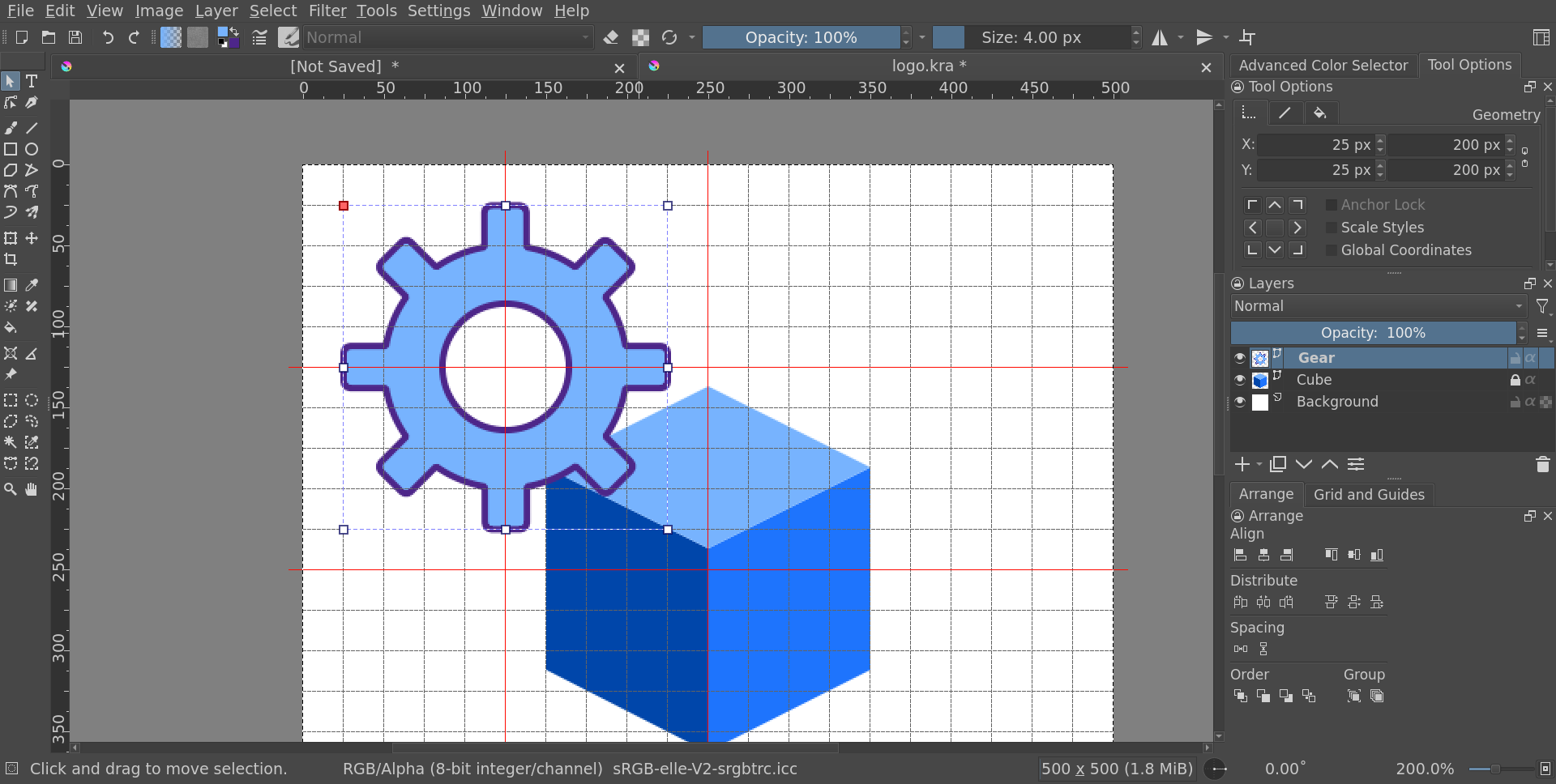
It was possible to follow these steps as gear is symmetric horizontally and vertically.
1 Like
If you click on a object on the tool options you will see data for transformation and the considered center of the object. If you select the origin to be at the center of the object you can later look at the X and Y values and copy those into the other object as it makes more sense or move it to the same position.
1 Like
This topic was automatically closed 4 days after the last reply. New replies are no longer allowed.