This is caused by Windows’ pen & touch settings. Specifically the ‘hold to right click’ setting buried a little in the pen settings dialogue.
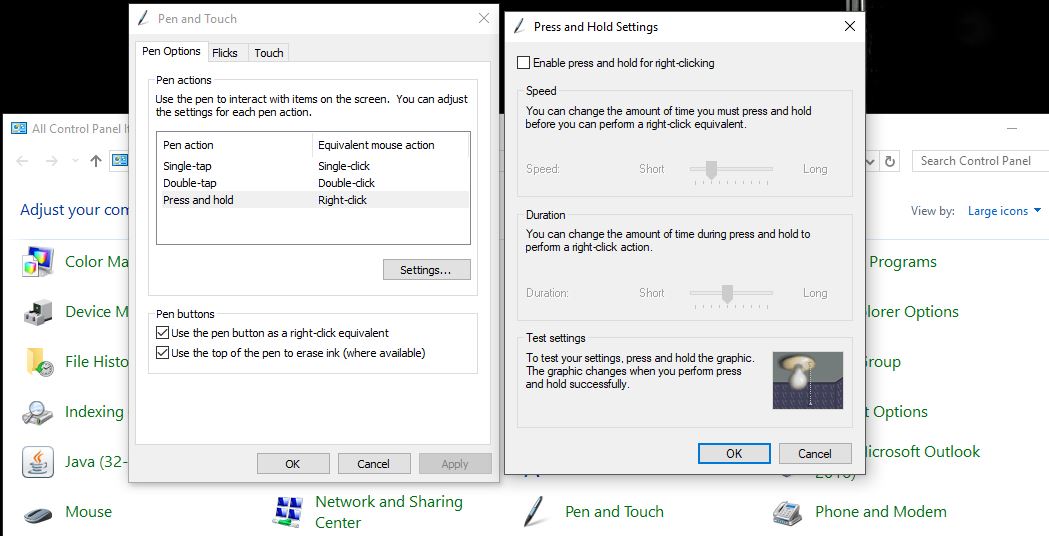
(Uncheck the ‘enable press and hold’ box)
This is caused by Windows’ pen & touch settings. Specifically the ‘hold to right click’ setting buried a little in the pen settings dialogue.
(Uncheck the ‘enable press and hold’ box)