I can’t move my images for some reason, I have tried multiple things but still it doesn’t move. It also isn’t in any layer . What do I do?
Can you upload a screenshot of the entire krita window and make sure that the entire Layers docker is visible and the entire canvas.
If the images aren’t on any layer, you may have accidentally made them be Reference images.
A screenshot will be a great help for people here to decide what to do and ask next, to help you track down this problem.
How did you bring the images into krita?
Oh yes, i remember now, i put the images in as reference images, give me 5 min and ill send you the entire screen
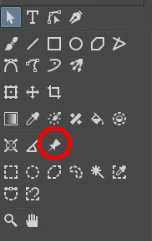
Then you can manipulate them (move them, scale them, remove them) using the Reference Images Tool, the one with an icon that looks like a pin you’d use on a physical cork board.
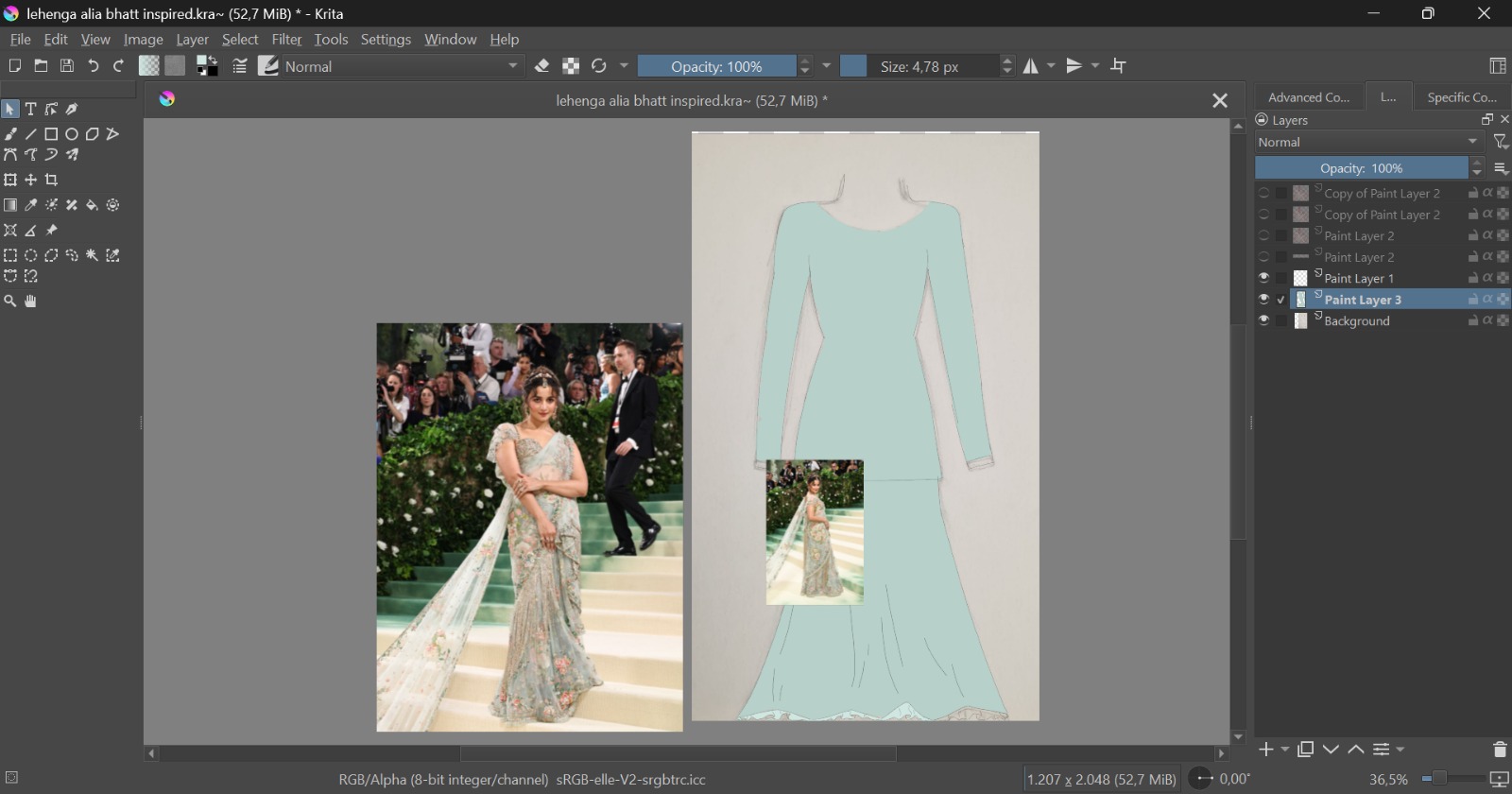
Alright, ill try after a few days since im going on holidays
And in a few days you’ll have forgotten everything, or?
You need to select this:
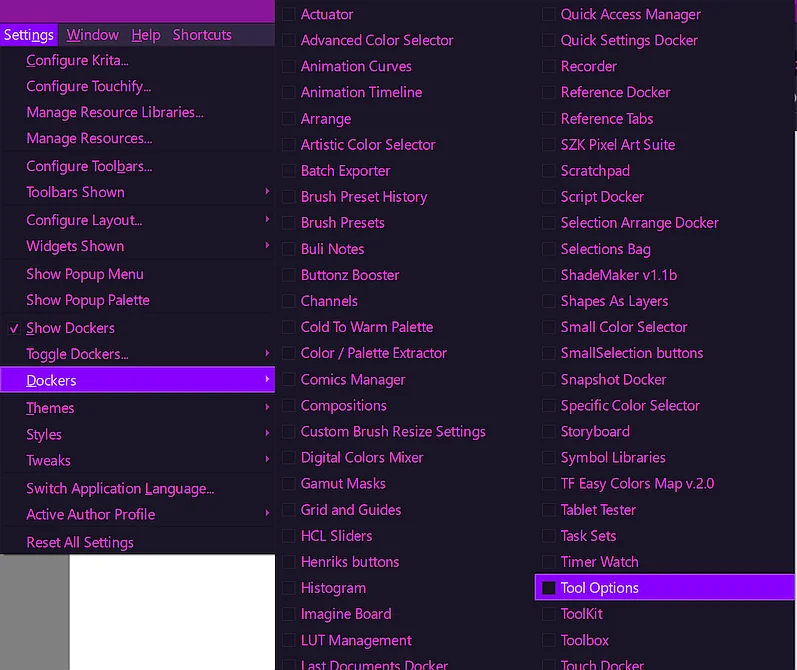
Furthermore, you have to restore Krita’s most important docker, the Tool Options Docker, through disabling it, you neutered yourself and Krita’s abilities. Do open the menu Settings select Dockers select Tool Options, now you have it back!:
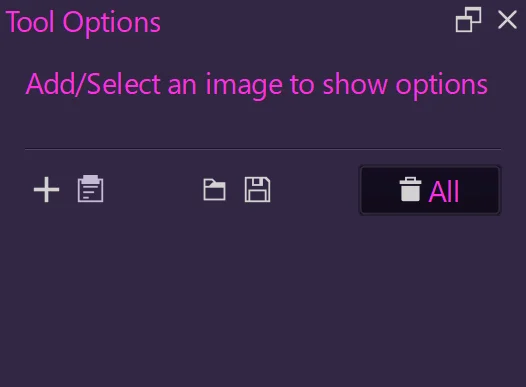
With the selected Reference Images Tool the Tool Options will look like this for you if you don’t have a reference loaded:
And it looks like this with a loaded/active reference:
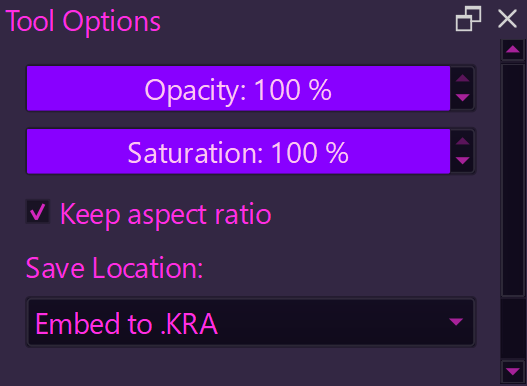
But the Tool Options will adapt to EVERY TOOL you select, so you can fine-tune their behavior, like for transformations for example:

And you decided to deprive yourself of the most powerful tool Krita has to support you! 
Michelist
thank you !! it worked
Thank you! You’re welcome!
By the way, would you be so kind to mark your topic as solved? This measure can show other help seeking users that they may find a solution for their issue, in the case they have a similar issue. Furthermore it shows our helpers that their attention is no longer urgently needed here.
Thank you!
Michelist