Hi, there.
I have just signed up and am very happy with this new initiative.
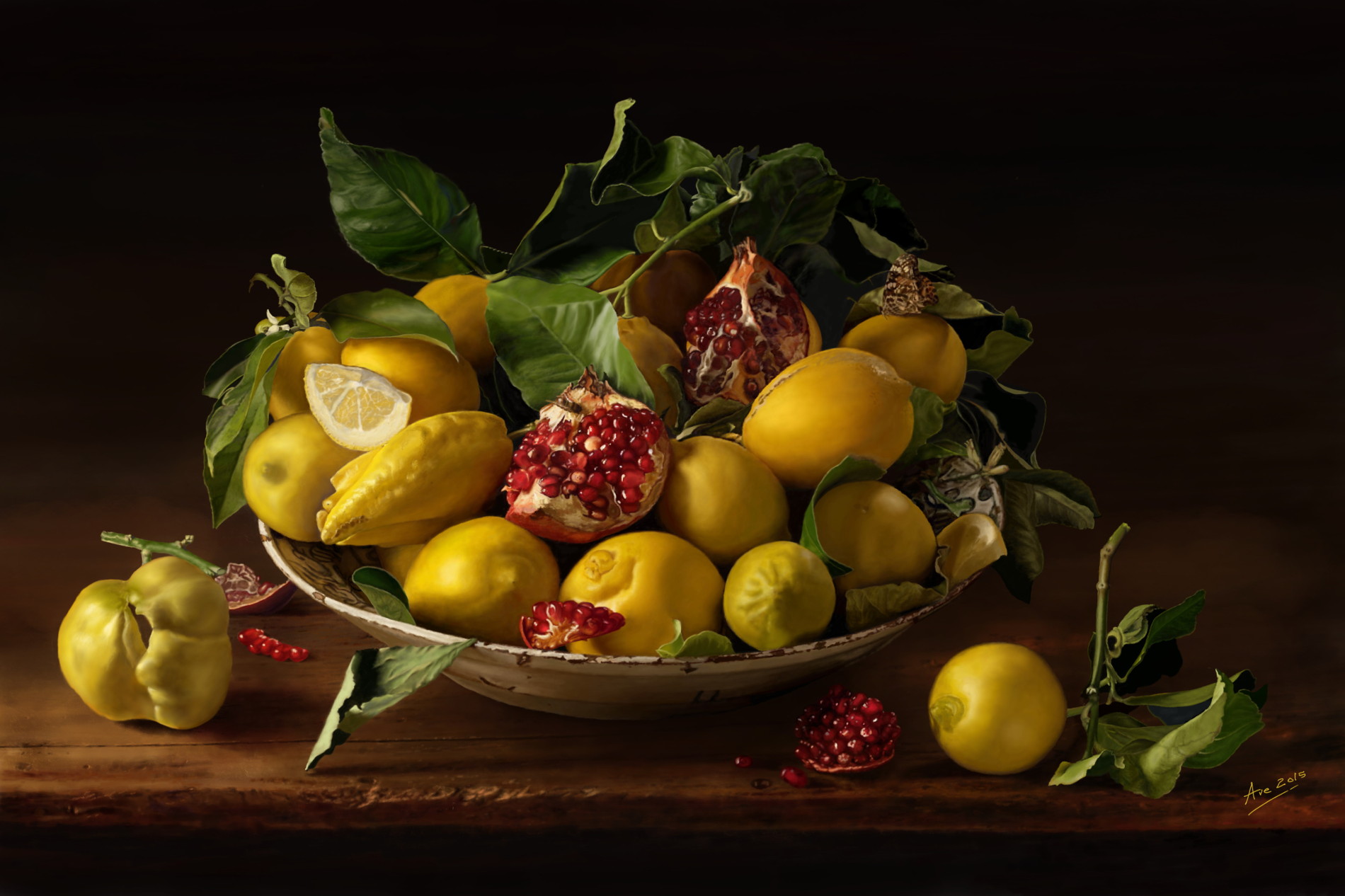
I introduce myself with an old work of mine in Krita: “Cesto di frutta”. (Fruit basket)
My site: avelino.it
Thank you to all.
Hi, there.
I have just signed up and am very happy with this new initiative.
I introduce myself with an old work of mine in Krita: “Cesto di frutta”. (Fruit basket)
Wow! this is awesome. 
May I request you to explain more about the process of the artwork?
Also I am featuring your post. thanks
Nothing so special!
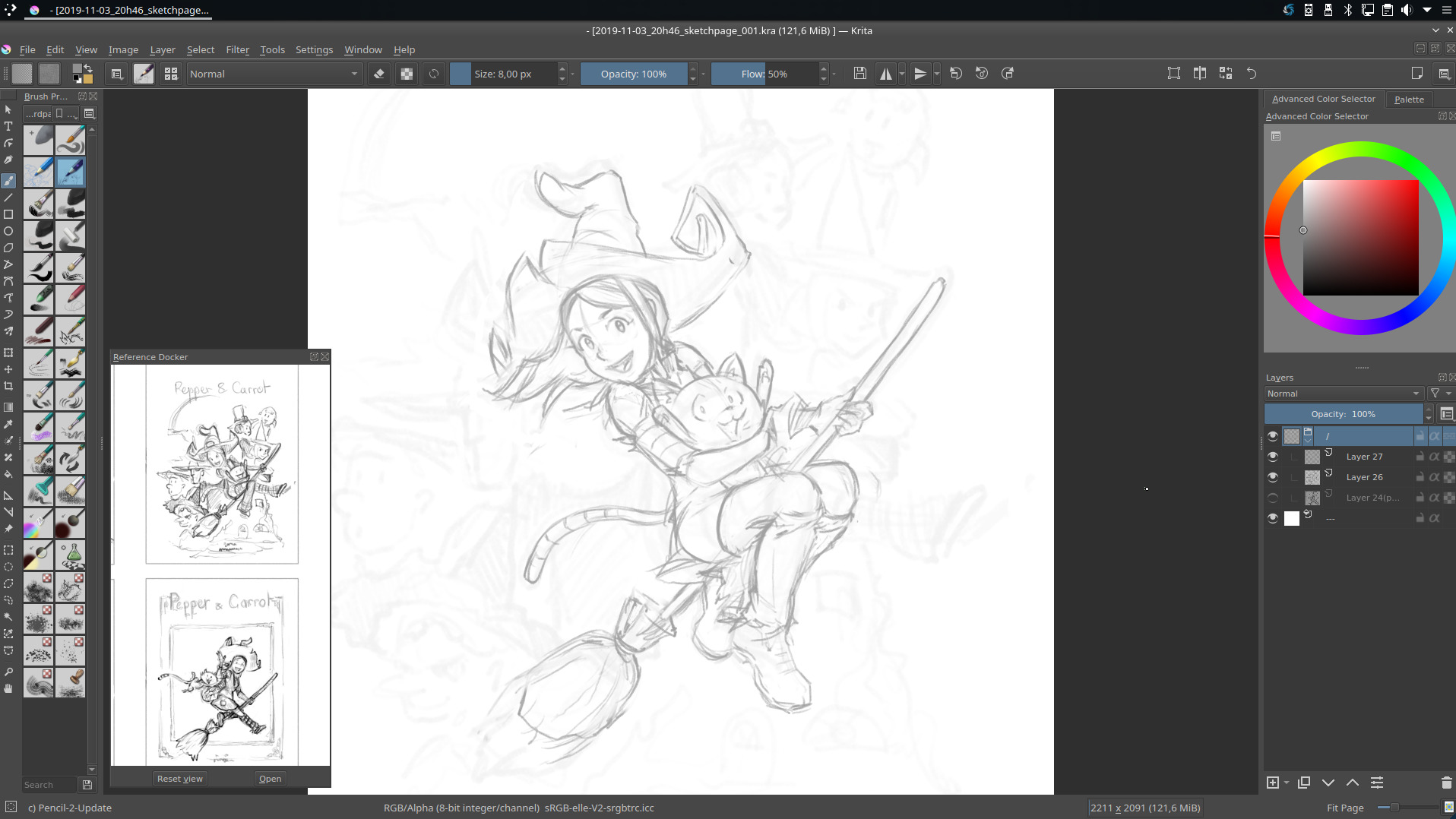
I found a beautiful photo on the web and tried to reproduce it. It’s been a few years, and I used an old version of Krita: there was still the dock “Image reference” that I preferred instead of the new function for reference images.
A lot of patience is enough! Copying is much easier than creating!
Thanks to you, man. 
There is a Python plugin that adds the Reference Image docker back: GitHub - antoine-roux/krita-plugin-reference: A temporary Reference Docker for Krita 4.0.0 - not sure how well it works, but I guess the most important features are implemented.
The picture is really skillfully made 
Downloaded, unpacked and placed in “/home/user/.local/share/krita/pykrita” (in my linux sysem).
I launch Krita 4.2.7.1 but doesn’t see the plug-in! 
Thanks anyway.
Hey @ave ; good work on the shading and materials!
I just tested the reference image docker on my trusty 4.2.6appimage ; and found a missing instruction on the Github of the author (I sent a pull request to fix it already): you need to add to ~/.local/share/krita/pykrita/reference/reference.py execution permissions. After that; I could use the reference docker. Good to see this one back to life. Thanks @tiar for the link!
Gorgeous work!
Hi, Deevad,
I follow your fantastic work and I am very honored for your appreciation!
Unfortunately despite having changed the execution permissions of the python script my installation of Krita (V. 4.2.7.1 on Void Linux) persists in not seeing the plugin.
Now I’ll try to download the Appimage.
Thank you and congrats again.
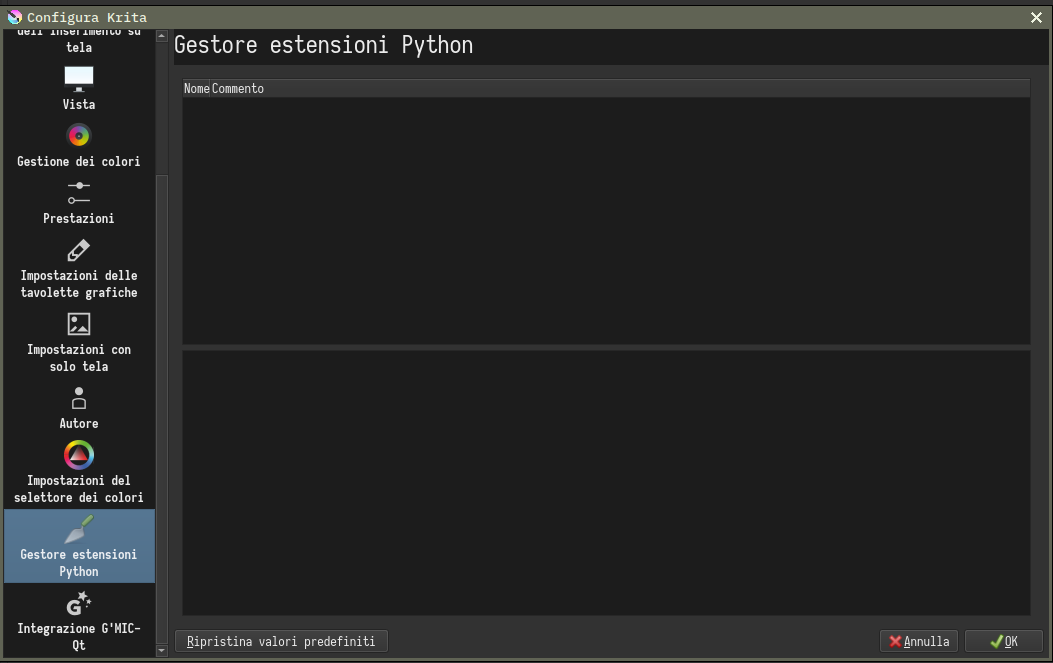
@ave Activate the Reference plugin under Settings > Configure Krita > Python Plugin Manager and restart Krita if you haven’t, then it should appear and be available from Settings > Dockers. I tested it myself not long ago.
Beautiful work, thank you for sharing!
Eureka!!!
I downloaded version 4.2.7.1b Appimage and here I finally see, among the many plugins, the reference docker!
Activated and WORKS!
Finally! Thanks a lot to everyone.
P.S. In the version installed from the repository, the “Extension Manager” window is empty!
That means you don’t have python plugins installed at all. Not sure what might be missing, but for now appimage is a better option anyway - for example because it has patched Qt, which the repository versions doesn’t have.
Well, from now on, I’m only going to use the Appimage version!
This image is awesome. really good painting. Wel come to the community. Lot of work for sure. i love it
Wow!!!  Also mentioned by Ramon Miranda: A MYTH!
Thank you, I am honored.
the craftmanship in this work is absolutely amazing! Wonderful job, man!
That looks better than real life
agreed on image refrence system. Beuatiful image. guess I now want to “copy” some still life
Inspirador seu trabalho.
Love the concept and layout of the veg and colour!
Wow!! It is amazing