I am trying to make an animation using Krita, but when I try to use onion skins, they just don’t seem to show up. I was watching a tutorial in which I did the exact same thing as the creator, yet mine does not show up, while theirs does.
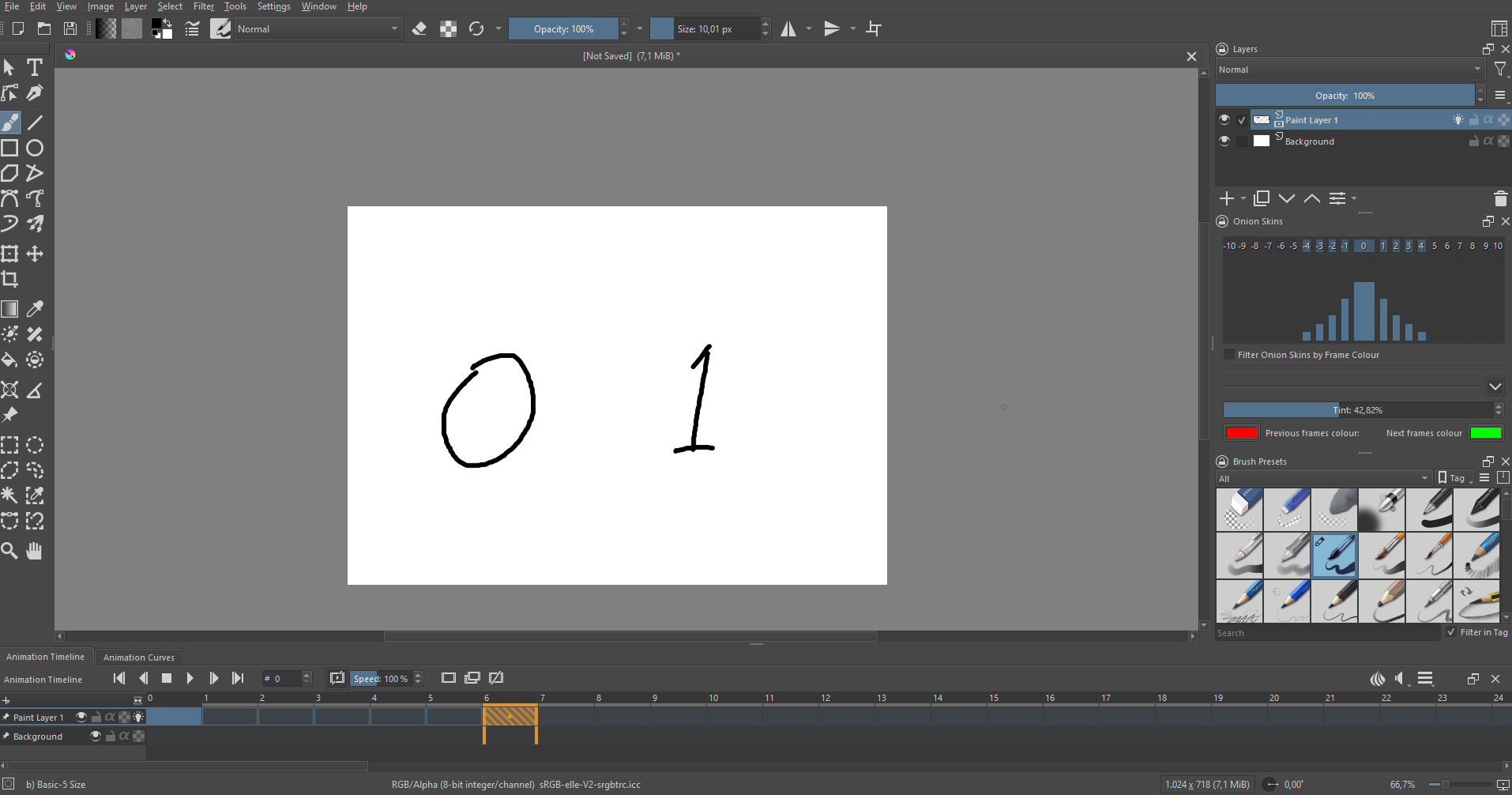
This is a screenshot of my current workspace, if that’s of any help.
Another issue that I have is the way my frames don’t exactly work right, I’ve written the numbers “0” and “1” on the canvas, with the numbers on the corresponding frames, but the “0” doesn’t vanish once I go over to frame #1. I believe this might have something to do with the onion skins aswell.
The onion icon simply hides the onion skin configuration, but I think the keyframes might have something to do with it. Could you explain how I can add those?
I didn’t do animation in ages but I think you can just right click on a frame and choose insert keyframe.
I got this from the manual
To make a new, blank keyframe, any square on the timeline docker and select Create Blank Frame. A blank frame (one that you haven’t yet drawn anything in) appears as a hollow outline instead of a solid box, making that frame active and drawing on the canvas will make it appear as a solid, colored rectangle. To move a keyframe around, you can drag and drop it into another empty frame slot, even across animation layers.
 any square on the timeline docker and select Create Blank Frame. A blank frame (one that you haven’t yet drawn anything in) appears as a hollow outline instead of a solid box, making that frame active and drawing on the canvas will make it appear as a solid, colored rectangle. To move a keyframe around, you can drag and drop it into another empty frame slot, even across animation layers.