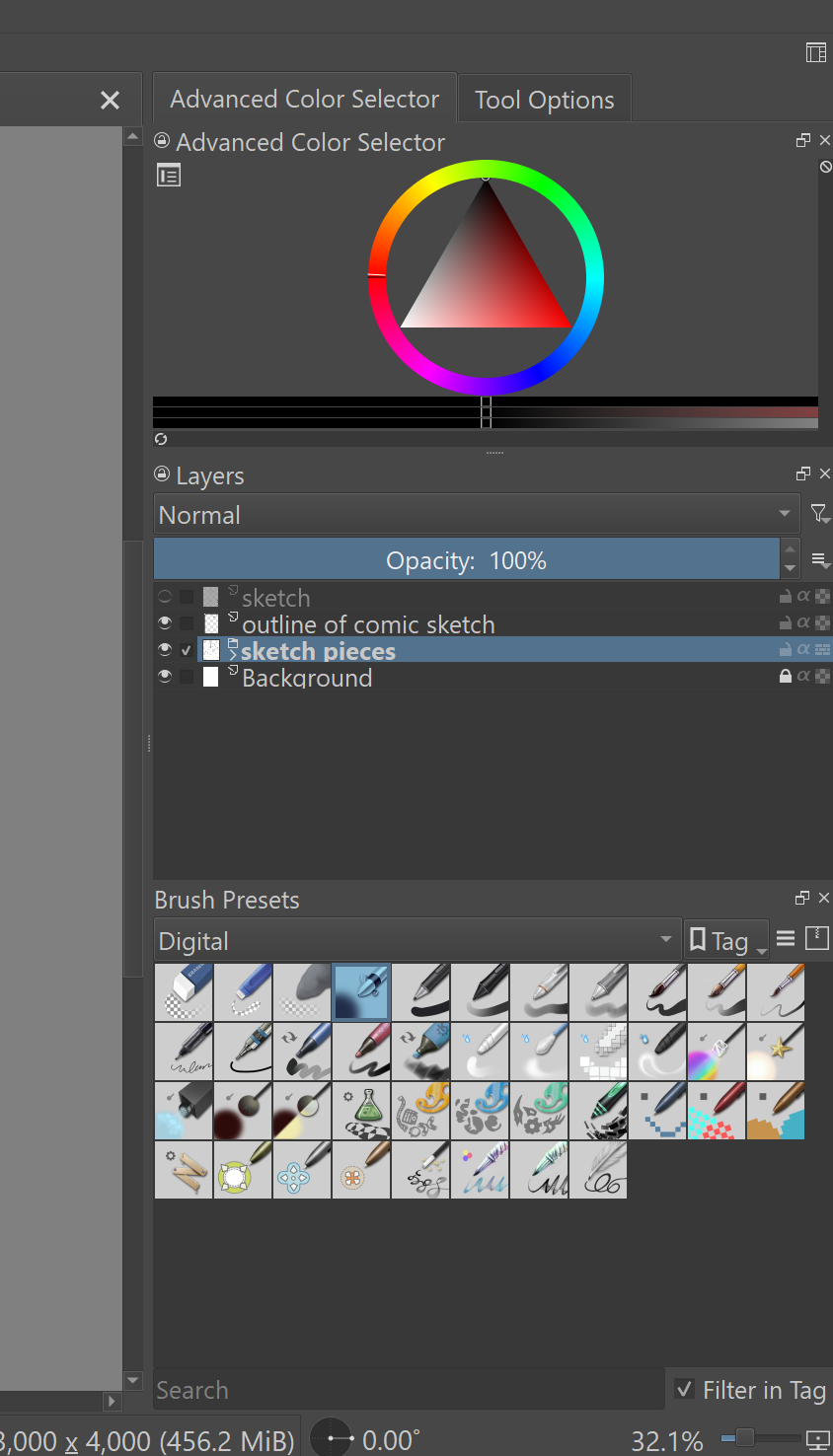
My dockers have always stayed the same and I have always had a button with a “+” sign at the bottom of my layers window on the right side of the screen. This has now disappeared. Why did this happen and how do I get it back?
This is extremely random and frustrating and I would like this problem solved quick. The only thing I can think of is I accidentally dragged my docker across the screen and it messed it up, but when I fixed it and put them back in the correct place, I am now missing the options.
I think your Brush Presets docker is floating and hiding the bottom part of the Layers docker.
Try clicking the float button, the button left of the close button of the docker.
Unfortunately it’s really hard to tell if a docker is floating, but if you look closely, there is no divider handle, so it’s probably not docked.
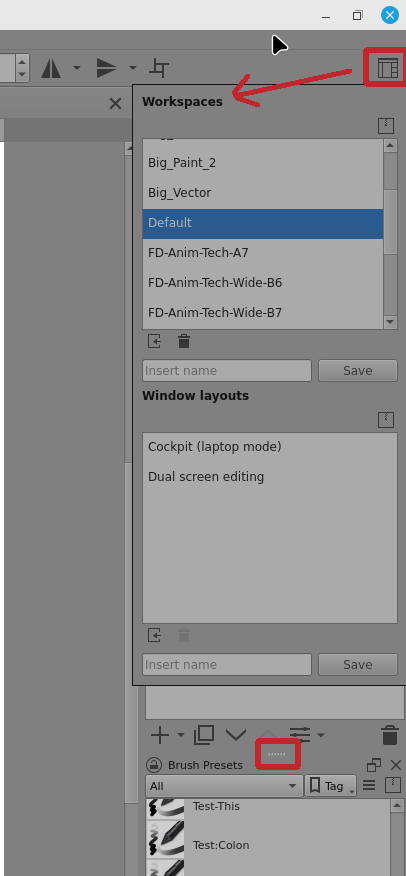
If all else fails, you can chose the Default workspace arrangement by selecting it after pressing the Choose Workspace button on the Toolbar.
You’ll probably need to select a different workspace first before selecting the Default workspace, if the Default is already highlighted.