Hi,
Newbie to all things graphic - but having fun lately with a pretty simple design, wondering how I’d make a template to simplify the process.
It’s not terribly complicated - I’m putting a rectangular or square image upper left, create a mirror image for the upper right, join those two. Makes the top half of the final image.
Then copy, paste the top half, flip for a mirror image and join the top and bottom halves.
I’ve been using Libre Office Draw and mostly it’s OK, but having trouble with the seams, real tough to make the joint totally disappear.
Tried it in GIMP till I got real frustrated. Searched, Krita got good reviews, have tried a couple and can see it’s WAY better, but still kinda complicated for a graphics beginner.
I’ve been cropping the photos in Mac Photos, wondering if Krita might do a better job of it.
Making a template is easy in krita. If you have an image open that you want to use in future as a template then do File → Create Template From Image.
Then you’ll get the template storage/management window where you can store/organise your template image as a name in a created group.
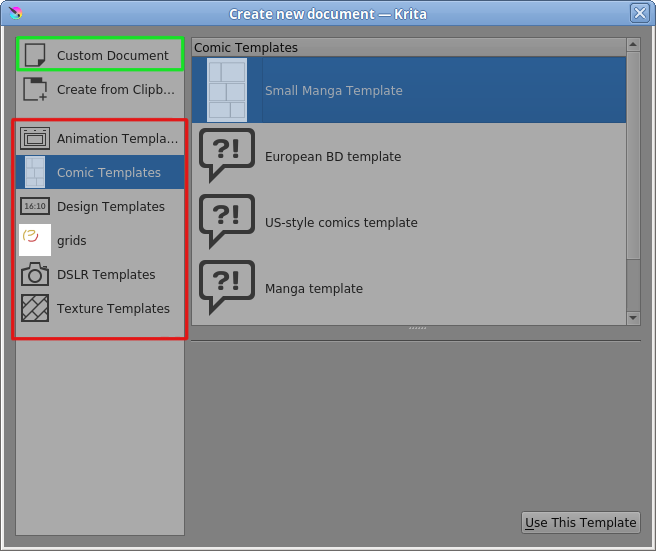
When you do File → New, as well as the usual Custom Document option, there are template group names at the left side, including any groups you have made for yourself.
These groups contain template files. There are some templates already built in:
Click on a listed template to select it then click Use This Template.
For the template images you describe, it may be a good idea to use vector artwork for the initial construction because vectors are easy to manipulate and modify.
For questions about that or any other specific subject, please create a new topic to ask for help and advice.