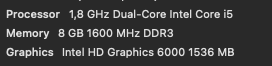
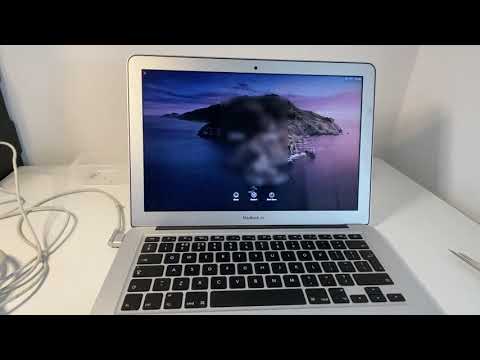
Okay i know this topic has been answered by @halla the lead developer of Krita since 2004, and i 100% agree with her answers, unfortunately i am using mac and its unusable… my only problem is the lag and thats it… i did turn off the canvas acceleration on configure krita , and it dint work i have 8gb of ram which is above the minimum requirement… it feels like im screwed, Apple is a money hungry greedy company that littelary ruins it for everyone, this over priced gadget feels like a prison. Does Anyone using mac has any tricks to make it work? At least to reduce the lag… and please just cut to the chase when explaining… just tell me what button to push…this is beyond frustrating…
I don’t have a mac
Only a mac user would be able to help you I think
At least you can provide minimal information that could help:
- hardware specification
- Os version
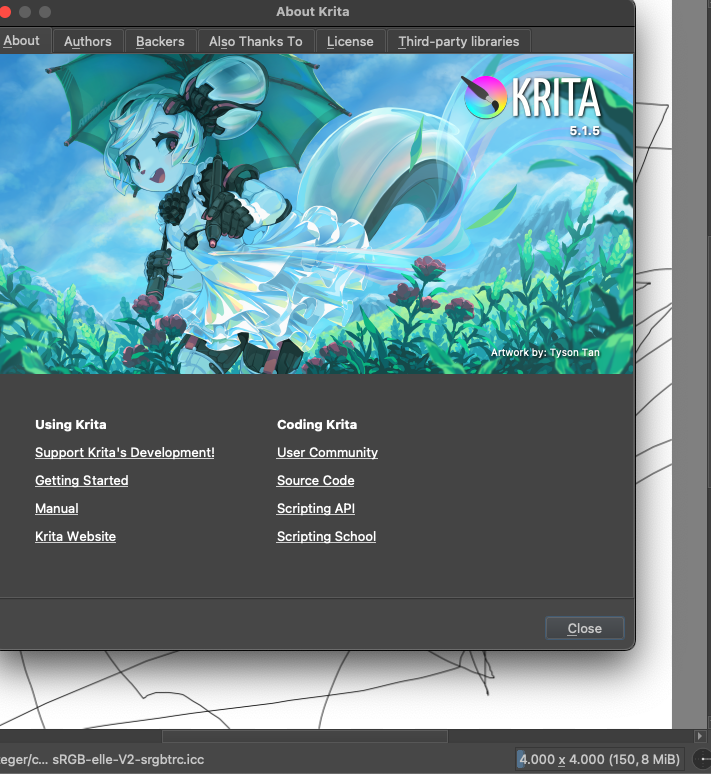
- krita version and settings
also if there’s already a topic you previously opened, you can provide link to it
Grum999
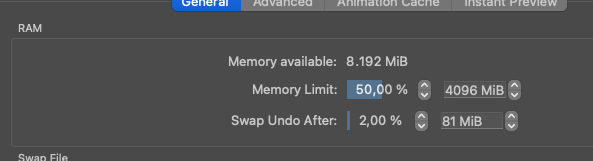
By lag do you mean pan/rotate canvas or brush stroke performance? Make sure you’ve set Krita to use all the cpu cores in performance settings (CPU Limit in the Advanced tab).
You can set memory limit to higher than 50% as well.
If you mean that the lines don’t come out smooth you could try the Dynamic Brush Tool.
The ones on the background is me testing the strokes on a touch pad and its still worse than a drawing wacom tablet, which is not a good sign… if a touch pad can be this laggy then 
The brush strokes is really slow… thats the lag… and its on basic not weighted … did the advance setting thing u recommend, tried lowering it by 1 and nope still the same slow impossible to draw strokes… What a despair moment  im so *** wait ima try closing chrome
Woah!! A little better !! Much faster but still heavy!!
Okay i closed everything ! And its faster, but i cant see my dot cursor !! At least its getting better 
No don’t lower it  Set it to max.
I did it !! On the advance thing… i reset the settings for the 50% ram
Okay i cant see my uhh cursor … ok found @halla answer again and it worked ! Go to Settings->Configure Krita and select a cursor shape.
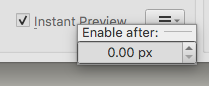
Another thing, have you tried activating View → Instant Preview Mode? It renders brush strokes at lower resolution when zoomed out and renders the full resolution strokes in the background.
You can then right click the Instant Preview text label in the brush editor to set at which brush size it should activate for a particular brush preset.
Since you mentioned you feel trapped by apple: If you’ve got a free USB memory stick laying around, you could try running a Linux live image and see how it performs with Krita on your computer. (Select Try rather than Install if prompted.)
Ubuntu Studio comes with Krita pre-installed. (not the most recent version however) https://ubuntustudio.org/ or get the appimage from krita.org from any distribution.
(Make sure not to install it and overwrite existing macOS install before making proper backups of your data.)
I have not tried instant preview ! But i will and give updates ! And i cant do the other one u gave 
 looks too complicated… i just wanna draw like in csp… i wonder … if Krita can get the same idk code as csp… they work incredibly well with no catch even when i opened 10 chrome tabs … but haha dint know the one i got was a 1 year license… not a life time … so now i have to make with what i have … to continue
Ok i found my own solution, its not perfect but i can draw and adapt like this, its still slow but not so slow that i cant draw, it just felt like stablezier was on (its not) so its more leaning towards in the middle. Other brushes that r different and new to me do react slow but i assume its cuz of the effects it creates but overall other crucial ones are do able…all of this i can keep 1 tab on chrome on (if i close everything its really fast) just need music to help me draw… Also my battery is  havent replace it yet… so if anyone is wondering how come… i still have this… its cuz of that … apple has the genius idea to connect the ram with the glued battery.
Maybe you could try if it runs smoother with Safari or Firefox instead of Chrome. 
Are you sure about the battery being glued?
(The ram is soldered to the motherboard however.)