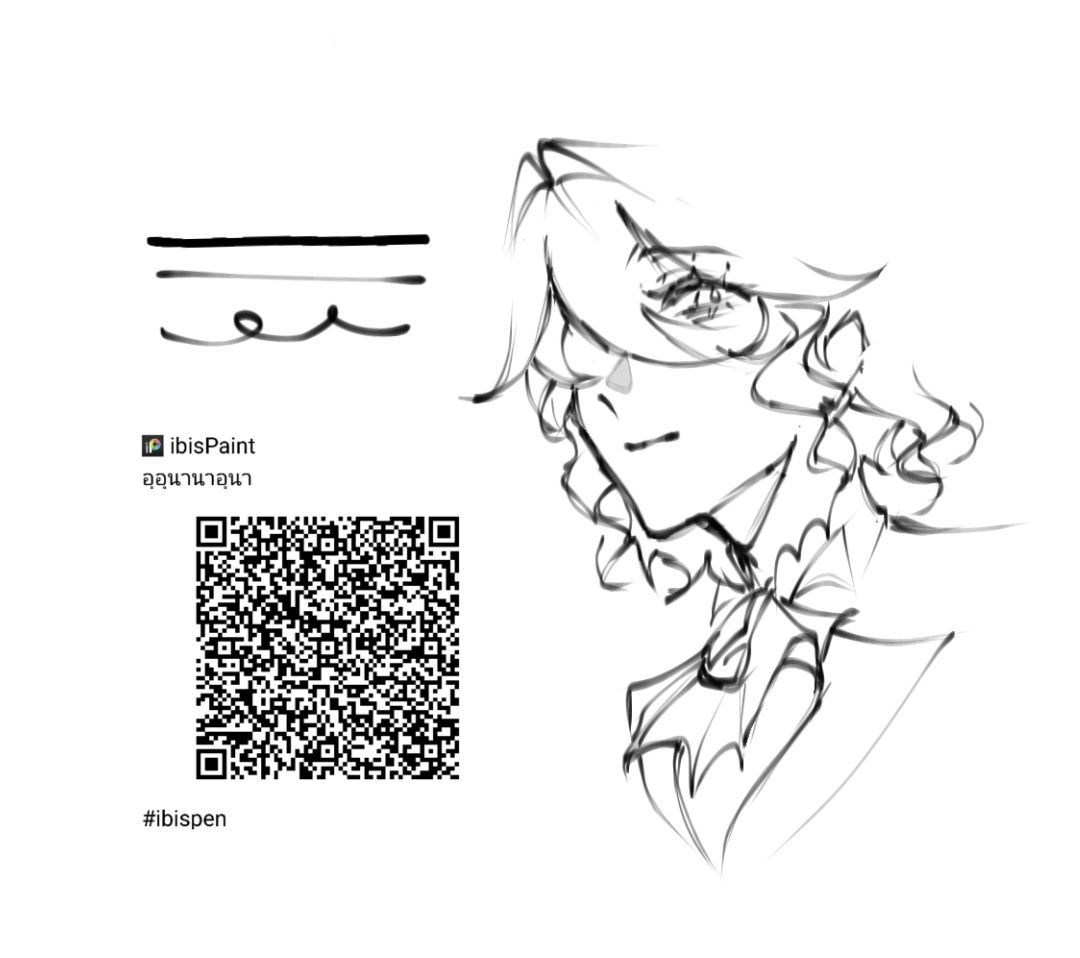
I’m extremely obsessed with this ibis brush and want to try recreating it, but it’s really hard to do so as a newbie that just switched to Krita, plus I use ibis on laptop, so got a 1 hr time limit, also can’t pay for full version bc my parents won’t pay. Ipad doesn’t really feel the same as I don’t have a pen for it, and for laptop it’s easy for me because it’s touch screen and I use a literal pencil to draw on it (it somehow can detect it but the ipad can’t alr…) pretty please with a cherry on top someone help me 

This post lists a few bruises that you might like:
And you can go here to see other brush bundles. You might find something that works for you. Brushes and Bundles - Krita Artists
Edit: I used the Search bar within that category and typed in anime and got the following:
https://krita-artists.org/search?context=category&context_id=32&q=anime
 Hello @zankanijiku, and welcome to the forum!
For learning how to (re-)create a brush in Krita it will be probably the best to watch this extremely comprehensive playlist about brush creation in Krita. Currently, you can’t find a better tutorial than this.
Michelist
Hey there, I tried the brush in Ibis and it looks a lot like one I use from the deevad pack. The only difference is that the tip of the brush (which is oval) is in a different position, but you can easily rotate it in Krita.
Here’s the brush: b3) Basic Oval Brush - deevad 23.01

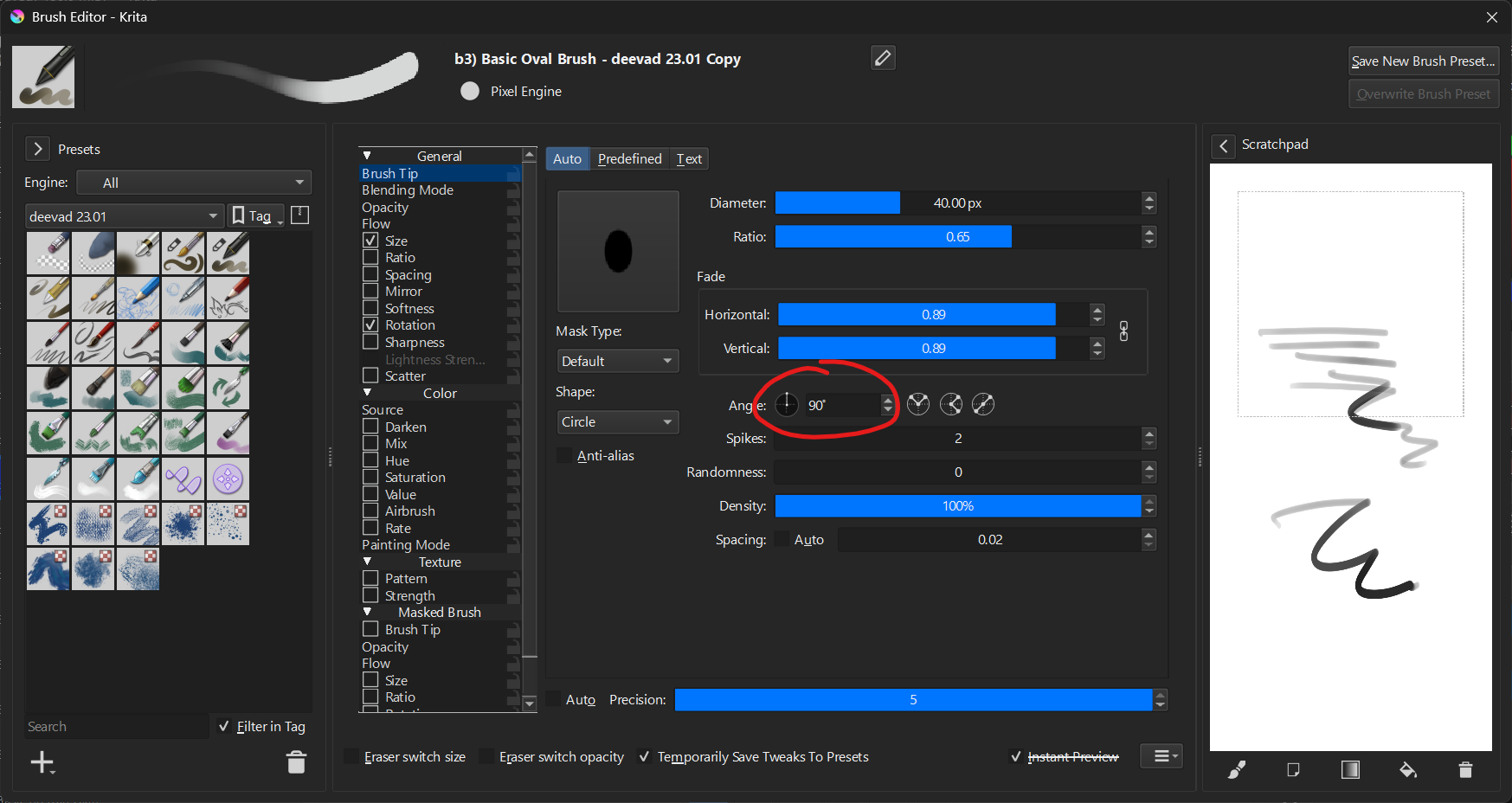
What I did was rotate it 90 degrees
And here’s the link to the pack: [update] Deevad 2025-01 Brush Bundle
A quick sketch I drew while testing the brush xd:

ty y’alll for the tips and brushes!