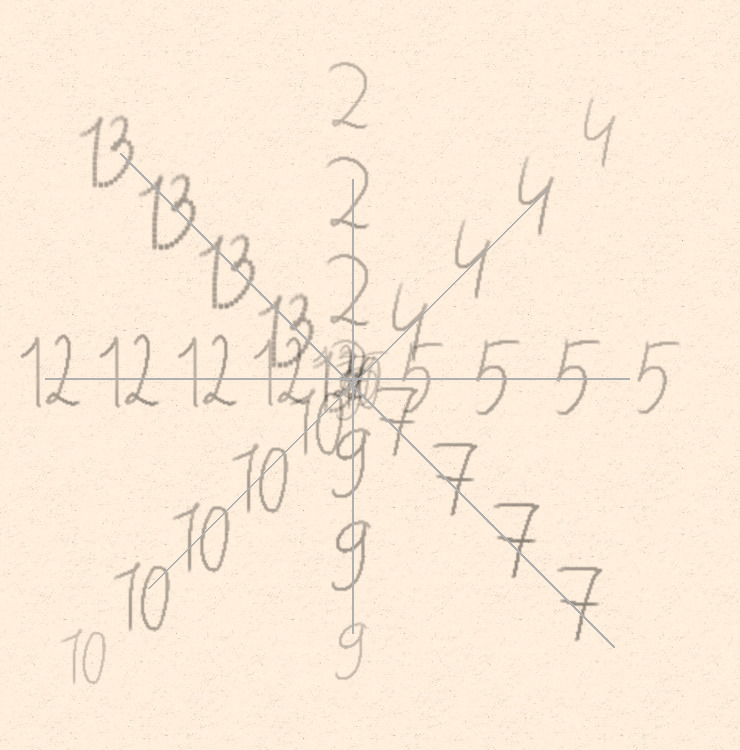
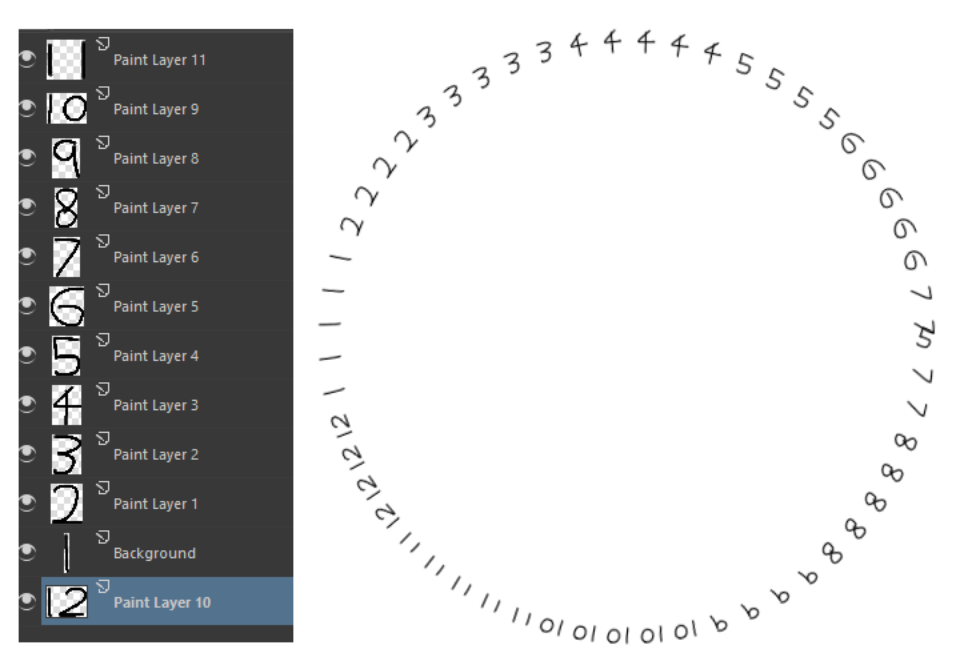
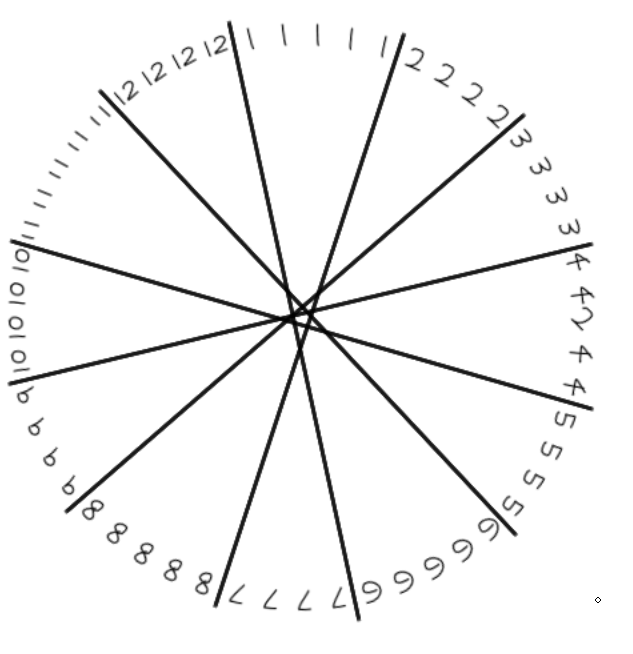
Trying out angle based image selection, but no matter what i do 0° is always 2 even, despite it being a second rank.
Used rulers for precise angle
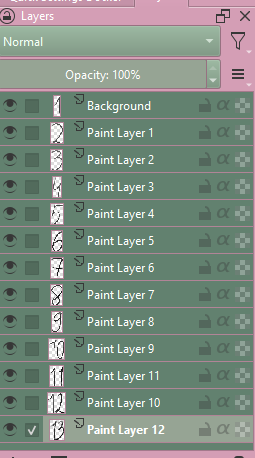
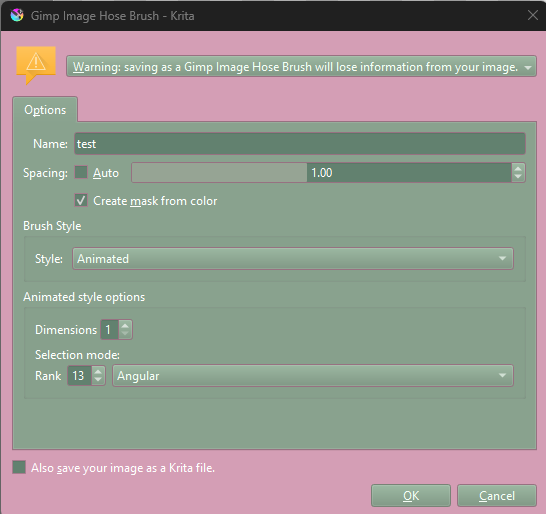
The gih. layer stack and settings.
Tried different amount of ranks but nothing seems to change it. I’m pretty new to animated brushes so i would really appreciate some insight into whats going on!
I guess i have a similar result (5.2.9), i did try moving the last number to the opposite end.
If they are rearranged further then i guess its closer to the top? its definitely not exact. Both cases using the circle tool.
It almost looks like each index is evenly distributed over each angle, rather than being offset by half in either direction.

I’m sure that the drawing angle for ‘2’ as shown in your first image is 90° (or maybe 270°, I forget which.)
The drawing angle is measured as an offset from a horizontal line (as I remember).
It’s a long time since I did an animated brush controlled by drawing angle but I remember that the angular sectors for each ‘stamp’ are centred on the angle direction.
e.g. if you have four images (0, 1, 2, 3) then the image for ‘0’ will be used for angles between -45° and +45°.
The final image posted by @general-avalanche-43 above seems to confirm that.
(I probably need to do all this again to refresh my memory.)
Interesting, this goes against GIMP’s documentation in a way, then
Angular
GIMP selects a rank in the concerned dimension according to the moving angle of the brush.
The first rank is for the direction 0°, upwards. The other ranks are affected, clockwise, to an angle whose value is 360/number of ranks. So, with 4 ranks in the concerned dimension, the angle will move 90° clockwise for each direction change: second rank will be affected to 90° (rightwards), third rank to 180° (downwards) and fourth rank to 270° (-90°) (leftwards).[2]
I wonder why it’s different in Krita…
As I said, it’s been a long time since I did this and I ought to do a ‘refresher course’ with it.
As I remember, for Drawing Angle control of brush presets, 0° drawing angle is horizontal movement to the right. (I may be wrong but that can easily be tested.)
I do remember initial confusion when making animated brushes with angle control but I figured out the logic behind it and it seemed ‘logical’ at the time.
I did prefer using GIMP to make the images because you can ‘stack’ individual images in one layer either horizontally or vertically and then ‘slice’ the layer image using GIMP’s .gif exporter options. That’s easy to do if you use GIMP’s grid overlay to indicate the ‘cell’ borders.
Krita has used a simplified version that only uses layer stacking.
Would you suggest making animated brushes in GIMP and then importing them to Krita?
I prefer using GIMP because of the visual presentation when creating the images.
You can make a 2D array image on one layer and export with options that give a 2D control such as rows selected as random and columns selected as angular, or whatever.
You need to set the GIMP grid overlay to divide up the image so you know where to paint the images. Then the Export options divide it up according the the distance/size settings that you enter.
I suggest that you try it to see what it can do.
If you make a .gih file then you can open it with a text editor and it contains a short technical ‘format’ statement followed by a large and unreadable section of encoded images.
e.g.
That one is four images selected with the ‘incremental’ selection option.
As I remember, the format statement for a GIMP created .gih file is identical to one created with krita, as it should be.