I want to select the RGB color #402000.
I click the foreground color in the toolbar, open the “Select a Color” dialog, paste #402000 into the “Color name” field, click OK.
I reopen this dialog. “Color name” is changed to another value.
The values of the RGB Channels on the left are neither the decimal representation of #402000 nor that of the “Color name” field.
In the palette a color is highlighted. Its value is different from the above ones.
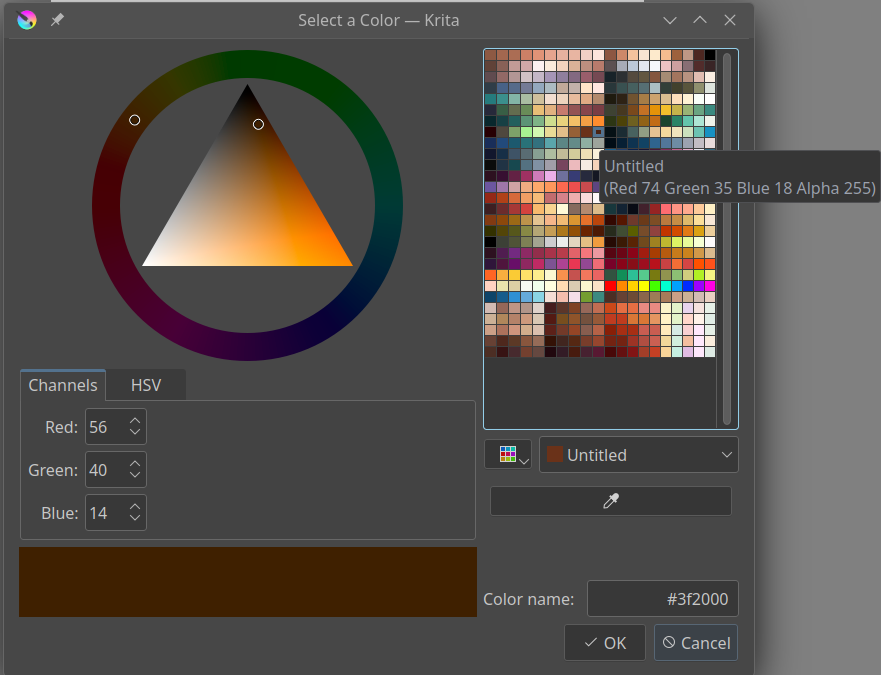
I input the decimal values 64 32 0 into the Channels fields. The “Color name” does not match.
The highlighted color in the palette is again different.
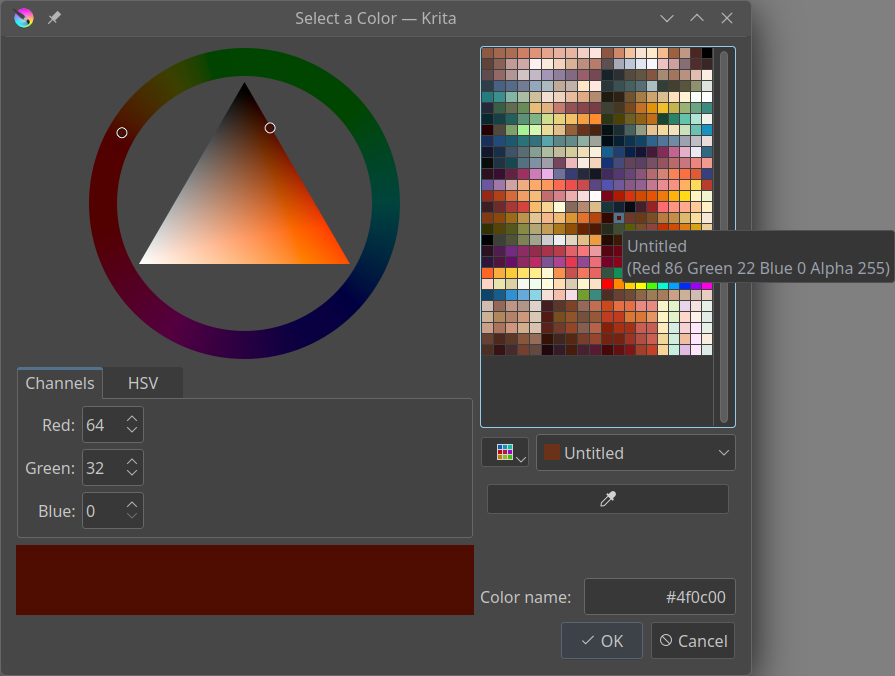
If I select a color in the palette, the values shown in Channels, “Color name” and the palette are all different, though close.
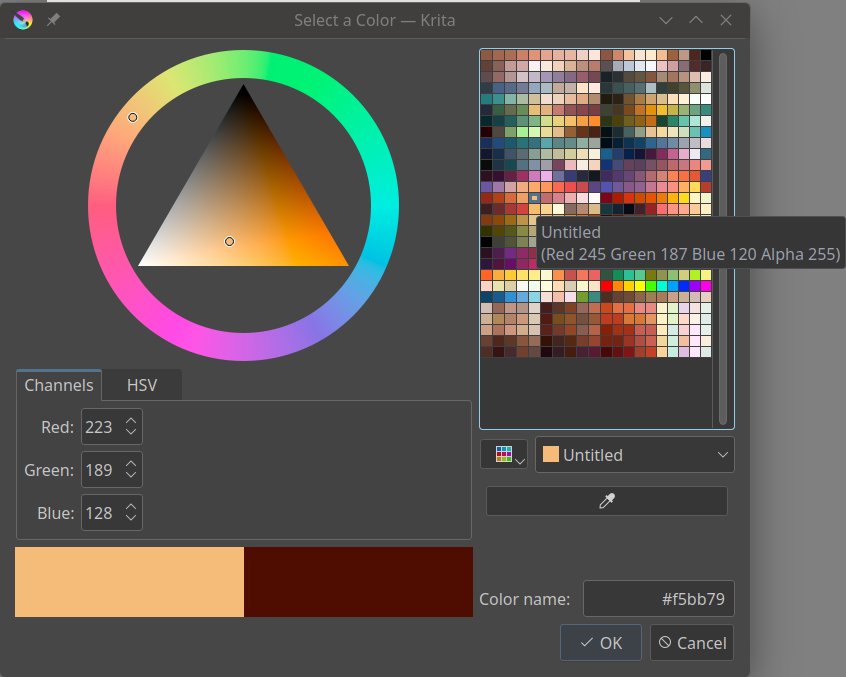
I don’t know if this is the intended behavior and which value is taking effect.
Version is 5.2.2.
OS is OpenSUSE Tumbleweed.
 Hello
Hello