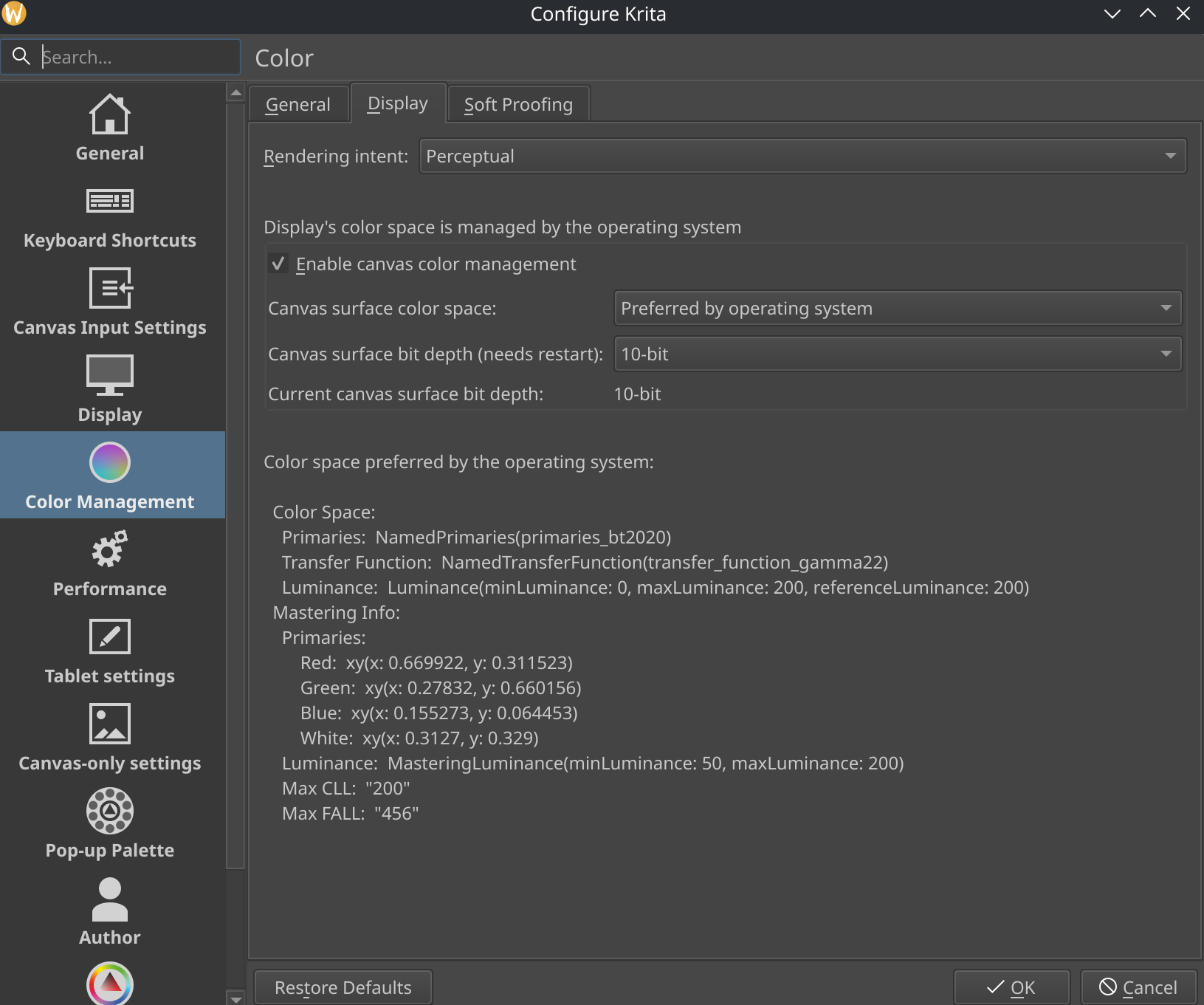
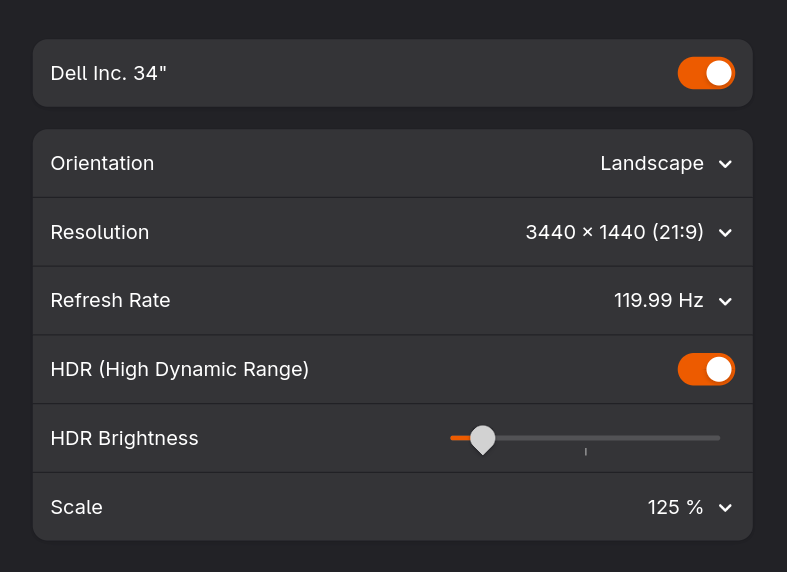
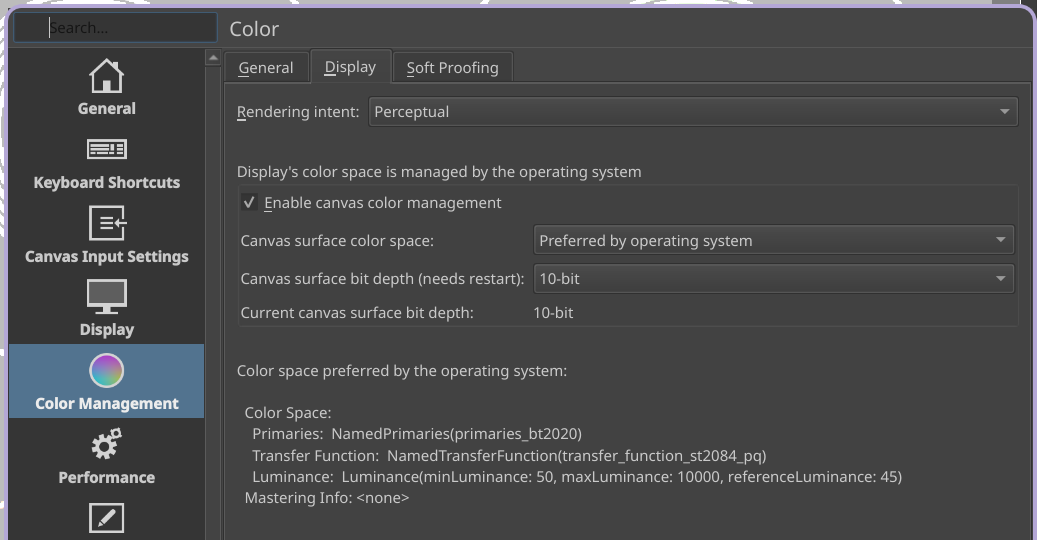
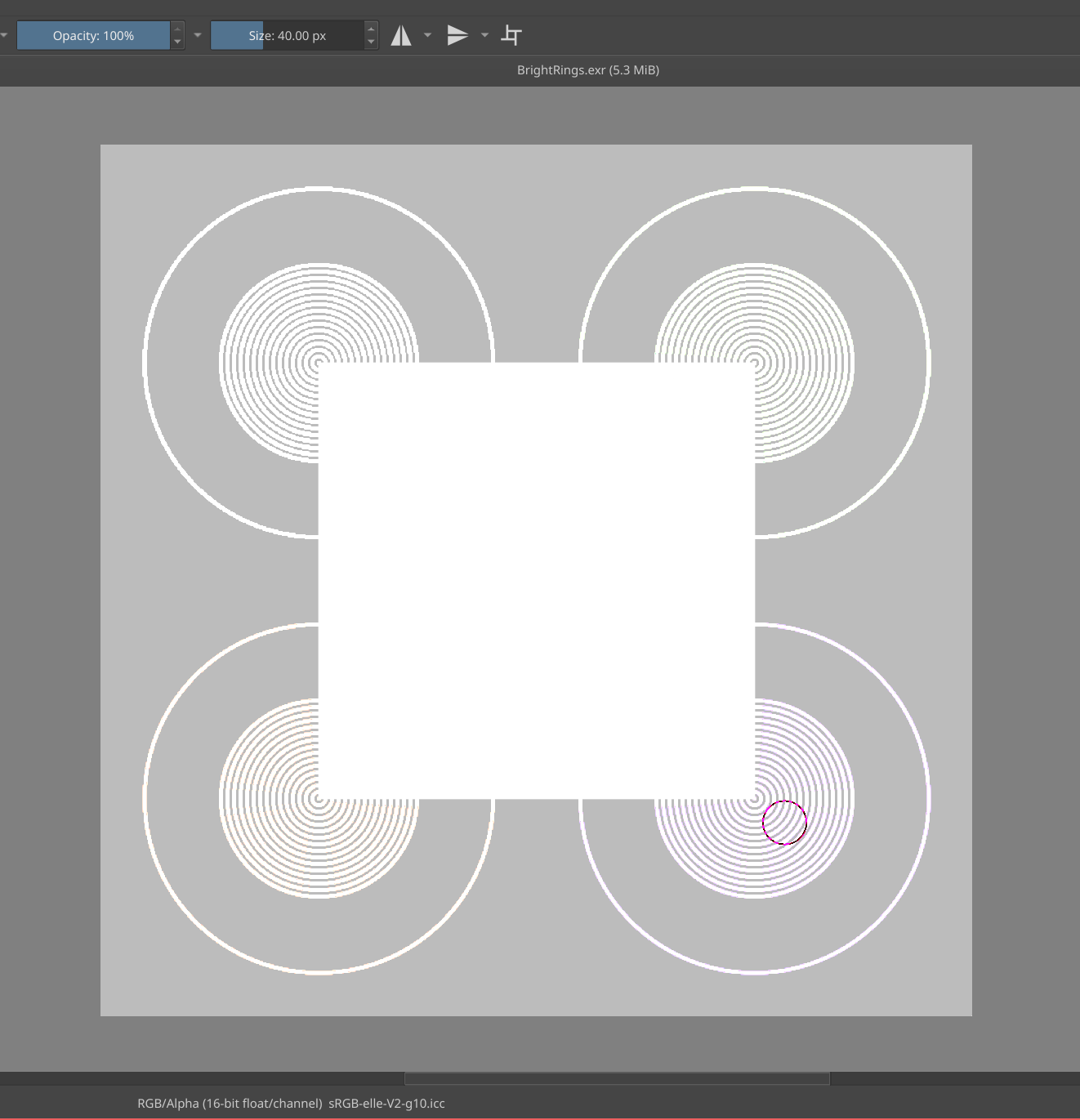
Terminal log
krita.opengl: Requesting configuration for QSurfaceFormat::DefaultRenderableType 2
krita.opengl: Requesting root surface format std::pair(QColorSpace(),8)
krita.opengl: Version selected: 0 std::pair(3,3)
krita.opengl: Probing format 1 2 QSurfaceFormat(version 3.3, options QFlags<QSurfaceFormat::FormatOption>(), depthBufferSize 24, redBufferSize 8, greenBufferSize 8, blueBufferSize 8, alphaBufferSize 8, stencilBufferSize 8, samples -1, swapBehavior QSurfaceFormat::DoubleBuffer, swapInterval 0, colorSpace QColorSpace(), profile  QSurfaceFormat::CompatibilityProfile)
krita.opengl: Probe returned "NVIDIA GeForce RTX 3060 Ti/PCIe/SSE2" "4.6.0 NVIDIA 580.105.08" false
krita.opengl: Already probed: 2
krita.opengl: Result: "NVIDIA GeForce RTX 3060 Ti/PCIe/SSE2" "4.6.0 NVIDIA 580.105.08" true
krita.opengl: Requesting configuration for QSurfaceFormat::OpenGLES 2
krita.opengl: Requesting root surface format std::pair(QColorSpace(),8)
krita.opengl: Version selected: 1 std::pair(3,0)
krita.opengl: Probing 4 from default: QSurfaceFormat(version 3.0, options QFlags<QSurfaceFormat::FormatOption>(), depthBufferSize 24, redBufferSize 8, greenBufferSize 8, blueBufferSize 8, alphaBufferSize 8, stencilBufferSize 8, samples -1, swapBehavior QSurfaceFormat::DoubleBuffer, swapInterval 0, colorSpace QColorSpace(), profile  QSurfaceFormat::NoProfile) 2 4
krita.opengl: Probing format 4 2 QSurfaceFormat(version 3.0, options QFlags<QSurfaceFormat::FormatOption>(), depthBufferSize 24, redBufferSize 8, greenBufferSize 8, blueBufferSize 8, alphaBufferSize 8, stencilBufferSize 8, samples -1, swapBehavior QSurfaceFormat::DoubleBuffer, swapInterval 0, colorSpace QColorSpace(), profile  QSurfaceFormat::NoProfile)
krita.opengl: Probe returned "NVIDIA GeForce RTX 3060 Ti/PCIe/SSE2" "OpenGL ES 3.2 NVIDIA 580.105.08" true
krita.opengl: Result: "NVIDIA GeForce RTX 3060 Ti/PCIe/SSE2" "OpenGL ES 3.2 NVIDIA 580.105.08" true
krita.opengl: Requesting configuration for QSurfaceFormat::OpenGL 0
krita.opengl: Requesting root surface format std::pair(QColorSpace(),8)
krita.opengl: Version selected: 0 std::pair(3,3)
krita.opengl: Requesting configuration for QSurfaceFormat::OpenGL 0
krita.opengl: Requesting root surface format std::pair(QColorSpace(),10)
krita.opengl: Version selected: 0 std::pair(3,3)
krita.opengl: Requesting configuration for QSurfaceFormat::OpenGLES 2
krita.opengl: Requesting root surface format std::pair(QColorSpace(),8)
krita.opengl: Version selected: 1 std::pair(3,0)
krita.opengl: Requesting configuration for QSurfaceFormat::OpenGLES 2
krita.opengl: Requesting root surface format std::pair(QColorSpace(),10)
krita.opengl: Version selected: 1 std::pair(3,0)
krita.opengl: "Supported renderers: QFlags(0x2|0x4) "
krita.opengl: "Surface format preference list: "
krita.opengl: "* QSurfaceFormat(version 3.3, options QFlags<QSurfaceFormat::FormatOption>(), depthBufferSize 24, redBufferSize 10, greenBufferSize 10, blueBufferSize 10, alphaBufferSize 2, stencilBufferSize 8, samples -1, swapBehavior QSurfaceFormat::DoubleBuffer, swapInterval 0, colorSpace QColorSpace(), profile  QSurfaceFormat::CompatibilityProfile) "
krita.opengl: "    2 "
krita.opengl: "* QSurfaceFormat(version 3.3, options QFlags<QSurfaceFormat::FormatOption>(), depthBufferSize 24, redBufferSize 8, greenBufferSize 8, blueBufferSize 8, alphaBufferSize 8, stencilBufferSize 8, samples -1, swapBehavior QSurfaceFormat::DoubleBuffer, swapInterval 0, colorSpace QColorSpace(), profile  QSurfaceFormat::CompatibilityProfile) "
krita.opengl: "    2 "
krita.opengl: "* QSurfaceFormat(version 3.0, options QFlags<QSurfaceFormat::FormatOption>(), depthBufferSize 24, redBufferSize 10, greenBufferSize 10, blueBufferSize 10, alphaBufferSize 2, stencilBufferSize 8, samples -1, swapBehavior QSurfaceFormat::DoubleBuffer, swapInterval 0, colorSpace QColorSpace(), profile  QSurfaceFormat::NoProfile) "
krita.opengl: "    4 "
krita.opengl: "* QSurfaceFormat(version 3.0, options QFlags<QSurfaceFormat::FormatOption>(), depthBufferSize 24, redBufferSize 8, greenBufferSize 8, blueBufferSize 8, alphaBufferSize 8, stencilBufferSize 8, samples -1, swapBehavior QSurfaceFormat::DoubleBuffer, swapInterval 0, colorSpace QColorSpace(), profile  QSurfaceFormat::NoProfile) "
krita.opengl: "    4 "
krita.opengl: "Probing format... QColorSpace() 2 "
krita.opengl: Probing format 2 0 QSurfaceFormat(version 3.3, options QFlags<QSurfaceFormat::FormatOption>(), depthBufferSize 24, redBufferSize 10, greenBufferSize 10, blueBufferSize 10, alphaBufferSize 2, stencilBufferSize 8, samples -1, swapBehavior QSurfaceFormat::DoubleBuffer, swapInterval 0, colorSpace QColorSpace(), profile  QSurfaceFormat::CompatibilityProfile)
krita.opengl: Failed to create an OpenGL context with requested bit depth. Requested: 10 Actual: 8
krita.opengl: "Probing format... QColorSpace() 2 "
krita.opengl: Probing format 2 0 QSurfaceFormat(version 3.3, options QFlags<QSurfaceFormat::FormatOption>(), depthBufferSize 24, redBufferSize 8, greenBufferSize 8, blueBufferSize 8, alphaBufferSize 8, stencilBufferSize 8, samples -1, swapBehavior QSurfaceFormat::DoubleBuffer, swapInterval 0, colorSpace QColorSpace(), profile  QSurfaceFormat::CompatibilityProfile)
krita.opengl: Probe returned "NVIDIA GeForce RTX 3060 Ti/PCIe/SSE2" "4.6.0 NVIDIA 580.105.08" false
krita.opengl: "Found format: QSurfaceFormat(version 3.3, options QFlags<QSurfaceFormat::FormatOption>(), depthBufferSize 24, redBufferSize 8, greenBufferSize 8, blueBufferSize 8, alphaBufferSize 8, stencilBufferSize 8, samples -1, swapBehavior QSurfaceFormat::DoubleBuffer, swapInterval 0, colorSpace QColorSpace(), profile  QSurfaceFormat::CompatibilityProfile) "
krita.opengl: "    2 "
krita.opengl: Probing format 2 0 QSurfaceFormat(version 3.3, options QFlags<QSurfaceFormat::FormatOption>(), depthBufferSize 24, redBufferSize 8, greenBufferSize 8, blueBufferSize 8, alphaBufferSize 8, stencilBufferSize 8, samples -1, swapBehavior QSurfaceFormat::DoubleBuffer, swapInterval 0, colorSpace QColorSpace(), profile  QSurfaceFormat::CompatibilityProfile)
krita.opengl: Probe returned "NVIDIA GeForce RTX 3060 Ti/PCIe/SSE2" "4.6.0 NVIDIA 580.105.08" false
krita.opengl: OpenGL Info

  Qt Platform Name:  "xcb"
  Vendor:  "NVIDIA Corporation"
  Renderer:  "NVIDIA GeForce RTX 3060 Ti/PCIe/SSE2"
  Driver version:  "4.6.0 NVIDIA 580.105.08"
  Shading language:  "4.60 NVIDIA"
  Requested format:  QSurfaceFormat(version 3.3, options QFlags<QSurfaceFormat::FormatOption>(), depthBufferSize 24, redBufferSize 8, greenBufferSize 8, blueBufferSize 8, alphaBufferSize 8, stencilBufferSize 8, samples -1, swapBehavior QSurfaceFormat::DoubleBuffer, swapInterval 0, colorSpace QColorSpace(), profile  QSurfaceFormat::CompatibilityProfile)
  Current format:  QSurfaceFormat(version 4.6, options QFlags<QSurfaceFormat::FormatOption>(), depthBufferSize 24, redBufferSize 8, greenBufferSize 8, blueBufferSize 8, alphaBufferSize 8, stencilBufferSize 8, samples -1, swapBehavior QSurfaceFormat::DoubleBuffer, swapInterval 0, colorSpace QColorSpace(), profile  QSurfaceFormat::CompatibilityProfile)
  GL version: 4.6
  Supports deprecated functions false
  Is OpenGL ES: false
  supportsBufferMapping: true
  supportsBufferInvalidation: true
  forceDisableTextureBuffers: false
  Extensions:
     GL_S3_s3tc
     GL_ARB_texture_env_dot3
     GL_EXT_blend_minmax
     GL_KHR_context_flush_control
     GL_ARB_texture_env_add
     GL_ARB_clip_control
     GL_ARB_texture_env_combine
     GL_ARB_texture_query_levels
     GL_ARB_draw_elements_base_vertex
     GL_NV_point_sprite
     GL_NV_multisample_filter_hint
     GL_ARB_fragment_layer_viewport
     GL_NV_gpu_program5
     GL_EXT_framebuffer_multisample
     GL_ARB_multi_bind
     GL_ARB_cull_distance
     GL_ARB_fragment_program_shadow
     GL_NV_framebuffer_mixed_samples
     GL_NV_vertex_attrib_integer_64bit
     GL_ARB_sync
     GL_EXT_texture_compression_s3tc
     GL_ARB_texture_rectangle
     GL_KHR_no_error
     GL_NV_shader_atomic_float64
     GL_ARB_fragment_shader
     GL_EXT_texture_sRGB
     GL_EXT_geometry_shader4
     GL_NVX_progress_fence
     GL_ARB_compute_variable_group_size
     GL_NV_memory_object_sparse
     GL_EXT_vertex_array_bgra
     GL_EXT_texture_object
     GL_KHR_blend_equation_advanced
     GL_NV_uniform_buffer_std430_layout
     GL_EXT_blend_color
     GL_NV_shader_buffer_load
     GL_NV_draw_texture
     GL_NV_texture_rectangle
     GL_NV_fragment_coverage_to_color
     GL_KHR_shader_subgroup
     GL_NV_fragment_shader_barycentric
     GL_ARB_gpu_shader_fp64
     GL_ARB_sample_locations
     GL_ARB_shader_ballot
     GL_ARB_shader_image_size
     GL_ARB_sparse_texture_clamp
     GL_ARB_point_parameters
     GL_NV_internalformat_sample_query
     GL_NV_stereo_view_rendering
     GL_NV_conservative_raster_dilate
     GL_ARB_texture_rg
     GL_ARB_sampler_objects
     GL_ARB_texture_buffer_range
     GL_EXT_rescale_normal
     GL_EXT_compiled_vertex_array
     GL_ARB_transform_feedback_instanced
     GL_EXT_direct_state_access
     GL_EXTX_framebuffer_mixed_formats
     GL_NV_compute_program5
     GL_ARB_post_depth_coverage
     GL_EXT_texture_shadow_lod
     GL_ARB_framebuffer_no_attachments
     GL_ARB_gpu_shader_int64
     GL_NV_sample_mask_override_coverage
     GL_NV_half_float
     GL_SGIX_depth_texture
     GL_ARB_transpose_matrix
     GL_KHR_robust_buffer_access_behavior
     GL_NV_conservative_raster_pre_snap_triangles
     GL_NV_shader_subgroup_partitioned
     GL_ARB_get_program_binary
     GL_ARB_texture_float
     GL_NV_blend_square
     GL_EXT_texture_lod_bias
     GL_ARB_texture_barrier
     GL_NV_gpu_program_multiview
     GL_NV_uniform_buffer_unified_memory
     GL_NV_texture_dirty_tile_map
     GL_EXT_transform_feedback2
     GL_NV_copy_depth_to_color
     GL_ARB_map_buffer_alignment
     GL_ARB_texture_mirrored_repeat
     GL_ARB_texture_buffer_object_rgb32
     GL_ARB_shader_storage_buffer_object
     GL_ARB_shader_subroutine
     GL_EXT_bindable_uniform
     GL_EXT_post_depth_coverage
     GL_EXT_timer_query
     GL_NV_robustness_video_memory_purge
     GL_NV_copy_image
     GL_NVX_gpu_memory_info
     GL_EXT_draw_range_elements
     GL_ARB_pipeline_statistics_query
     GL_ARB_robust_buffer_access_behavior
     GL_EXT_import_sync_object
     GL_NV_register_combiners2
     GL_EXT_shader_integer_mix
     GL_NV_vdpau_interop
     GL_ARB_stencil_texturing
     GL_EXT_fog_coord
     GL_NV_primitive_restart
     GL_ARB_sparse_buffer
     GL_ARB_sparse_texture
     GL_NV_representative_fragment_test
     GL_EXT_window_rectangles
     GL_KHR_robustness
     GL_ARB_compute_shader
     GL_ARB_texture_filter_anisotropic
     GL_ARB_multisample
     GL_ARB_direct_state_access
     GL_NV_multisample_coverage
     GL_NV_ES1_1_compatibility
     GL_EXT_gpu_program_parameters
     GL_EXT_packed_depth_stencil
     GL_NV_bindless_multi_draw_indirect
     GL_ARB_vertex_array_bgra
     GL_NV_shader_texture_footprint
     GL_EXT_texture_sRGB_decode
     GL_NV_blend_equation_advanced_coherent
     GL_NV_framebuffer_multisample_coverage
     GL_ARB_enhanced_layouts
     GL_EXT_texture_compression_rgtc
     GL_ARB_transform_feedback2
     GL_ARB_shader_clock
     GL_EXT_shader_image_load_formatted
     GL_NV_fill_rectangle
     GL_EXT_provoking_vertex
     GL_EXT_separate_shader_objects
     GL_NV_sample_locations
     GL_ARB_conditional_render_inverted
     GL_NV_conditional_render
     GL_ARB_seamless_cubemap_per_texture
     GL_ARB_internalformat_query2
     GL_ARB_viewport_array
     GL_ARB_shader_texture_lod
     GL_ARB_texture_filter_minmax
     GL_EXT_texture_sRGB_R8
     GL_NV_query_resource
     GL_SGIX_shadow
     GL_NV_alpha_to_coverage_dither_control
     GL_EXT_texture_mirror_clamp
     GL_ARB_occlusion_query2
     GL_EXT_texture_compression_dxt1
     GL_ARB_get_texture_sub_image
     GL_OVR_multiview
     GL_EXT_blend_func_separate
     GL_EXT_framebuffer_object
     GL_EXT_secondary_color
     GL_NV_shader_atomic_counters
     GL_ARB_copy_buffer
     GL_NV_gpu_multicast
     GL_ARB_shading_language_packing
     GL_ARB_arrays_of_arrays
     GL_ARB_fragment_coord_conventions
     GL_EXT_draw_buffers2
     GL_EXT_stencil_two_side
     GL_ARB_explicit_attrib_location
     GL_EXT_memory_object
     GL_ARB_explicit_uniform_location
     GL_ARB_separate_shader_objects
     GL_ATI_draw_buffers
     GL_NV_viewport_array2
     GL_ARB_point_sprite
     GL_EXT_polygon_offset_clamp
     GL_EXT_memory_object_fd
     GL_ARB_framebuffer_object
     GL_ARB_color_buffer_float
     GL_ARB_base_instance
     GL_ARB_internalformat_query
     GL_EXT_blend_subtract
     GL_ARB_ES3_2_compatibility
     GL_ARB_texture_mirror_clamp_to_edge
     GL_ARB_vertex_type_10f_11f_11f_rev
     GL_NV_fragment_program
     GL_NV_vertex_program1_1
     GL_ARB_map_buffer_range
     GL_NV_conservative_raster_pre_snap
     GL_NV_packed_depth_stencil
     GL_NV_parameter_buffer_object2
     GL_NV_scissor_exclusive
     GL_ARB_texture_multisample
     GL_ARB_texture_query_lod
     GL_ARB_vertex_type_2_10_10_10_rev
     GL_ARB_half_float_pixel
     GL_ARB_texture_non_power_of_two
     GL_ARB_shader_atomic_counters
     GL_EXT_abgr
     GL_NV_ES3_1_compatibility
     GL_NV_fragment_program_option
     GL_NV_feature_query
     GL_ARB_vertex_attrib_binding
     GL_ARB_compressed_texture_pixel_storage
     GL_ARB_shader_image_load_store
     GL_NV_texture_shader
     GL_NV_vdpau_interop2
     GL_EXT_texture_cube_map
     GL_NV_bindless_texture
     GL_NV_geometry_shader_passthrough
     GL_NV_gpu_program5_mem_extended
     GL_ARB_texture_gather
     GL_NV_compute_shader_derivatives
     GL_SGIS_generate_mipmap
     GL_NV_shading_rate_image
     GL_NV_pixel_data_range
     GL_NV_blend_equation_advanced
     GL_NV_occlusion_query
     GL_EXT_x11_sync_object
     GL_NV_explicit_multisample
     GL_ARB_texture_storage_multisample
     GL_ARB_program_interface_query
     GL_EXT_stencil_wrap
     GL_ARB_conservative_depth
     GL_NV_texture_shader3
     GL_ARB_texture_compression_rgtc
     GL_NV_transform_feedback2
     GL_ARB_tessellation_shader
     GL_NV_vertex_array_range2
     GL_ARB_texture_view
     GL_ARB_bindless_texture
     GL_ARB_texture_storage
     GL_NV_shader_thread_shuffle
     GL_EXT_semaphore_fd
     GL_ARB_parallel_shader_compile
     GL_EXT_texture_integer
     GL_ARB_shader_draw_parameters
     GL_NV_depth_clamp
     GL_ARB_shader_texture_image_samples
     GL_NV_vertex_program3
     GL_ARB_ES3_1_compatibility
     GL_AMD_vertex_shader_viewport_index
     GL_ARB_ES2_compatibility
     GL_NV_fragment_program2
     GL_EXT_texture_buffer_object
     GL_NV_register_combiners
     GL_ARB_half_float_vertex
     GL_AMD_seamless_cubemap_per_texture
     GL_ARB_texture_rgb10_a2ui
     GL_NV_shader_atomic_int64
     GL_ARB_texture_buffer_object
     GL_EXT_texture_env_add
     GL_EXT_texture_env_combine
     GL_KHR_blend_equation_advanced_coherent
     GL_NVX_conditional_render
     GL_NV_fragment_shader_interlock
     GL_ARB_shader_bit_encoding
     GL_ARB_shader_group_vote
     GL_EXT_draw_instanced
     GL_ATI_texture_mirror_once
     GL_NV_depth_buffer_float
     GL_EXT_texture_env_dot3
     GL_NV_texture_barrier
     GL_ARB_depth_buffer_float
     GL_NV_conservative_raster_underestimation
     GL_ARB_gpu_shader5
     GL_ARB_draw_buffers_blend
     GL_ARB_imaging
     GL_ARB_multi_draw_indirect
     GL_NV_memory_attachment
     GL_EXT_pixel_buffer_object
     GL_ARB_multitexture
     GL_NV_command_list
     GL_NV_path_rendering_shared_edge
     GL_ARB_spirv_extensions
     GL_ARB_vertex_buffer_object
     GL_NV_timeline_semaphore
     GL_NV_fence
     GL_ARB_provoking_vertex
     GL_EXT_sparse_texture2
     GL_ARB_shading_language_100
     GL_EXT_multi_draw_arrays
     GL_NV_light_max_exponent
     GL_SGIS_texture_lod
     GL_ARB_texture_cube_map
     GL_EXT_bgra
     GL_EXT_Cg_shader
     GL_EXT_texture_shared_exponent
     GL_ARB_shading_language_include
     GL_IBM_texture_mirrored_repeat
     GL_NVX_nvenc_interop
     GL_ARB_clear_texture
     GL_ARB_geometry_shader4
     GL_EXT_texture_storage
     GL_NV_conservative_raster
     GL_NV_gpu_program_fp64
     GL_EXT_packed_float
     GL_ARB_shader_objects
     GL_ARB_compatibility
     GL_ARB_texture_border_clamp
     GL_ARB_pixel_buffer_object
     GL_ARB_seamless_cube_map
     GL_ARB_vertex_attrib_64bit
     GL_ARB_debug_output
     GL_ARB_derivative_control
     GL_ARB_shading_language_420pack
     GL_NV_shader_storage_buffer_object
     GL_NV_vertex_buffer_unified_memory
     GL_AMD_multi_draw_indirect
     GL_NV_path_rendering
     GL_NV_texture_env_combine4
     GL_AMD_vertex_shader_layer
     GL_EXT_vertex_attrib_64bit
     GL_NV_float_buffer
     GL_ARB_shadow
     GL_EXT_texture_compression_latc
     GL_NV_gpu_program4_1
     GL_SUN_slice_accum
     GL_ARB_invalidate_subdata
     GL_EXT_raster_multisample
     GL_EXT_texture3D
     GL_EXT_multiview_timer_query
     GL_ARB_query_buffer_object
     GL_ARB_instanced_arrays
     GL_ARB_timer_query
     GL_ARB_clear_buffer_object
     GL_NV_transform_feedback
     GL_ARB_shader_precision
     GL_NV_shader_thread_group
     GL_ARB_vertex_array_object
     GL_ARB_indirect_parameters
     GL_EXT_separate_specular_color
     GL_EXT_vertex_array
     GL_ARB_occlusion_query
     GL_NV_vertex_program2_option
     GL_EXT_framebuffer_sRGB
     GL_KHR_parallel_shader_compile
     GL_ARB_draw_buffers
     GL_ARB_sparse_texture2
     GL_ARB_texture_compression
     GL_ATI_texture_float
     GL_ARB_vertex_shader
     GL_ARB_vertex_program
     GL_KTX_buffer_region
     GL_NV_primitive_shading_rate
     GL_NV_vertex_array_range
     GL_NV_query_resource_tag
     GL_NV_parameter_buffer_object
     GL_ARB_depth_clamp
     GL_NV_texture_multisample
     GL_EXT_shadow_funcs
     GL_ARB_transform_feedback3
     GL_NV_geometry_shader4
     GL_EXT_texture_array
     GL_NV_gpu_shader5
     GL_EXT_texture_lod
     GL_EXT_blend_equation_separate
     GL_EXT_depth_bounds_test
     GL_NV_gpu_program4
     GL_NV_texture_rectangle_compressed
     GL_ARB_framebuffer_sRGB
     GL_ARB_window_pos
     GL_ARB_robustness
     GL_ARB_texture_stencil8
     GL_ARB_gl_spirv
     GL_EXT_texture_filter_minmax
     GL_EXT_semaphore
     GL_ARB_texture_swizzle
     GL_EXT_packed_pixels
     GL_KHR_debug
     GL_ARB_shader_atomic_counter_ops
     GL_ARB_texture_cube_map_array
     GL_EXT_framebuffer_multisample_blit_scaled
     GL_NV_texture_compression_vtc
     GL_NV_fog_distance
     GL_NV_vertex_program
     GL_NV_mesh_shader
     GL_NV_texgen_reflection
     GL_ARB_texture_env_crossbar
     GL_NV_shader_atomic_float
     GL_NV_blend_minmax_factor
     GL_EXT_texture_swizzle
     GL_NV_texture_shader2
     GL_IBM_rasterpos_clip
     GL_ARB_fragment_program
     GL_ARB_copy_image
     GL_EXT_framebuffer_blit
     GL_ARB_ES3_compatibility
     GL_ARB_draw_instanced
     GL_ARB_draw_indirect
     GL_ARB_texture_compression_bptc
     GL_ARB_transform_feedback_overflow_query
     GL_NV_clip_space_w_scaling
     GL_EXT_point_parameters
     GL_ARB_blend_func_extended
     GL_NV_shader_atomic_fp16_vector
     GL_NV_viewport_swizzle
     GL_ARB_sample_shading
     GL_NV_draw_vulkan_image
     GL_ARB_shader_viewport_layer_array
     GL_ARB_depth_texture
     GL_ARB_buffer_storage
     GL_EXT_gpu_shader4
     GL_ARB_polygon_offset_clamp
     GL_ARB_uniform_buffer_object
     GL_NV_bindless_multi_draw_indirect_count
     GL_EXT_texture_filter_anisotropic
     GL_EXT_multiview_texture_multisample
     GL_EXT_texture_edge_clamp
     GL_OVR_multiview2
     GL_ARB_fragment_shader_interlock
     GL_NVX_blend_equation_advanced_multi_draw_buffers
     GL_EXT_shader_image_load_store
     GL_NV_vertex_program2

QPA OpenGL Detection Info
  supportsDesktopGL: true
  supportsOpenGLES: true
  isQtPreferOpenGLES: false
  Detected renderers:
    (Supported) NVIDIA GeForce RTX 3060 Ti/PCIe/SSE2 (4.6.0 NVIDIA 580.105.08)
    (Supported) NVIDIA GeForce RTX 3060 Ti/PCIe/SSE2 (OpenGL ES 3.2 NVIDIA 580.105.08)
INFO: prefill qrhi surface: 0
NOT COOL: Duplicated action name from xml data:  "object_order_raise"

---

KoColor debug runtime checks are active.
Could not find platform independent libraries <prefix>
Could not find platform dependent libraries <exec_prefix>
Consider setting $PYTHONHOME to <prefix>[:<exec_prefix>]
/tmp/.mount_krita-PBFnFk/usr/lib/krita-python-libs/krita added to PYTHONPATH
qrc:/TextAlign.qml:269:9: QML GroupButton: Binding loop detected for property "icon.color":
qrc:/TextAlign.qml:275:13
qrc:/TextAlign.qml:252:13: QML GroupButton: Binding loop detected for property "icon.color":
qrc:/TextAlign.qml:260:17
qrc:/TextAlign.qml:238:13: QML GroupButton: Binding loop detected for property "icon.color":
qrc:/TextAlign.qml:245:17
qrc:/TextAlign.qml:225:13: QML GroupButton: Binding loop detected for property "icon.color":
qrc:/TextAlign.qml:233:17
qrc:/TextAlign.qml:269:9: QML GroupButton: Binding loop detected for property "icon.color":
qrc:/TextAlign.qml:275:13
qrc:/TextAlign.qml:252:13: QML GroupButton: Binding loop detected for property "icon.color":
qrc:/TextAlign.qml:260:17
qrc:/TextAlign.qml:238:13: QML GroupButton: Binding loop detected for property "icon.color":
qrc:/TextAlign.qml:245:17
qrc:/TextAlign.qml:225:13: QML GroupButton: Binding loop detected for property "icon.color":
qrc:/TextAlign.qml:233:17
qrc:/TextIndent.qml:102:9: QML RowLayout: Binding loop detected for property "height"
qrc:/TextIndent.qml:102:9: QML RowLayout: Binding loop detected for property "height"
FPS-DEBUG: Frame compression mode: two frames (default)
krita.general: WARNING: Uncategorized action "krita_filter_edge detection" Dropping...
krita.general: WARNING: Uncategorized action "krita_filter_fastcoloroverlay" Dropping...
krita.general: WARNING: Uncategorized action "krita_filter_resettransparent" Dropping...
krita.general: WARNING: Uncategorized action "composite_actions" Dropping...
krita.general: WARNING: Uncategorized action "paintops" Dropping...
krita.general: WARNING: Uncategorized action "dockerBox" Dropping...
krita.general: WARNING: Uncategorized action "interpolation_constant" Dropping...
krita.general: WARNING: Uncategorized action "interpolation_linear" Dropping...
krita.general: WARNING: Uncategorized action "interpolation_bezier" Dropping...
krita.general: WARNING: Uncategorized action "tangents_sharp" Dropping...
krita.general: WARNING: Uncategorized action "tangents_smooth" Dropping...
krita.general: WARNING: Uncategorized action "zoom_to_fit_range" Dropping...
krita.general: WARNING: Uncategorized action "zoom_to_fit_curve" Dropping...
krita.general: WARNING: Uncategorized action "expanding_spacer_0" Dropping...
krita.general: WARNING: Uncategorized action "expanding_spacer_1" Dropping...
krita.general: WARNING: Uncategorized action "python_scripter" Dropping...
krita.general: WARNING: Uncategorized action "color_space" Dropping...
krita.general: WARNING: Uncategorized action "document_tools" Dropping...
krita.general: WARNING: Uncategorized action "export_layers" Dropping...
krita.general: WARNING: Uncategorized action "filter_manager" Dropping...
krita.general: WARNING: Uncategorized action "ten_scripts" Dropping...
krita.general: WARNING: Uncategorized action "editToolBar" Dropping...
krita.general: WARNING: Uncategorized action "customToolBar1" Dropping...
krita.general: WARNING: Uncategorized action "customToolBar2" Dropping...
krita.general: WARNING: The following shortcuts are not registered in the collection, they might have wrong shortcuts in the end:
krita.general: "svg_font"
krita.general: "update_composition"
krita.general: "show_minimal_shade_selector"
krita.general: "show_color_history"
krita.general: "krita_filter_right edge detections"
krita.general: "show_tool_options"
krita.general: "svg_background_color"
krita.general: "options_configure_keybinding"
krita.general: "svg_line_height"
krita.general: "krita_filter_sobel"
krita.general: "krita_filter_top edge detections"
krita.general: "krita_filter_left edge detections"
krita.general: "show_mypaint_shade_selector"
krita.general: "svg_sample_color"
krita.general: "svg_format_textcolor"
krita.general: "svg_settings"
krita.general: "rename_composition"
krita.general: "svg_font_size"
krita.general: "show_color_selector"
krita.general: "histogram"
krita.general: "krita_filter_bottom edge detections"
krita.general: "select_layout"
krita.general: "show_common_colors"
krita.general: "help_report_bug"
krita.general: "crashlog"
krita.general: "logcatdump"
krita.general: "create_bundle"
krita.general: "delete_keyframe"
krita.general: === end ===
Entering "DisplaySettingsTab::DisplaySettingsTab()" supportedRenderers = QFlags(0x2|0x4) QFlags(0x2|0x4)
Failed to fetch display info: "current platform doesn't support fetching display information"