[needs testing] Fix blendmodes in Float16 and Float32 color spaces

Hi, all!

I’ve spent the last two weeks rewriting and fixing the blendmodes so that they would work correctly in Float16 and Float32 spaces. Before this patch, converting the image with non-trivial blendmodes (or layer styles) into F16/F32 color space could cause color artifacts (some pixels could randomly become extremely bright or completely black). That happened because of the unlimited nature of floating-point color spaces, so the color values could sometimes become negative or NaN or infinity. Now most of our blendmodes handle these corner cases correctly, so blending in an SDR image in F16/F32 color space should look exactly the same as in Integer8 or Integer16 color spaces.

Since this patch changes core parts of Krita, could you help me with testing the fixed (and new) modes?

What needs to be tested:

  1. Check if changed blendmodes behave “in expected way” when used in SDR image in F16/F32 format:

    1. open any complicated Integer8 or Integer16 image (with complicated belndmodes)
    2. convert this image into Float16/Float32 space
    3. the image should look exactly the same as before without any dark or bright
      pixels appearing
  2. Check if the layers styles using blendmodes behave sane in Float32 images (e.g. Color Overlay and Texture Overlay)

  3. Check if blendmodes work “in expected way” when used over the HDR image. They shouldn’t generate visible artifacts at least, and, ideally, they should do something useful :slight_smile:

  4. There are four new(!) HDR-specific blendmodes. I wonder if they are actually needed?

    1. The list of new modes:
      • Color Dodge HDR
      • Vivid Light HDR
      • Hard Mix HDR
      • Hard Overlay HDR
    2. Check how they behave when used on SDR and HDR images
    3. Does the result look useful, should be keep them?

The general idea of the patch that most of our blendmodes are now SDR-preserving. That is, when applied to SDR image, they keep the image within SDR range. It should guarantee that SDR image can be processed in F16/F32 space and it will look exactly the same as if it was processed in Integer16 color space.

At the same time, many of the blendmodes (while preserving SDR values) can also handle HDR values in an “expected way”.

Changed blendmodes:

These three modes should now work as expected with both HDR and SDR values. HDR values should not be clamped, just scaled as the blendmode name suggests.

  1. Color Burn
  2. Linear Burn
  3. Pin Light

The following four new modes can make your image brighter that 1.0 (i.e. HDR):

  1. Color Dodge HDR
  2. Vivid Light HDR
  3. Hard Mix HDR
  4. Hard Overlay HDR

Do we actually need these special HDR modes?

The following four modes should clamp the value by 1.0 (i.e. keep SDR), which basically forces them to behave exactly as the corresponding modes in Integer16 color space.

  1. Color Dodge
  2. Vivid Light
  3. Hard Mix
  4. Hard Overlay

These blend modes were changed in the patch and should just behave “sane” in both SDR and HDR modes:

  1. Inverse Substract
  2. Exclusion
  3. Hard Light (aka Overlay)
  4. Soft Light (Photoshop)
  5. Soft Light (SVG)
  6. Parallel, Equivalence, GrainMerge, GrainExtract, Hard Mix Photoshop, Hard Mix Photoshop Softer – just clamp everything to SDR space, process and clamp to SDR again

There are a few changes in other rarely used blendmodes, but I don’t think they are supposed to be used on HDR images.

Windows package: krita-x64-5.3.0-prealpha-97e1d205.zip — Яндекс Диск
Linux package: krita-5.3.0-prealpha-97e1d2059e-x86_64.AppImage — Яндекс Диск

Merge request with some technical details: Draft: Refactor our blendmodes to properly support HDR modes (!2294) · Merge requests · Graphics / Krita · GitLab
The full list of changed blendmodes grouped by their categories: Blendmode Categories ($3288) · Snippets · GitLab
5 Likes

Hi Dmitry, I only had a bit of time to do testing, but I believe I saw some unexpected behavior compared to 5.2.6 Krita. I didn’t look at the unit tests in the MR (wanted to go in blind), and created this image to do testing with:

Bottom Layer:

Top Layer:

And then I converted the color space and changed the top layer’s blending mode to Addition with 100% opacity and pressed the down arrow to quickly go through all possible modes.

In some of the modes I noticed artifacts that don’t seem to be present in the release version. Perhaps the new version is the correct one (in some cases?), but please take a look yourself.

These are the screenshots with Float16 space:

Divide
(see the top-left corners of each color row)

Gamma Dark

Flat Light

Gamma Light

Arcus Tangent

Dissolve - Significantly slower than anything else. The UI is freezing after the mode is selected, or when layer opacity is changed. Painting brush strokes is working normally.
In Krita 5.2.6 there is no freezing, it’s working smoothly.

I didn’t have a real HDR image at hand, but I looked at the new HDR modes and they indeed produce values >1.0.

2 Likes

I hope I’m not asking for too much, but now that you’re working on blending modes. Any chances of disabling BINARY modes for anything other than positive integer color spaces? I didn’t know how to do that, and I had to add a warning into the documentation that it’s not suppose to work on non-supported color spaces.

Any chances of disabling BINARY modes for anything other than positive integer color spaces?

I can do that, it is not difficult :slight_smile:

1 Like

I tried:
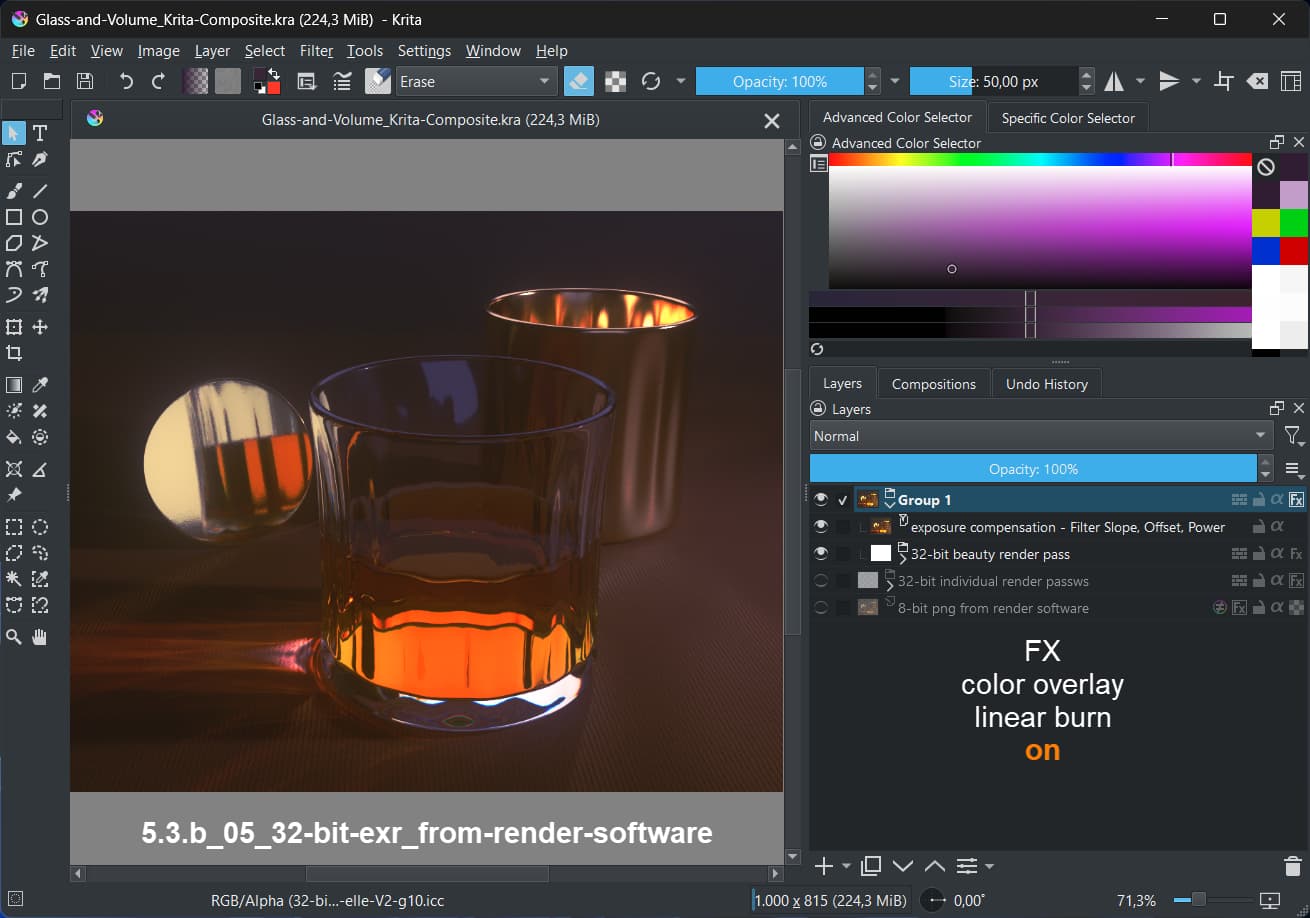
Layer Style (fx) with Color Overlay and Linear Burn.
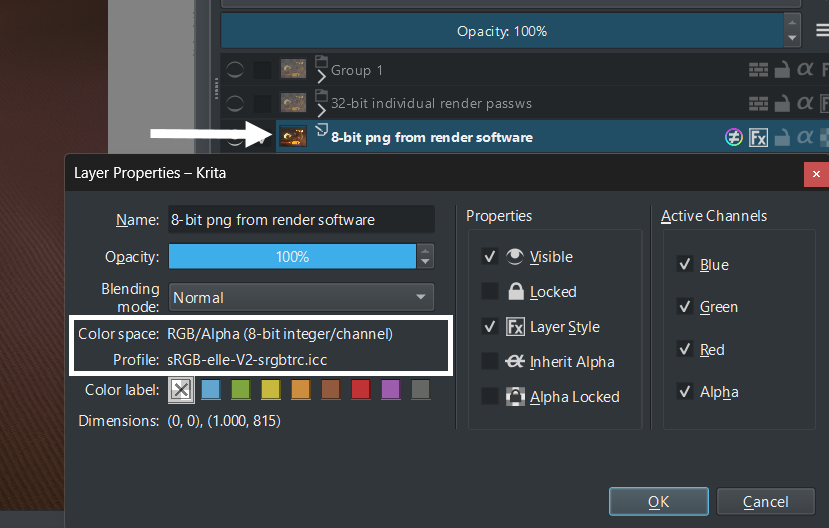
For that I used an 8-bit png and a 32-bit exr made with a render software.
Test done in 5.2.6 and the above linked 5.3.

A:
The 8-bit png
fx off

5.2.6:

The image looks the same in 5.3, so I skip that screenshot.

B:
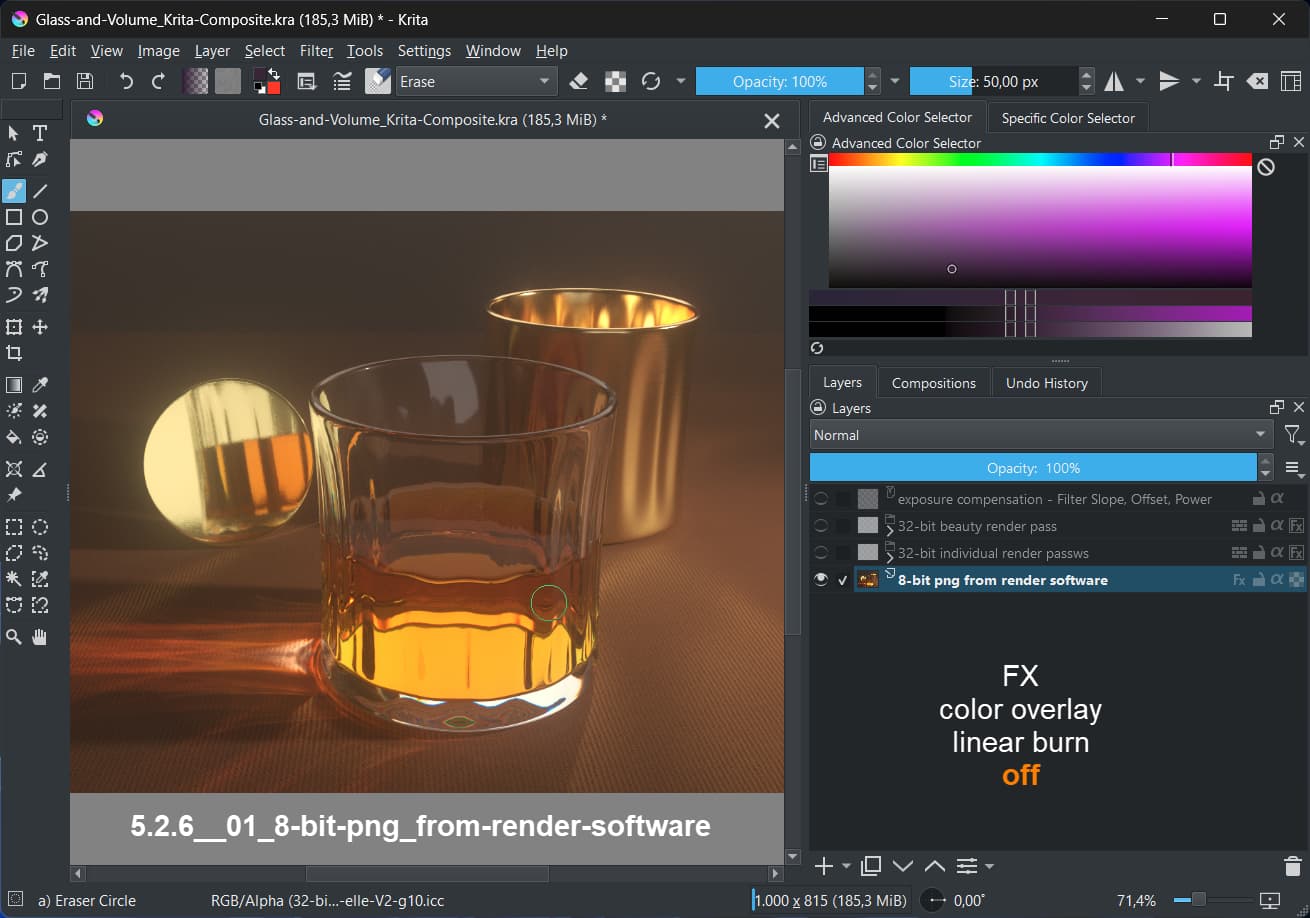
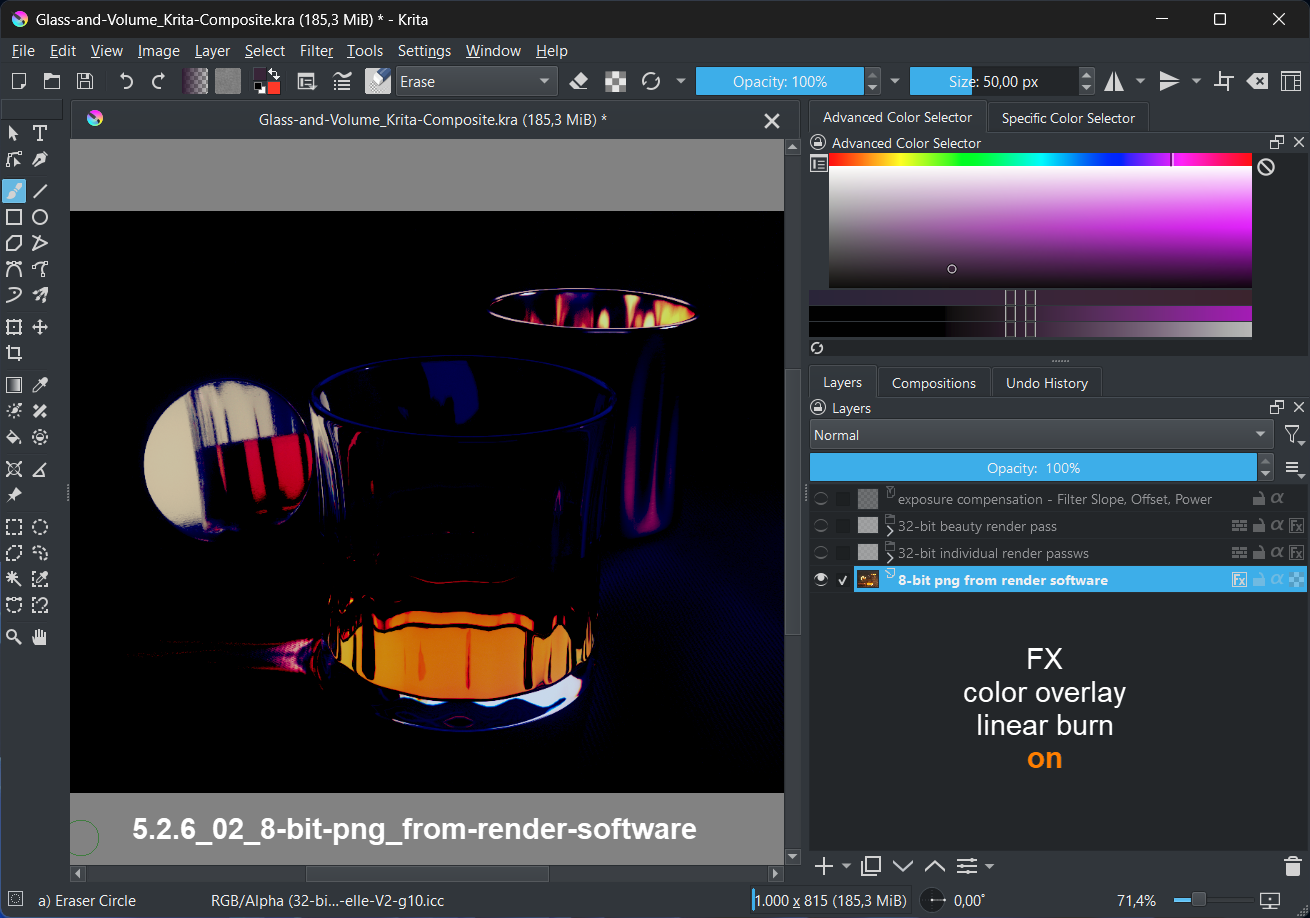
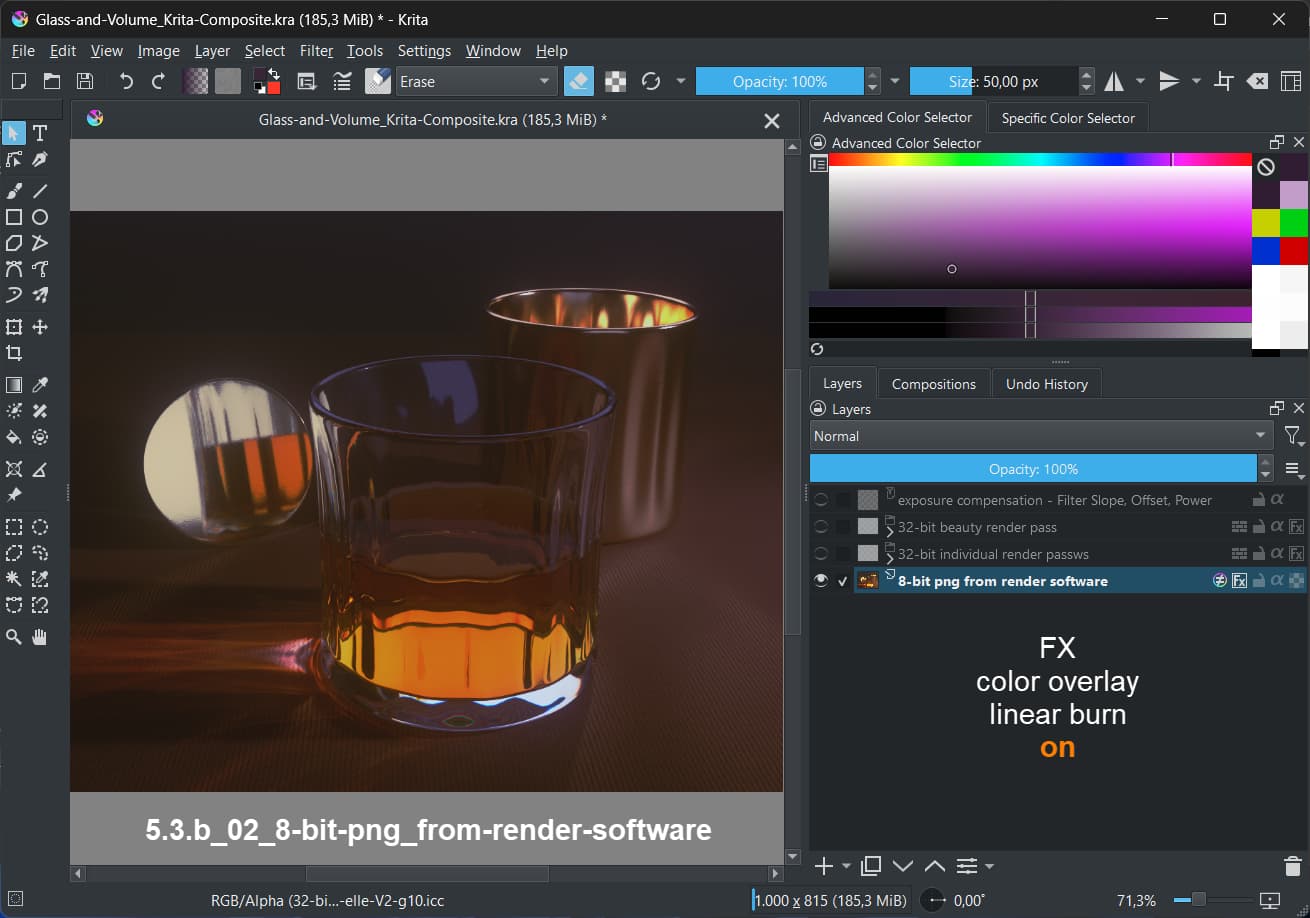
The 8-bit png
fx on

5.2.6:

5.3

There is a difference in how the Color Overlay with Linear Burn works in both versions.

C:
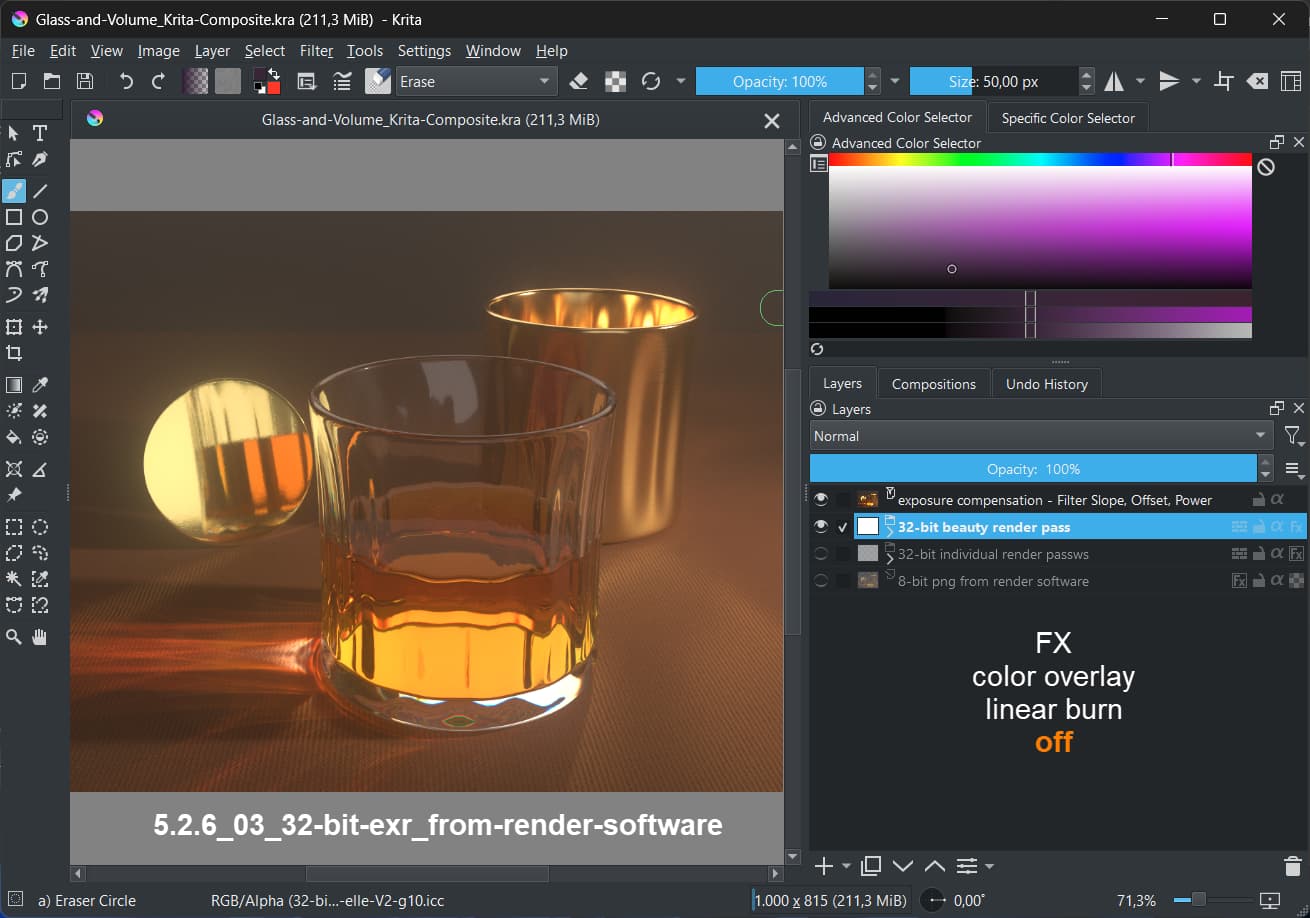
The 32-bit exr
fx off

Note:
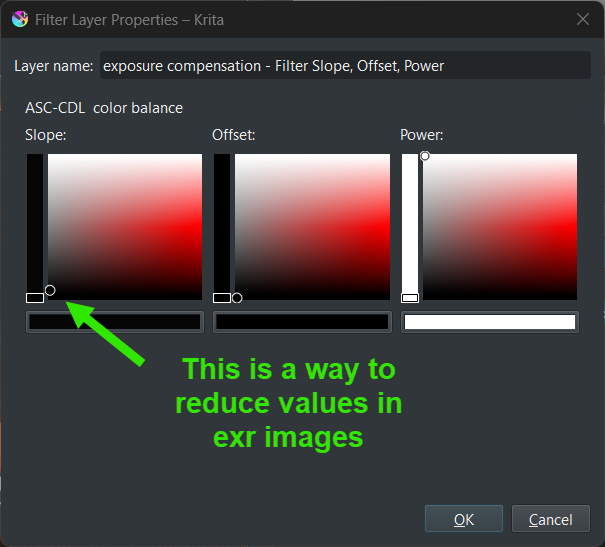
The exr has high color values. I used a slope adjustment to compensate for this. Without the slope the image would be displayed as pure white.

5.2.6

The image looks the same in 5.3, so I skip that screenshot.

D:
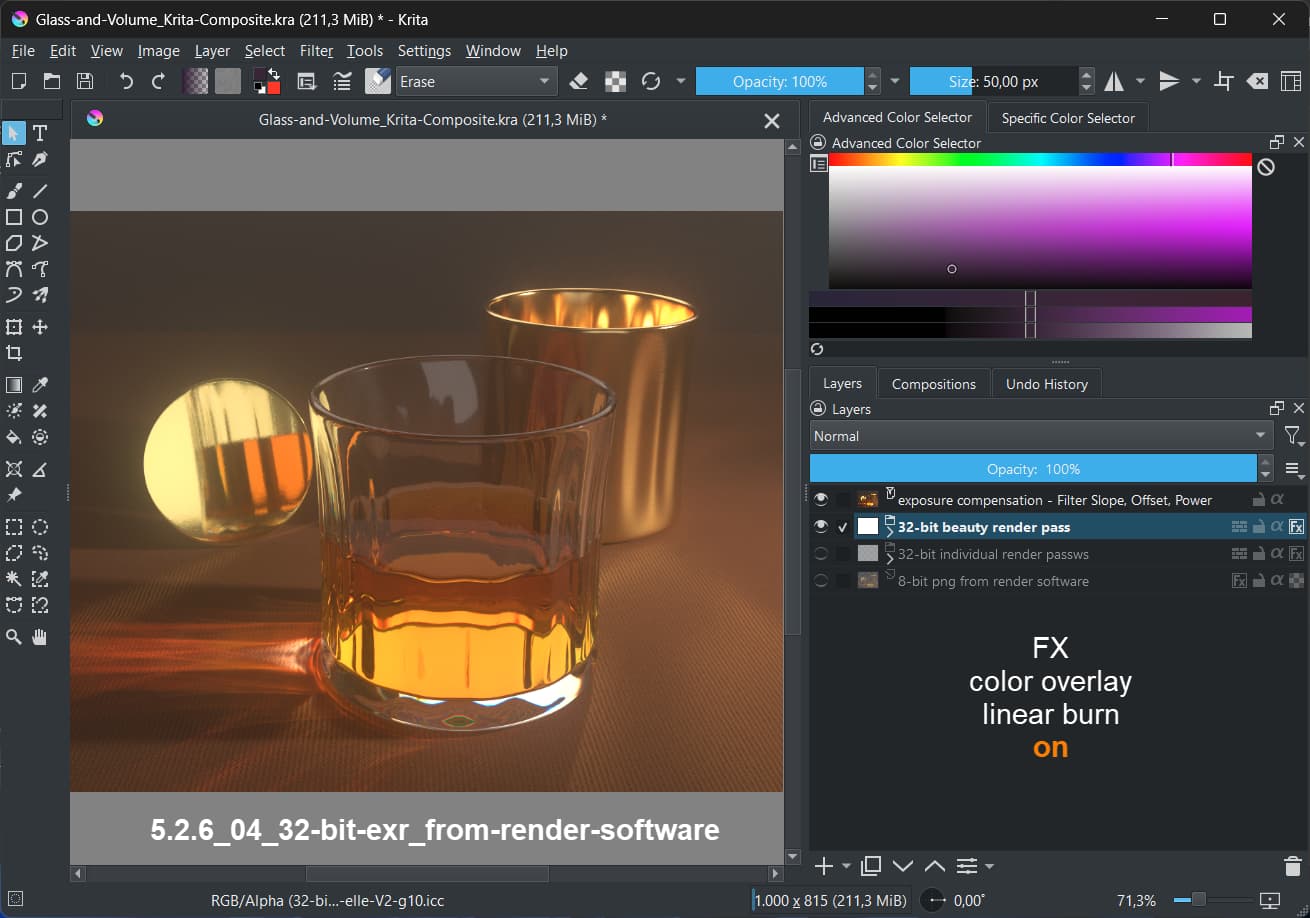
The 32-bit exr
fx on

5.2.6

The image looks the same in 5.3, so I skip that screenshot.

Note: The slope filter is at the top of the layer stack. That means, the exr layer with the fx is still having the high values. As you can see, fx does not have an effect in this case. This is true for 5.2.6 and 5.3

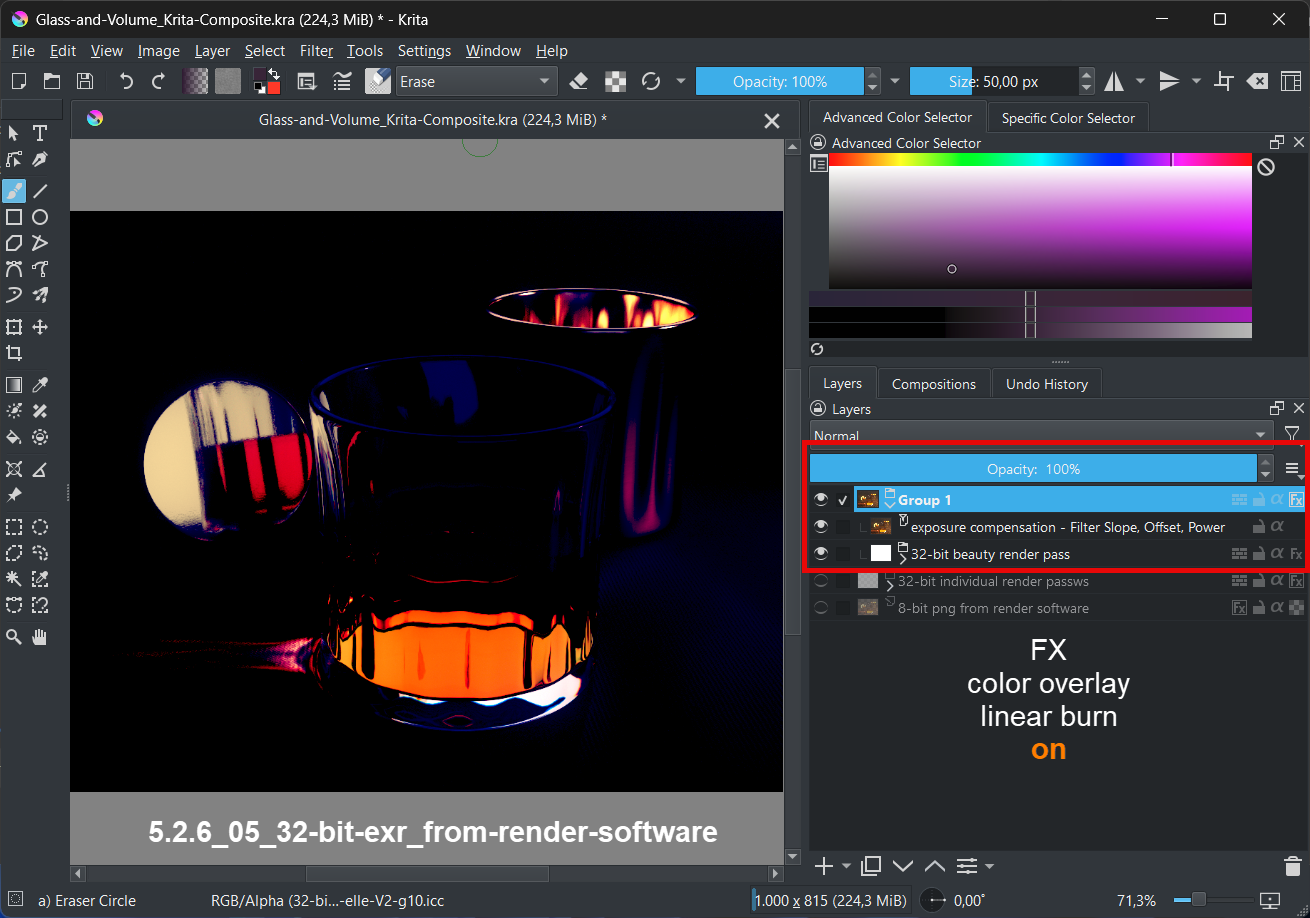
E:
The 32-bit exr
fx on

Note: This time I put the 32-bit exr into a group and did the slope in that group. The fx is then applied to the group and not the exr itself. That means the fx is applied to a 32-bit layer with already reduced color values.

5.2.6:

5.3:

There is a difference in how the Color Overlay with Linear Burn works in both versions.

Questions:
Is it intended that the used fx has no effect if 32-bit exr images have high color values?
Which result of the used fx is considered the right one? I personally prefer the result of 5.3.

Testfiles:
I used File Layers for the test. You need the Krita file and the exr files from the zip.

3 Likes

Hi, @cgidesign!

Firstly, thank you very much for such extensive testing and nice test files. I spent quite a bit of time to evaluate the results. Here are my thoughts:

The problem is that your parent image is 32-bit-float, not 8-bit. It means that the layer styles are calculated in 32-bit float in both the cases. And rendering of “linear burn” in 32-bit-float is broken in older versions (it generates negative values). That, is the difference is actually what have been fixed in the patch :slight_smile:

To properly check the 8-bit mode you should convert the whole image into 8-bit. As far as I can tell, after convertion to 8-bit the result is exactly the same in the two versions.

Is it intended that the used fx has no effect if 32-bit exr images have high color values?

This exact blendmode just sums the two input colors and subtracts constant value 1.0. So, yes, it doesn’t much matter if the destination has high value. The new version has a fix that does not let the result to become lower than 0.0.

Which result of the used fx is considered the right one? I personally prefer the result of 5.3.

I’m sure in this particular case the “new” version is “right”, because it doesn’t let the color values become negative.

Hi, @YRH!

Thank you very much for your testing images and the idea on how to test. The issues seem to be related to the way how I avoid instability in new blendmodes, so, yes, they are regression bugs. I should think on how to fix them though :slight_smile:

@dkazakov thanks for having a look into this (and fixing the blend modes).

One more question:
Yes, the document is in 32-bit
but the layer is set to 8-bit and the fx is assigned to this layer:

Shouldn’t the fx be processed in 8-bit in this case?

(it’s a question just out of curiosity as normally I would not mix different bit depths in one document).

Yes, the document is in 32-bit but the layer is set to 8-bit and the fx is assigned to this layer:
Shouldn’t the fx be processed in 8-bit in this case?

No, only filter masks are applied in the color space of the layer. All effects are applied in the image space (technically, parent layer’s space). That is just how layer styles work. They are blended into the background, not into the layer itself.

UPD:
Theoretically, you can put a layer into a group and convert the whole group layer into a different color space. But I’m not totally sure it is fully supported (it seems to work from the first glance, but noone ever tested this usecase):slight_smile:

Just a small update: these packages have the Overlay mode fixed:

2 Likes

@dkazakov should we retest what YRH tested or wait till a - so to say - final alpha version comes out?

And another question: Are the changes you made also included in the Krita-Next prealpha builds?
https://cdn.kde.org/ci-builds/graphics/krita/master/windows/

Hi, @cgidesign!

I’m sorry for keeping silence for so long. I’m still working on fixing the issues reported by @YRH, they are really tricky ones and require a lot of work and refactoring.

I have already fixed the reported artifacts for the blendmodes listed in this list. Now I’m trying to also fix the HSL/HSV modes. It will take at least several days of work (and I will be almost afk till 8th of January, since the kindergarten is closed here till then :slight_smile: ). So I expect the next testing build to be available around 11th of January (just before the orthodox new year :slight_smile: ).

And another question: Are the changes you made also included in the Krita-Next prealpha builds?

No, the changes are not included into Krita Next. They are present in the merge request only, since they change the behavior of the blendmodes a little bit.

Do you need a build of Krita with my new fixes of non-HSL/HSV/HSI modes? Will you be able to play with it before the 11th of Jabuary? I can make intermediate builds if needed (they also change the behavior of some blendmodes, even in U8 and U16 modes I’m afraid).

I know this is about fixes, but back when I did blending modes, I did took a stab on LAB/LCH mode and failed, and I think these are better in some way due to their perception factor. So, instead of trying to fix up HSL and so on, new LAB/LCH or even JChHz(Is that the right one?) blending modes that works on RGB/XYZ/LAB might be a better move?

I did took a stab on LAB/LCH mode and failed

Well, the HSV modes are avaliable for RGB color spaces only. Its about “Hue”, “Saturation”, “Value” and the like blendmodes.

Hi @dkazakov,
no need to make intermediate builds for testing. I was just asking out of curiosity. I looked into the list you linked - seems to be alot of work :slight_smile:
I’ll check this thread from time to time.
Have a nice new year.

Hi, @cgidesign, @YRH and @Reptorian!

I have finally finished cleaning-up the issues you pointed out. Here are the new builds:

What fixes are present in this patchset:

  1. I have fixed the “color discontinuities” in F16 color spaces reported by @YRH. There were also some discontinuities/artifacts in U16 and F32 spaces, I took the liberty to fix them as well.

  2. I have rewritten all the HSL/HSV/HSY/HSI blendmodes (e.g. Color, Saturation, Lightness, Increase Saturation/Lightness). They had multiple issues:

    1. They behaved incorrectly in floating-point blendmodes (could easily exceed the SDR range)

    2. They had some serious artifacts in cases when the lightness (also value or brightness) of the source and destination channels was shooting a little above or below the SDR range. There was an incorrect formula that could invert the color instead of making it white or black.

      Testcase:

      1. Use “increase lightness” over RGB(0.8, 0.9, 1.0) + RGB(0.1,0.1,0.1)
      2. Under some combination of values you could get the values like RGB(1.2, 1.1, 1.0) or even RGB(1.0, 0.9, 0.8)
    3. Now all HS(x)-based blendmodes do crop their input values to the SDR range before doing any processing and make sure that the result never exceeds the SDR-range.

UPD:

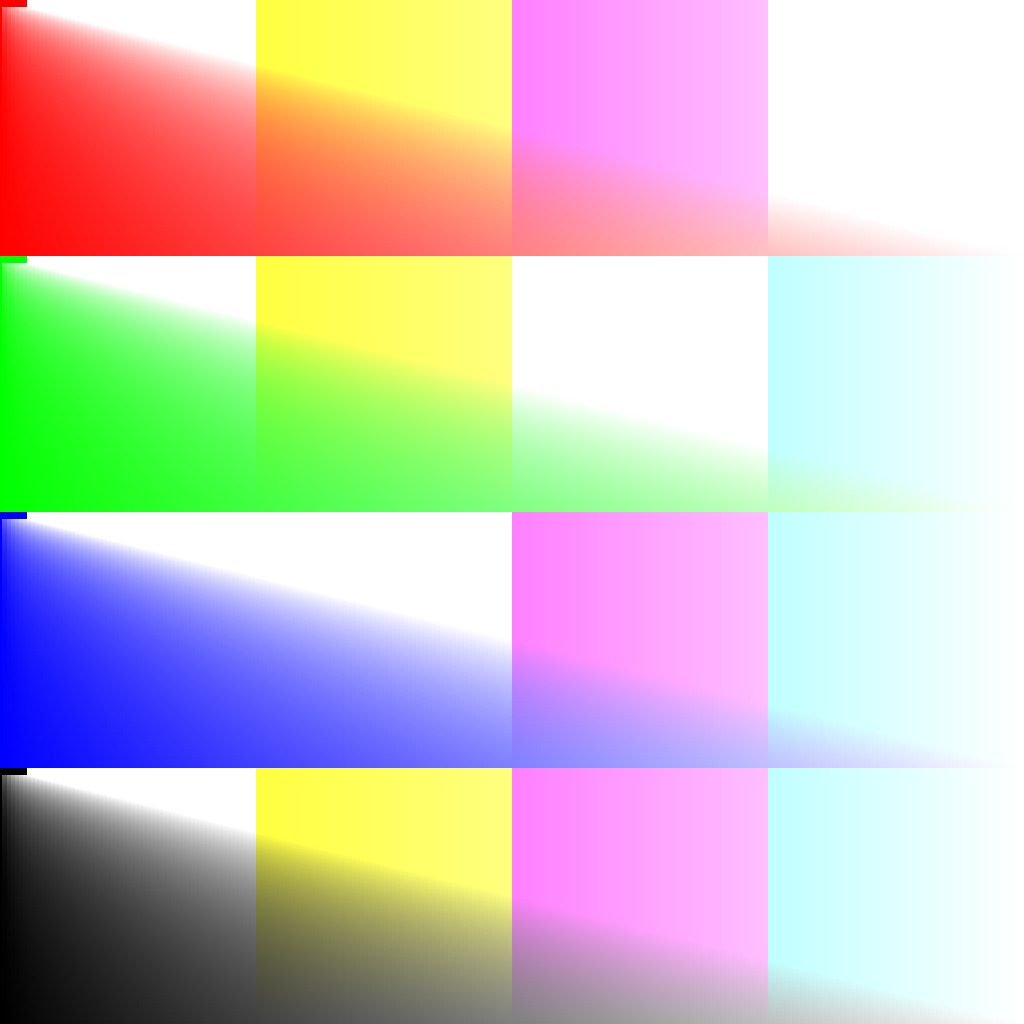
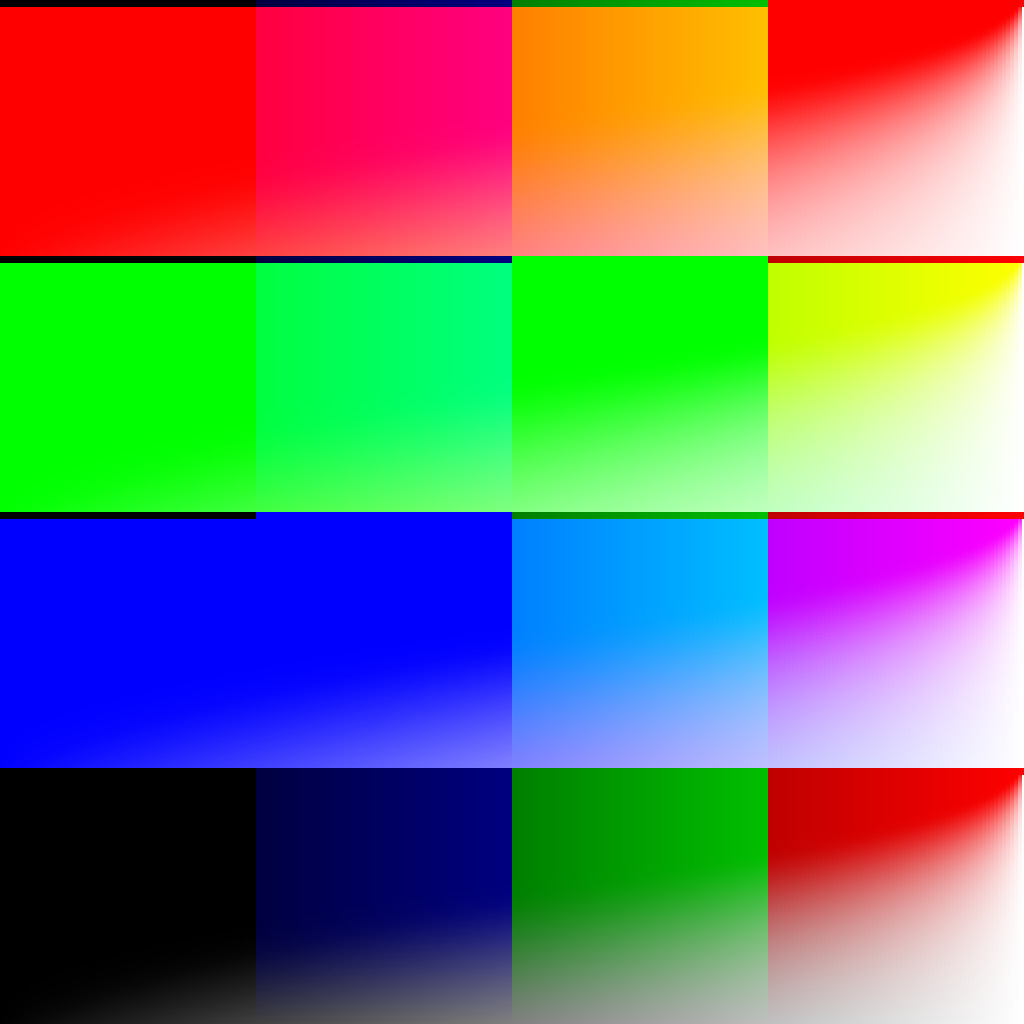
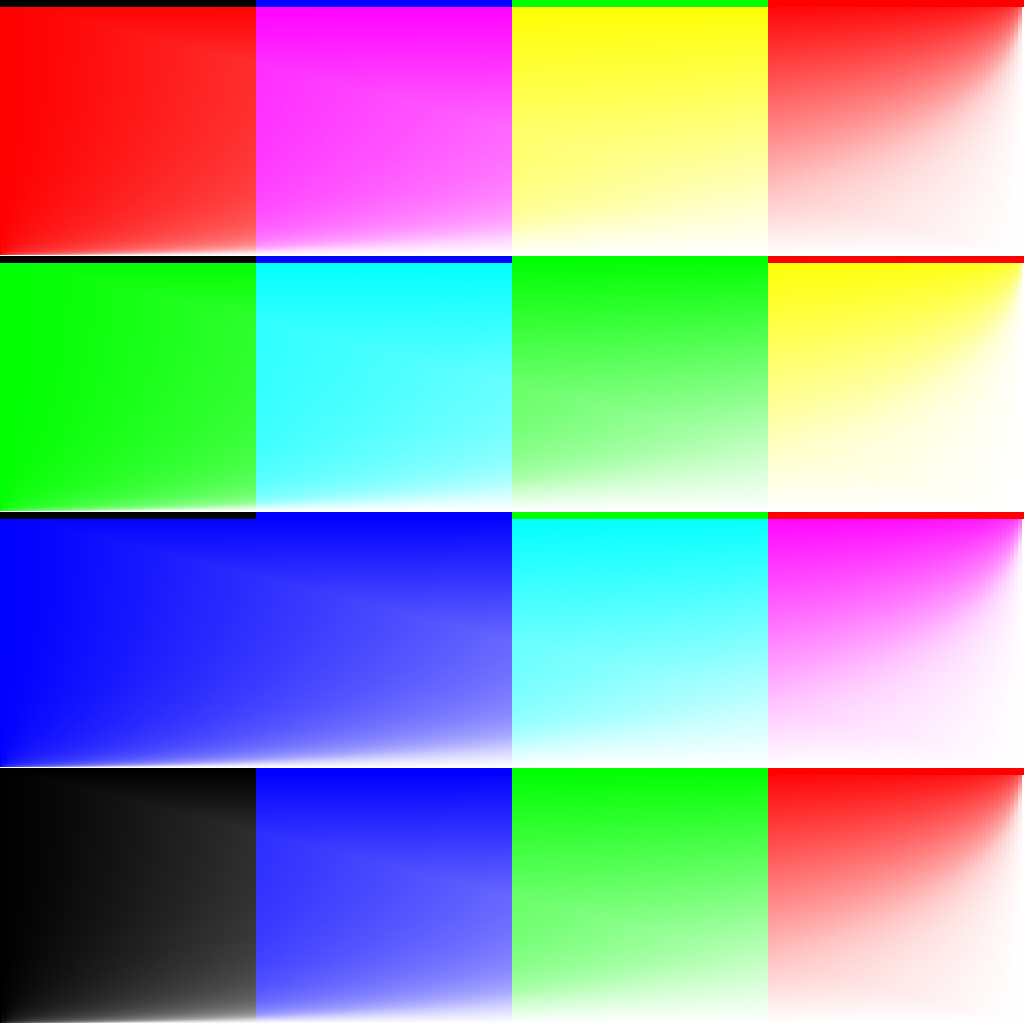
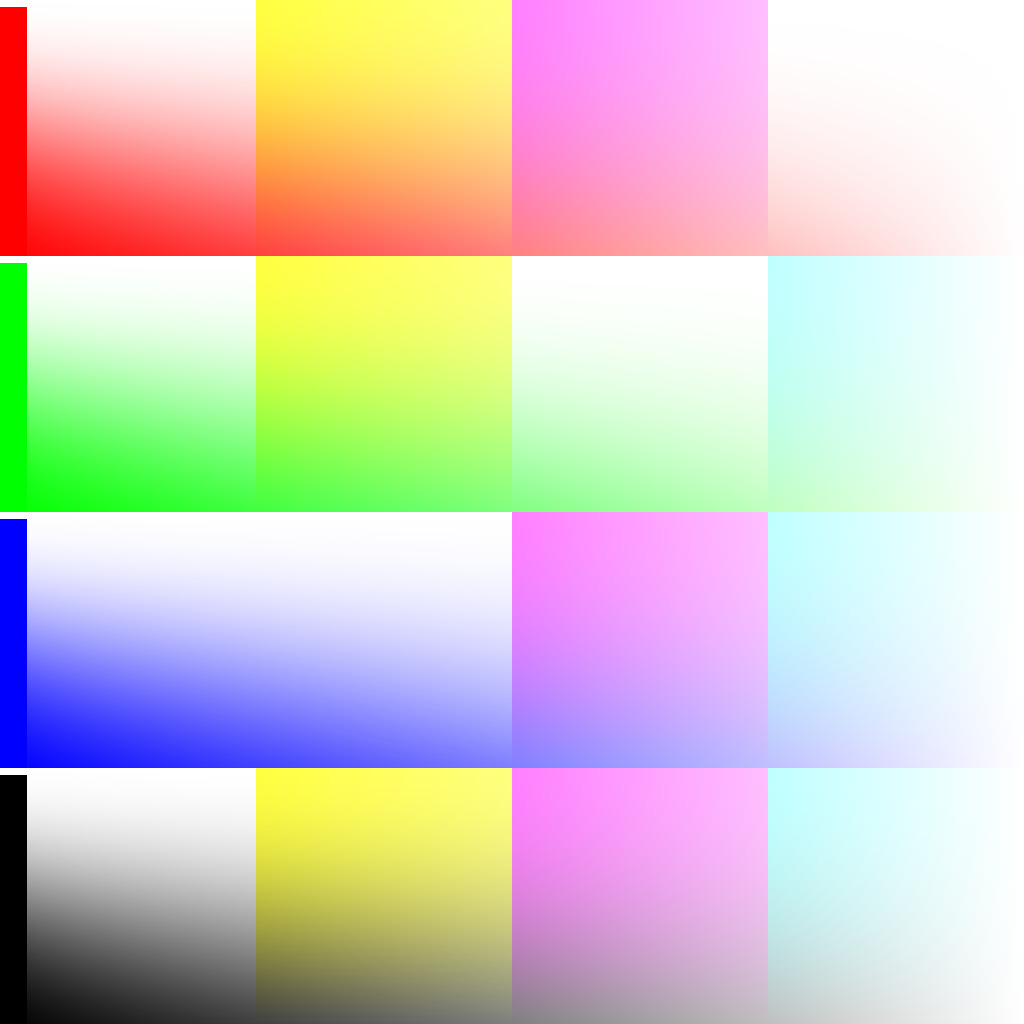
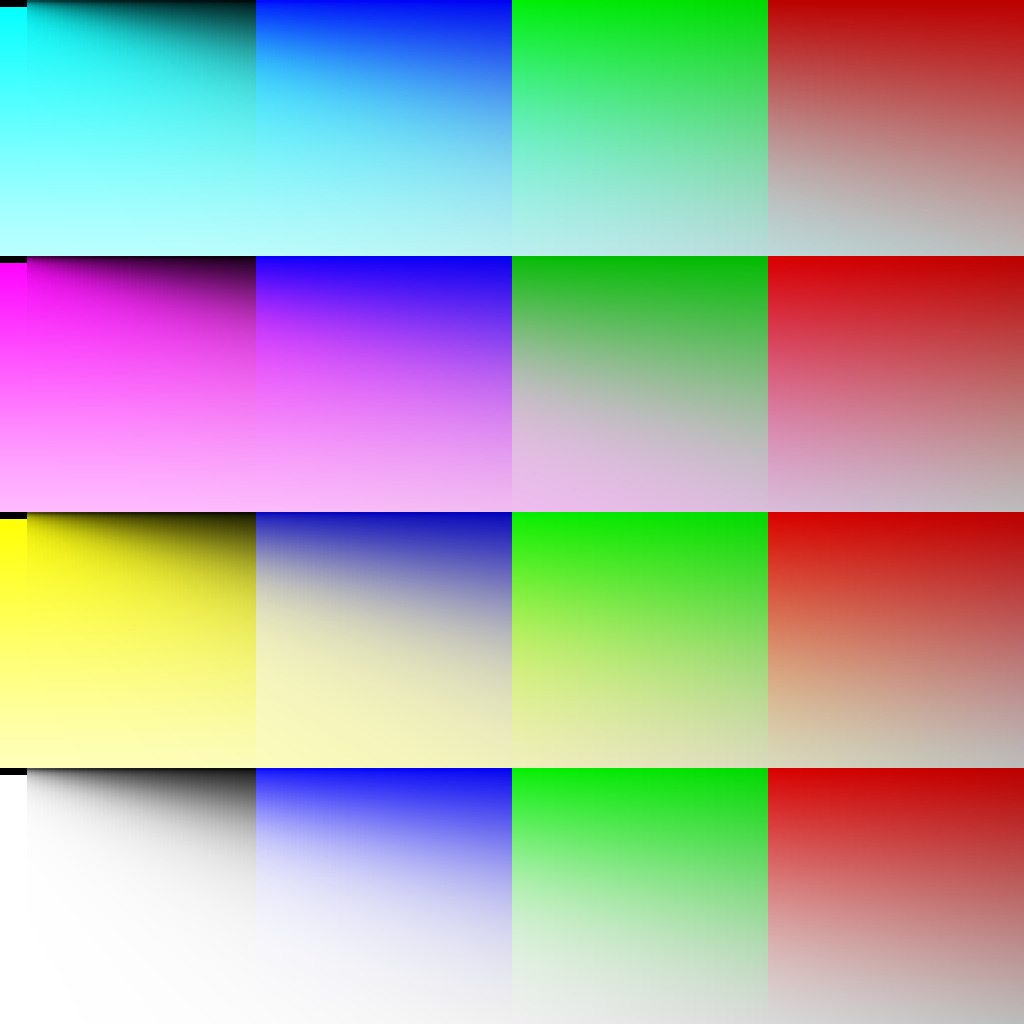
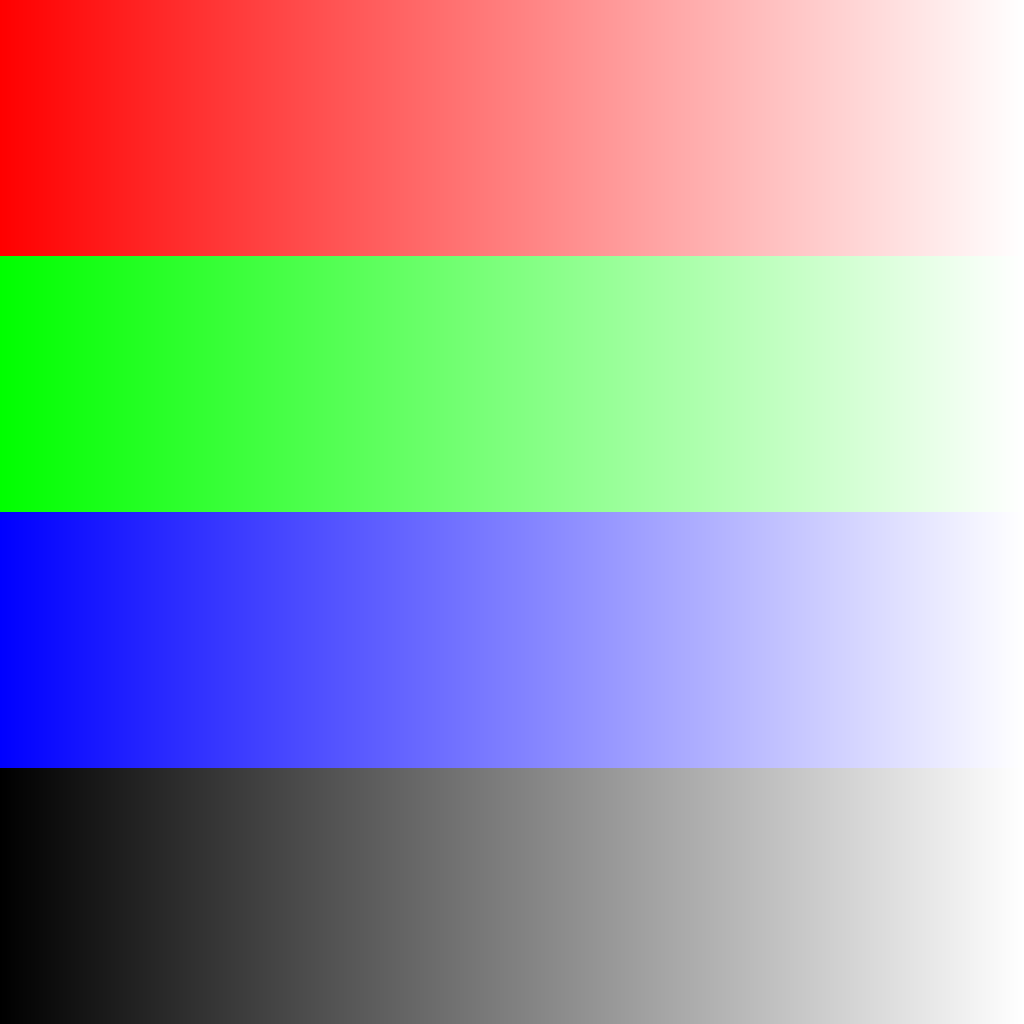
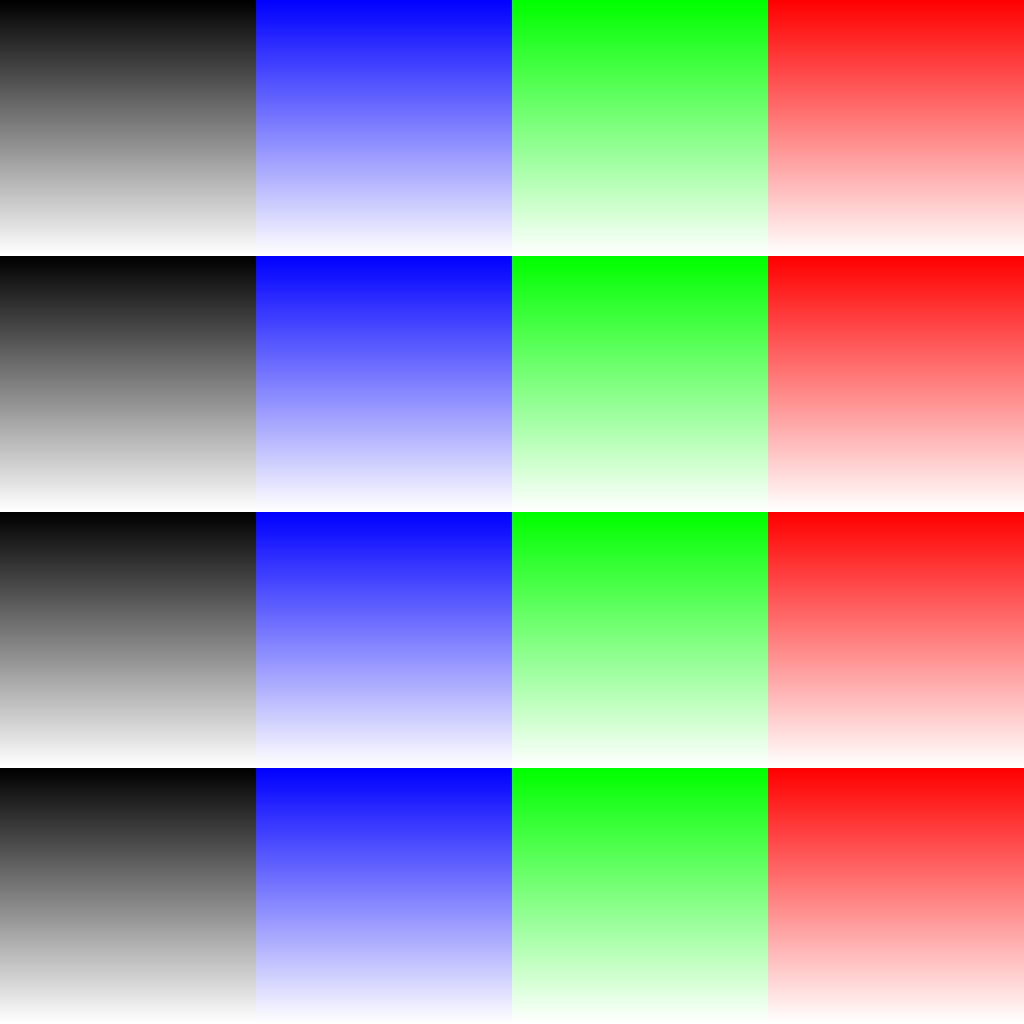
Btw, I have also managed to somewhat automate the contiguity test that @YRH did. I generated a (huge) set of PNG files with gradients, showing how the blednmodes behave on extremal values Here is the archive with generated test sheets.

Every gradient is marked by the text like this:

s: r2w (x)
d: w2a (y)

This text means that over the X axis the source pixel is varied from “red” to “white”, and over the Y axis the destination pixel is varied from “white” to “alpha” (transparent).

The files contain all possible variations between “red”, “blue”, “white”, “black” and “alpha” (transparent).

Every file has two variations: “nor” and “flip”. They differ by resolution of X and Y axes (basically source and destination pixels). It was necessary to catch issues in F16 blendmodes, where the size of artifacts may be smaller that 1/256th.

Looking at the test sheets it seems like we still have some issues in blendmodes related to “Hue” and “Saturation”. They have discontinuities at all neutral points. Theoretically, they could also be fixed, but since it is not a regression I decided to keep it as it is. Do you think this issue is critical enough?

1 Like

Hi, that’s impressive work! What I did was really simple and didn’t cover everything, so these new test sheets are much better. It would be ideal if they are easy to reuse in the future, e.g. when someone needs to touch the blend modes again. Maybe even validated automatically, heh, but I guess it’s not that easy, outside of maybe gold image comparison.

I think you already spent a lot of time and effort on this. Unless any of it can be fixed quickly, I would log the issues as TODOs and move on. There’s probably other more impactful stuff to work on and if you work on this then something else will have to wait, right.

By “discontinuities” do you mean these 1-pixel black or white lines at the edges of the gradients?

It would be ideal if they are easy to reuse in the future, e.g. when someone needs to touch the blend modes again

There is a unittest executable that can generate these images. Though the process of generation is extremely slow (about 15-20 mins, because the code is not optimized)

Maybe even validated automatically

It might be a good idea to make them somewhat automated, though it would require a lot of debugging and fiddling time (because of the rounding errors). It will also require the generation process to be optimized. I guess we could call it a junior-job and ask someone to implement this comparison. The project would be something like:

  1. Optimize PNG file generation
  2. Implement a test that compares these files (we do already have routines to verify PNGs)

By “discontinuities” do you mean these 1-pixel black or white lines at the edges of the gradients?

Yes, they usually appear at points 0.0, 0.5 and 1.0, because of discontinuities in the mathematical formulas. We have to catch all these discontinuities manually, when implementing a formula in the code.

Matematically it means: CodeCogsEqn

I.e. the color may have “saturation” and “hue” near the neutral point (0.0,0.0,0.0), but will not have any of that exactly in this point. And all such cases should be handled in a clever way.

I used the linked version and think it works for me. But I was not able to test every combination.

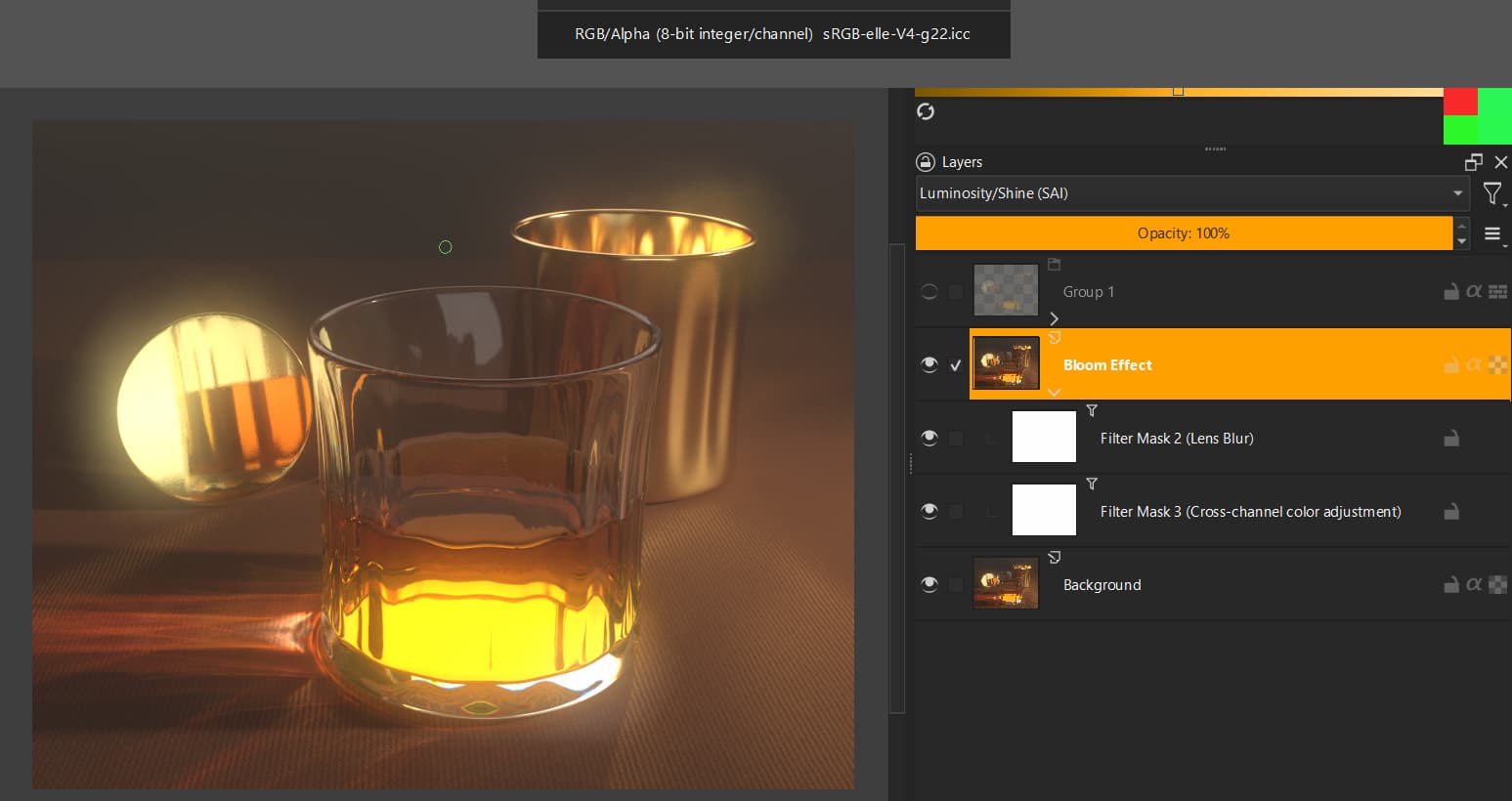
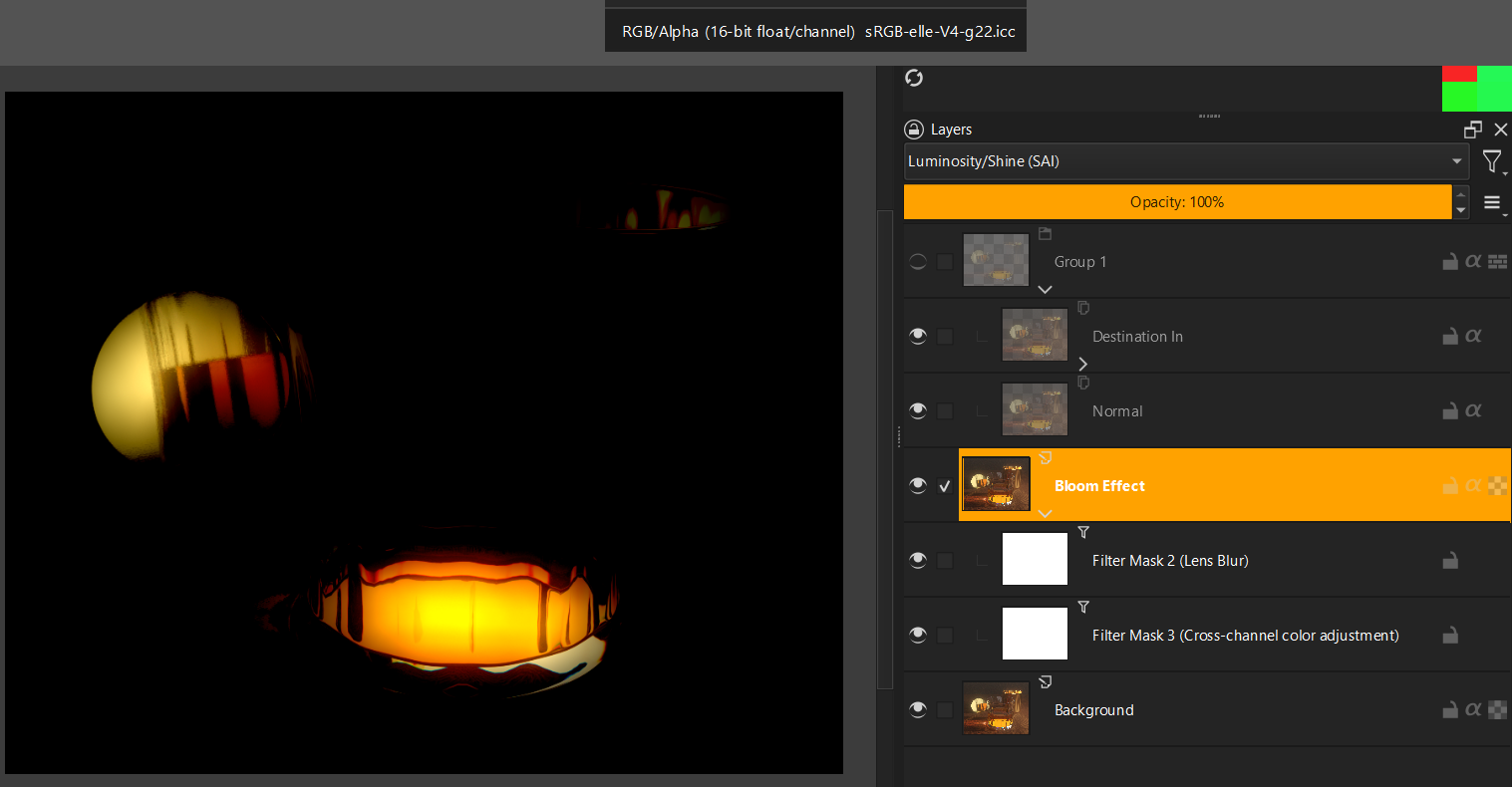
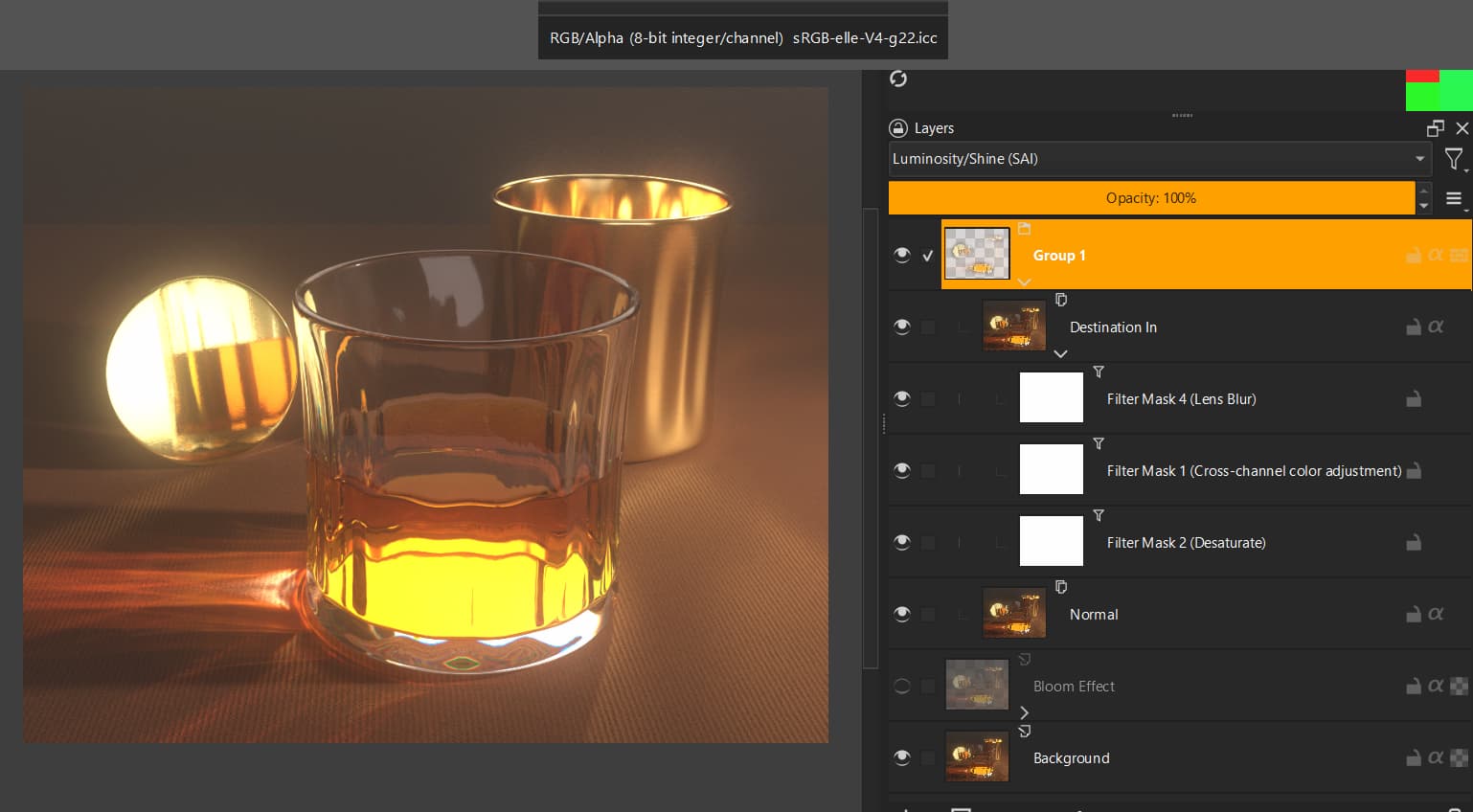
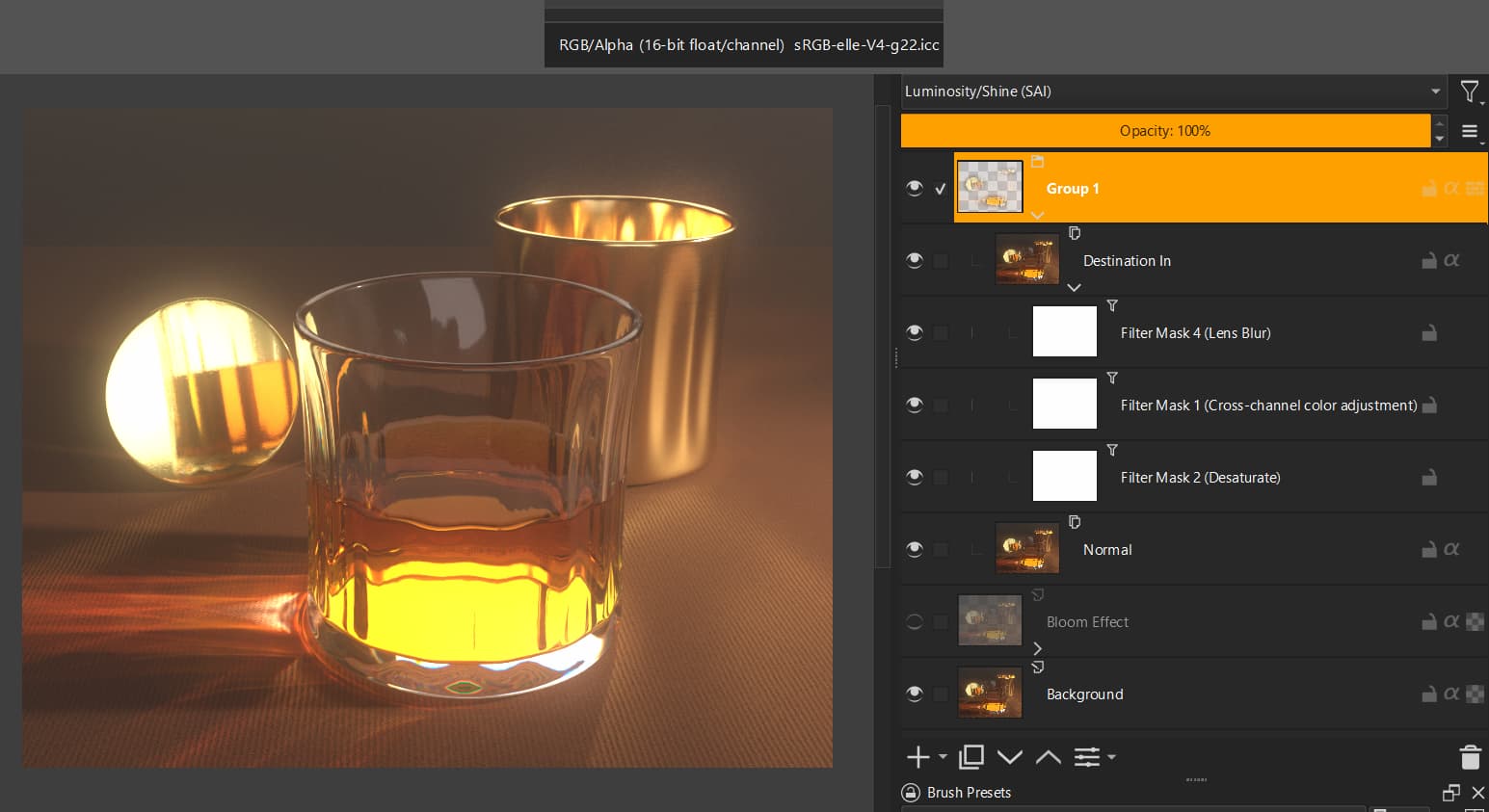
But I found another blending mode (Luminosity / Shine SAI) that seems to have issues with 16bit float (both in 5.3 and 5.2.9). I don’t think it is relevant for most users but thought I post it anyway.

I was testing a simple and a complex filter mask setup for a non-destructive bloom effect:

Simple filter setup:
(ignore the green and red artifacts in the top right corner; they are caused by the screenshot software)

8bit → I get the expected effect:

16 bit float → I get an unexpected effect:

Complex luminosity mask filter setup:
In this I first do a desaturate filter to drive the luminosity mask in grayscale.

8bit → I get the expected effect:

16bit float → I get the expected effect:

Screenshots from Krita 5.2.9 installed on Windows 11.

1 Like

Hi, @cgidesign!

Thank you for the report! Even though the bug was not a regression, I have fixed it in my branch. Do I undertstand it right that otherwise the branch works fine for you?