This is going to be a list of things that I feel like I would need for my workflow specifically Exporting and Management, and I couldn’t find a better place to leave it as a feedback instead, unless I’m wrong in which case I would remove this post
Some Context 🥲
So, I’ll get this out of the way first, I’m working on a manga called “Firehounds” and it’s on GlobalComix, if anyone wants to look at the final results, this is for giving context to what I’m trying to achieve with this request.
Backstory 🥲
When the 5.2 version came out I upgraded it and the first issue I ran into was that the Comics Manager had some bug in exporting which made me resort back to 5.1.4, and I haven’t since upgraded, so I’m not aware about any of the following features that I propose are fixed in the versions that are out or are about to be in the near future
Now, onto Feature Requests!
So my proposal for Better Management  is as follows, first is to address the arrangement and page ordering and how it is reflected on the JSON file.
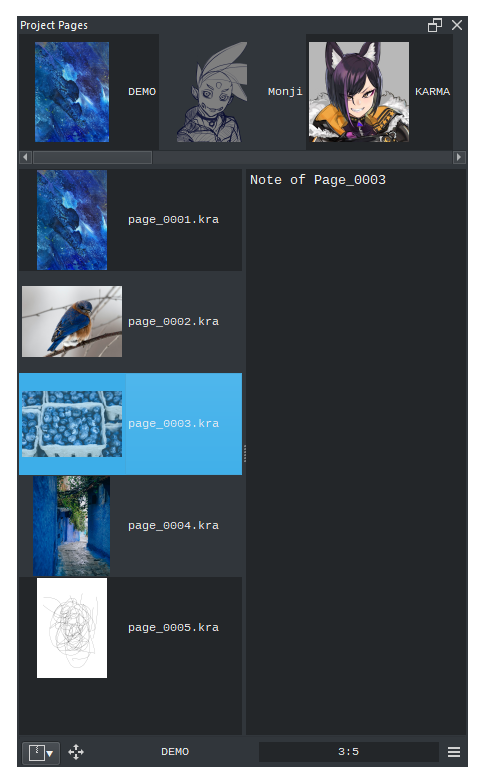
I would like to have a place to view the pages, this is present in the Comic Manager, good. Now when I rearrange my pages, it is accordingly reflected in the JSON file, which is good, again.
But Pedro wants it to be better, but how? To do this, we need to see why this isn’t better for the long term imo. The JSON file, which I opened using notepad out of curiosity as I moved my files around (to be precise, I was moving all the pages - of which were 15 and were more than 15 GBs together - due to concerns over letting Krita keep opening and exporting the whole comic and running into memory issues, and potentially crashing and corrupting the files.
The JSON file keeps a list of pages in an arrangement and seems to update everytime Krita accesses the set folder and/or when pages are rearranged and stuff, the issue that I’ve come across is the pages are removed from JSON file when I move them, and if I move the first page (which in my case was numbered 00) it runs into an error and throws an error message that it couldn’t export it due to not being able to find it. And this rearranging of pages in the folder itself makes the Manager to show the files which are in the set folder and not the other pages that I moved around. This can be fixed if there was a single export option but since there isn’t, I had to move the files.
So as you can see, Krita needs to manage it better without losing track of the pages and not having to let the user change anything in the folders which might make it harder on Krita to keep track of it all, but not limited to just one folder. I will get to the more-than-one-folder later on.
So rearranging pages, change the order of it being displayed but when files are moved away from the folder Krita is supposed to manage, the JSON file is updated accordingly, so when someone does end up rearranging it back, the user will have to rely on opening multiple KRA files which are not named according to the page order they are supposed to be in. So I suggest to change the naming of the KRA files itself, based on the page order they are in when rearranged, Comic Manager already handles the naming of the pages while the JSON file can hold the data about the page order to KRA file relation as a backup which Krita can use to override if there’s a page with a different naming, maybe there’s a collaborator who named it differently, and so If I had to add the page the naming should be changed in the final page ordering (this can go more advanced, like sharing Comic Manager settings to make multiple Krita clients have one unified setting to work under if the user is a collaborator and checkboxes on which Krita client to have the override access while the other Krita clients can’t override it as it was in the shared settings and blah blah, too ambitious, doesn’t help for the immediate future, back to present)
So now, having the naming conventions reworked and fixing the ordering, we now go to the folder stuff.
I feel the need to have Krita manage multiple folders, so for example, I would like to have a toggle for each page, which would either mark them as either WIP or as Completed, this way I can have a cover image named and ordered as the first page (which I think could be 00, for example). Now the reason for this way of marking pages is for a better way of showing pages in the Manager. So if I have appropriately named tabs, or a toggle (don’t know if that’s easy to do in Python) which would show me the pages that are either WIP or Completed. This is just a way to display the information and shouldn’t have anything to do with rearranging pages. But how does multiple folders come into play? I don’t know how the Manager chooses to export, but since the only option is to Export the whole comic at once tells me it uses whatever is in the set folder as a basis to work off of, so if there were a folder named WIP and Completed, this way Krita would only export multiple pages in the WIP folder and move them to Completed when marked as such (there could be a checkbox in the export settings where Exporting a page could either be marked Completed automatically or it could be left to the user doing it manually for each page as I would like to do it that way incase I didn’t like the export or had to make corrections).
[Ignorables 1 - More can be built on top of this, like folders representing a chapter and have more options over file naming and page ordering, like resetting the naming and starting from 00 again while continuing the page order, etc but that’s not the focus of this]
Now we go to Export Options
The export feature needs more to it, and this is already a feature request here that I have voted for.
I hoped that Advanced Export would fix that issue, but the thing is it doesn’t take into account the Guide lines I set for cropping and has no options to consider it in the first place, and so the file output I get is not exactly the file I need for digital upload and is very much the full size print version…
Specifically, the export needs options such as Single Page export, so this way one wouldn’t need to export multiple pages for that one page. This workflow is because my files, like single Krita files for each page, can range from 1-3 GBs, mostly due to the fact that the resolutions I choose is above 4K, for better image quality for digital viewing on 4K screens (and that lower resolution images at source can induce aliasing in higher res screens), and the high dpi for more flexibility for printing in different sizes, I have plans to do special editions of my physical copies which would be bigger, in my case the dpi went up to 900 for maintaining that resolution requirement (which I’m aware is too high of a dpi for a physical copy!!).
After mentioning that, the file output that I get from exporting are usually around 15 MBs, and I export them to multiple formats, like EPUB and TIFF, and use the export PNGs from the CBZ export for the digital upload. So the issue now that i run into is that this can limit me from posting to a variety of other sites, for example MANGA Plus by Shueisha and Medibang, which has a file limit of 5 MB, and that sucks and also the reason for me to export it into EPUB as it has JPG export but
If i rearranged my files suddenly my exported JPGs are now replaced (in other words I realised this too late… So this next feature is more about adding more customisations to the export capabilities that are already present.
For example, I would want an option to Export to Images separately, instead of bundling them with the existing export options (unless they are essential for the other formats to working correctly), where I could choose an export format like JPEG/JPG or set a size limit so that Krita can work out which resolution it should be and other options where one can fine tune so the quality and size balance can be maintained, without exceeding the limit.
How I suppose that would look, would be separate tab on the export settings dialog box, it should have an optional Size Limit checkbox which if unchecked should not apply any limits to the customisations, but if check it would change the limits on the customisations, for example if there was a resolution slider, which would change the size (either a percentage or length/width option with linking) would now actively stop from letting you go over a certain resolution where the size limit is reached and etc.
Also, Krita should free up the memory when exporting multiple pages if there’s a risk of it crashing from not having enough of it available when it does batch export!
Also
Where’s the double page spread mode!?
.
.
.
.
.
.
.
.
.
.
jk
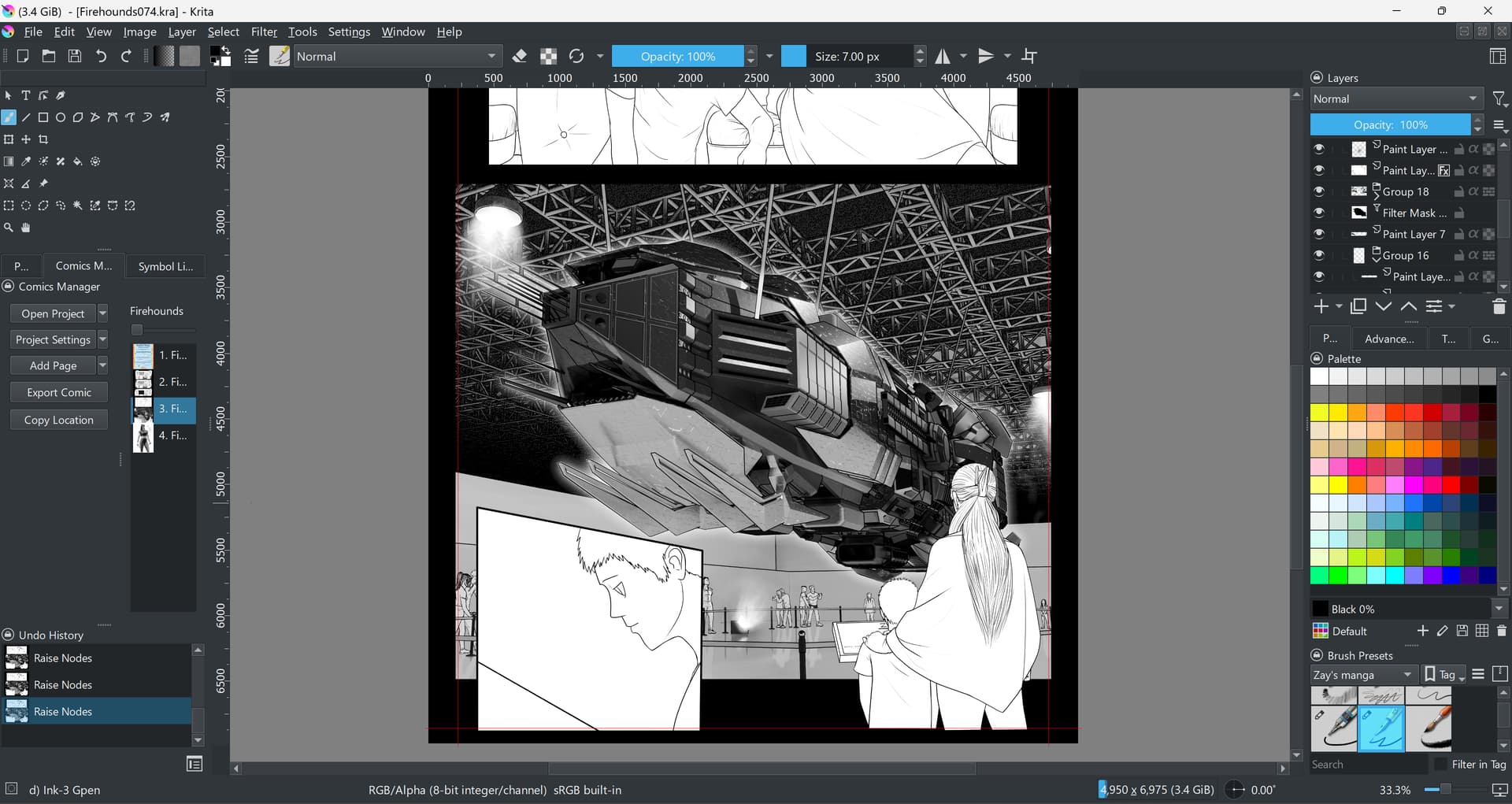
Here I’ll add a screenshot of a page I’m working on in Krita!
Is that a 3D model?
Yes that is a 3D model, I use Blender with Krita (I also wish Krita and Blender had more ways to communicate with other, there’s this software called fspy I think which can create a scene in Blender from images, it only needs atleast 2 lines that the user needs to align on the image and fspy will setup camera and perspective that matches that, Krita could benefit from something like that for people who use both together…
And other than that, thanks to the Krita devs for keeping up the amazing work and Wolthera for writing the Comic Manager, I considered Clip Studio before and had it not for the Comic Manager, I would have been pulled out of the Open Source environment…

 )
)