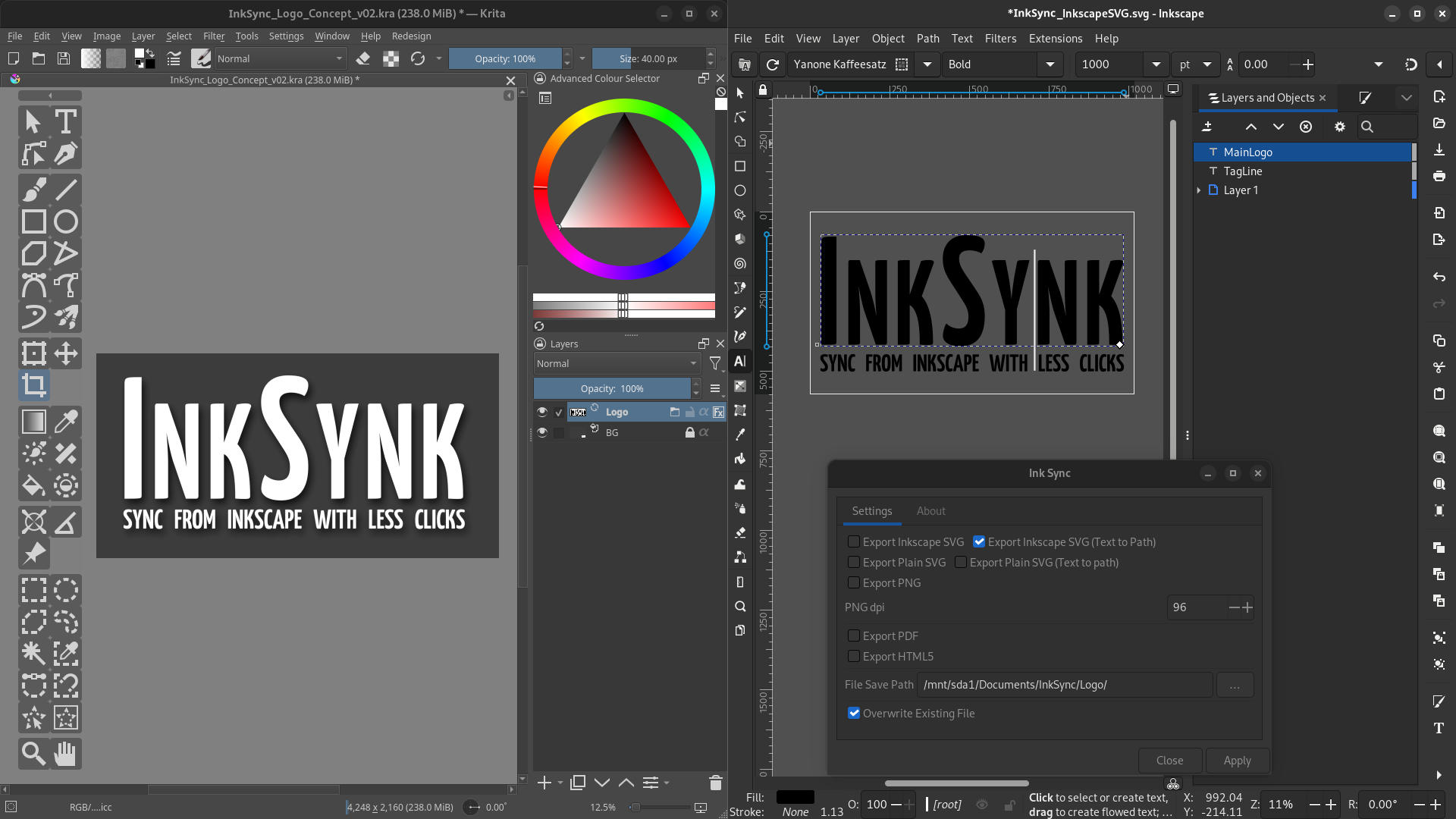
I have a new Inkscape extension to help you with advance text and object features that might usually look odd when you export from Inkscape to Krita.
With the changes I have made to an existing extension, you can now more quickly sync files between Inkscape and Krita with that object to path control of eliminating unpredictable results on text based logos.
Why do you need this? When you save your SVG and it looks different in Inkscape and you want it to look exactly as it does in inkscape… Or even if you just wanted a very quick way to convert all layers to paths so that it’s more cross compatible; this tool can save you a hassle. The goal is to let you do it all in less clicks.
Just bumped into this topic - and wow! This sounds very interesting and might be potentially useful for the fontwork in my graphic novel/other comics, for I frequently switch from Inkscape to Krita and back.
Looking forward to trying this one out! Thank you!
Please describe each step you took to install the plugin and tell us in detail what happened. Did you get an error message? If so, share the error message with us.
You install plugins in Krita by clicking on “Tools” >> “Scripts” >> “Import Plugin from File” and in the dialog that opens, select the file you just downloaded, confirm the selection, then confirm Krita’s activation request and the message that the plugin is installed, and restart Krita.
If you missed letting Krita activate the plugin during the steps above:
Then you have to search in Krita under ‘‘Settings’’ >> ‘‘Configure Krita’’ >> ‘‘Python Plugin Manager’’ for the plugin you just installed and activate it by checking the box in front of it. Then confirm with “OK” and restart Krita a second time to be able to use the plugin.
This addon is for the vector tool; ‘Inkscape’, not Krita. And it’s used to speed up the process of re-exporting existing formats which are compatible with Krita.
For Krita artists who are serious about vector graphics, prefer Inkscape and want to work faster across apps when exporting over to Krita; it makes it easier to update existing documents once embedded. It’s standard industry practice to embed svg’s in your document, this addon is just about reducing clicks while in Inscape…
You export the vector work out of there, and you use Krita’s ‘File Embed’ feature to store the exported document in your Krita document.
If you prefer Illustrator or Affinity Designer, you wouldn’t be using my addon… but you’d want to make use of Krita’s file embedding to store the SVG exported out of those apps.
 Hello
Hello