Hello community,
I know you love charcoal brushes and dry media. Join me in this new video to discover the power of templates. Ok ok, this looks like an advertisement. I have spent a lot of time creating this templates. Why? because default textures are very good, but could be better for this purpose. The idea is to generate like a procedural paper or surface with filters.
so there you have it. 12 seamless templates designed to show that Krita can generates this beauty thing and you are not worried anymore about BG. Please let me know if you like it
Thanks to @pjv and @Dig Paint for sharing his artworks for the video.
And here you have the video. please go to YT and comment, like, subscribe to support the channel.
And be prepared because I am still creating more resorces.
seamless TEMPLATES for Krita 5.2.6 ! Fine arts Papers 2024
that works really well ^^ great. However, they are all the same size and are landscape when you create a new document, you can’t adjust the size beforehand and you can’t make it portrait either, is that what you want?
Of course but these are templates, if you want templates to your liking in the same video shows how to create them, you can not cover all tastes, that’s up to each one.
They are “below” the painting and do not interact directly.
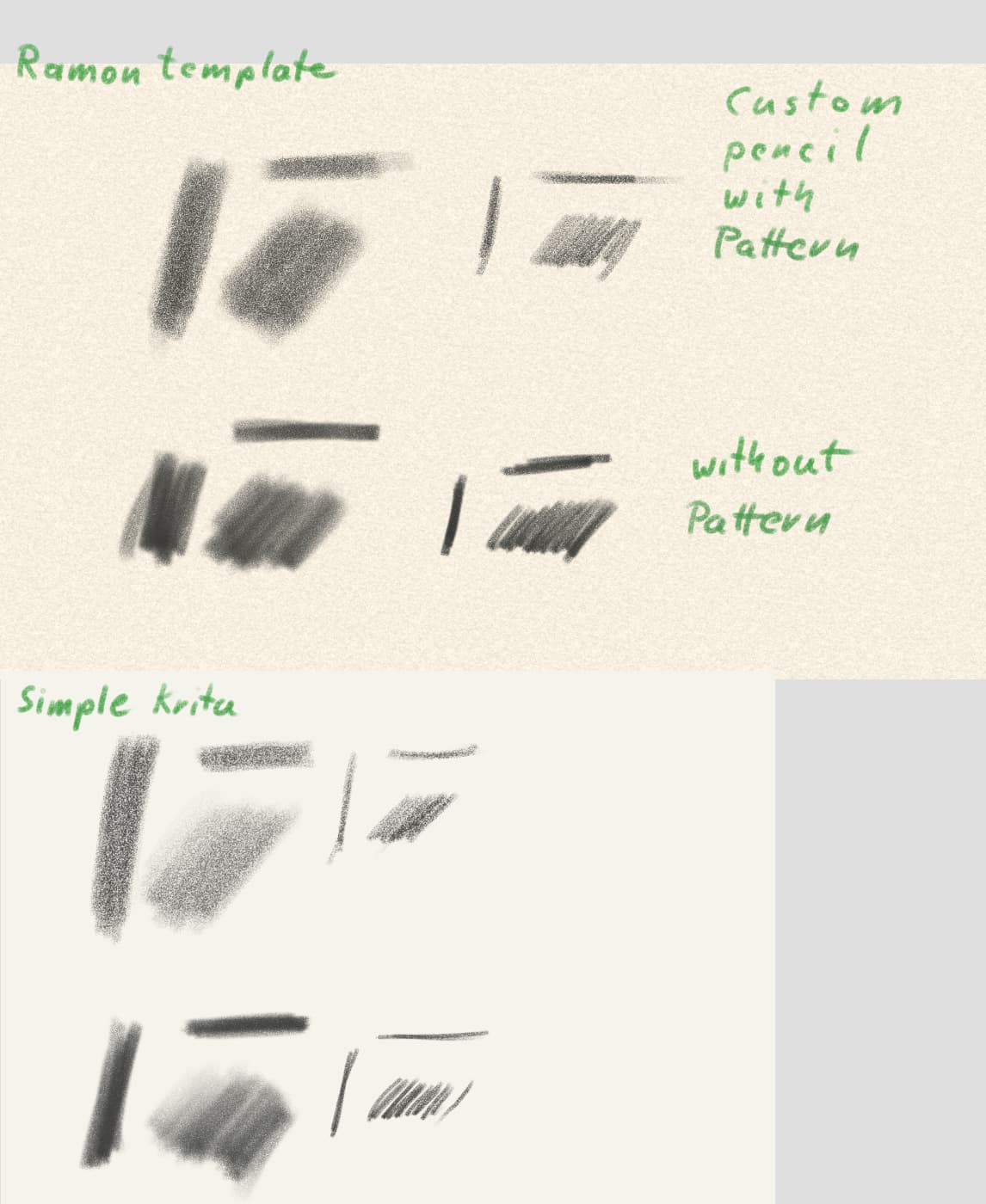
Example:
I use a custom pencil that has a “Pattern” to simulate a paper surface. If I disable the Pattern it only has the brush tip texture left which gives a less paper-like look.
The templates are the same. They do not “add” a paper structure to the strokes.
That is intended I think.