No problem 
Exactly 
Grum999
No problem
Exactly
Grum999
Got some exceptions after first run with 5.0 beta 1…
Also, that newspaper plugin doesn’t work. With this version of the app at least.
That’s a very useful information, thanks for info 
Unfortunately, on my side, everything is working fine with Krita 5 beta 1 

So, I feel a little bit annoyed.
I’m not able to reproduce a problem for which I have no information.
So I can’t really do anything for now.
If you have screenshot, logs, better description of what happen or workflow that can help to reproduce the problem, you’re welcome.
Otherwise please avoid this kind of useless comments, I’m not in the mood 
Note there’s an old bug I never fixed (ie: the problem is here from origin of plugin): plugin works only if processed layer is located at root of document, for a layer located in a group layer, nothing happens.
I have to fix this, or least provide information on plugin page.
Grum999
Fixed, will be available with version 1.2.0
Grum999
Please don’t blame me.
I acted according to my intuition.
I simply selected any layer for the operation, but behold you told me
putting the layer at root position is necessary for it to work.
Which I didn’t know, but can confirm as I tried it just now.
There were no exception when I did as suggested.
Also, it’s good that you fixed the bug forcing to put layer at root for the
plugin to work.
Thanks for the plugin. I will test it. Il was one of my favorite Gimp filter and was frustrated not finding on different painting software.
I begin to discover this plug-in an it seems very nice, thanks to who made it 
Hi @djwaterman
Following this post:
I currently don’t have time to build an official release, but fix has been committed on github repository.
You can install fixed version by providing following url https://github.com/Grum999/Newspaper/archive/refs/heads/v1.2.0.zip to Import python plugin from web…
I’ve made some tests, it’s seems to be ok with Krita 5.1; the weird thing is now, all layers process is visible and:
I still have to try improve that but for now, you have at least a version of plugin working with Krita 5.1
Grum999
That is excellent, it’s great to see the processing in action. What I like about this particular filter is the adjustments that can be made to the screen tone, the variability of the dot tone so that it is not perfectly gridded.
I am using Krita 5.1.0 on Windows 10
Hi
You might use version 1.1.1
My fault, I didn’t had time yet to provide official release 1.2.0
You can download & install dev-release 1.2.0 by following steps provided here, it should fix the problem I think.
Grum999
How difficult is it to have settings saving in this plugin?
Probably not difficult but the author has to spend time on writing a read and save functions, and also I suppose add that to the UI and all…and yeah…the hardest thing is time.
Hi
Not really difficult
Created request here:
It took ~2h-3h to implement
Official v1.2.0 of plugin is released and include it
Please not I implemented it in the simplest way: just open/save file dialog that let you manage your settings within json files
Grum999
Holy Moly, that was quick. Just tested, it works great, saving settings makes this a fantastic utility for Krita. Much thanks.
This plug in’s awesome, love that you can do it hard/ without any aliasing at all, thanks for the effort you must have put in!
Out of interest have you seen Max Chroma’s tools (for PS or online web apps)?
https://max-chroma.com/
Hi
Thanks
I need to check once I’ll be back home and get access to my computer.
But Krita’s native screentone/halftone system also works perfectly and provides a lot of possibilities
Short example here
Grum999

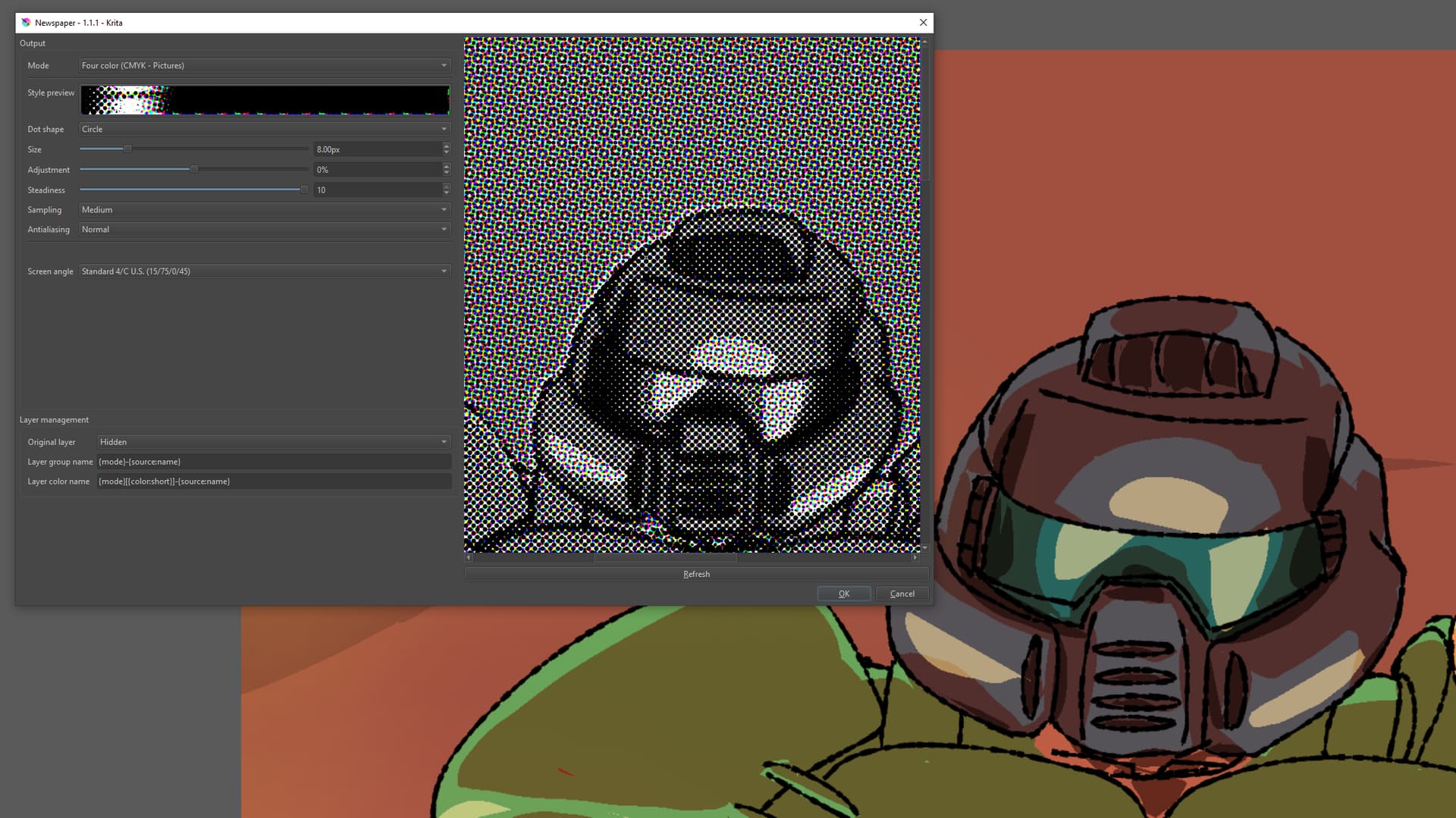

 Do you plan to keep updating it in the future? I actually prefer how this halftone filter looks than the default Krita ones.