I think you just need a solid white background that’s in the shape of the of your piece beneath everything? The quickest pain free way to add this without spending 10 minutes precisely selecting everything out is to use the contiguous selection tool, tap the negative space, invert the selection (ctrl+shift+i), then fill. Make sure when you save as .png there’s no checkers showing where you don’t want them. If that doesn’t fix it/not the issue lmk.
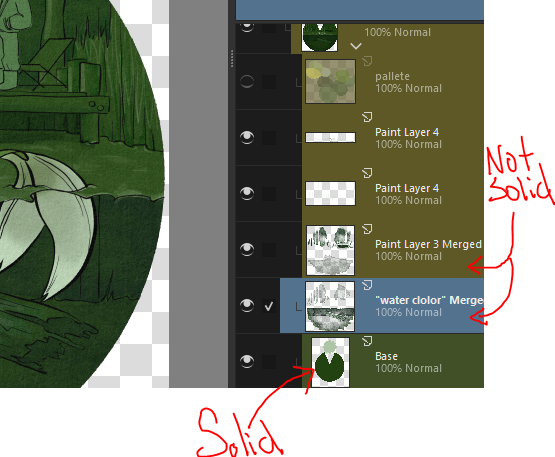
p.s. the detail on that keyhole is amazing! :0 and I kinda like the unintended transparency, makes it look phantom/ghost like.