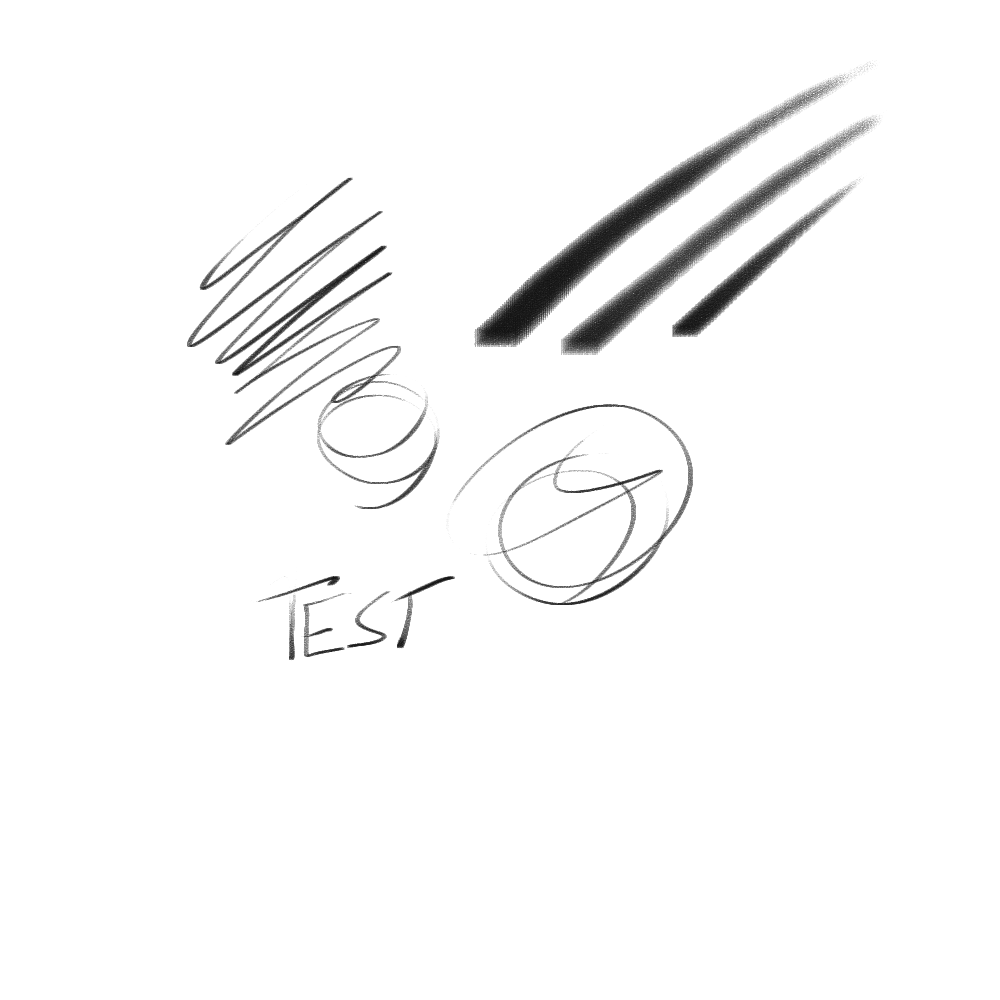
I have a brush that I made for sketching in an earlier version of krita, it used to have a kind of rough texture, mostly opaque but not quite. Now when I start krita sometimes it is fully opaque, until I toggle a setting (like size, flow, or opacity). This makes it change to paint very faintly, mostly painting the texture only, and it stays this way even when I toggle it back. However, when I hit ‘reset’ it goes back to fully opaque even if all the settings are actually the same, since I toggled back the changes.
Yet, neither of these is how it worked when I made it, and sometimes it still works that way, too…
The top left is how it is when the opacity becomes too strong, the bottom right is after toggling a setting off and on. This is the brush itself, which uses only default tip and texture: -_Sketch_Brush_Small.kpp - Google Drive
You can kinda see from its preview image the way it used to behave before 5.0. I am now on 5.2 and it still breaks in this version.
I have not noticed this in any of my other brushes yet, which I don’t really understand.
Interestingly it has a different texture now, which I think is the one I saved it with. I guess sometimes it is not loading its texture properly (though again, they are both default ones, so I am not sure why).
Do you have your brush editor set to temporarily retain tweaks? If so, it will always reset to whatever it was when you originally saved it. And which brush engine does it use? I’m wondering if 5.x changed the behaviour of the engine you’re using.
Yes, that setting is checked. That is what I want it to do though. The way I originally made it was like this second image, so I would like it to reset to that when the program starts or I press the reset button.
This is really a long shot but when you made the brush in 4.x, were any of the elements in subfolders? That’s probably a dumb thing to look at b/c your brush might not work at all in 5.x with subfolders… but I’m out of ideas.
I am not really sure what that means. When I make custom brush tips they would be in the brushes folder of resources while the brush itself is in the paintoppresets folder and a custom texture would be in the patterns folder, but in this case it’s a default tip and texture, and I am not sure where it keeps those.
It’s probably b/c I don’t really know much about brush creation and I might not be using all the right words. I just remember when 5.x first came out, there were 3rd party brushes that didn’t work properly in 5.x b/c their makers placed the brush assets (like tips or texture) in a folder that sat within the paintoppresets or patterns folders. That seemed to be fine in 4.x but not 5.x. Once the Krita users moved those assets out of the subfolder and into the main folder the brushes worked once again.
There are a few strange things about that brush preset.
I can’t use it or import it into 4.4.8.
Internally it says it was made with version 5.0.
It uses the ‘plain_rake’ brush tip …
EDIT: And that’s ok. (Previous misunderstanding corrected.)
The texture it uses, according to the brush editor, is ‘01_canvas’ but that particular texture is the fallback texture when a specified texture is not available.
Inside the .kpp file is a reference to a texture called ‘4-paper-soft-grain-testdark-black.png.pat’.
Does any of that mean anything to you?
That texture does seem to work for other brushes though (and sometimes, for this one). Yet I have not noticed those ones having this strange issue. Could it be the brush itself is corrupt, somehow?
A small correction: The texture is ‘4-paper-soft-grain_testdark-black15.png.pat’
(I did manual copy typing instead of Ctrl+C, Ctrl+V. I must stop doing that.)
I don’t think the brush preset you made is corrupt.
I think you’ve made an unfortunate choice of texture.
When Sketch Brush Small is first used, the brush editor says that the pattern is ‘01 canvas’ and that is the fallback when the internally specified texture can’t be found.