Hi, I have been an animator for more than 10 years. My main software is tvpaint 11, but they are stagnating, and Im looking for a new soft so here I am.
this first requests is very simple but vital:
to be able to turn on/off the onion skin (“light table” in most animation softwares) on the selected layer
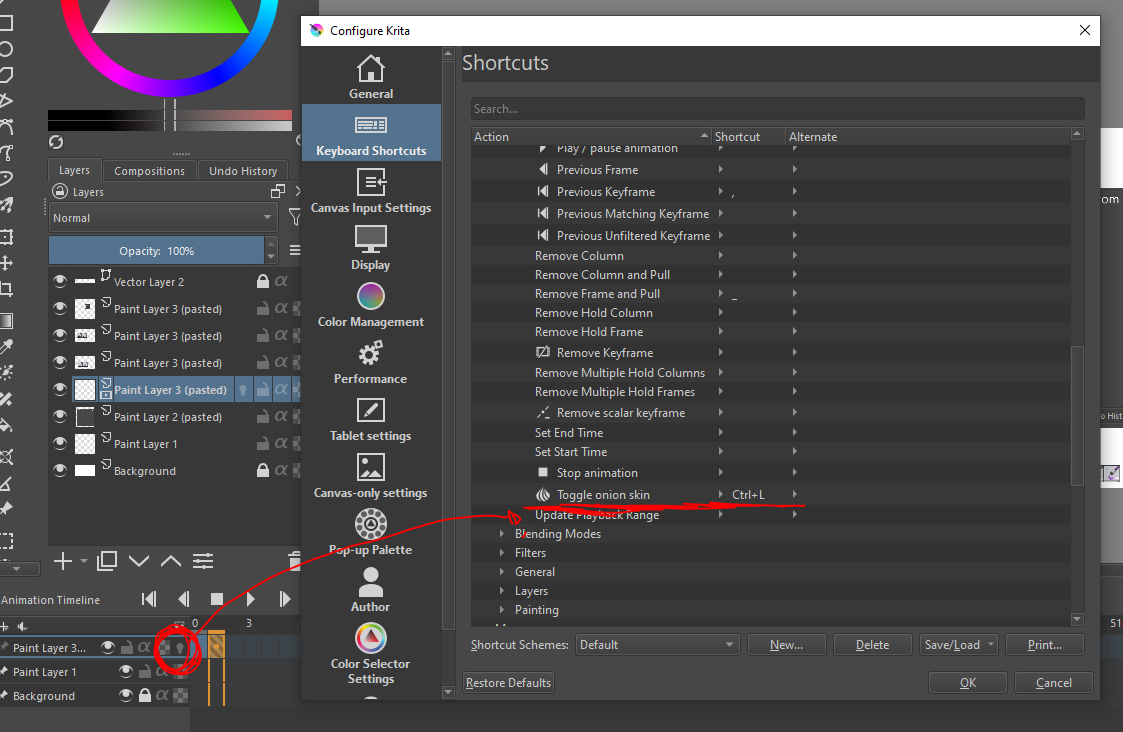
The keyboard shortcut for “Toggle onion skin” turns on/off all onion skins for all layers since it operates on the Onion Skins docker, i.e. the properties of all onion skins.
Maybe @condepablo wants a keyboard shorcut to toggle the lightbulb of the active animated layer?
Hi, @condepablo ,
A suggestion: maybe rename the title of your feature request from:
“Onion Skin on/off shorcut”
to
“Onion Skin on/off shorcut for active layer (not global)”
It will help to avoid the replies about the global shortcut, I think. Also, maybe comment why you attach this precise unrelated (or vaguely) screenshot. You can understand the confusion if you also communicate with pictures since more than 10 years.
As I can see someone (maybe you) already change the title. thanks.
about the screen, do you think its unrelated? Im showing the keyboard shortcut list, and where it supposed to be the action/shortcut we are missing
@condepablo I completely agree with you! The actual onion skin behaviour (global) is, IMHO, prone to some frustration/confusion.
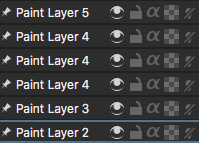
When learning Krita, it took me sometime to understand why the light bulb was on and the onion skin didn’t activate. I had to learn (after many trial and error) that the onion skin shortcut is global so it only works if you press the shortcut (even when the light bulb is on).
Making the onion skin shortcut local to each layer would remove the confusion and make things more logical.
Adding a shortcut to switch lightbulb on current layer could be interesting.
But current global onion skin switch is needed: when you have 10-20 animated frames and you want to globally disable/enable onion skin, having to switch on/off each layer will be hell
The ‘Onion skins menu’ icon on the Timeline docker shows/hides the Onion Skin docker, which is all about adjusting onion skin properties, both locally for each frame’s onion skin and also globally with the central ‘zero-skin’ slider/switch.
It seems logical/reasonable that the ‘Toggle onion skin’ shortcut, with its onion icon applies to all the onion skins.
Maybe it should be called ‘Toggle onion skins’ (plural).
As @Grum999 said, it is needed.
I agree that there should be a shortcut that toggles the lightbulb of the active layer but it’s not essential though it would be convenient.
For me, having the 2 options would be more flexible. I still find a bit annoying having to click the light bulb and pressing the onion skin shortcut (whenever I forget that the light bulb was turned off and the shortcut doesn’t work)
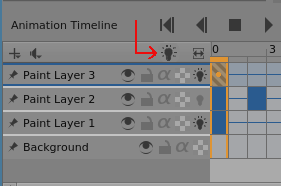
@oliver Maybe when all the onion skins are turned off, a diagonal line could appear on all lightbulb icons (whether they are turned on or off) to indicate that they’ve been globally turned off?
For people who prefer to click control icons instead of remembering keyboard shortcuts, a ‘global enable’ lightbulb icon could be placed on the top row of the Timeline docker:
This is a lightbulb icon and is ‘on’ when all layer lightbulbs are behaving normally, i.e. not globally supressed.
If clicked it would change to the ‘off’ state with a diagonal line through it, as presented in @oliver’s mockup.
I think a lightbulb icon would be better than an onion skin icon because the onion skin icon is already used on the Timeline docker to toggle the Onion Skin docker presence.
That would then imply that the icon for ‘Toggle onion skin’ in the keyboard shortcuts should be changed to be a lightbulb or some modification of the usual lightbulb icon.
Also, it should be renamed ‘Toggle onion skins’ (plural) or ‘Toggle Lighbulb enable’?
At the moment, when ‘Toggle onion skin’ is set to turn onion skins off, the state of each individual lightbulb can be manually toggled.
If that situation is mantained then the lightbulb icon with a diagonal line through it would need two additional different icons, for ‘on but globally turned off’ and ‘off and globally turned off’
both ideas wold be great. of course, Im not asking only for a shortcut, but also for some graphic icon on te UI too!
and it would be much better change the name “ONION SKIN” for “LIGHT TABLE” if we want to talk in professional 2d animation workflow. but that’s just a detail